How to fix
Microsoft.shar error
on Windows
Resolve the Microsoft.shar error in Windows 10 and 11 effortlessly. Get expert-tested solutions that ensure smooth system performance. Fixed in minutes!

What causes How to fix Microsoft.shar error in Windows?
- Updates within OneDrive
- Corrupted OneDrive update
- Conflict with the system
- Corrupt system files
- Conflicts with newly installed software
Repairs Windows system files, removes malware, and restores a clean OS state — without reinstalling.
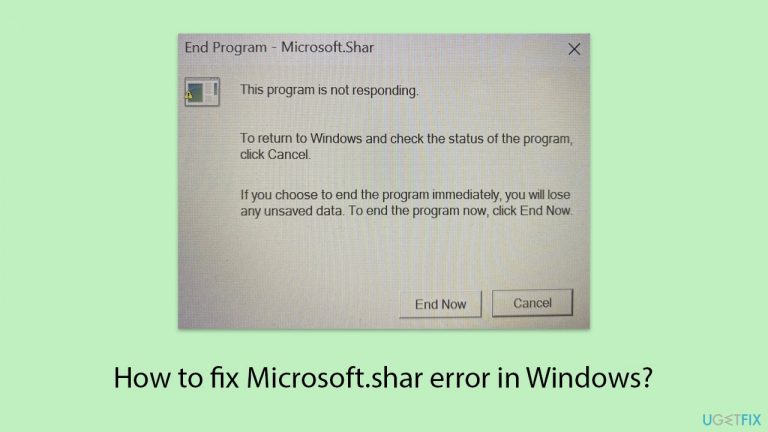
Every time I want to shut down my laptop, I get a pop-up message with the title "End Program - Microsoft.shar," which says that the program is not responding.
Microsoft.shar error is a common issue that many Windows users encounter when attempting to shut down their PCs. This error message typically reads: "End Program - Microsoft.shar. This program is not responding. To return to Windows and check the status of the program, click Cancel.
If you choose to end the program immediately, you will lose any unsaved data. To end the program now, click End Now." Essentially, Microsoft.shar refers to a component within the Windows operating system related to OneDrive. When this component fails to respond, it prevents the system from shutting down smoothly.
Microsoft.shar error causes
There are several reasons why you might experience the Microsoft.shar error - a primary cause is related to updates within OneDrive. Once OneDrive is updated, it sometimes creates issues where certain applications or background processes fail to terminate properly when you attempt to shut down your PC.
This can happen if the update is corrupted, if there is a conflict with the system, or if the update is in the middle of an important operation that cannot be interrupted.
Additionally, problems within the Windows operating system itself, such as corrupt system files or conflicts with newly installed software, can also lead to the Microsoft.shar error. These underlying issues disrupt the normal shutdown sequence, causing the system to flag the non-responding program.
Potential solutions for the Microsoft.shar error
To fix the issue, ensure that all your software is up to date, including manual updates for OneDrive, can prevent compatibility issues that may cause the error. Reconnecting your OneDrive account can also help resolve the issue by re-establishing a proper connection between OneDrive and the system.
Additionally, performing a Registry fix can address any specific registry issues related to the update. Another approach is to roll back the Windows update that started the issue, which can revert your system to a state before the problem began.
To address underlying Windows issues automatically, consider using the [d1] PC repair tool, which can efficiently resolve such problems and enhance system performance.
Fix 1. Install all Windows updates
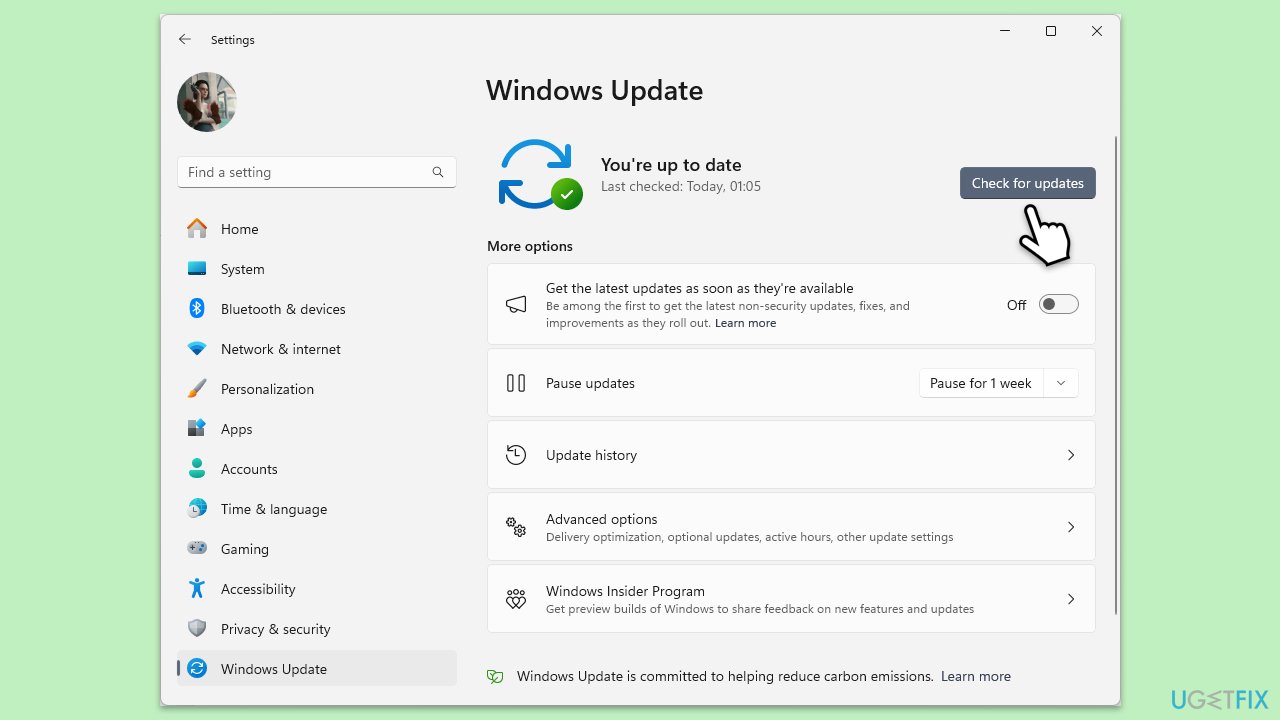
If the problem was caused by a Windows update, there is a chance that Microsoft already addressed the issue. If you are already running the latest Windows version, refer to Fix No. 7.
- In Windows search, type Updates and hit Enter.
- In the new window, click Check for updates and wait till everything is installed.
- Make sure you also install any available optional updates.
- When done, restart your system to implement the changes.
Fix 2. Reconnect OneDrive account
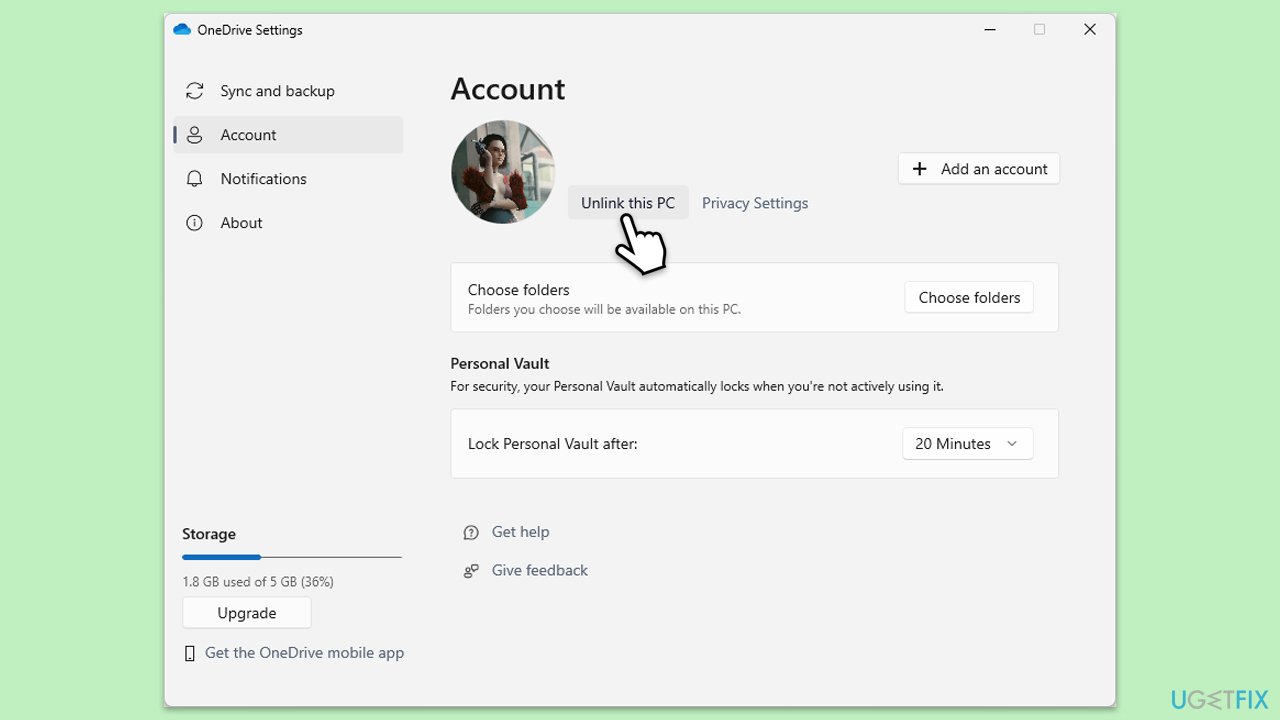
Reconnecting your OneDrive account can re-establish a proper connection, resolving any sync issues that may be causing the error.
- Right-click the OneDrive icon in the taskbar.
- Select Settings.
- Go to the Account tab.
- Click Unlink this PC.
- Sign in again with your Microsoft account.
Fix 3. Update OneDrive manually
Manually updating OneDrive ensures that you have the latest version, which may contain fixes for the issue.
- Open the OneDrive app on your PC.
- Click on the Help & Settings icon in the notification area.
- Select Settings.
- In the settings menu, go to the About tab.
- Click on the OneDrive version - this should open the browser and the release notes from Microsoft.
- If the latest version listed there matches with the one on your app, you are up to date.
- If the version does not match, simply click on Download OneDrive for Windows, follow the installation instructions and it will install the latest version on your device.
Fix 4. Try a registry fix
This fix involves modifying Windows Registry so you should back it up before proceeding.
- Unlink your OneDrive account as described in Fix No. 2.
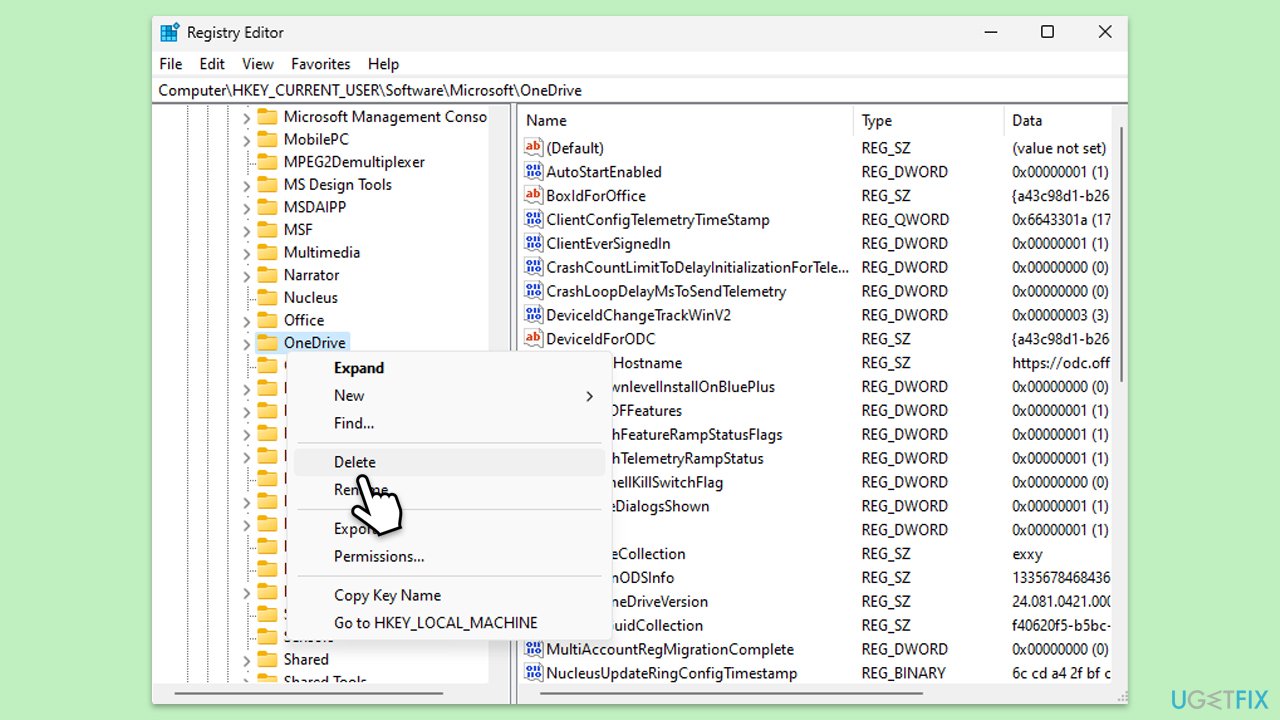
- Type regedit in Windows search and press Enter.
- Go to the following location:
Computer\HKEY_CURRENT_USER\Software\Microsoft - Delete the OneDrive folder.
- Next, go to the following location:
Computer\HKEY_CURRENT_USER\Software\Microsoft\Windows\CurrentVersion\Run - Delete the Microsoft.Lists entry.
- Right-click on Start and pick Apps and Features/Installed apps.
- Scroll down and find Microsoft OneDrive.
- Click Uninstall and follow the prompts to remove the app.
- Next, open File Explorer and make sure Hidden items are visible.
- Navigate to the following locations and delete all contents from OneDrive folders located in the following directories (replace USERNAME with your username):
C:\Users\USERNAME\AppData\Local\
C:\Users\USERNAME\AppData\Local\Temp
C:\Users\USERNAME\AppData\LocalLow\Temp
C:\Windows\Temp - Restart your PC.
- Once rebooted, open your browser and go to the official Microsoft site to download OneDrive.
Fix 5. Try Clean Boot
If another software is causing the issue, a Clean Boot can help you determine the cause.
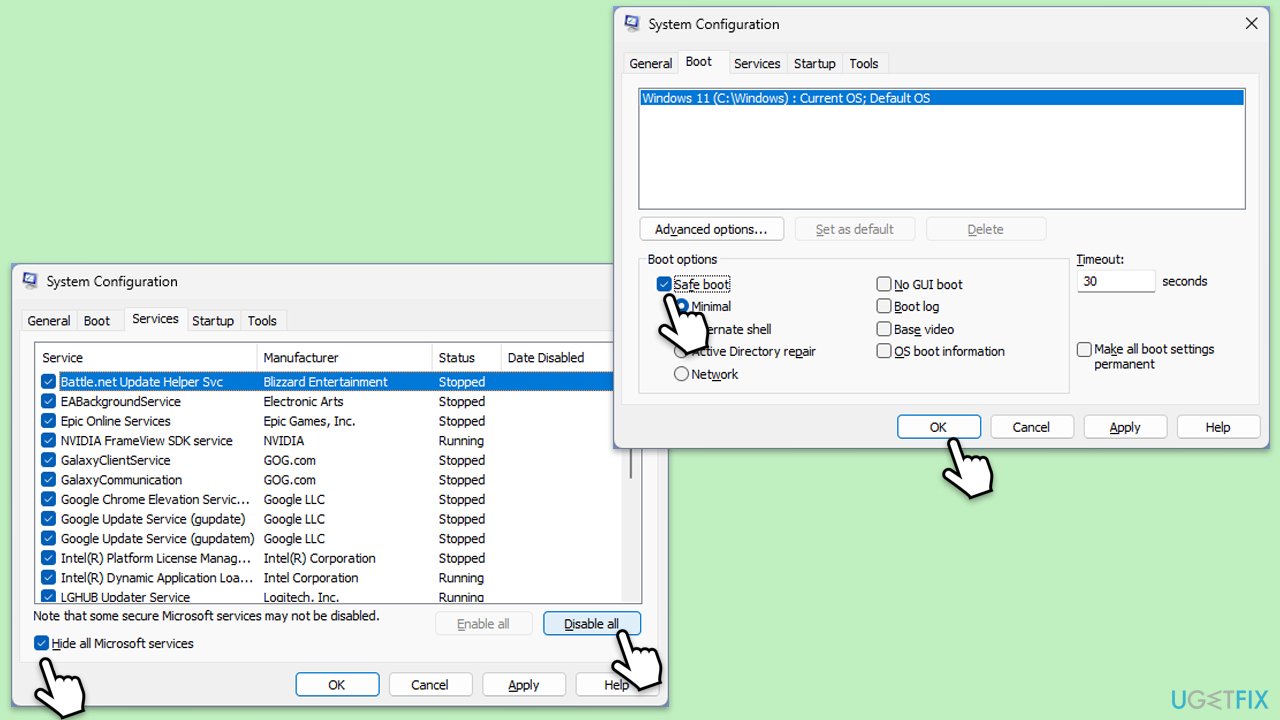
- In Windows search, type msconfig then press Enter.
- Select the Services tab and tick the Hide all Microsoft services checkbox.
- Pick Disable all.
- Go to the Startup tab and click Open Task Manager.
- Here, right-click on each of the non-Windows entries and select Disable.
- Close down the Task Manager.
- Go to the Boot tab and tick the Safe boot option.
- Once the computer is restarted, try the action that was causing the error.
- If resolved, you can start enabling services and startup items one by one (or in groups) to identify the offending program.
Fix 6. Repair corrupted files
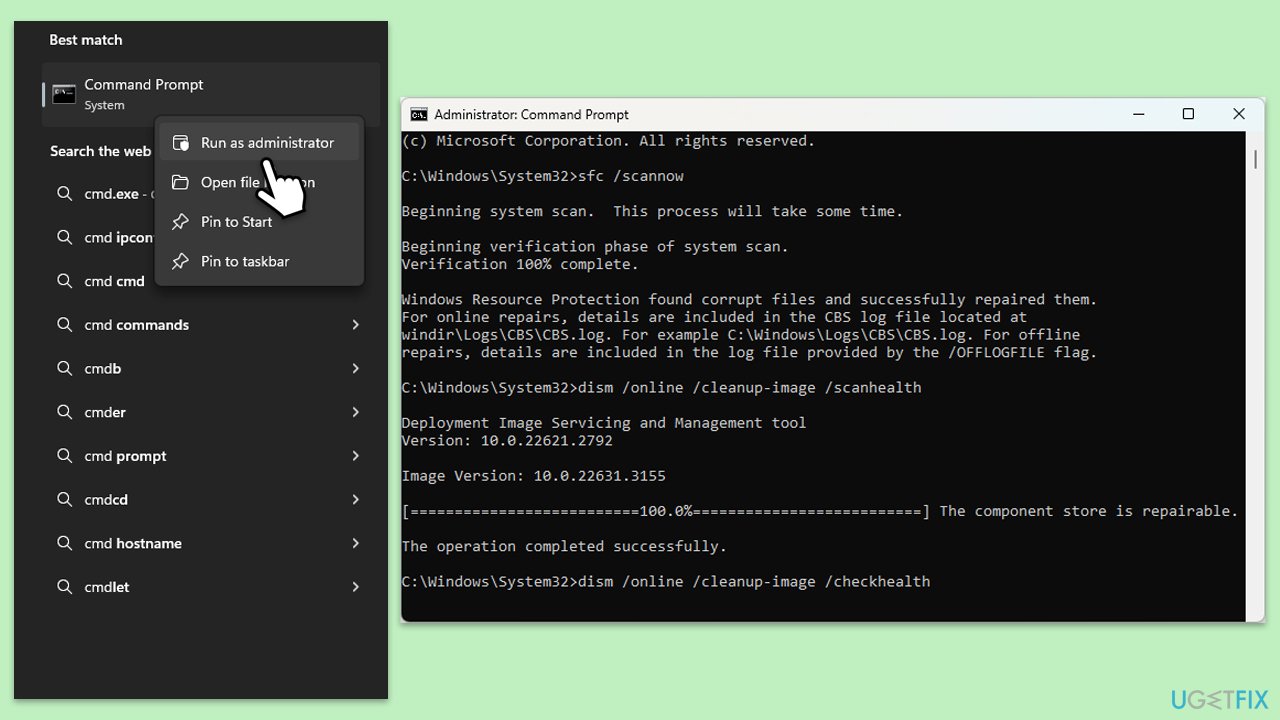
- Type cmd in Windows search.
- Right-click on Command Prompt and pick Run as administrator.
- When UAC asks you whether you want to make changes, agree by pressing Yes.
- Next, copy and paste the following commands, pressing Enter each time:
sfc /scannow
DISM /Online /Cleanup-Image /CheckHealth
DISM /Online /Cleanup-Image /ScanHealth
DISM /Online /Cleanup-Image /RestoreHealth
(Note: if you get an error executing the last command, add /Source:C:\RepairSource\Windows /LimitAccess to it and try again.) - Restart your computer.
Fix 7. Uninstall the latest Windows update
If the issue started after updating Windows, you can uninstall the latest update until it is fixed by Microsoft.
- Type Control Panel in Windows search and press Enter.
- Select Programs > Uninstall a program.
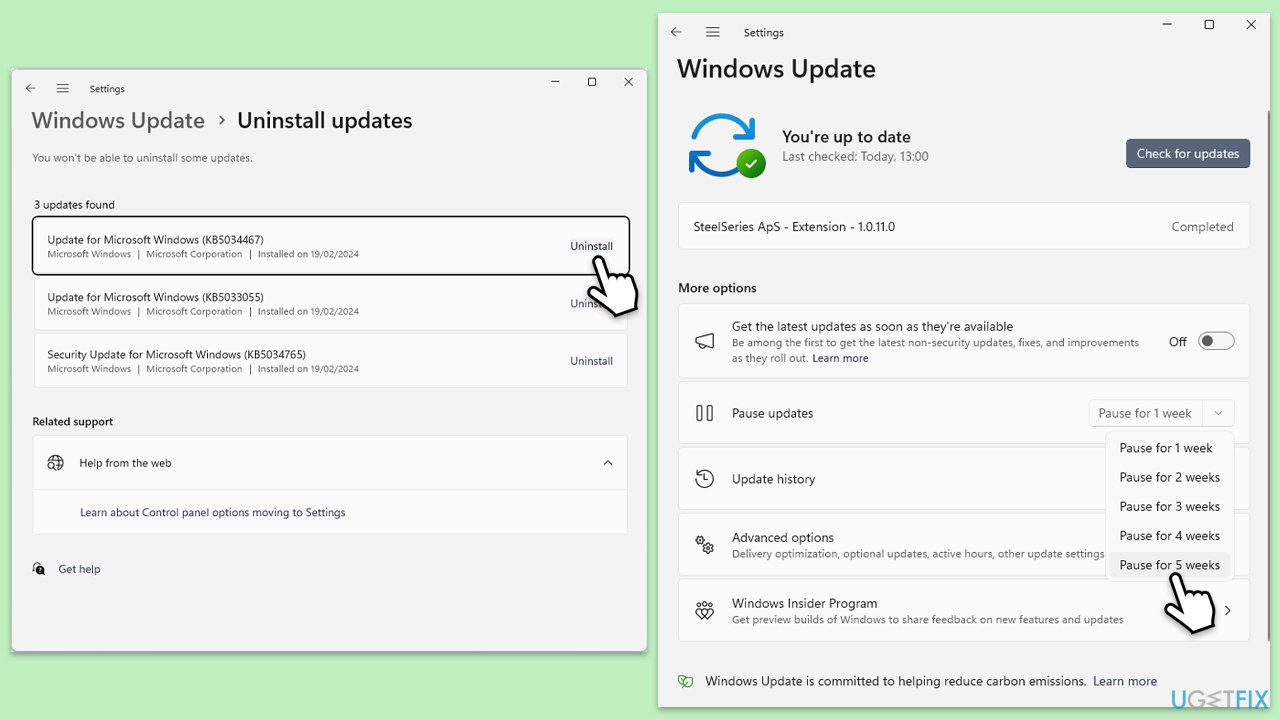
- Click on View installed updates on the left side of the window.
- Uninstall the most recent update.
- Proceed with on-screen instructions.
- Don't forget to pause the update.
Bottom line
To fix the Microsoft.shar error, ensure all software is up to date, reconnect your OneDrive account, perform a Registry fix, or roll back the Windows update that caused the issue. If these solutions do not resolve the problem, consider using tools to address underlying Windows issues automatically.
Frequently asked questions
The Microsoft.shar error typically occurs due to corrupted system files or issues with installed applications that rely on Microsoft services. It can also be triggered by outdated drivers or software conflicts.
To resolve the Microsoft.shar error on Windows 11, you can run the System File Checker tool by executing 'sfc /scannow' in the Command Prompt. Additionally, consider updating your system and drivers to ensure compatibility.
To prevent the Microsoft.shar error in Windows 10, regularly update your operating system and installed applications, and perform routine system maintenance such as disk cleanup and driver updates.




Report an issue
What's wrong with this guide? We review every report and update or remove content.
Report received — thank you. We'll review and fix it.
You need a free account to submit a report.
Be the first to comment