How to fix
“Microsoft.YourPhone” pop-up
on Windows
Resolve the "Microsoft.YourPhone" pop-up issue on Windows 10 or 11 effortlessly. Get expert-tested solutions that work quickly, zero traces left.

What causes How to fix “Microsoft.YourPhone” pop-up in Windows?
- Pop-up appears due to the Your Phone app running in the background
- Malfunctions in the Your Phone or Phone Link application
- Frequent notifications from the app interrupting work
- Built-in application cannot be uninstalled completely
- Microsoft renamed the app to Phone Link in recent updates
Repairs Windows system files, removes malware, and restores a clean OS state — without reinstalling.
Hello. I keep seeing a "Microsoft.YourPhone" pop-up on my Windows computer. How do I get rid of it?
Your Phone is a built-in application for Windows developed by Microsoft which allows users to get their mobile phone notifications on the computer. Your Phone app helps synchronize Android phones or iPhones to Windows desktops or laptops. Yourphone.exe also allows users to reply instantly to notifications and share files, photos, and other important data.
However, recently some people reported that they keep seeing "Microsoft.YourPhone" pop-up in Windows which is interrupting their work. The majority of affected people say that they have never used the Your Phone app or opened it. If the pop-up appears frequently, it can become really annoying. It is unknown why exactly this pop-up appears constantly on some systems.
In this guide, you will find 5 steps that should help you get rid of it. Some users say that disabling the application altogether fixed the issue. Since it is a built-in application, users cannot uninstall it completely. Keep in mind that Microsoft renamed the app so if you have all Windows updates installed,[ref en-1] you may see "Phone Link" instead of Your Phone.
Unfortunately, manual troubleshooting can become a lengthy process. You can try using a maintenance tool like [d1] that can fix most system errors, BSODs,[ref en-2] corrupted files, and registry[ref en-3] issues. Otherwise, follow the step-by-step instructions below.
Solution 1. End Task
In Task Manager, you can disrupt any process running on your machine. Forcing Your Phone app to stop running should help get rid of "Microsoft.YourPhone" pop-up.
- Open Task Manager
- Locate Your Phone, right-click on it, and press End task
- Check if the issue was fixed
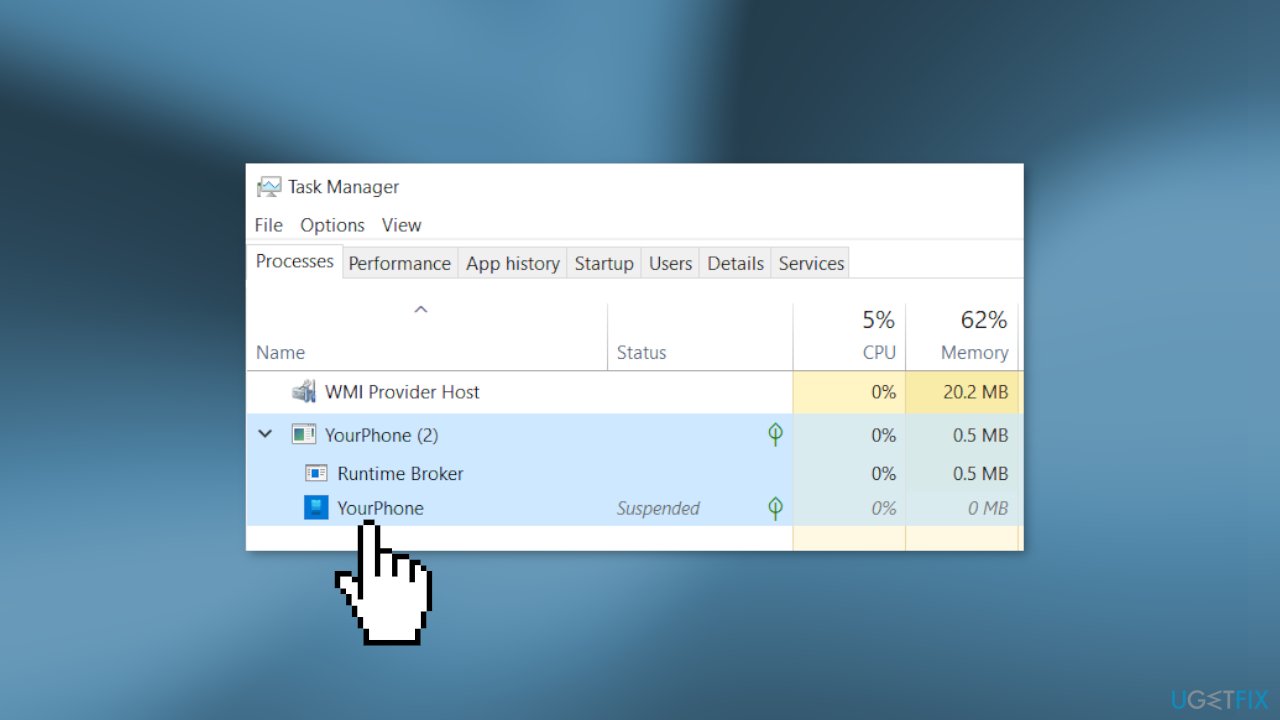
- If the problem still persists, open Task Manager again
- Find Phone Link, right-click on it, and choose End task
Solution 2. Reset Your Phone or Phone Link
The annoying pop-up may have been caused by the app because of malfunctions. Try resetting it:
- Open Settings and click on Apps
- In the Apps & features window find Your Phone
- Click on Advanced options
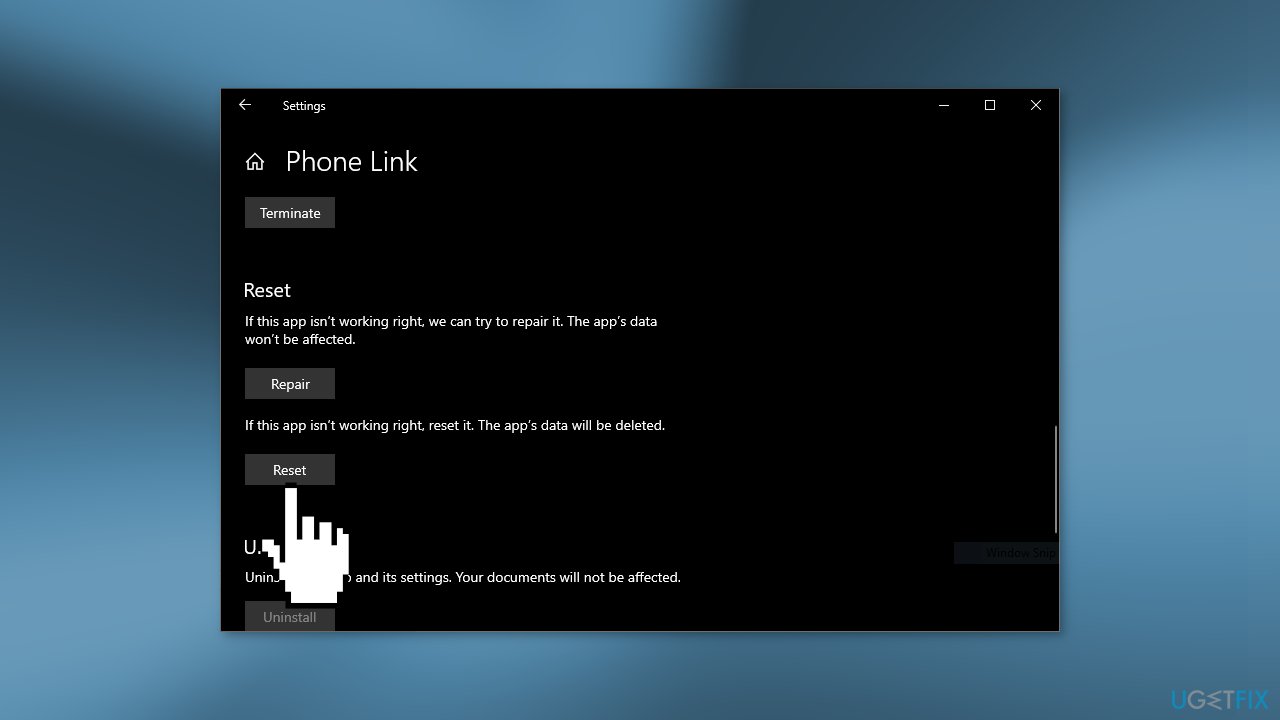
- Press on Reset
- If this did not fix the issue, Reset the Phone Link App
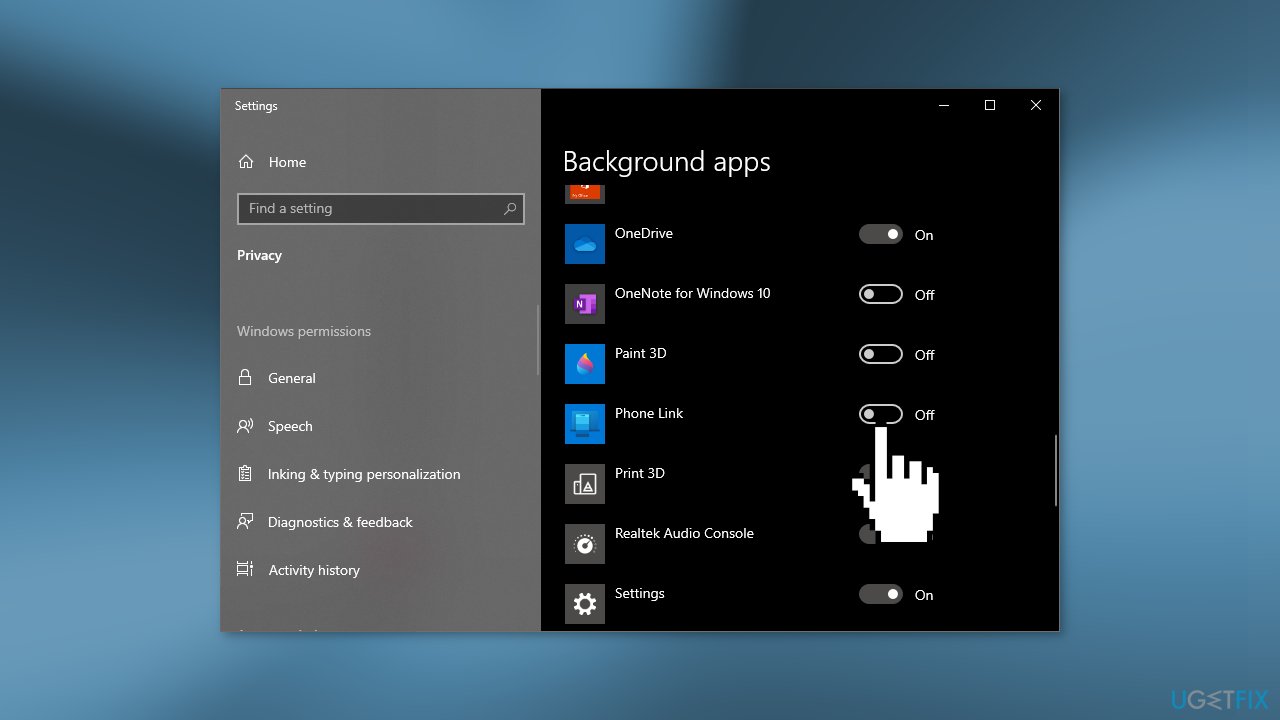
Solution 3. Disable Your Phone
If none of the above methods worked for you, you can disable the application:
- Press the Windows key + I to open Settings
- Select Privacy
- Choose Background apps
- Disable Your Phone or Phone Link
Solution 4. Use PowerShell to Disable Your Phone
PowerShell is a task automation and configuration management program. You can use it to run commands and fix issues effectively:
- Search for PowerShell in the Start Menu and open it as an Administrator
- Type in the command below and press Enter:
Get-AppxPackage Microsoft.YourPhone -AllUsers | Remove-AppxPackage
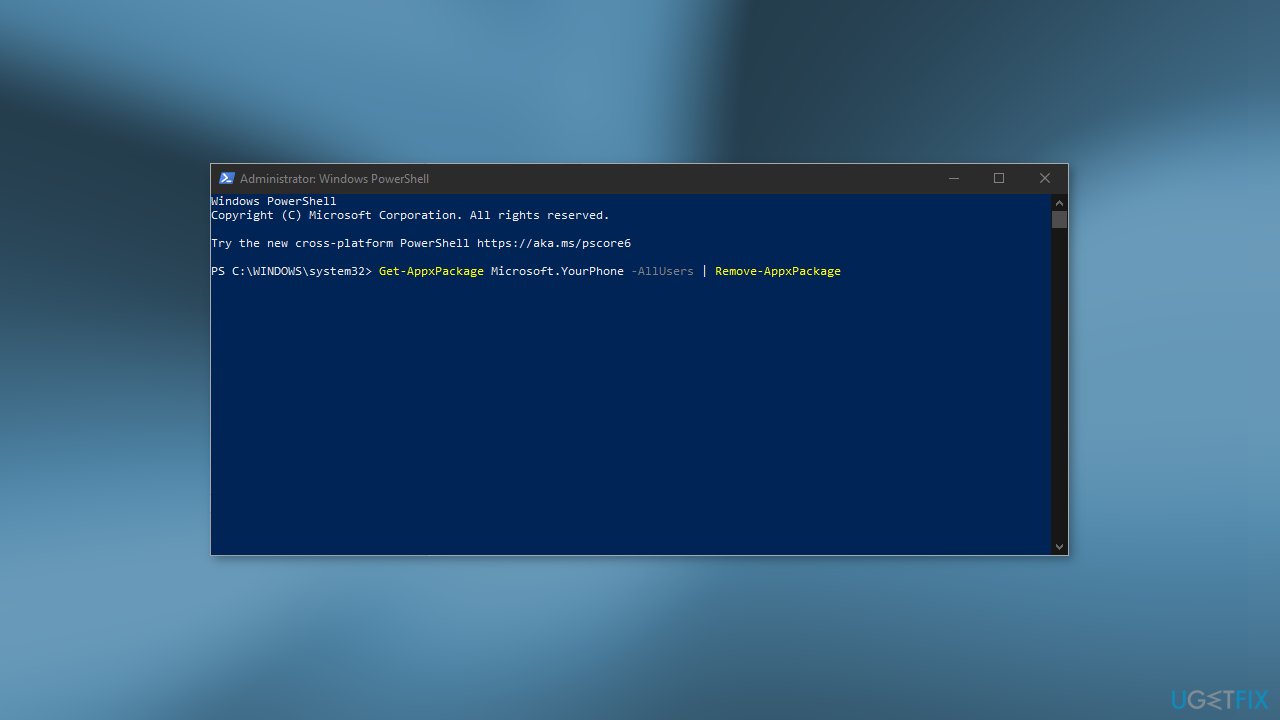
- Restart your computer
Solution 5. Disable Phone Link
Phone Link is the same application as Your Phone. If your Windows device is up-to-date, it is very likely that you have a newer version of the application. Go to your Settings and disable the "Background apps" and "Runs at log-in" options.
- Go to Apps & features
- Find Phone Link
- Click on Advanced options
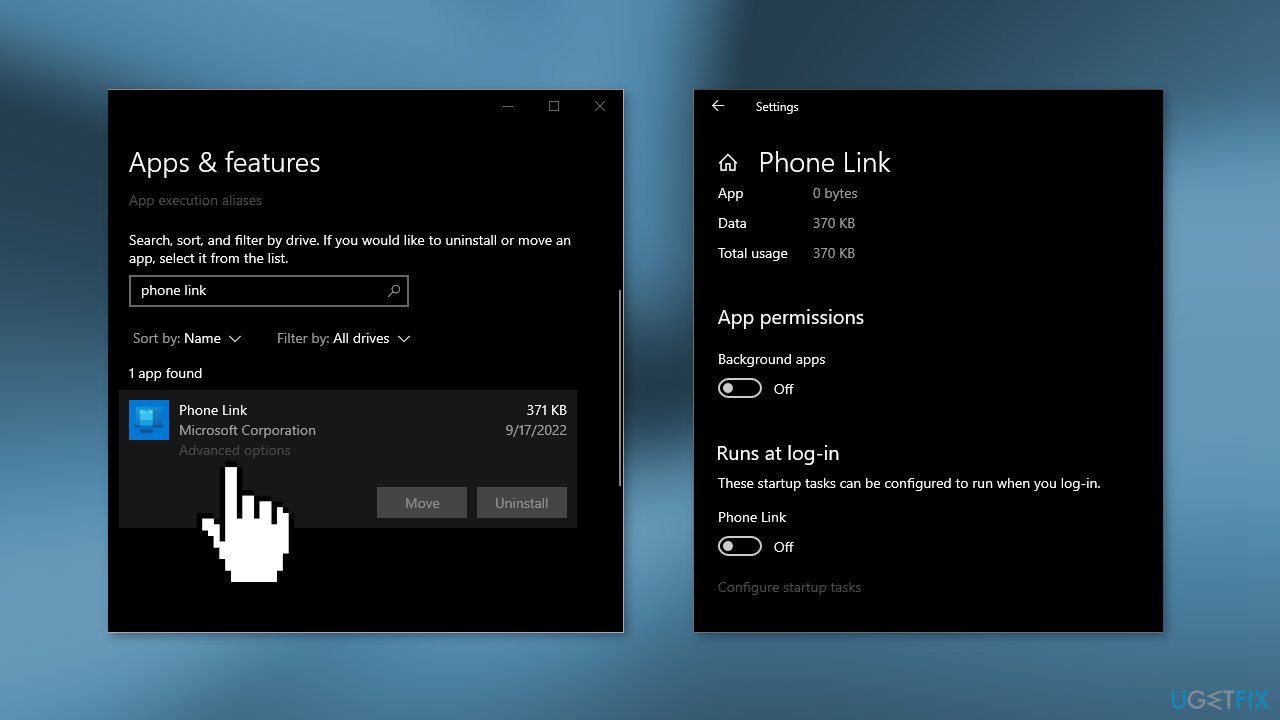
- Turn off the app
Bottom line
To fix the 'Microsoft.YourPhone' pop-up, you can end the task in Task Manager or reset the Your Phone or Phone Link app. If these solutions do not resolve the issue, consider using a maintenance tool to fix system errors.
Frequently asked questions
The 'Microsoft.YourPhone' pop-up usually occurs due to the app malfunctioning or conflicts with other applications. It may also be triggered by incorrect settings or outdated software.
You can stop the pop-up by disabling the 'Your Phone' app from startup in Windows 10 or Windows 11 settings, or by uninstalling the app if you do not use it.
Yes, reinstalling the 'Your Phone' app can resolve issues related to corrupted files or settings, thus preventing the pop-up from appearing again in Windows 10 or Windows 11.




Report an issue
What's wrong with this guide? We review every report and update or remove content.
Report received — thank you. We'll review and fix it.
You need a free account to submit a report.
Be the first to comment