How to fix
MOM.Implementation error
on Windows
Resolve the MOM.Implementation error on Windows 10 and 11 effortlessly with expert-tested solutions. Fix it fast and get back to smooth performance!

What causes How to fix MOM.Implementation error in Windows?
- Corrupted drivers
- Outdated drivers
- Missing components
- Issues with the Catalyst Software Suite
- Malfunctioning system components
Repairs Windows system files, removes malware, and restores a clean OS state — without reinstalling.
Hi, I receive a strange error every time I boot into Windows. The message says that MOM.Implementation could not be loaded. I am not sure why this error shows up or what does that means. Am I meant to do something about this?
Windows is an operating system with many different components and functions, all of which need to work well together in order to provide the best user experience. Occasionally, the OS might malfunction due to various reasons, and users might start experiencing lag,[ref en-2] high CPU usage, Blue Screen crashes, or errors.
While some of these errors, such as BSODs,[ref en-1] are likely to indicate that there is a serious issue in Windows that needs to be taken care of, other problems are far less dangerous. MOM.Implementation error is one of such issues, although the fact that it started showing up frequently means that something is indeed malfunctioning. In this article, we will try to provide several fixes for this error.
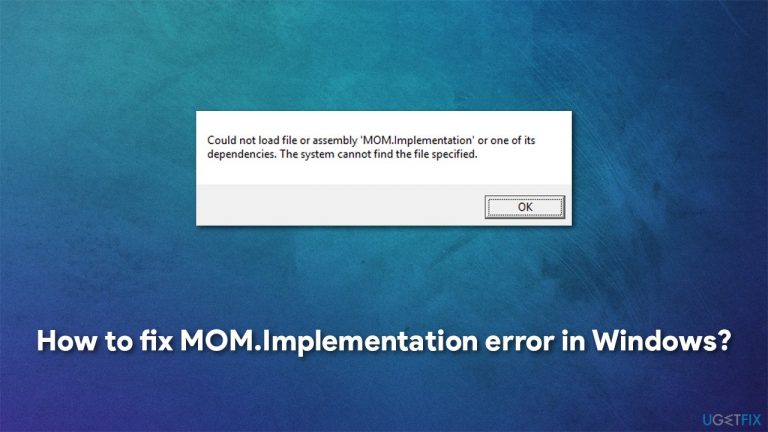
In most cases, the error shows up exclusively when users boot up Windows or after it comes back from sleep. The message reads the following:
Could not load file or assembly 'MOM.Implementation' or one of its dependencies. The system cannot find the file specified
The dependence that the error is mentioning is usually related to the Catalyst Software Suite. "MOM" refers to Microsoft Operations Module, which communicates with the software and, since the component can not be found in the expected location, this error occurs. In other words, the error is likely to be related to corrupted or outdated drivers[ref en-3] or other system or program components.

It is also worth mentioning that there could be a slightly different versions of the error, some of which would mention that the component is missing. Additionally, the Title of the error could point towards the program that is related to the mentioned component, for example, ATI.
Therefore, in order to fix MOM.Implementation error in Windows, you will have to try several solutions we list below. Before you start, we would like to advise trying an automatic PC repair tool [d1] - it can find and replace corrupted system components automatically in just a few minutes, saving time in the process. Otherwise, proceed with the solutions we provide below.
Method 1. Roll-back or update your GPU drivers
If the error started showing up after the most recent video driver update, you should roll back to the previous version.
- Right-click on Start and pick Device Manager
- Expand Display adapters section
- Right-click on your graphics card and select Properties
- Select Driver tab and click on Roll Back Driver
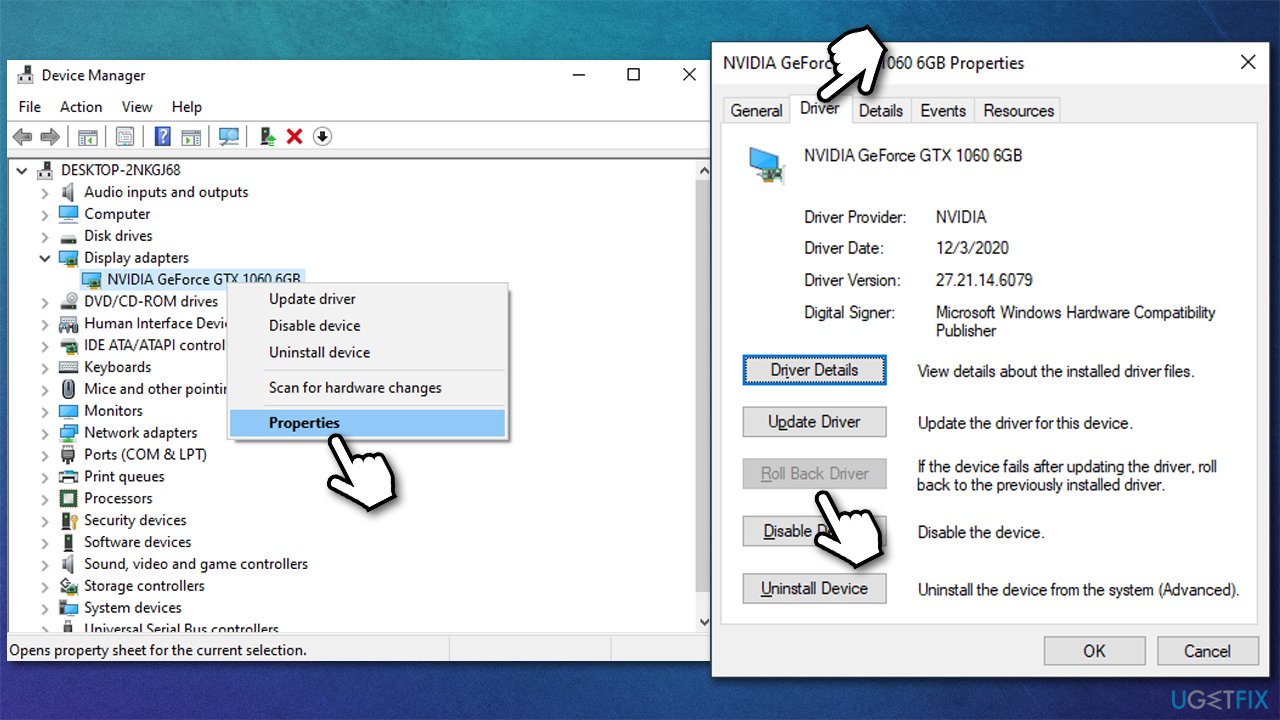
- Pick a reason for uninstallation and finish the process
- Restart your PC.
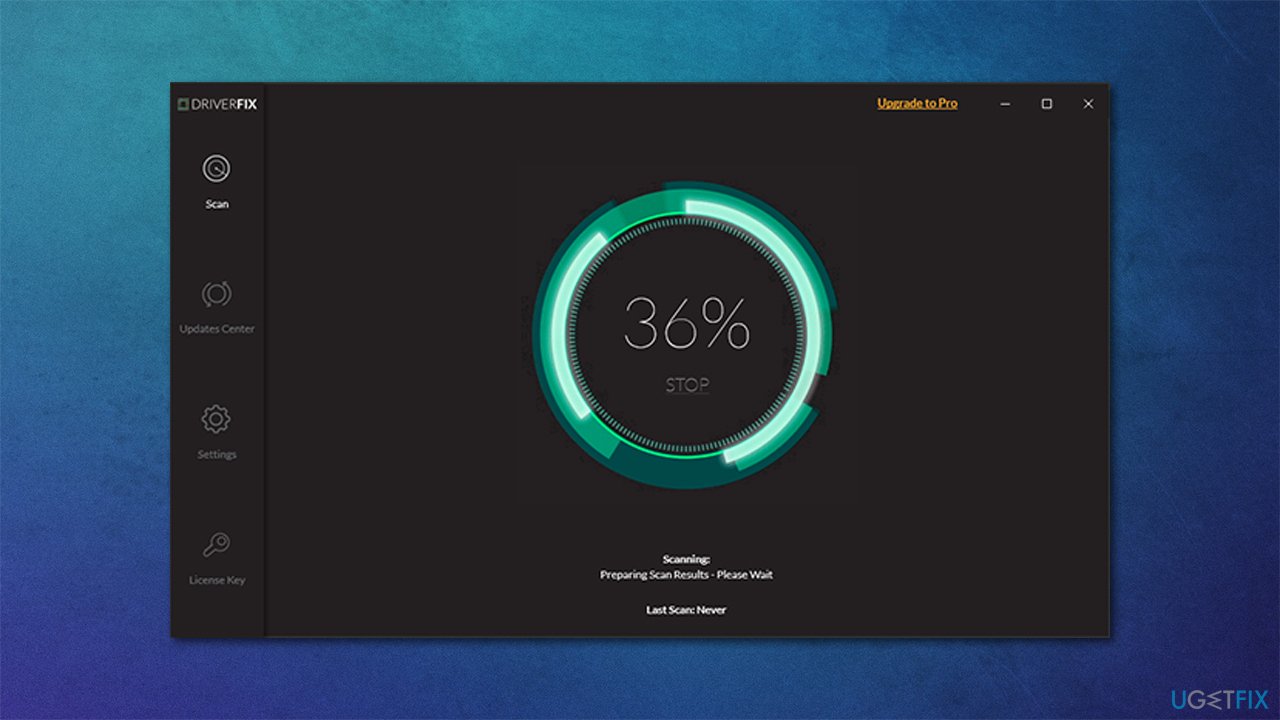
If that did not help, you should update your drivers to the latest available version. The fastest way of doing that is by employing an automatic driver updater such as [rev id="DriverFix"]. Not only is it the most efficient but also the fastest way to update all your drivers at once. Alternatively, you can visit the manufacturer of your hardware and download the latest available drivers from there (although keep in mind you need to know the model and make of the hardware component).
Method 2. Reinstall Catalyst Control Center
If you are using CCC, you should reinstall the program and check whether the issue was resolved:
- Right-click on Start and pick Apps and Features
- Scroll through the list of the installed apps
- Click on Catalyst Control Center and select Uninstall > Uninstall
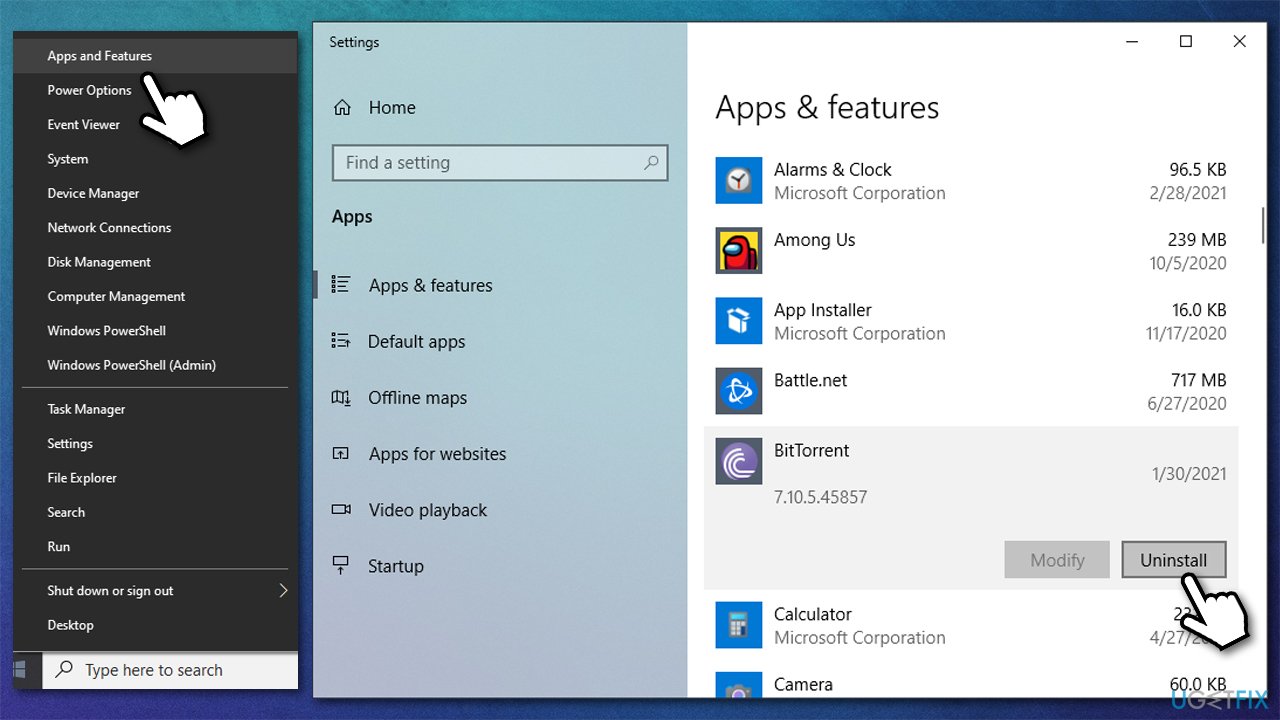
- Now visit the official AMD website and download the latest version of CCC
- The error should now be fixed.
Method 3. Disable the related program startup item
Disabling the startup item can also prevent the error from showing up:
- Press Ctrl + Shift + Esc on your keyboard
- In the Task Manager, select Startup tab
- Find Catalyst Control Center, right-click and select Disable
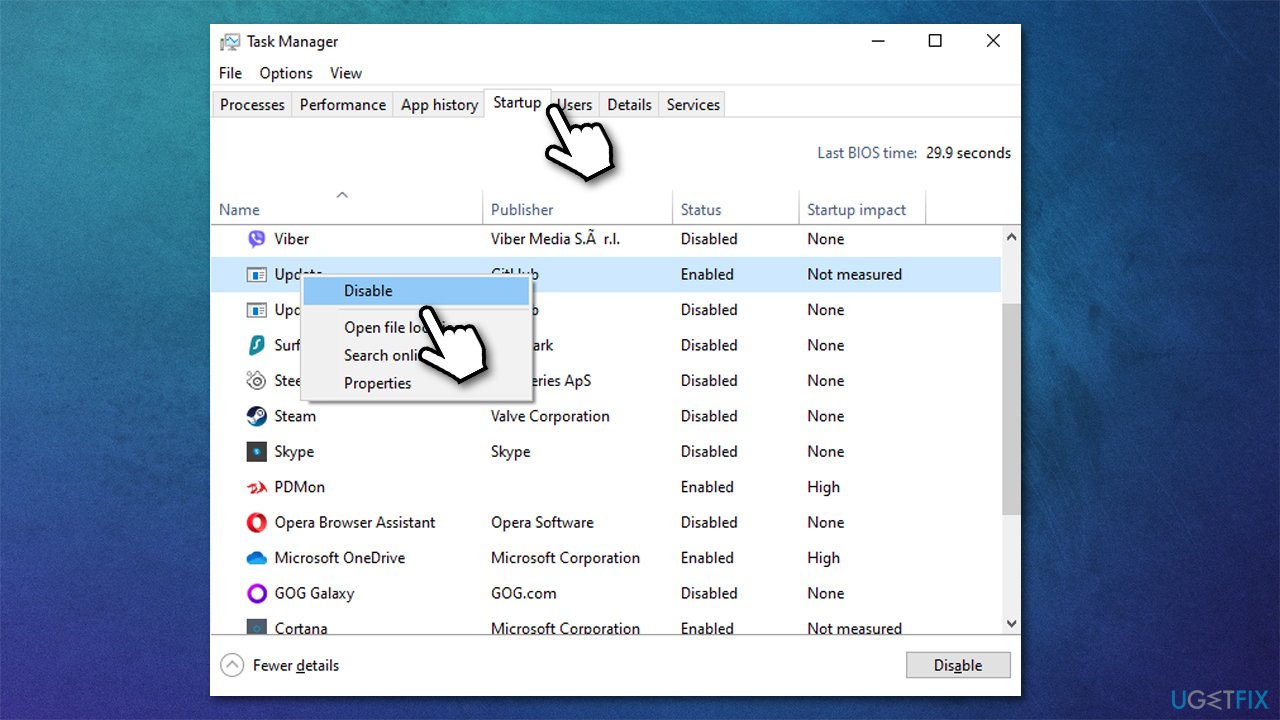
- If GU Options are also present on the list, select it and also disable it.
Method 4. Apply the latest Windows updates
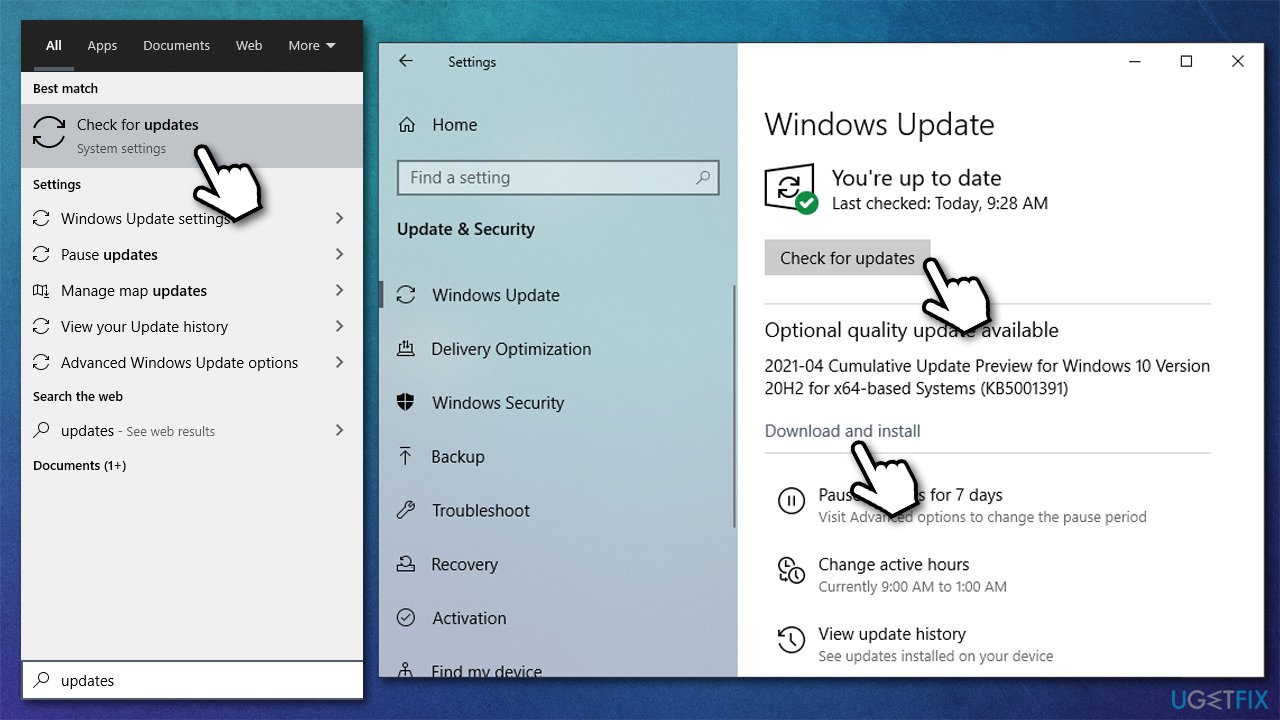
- Type Updates in Windows search and press Enter
- Click on Check for updates
- Once all the files are downloaded, make sure you also install the optional updates
- Restart your PC.
Method 5. Install the latest version of .NET Framework package
Typically, the .NET Framework package is installed with Windows updates, If you have been neglecting this process, you might not have the latest version installed. You can download the latest version directly from the Microsoft website.
Once installed, make sure that the .NET Framework 4.7 is enabled:
- Type Control Panel in Windows search and press Enter
- Go to Program > Uninstall a program
- On the left, click on Turn Windows features on or off
- Make sure that both .NET Framework entries are turned on

- Click OK.
Bottom line
To fix the MOM.Implementation error in Windows, you can try updating or reinstalling your graphics drivers, using an automatic PC repair tool, or checking for system file corruption. If none of these solutions work, consider seeking further technical support.
Frequently asked questions
The MOM.Implementation error is often caused by issues with the AMD graphics driver or corrupted application files. Updating or reinstalling the graphics driver usually resolves the problem.
To fix the MOM.Implementation error on Windows 11, you can try updating your graphics driver through Device Manager or the AMD website. If that doesn't work, performing a clean installation of the driver may help.
To prevent the MOM.Implementation error in Windows 10, ensure that your graphics drivers are always up to date and regularly check for Windows updates. Additionally, avoid installing beta or unstable software versions that may conflict with your drivers.




Report an issue
What's wrong with this guide? We review every report and update or remove content.
Report received — thank you. We'll review and fix it.
You need a free account to submit a report.
Be the first to comment