How to fix
“MSVCP110.dll is missing” Error
on Windows
Resolve the “MSVCP110.dll is missing” error on Windows 10 easily. Follow our expert-tested solutions and get back to work in minutes!

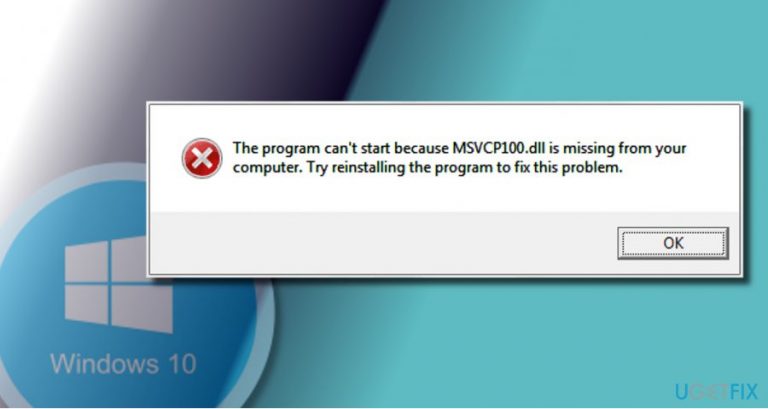
What causes How to Fix “MSVCP110.dll is missing” Error on Windows 10?
- Missing MSVCP110.dll file due to upgrade from Windows 8.1 to Windows 10
- Corrupted or damaged MSVCP110.dll file
- Incomplete installation of Microsoft Visual Studio C++ 2012 Runtime libraries in Windows 10
- Virus infection targeting DLL files
- Malware causing system failures to mislead users
Repairs Windows system files, removes malware, and restores a clean OS state — without reinstalling.
Hello. After upgrading to Windows 10 from Windows 8.1, I started getting an error message about missing MSVCP110.dll file. Usually, the error shows up when I try to start AVG, but sometimes I get it during Windows boot. Is it possible to install this file?
The MSVCP110.dll file is a part of Microsoft Visual C++ Redistributable for Visual Studio. It ensures the performance of run-time components that exploit are crucial for the running C++ applications. If one of the Microsoft Visual Studio C++ library components, in this case MSVCP110.dll, is damaged, removed or corrupted, Windows OS can fail to run certain apps.
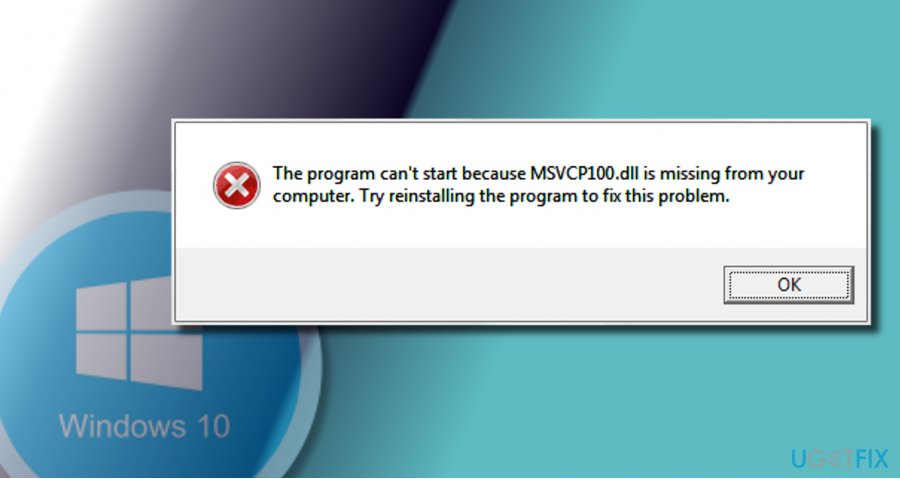
Few people have reported an error “MSVCP110.dll is missing” after upgrading to Windows 10 from earlier versions. While for some people the error shows up during boot or right after booting Windows 10, the others cannot run AVG, Windows Movie Maker, Windows Live Mail, Adobe Reader, TuneUp, Skype, and other useful apps. According to experts, the reason why people encounter “MSVCP110.dll is missing” error is the fact that Microsoft did not include the full Microsoft Visual Studio C++ 2012 Runtime libraries in Windows 10. Consequently, the apps that require the full Microsoft Visual Studio C++ 2012 Runtime composition may fail to work.
"The program can't start because MSVCP110.dll is missing from your computer. Try reinstalling the program to fix this problem."
In addition, the MSVCP110.dll error may occur due to the virus infection. Malware targets legitimate files like DLL and attempt to trigger as many system’s failures as possible to trick people into believing that the problem is not a virus, but system files and programs. Therefore, if you get an error message about missing .dll files, run a full system scan with a professional anti-malware utility, for example, [d1]. If that did not help, you may try the following “MSVCP110.dll is missing” error fixes:
Method 1. Reinstall the problematic software
If the MSVCP110.dll error shows up when trying to launch a particular application, try reinstalling it. Some people reported that they cannot run AVG after upgrading to Windows 10, so they tried to uninstall the software, but in vain because the uninstaller fails. In this case, you should uninstall Visual Studio C++ 2012 x86 Redistributables and Visual Studio C++ 2012 x64 Redistributables using Windows uninstall. For this purpose, you should:
- Navigate to Control Panel > Programs & Features.
- Find Visual Studio C++ 2012 entries, and right-click on them (one at a time).
- Select Uninstall and click OK on the confirmation window.
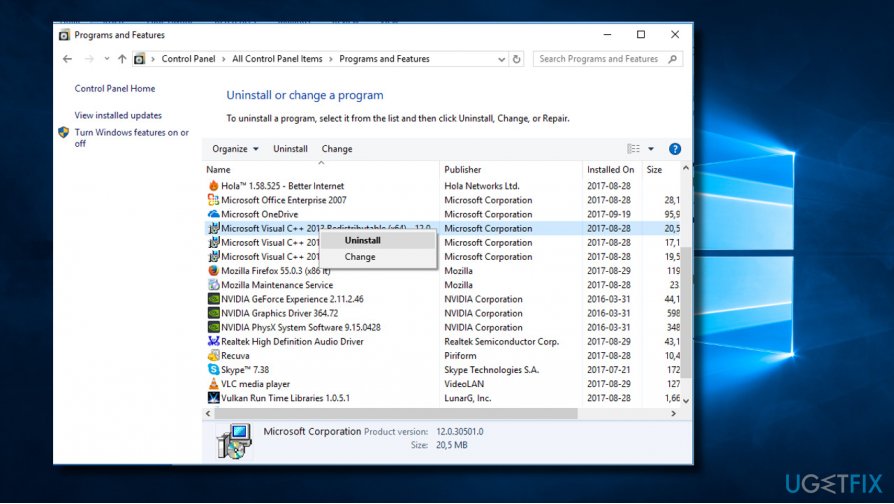
- Then find AVG or another application that cannot be launched due to missing MSVCP110.dll. Click it, and select Uninstall.
- Finally, reinstall the latest version of AVG and Visual Studio C++ 2012 compatible with the Windows 10 OS.
Method 2. Install the standalone MSVCP110.dll file
IMPORTANT: by installing .dll files separately you risk downloading a virus. Therefore, make sure to enable your system’s protection and select the download source carefully.
What you need to do it to find a reliable source for downloading the MSVCP110.dll file and then run the setup file. One the missing .dll will be installed, check if you can now launch the problematic software.
Method 3. Enable System Restore Point
NOTE: This method applies for those who started encountering MSVCP110.dll error not after upgrading to Windows 10, but rather after installation/removal of third-party software, updating Windows 10, and similar system’s modifications.
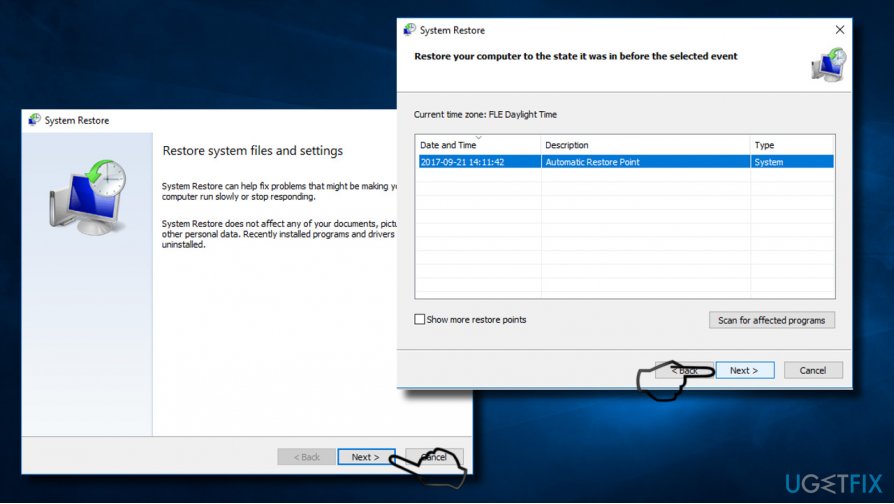
- Press Windows key and type “Restore.”
- Select Create a Restore Point option.
- Click on System Restore button and press Next.
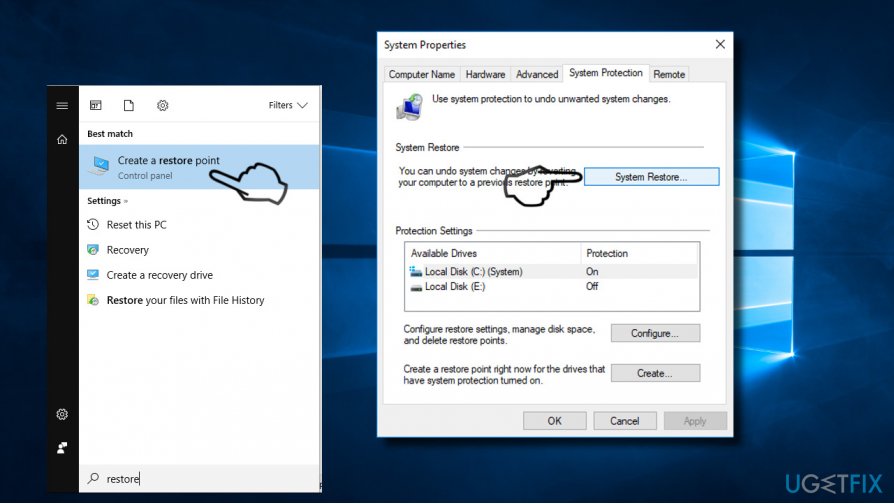
- Then select the last created Restore Point and press Next.
- To start enabling the Restore Point, press Finish and wait for the system to be restored.
Bottom line
To fix the 'MSVCP110.dll is missing' error, you can try reinstalling the problematic software or running a full system scan with a professional anti-malware utility. If these methods do not resolve the issue, further troubleshooting may be necessary.
Frequently asked questions
This error typically occurs due to a missing or corrupted Microsoft Visual C++ Redistributable package that is required for running certain applications on Windows 10.
You can resolve the issue by downloading and reinstalling the Microsoft Visual C++ 2012 Redistributable package from the official Microsoft website.
Yes, you can also try running the System File Checker tool or performing a Windows Update to repair any missing system files that may be causing the error.




Report an issue
What's wrong with this guide? We review every report and update or remove content.
Report received — thank you. We'll review and fix it.
You need a free account to submit a report.
Be the first to comment