How to fix
Netflix Error NW-2-5
on Windows
Resolve Netflix Error NW-2-5 on Windows 10 or 11 effortlessly. Restore your streaming experience with expert-tested solutions and zero traces left.


What causes How to fix Netflix Error NW-2-5?
- Network connectivity issue
- Connection between device and network router
- Connection between device and Netflix
- Specific device malfunction
- Home network configuration problem
Repairs Windows system files, removes malware, and restores a clean OS state — without reinstalling.
So I turn on my Xbox with the simple idea of relaxing and watching Netflix, but first, the Xbox needed an update which took ages. After all, I installed the update and then tried loading Netflix. To my surprise, I received an error Can't Connect to Netflix NW-2-5.
I tried various methods but none of them helped me to get rid of the issue. This error really drives me crazy, so maybe someone could help me to fix Netflix Error Code NW-2-5 somehow?
Netflix Error NW-2-5 indicates a network connectivity issue that prevents your device from connecting to Netflix. The NW-2-5 error mostly bothers Xbox, PS4, and smart TV users. The problem most likely hides in the connection between:
- your device and the network router, or
- your device and Netflix.
The key points you must start searching for the cause of this error are your device, your home network, and your internet connection. You have most likely came here after seeing one of these messages:
Netflix has encountered an error. Retrying in 7 seconds.
Code: NW-2-5
Couldn't connect to Netflix. Please try again or restart your home network and streaming device. For more information, visit netflix.com/nethelp
Code: NW-2-5
The majority of users report that the issue with Netflix occurs only on a specific device in their home, but not on all of them. Such Netflix error can cause frustration as it is really hard to identify and resolve the issue when there is no way to open the streaming service.
Probably the majority of the users are familiar with the Netflix service[ref en-1]. It's a US-based on-demand Internet streaming media, which can be accessed in more than 50 countries. You gain access to millions of movies, TV shows, documentaries, etc. That is why Netflix dominates American households when it comes to TV. According to statistics, 56.7 million Americans pay the monthly fee (out of 125 million total subscribers).[ref en-4]
Nevertheless, as the forums on the Internet reveal, Netflix often causes an error code Netflix Error NW-2-5, which is a really annoying and disruptive problem.
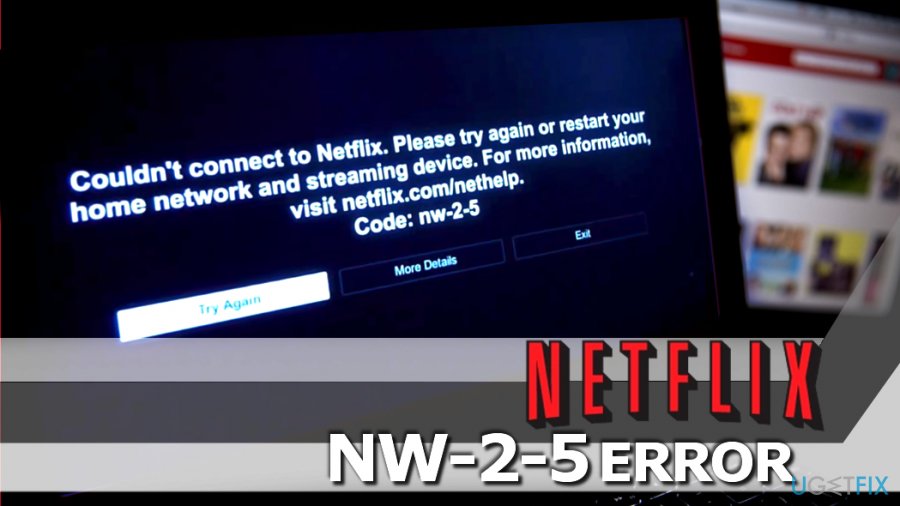
The research has revealed that the error code Netflix Error NW-2-5 typically shows up on PS3, PS4, Vizio, PS4, Xbox, and similar devices. In the majority of the cases, people report about this error on Sony PlayStation 3, which usually notify that:
We're having a problem connecting to Netflix. Please try again or visit: www.netflix.com/help.
If you are getting this error on PS4, Xbox or any other device, then it means that there is a problem with your Internet connection or DNS configuration. In the majority of cases, turning off BT Parental Controls help to resolve the issue.
To put it simply, there is some kind of obstacle preventing you from connecting to the Netflix successfully. Fortunately, it's not difficult to fix Netflix Error NW-2-5. If you want to find out how to do that, you just have to follow the steps given below.
Approved Ways To Fix Netflix Error NW-2-5
If an error code Netflix Error nw-2-5 keeps showing up while you are attempting to stream Netflix, you should check Internet connectivity first. That's because the emergence of this annoying error means that there is a problem with your Internet connection[ref en-2], which prevents your device from reaching the Netflix server. Therefore, first of all, try to:
Method 1: Check Internet connectivity
- Use your network administrator to make sure that Netflix is not blocked intentionally.
- In case you are using a cellular data network or satellite Internet, try a different network since the mentioned ones have slower connections speed than cable Internet or DSL.
- Test the Internet connection on your device with the Internet connection/speed-test device.
- Restart the device.
- Restart your home networks. In order to do that, you have to unplug both your router and modem for 20-30 seconds and then plug them back in.
If after all the error code Netflix Error NW-2-5 still hasn't been fixed, you should try the second fix.
Method 2: Bypass your router
In other words, if you are using a wireless router that is connected to the modem[ref en-3], you should try connecting directly to the modem.
For that, you will need an Ethernet cable. In case this will help to reach Netflix, then the problem is clear – the router. To check that, perform the following steps:
- Turn off the device that you are using.
- Plug the device directly into the modem using Ethernet cable.
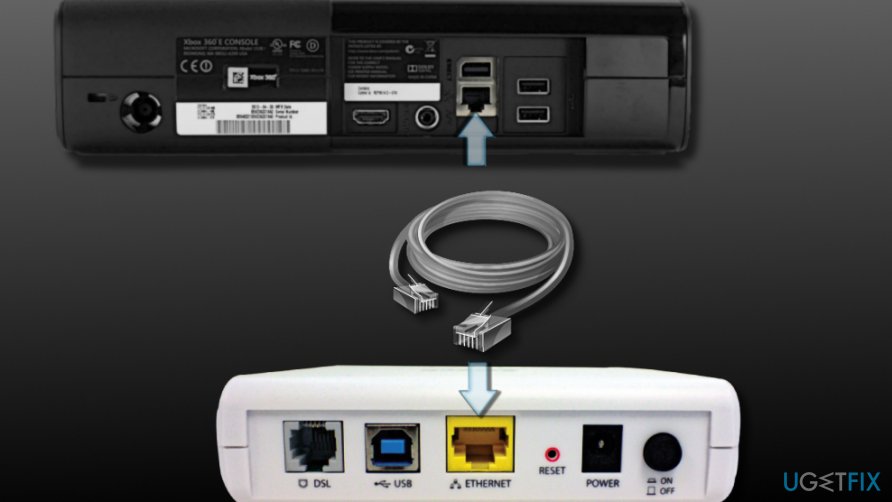
Connect game console directly to modem - Unplug the modem for at least 30 seconds and plug it back.
- Turn on the device and try to reach Netflix again.
In case you detect the router as the cause of the error code Netflix Error NW-2-5, then you have two options – either bypass the router to re-configure router's and DNS settings.
Fix Netflix Error NW-2-5 on PlayStation
Before you do anything, you should unplug your PlayStation 3/4 device from the socket and leave it off for a few minutes. While waiting, you could press and hold the Power button for at least 30 seconds to discharge the device.
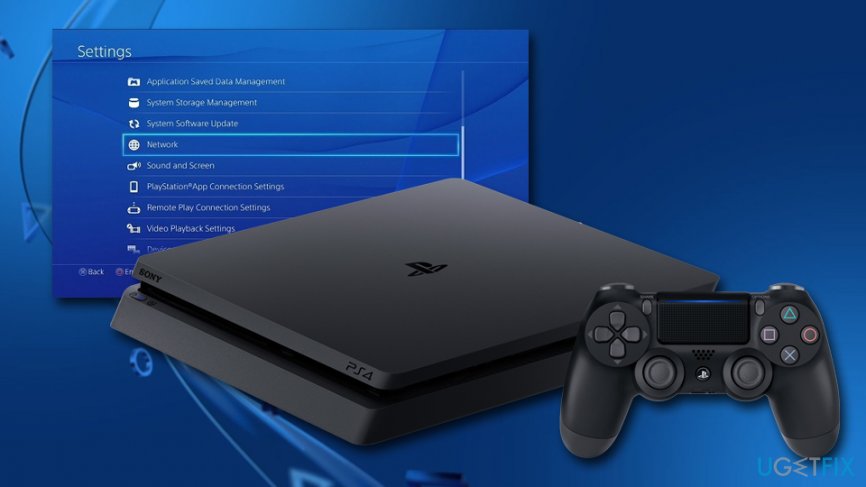
If that did not help, you should make sure that the DNS settings are correct. Please follow these steps:
- Go to Main menu and pick Settings
- Next, go to Network Settings > Internet Connection Settings and press OK
- Select Custom and pick your connection method: wired or wireless
For the wired connections:
- Pick Auto-Detect for Operation ode
- For the IP address setting, choose Automatic
- For the DNS settings, select Automatic
- Select Do not set for DHCP host name
- Set MTU to Automatic
- Select Do not use for Proxy server
- Finally, enable UPnP and choose Test the Connection
For WiFi connections:
- Under WLAN pick Enter Manually
- Go right three times to see IP address Setting
- You previously set settings should re-appear automatically
Fix Netflix Error NW-2-5 on Xbox and Xbox One
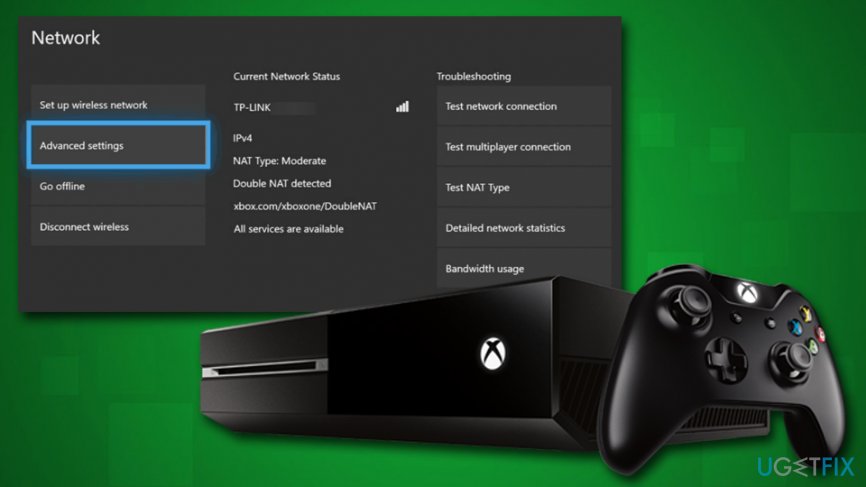
For the IP settings, see the section above. To confirm DNS settings on Xbox, perform the following steps:
- Press Guide button on the controller and go to Settings
- Go to System Settings > Network Settings and pick your network
- Press on Configure Network > DNS Settings
- Set the settings to Automatic
- Restart your device
For Xbox One, perform the following:
- Pick Menu on the console and choose Settings
- Go to All settings > Network > Network settings > Advanced Settings
- Pick DNS settings and then choose Automatic
- Save the changes and restart your device
- See if Netflix NV-2-5 error persists
Alternative method to NW-2-5 Error fix: turn off BT Parental Controls
If you are a user of BT (Internet provider), it is likely that sooner or later you will receive the NW-2-5 Error. Our research shows that the issue is closely related to BT Parental Controls. Please try the following method to disable the parental controls and access Netflix service again.
- Use the login details provided by your Internet provider BT to log into My BT.
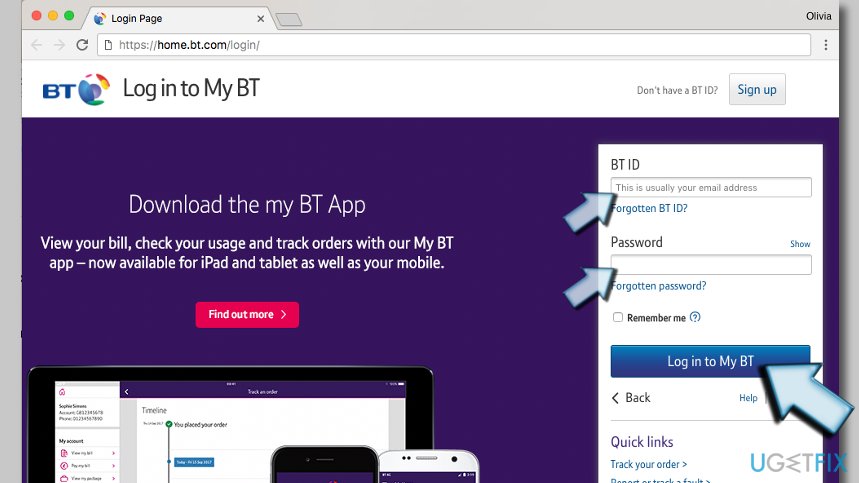
Log into BT account to manage parental controls - Scroll down the page until you reach My Extras section. Click the Personalise your settings option.
- Click the button next to BT Parental Controls option to turn the controls off.
Bottom line
To fix Netflix Error NW-2-5, you can restart your home network and streaming device, check your internet connection, and ensure your device is properly connected to the network. If these methods do not resolve the issue, consider troubleshooting your device settings or contacting Netflix support for further assistance.
Frequently asked questions
Netflix Error NW-2-5 typically indicates a network connectivity issue, preventing your device from accessing the Netflix service. This can be due to problems with your internet connection or the device's network settings.
To troubleshoot this error, first check your internet connection and ensure it's stable. You can also try resetting your modem or router, and clearing the Netflix app cache in Windows 10 or Windows 11.
Yes, ensure that your network settings allow access to Netflix by checking your DNS settings and disabling any VPNs or proxies that might be interfering. Additionally, verify that your firewall settings are not blocking Netflix.
References
- Netflix Error Code NW-2-5 (Netflix Help Center) ↩
- Xbox One Network Settings (Xbox Support) ↩
- How to connect PS4 to the internet (PlayStation Support) ↩
- Change TCP/IP settings in Windows (Microsoft Support) ↩
- BT Parental Controls – manage your settings (BT Help) ↩




Report an issue
What's wrong with this guide? We review every report and update or remove content.
Report received — thank you. We'll review and fix it.
You need a free account to submit a report.
Be the first to comment