How to fix
News and Interests don’t load
on Windows
Resolve News and Interests loading issues on Windows 10 quickly and effectively. Follow expert-tested tips for a seamless experience, fixed in minutes.

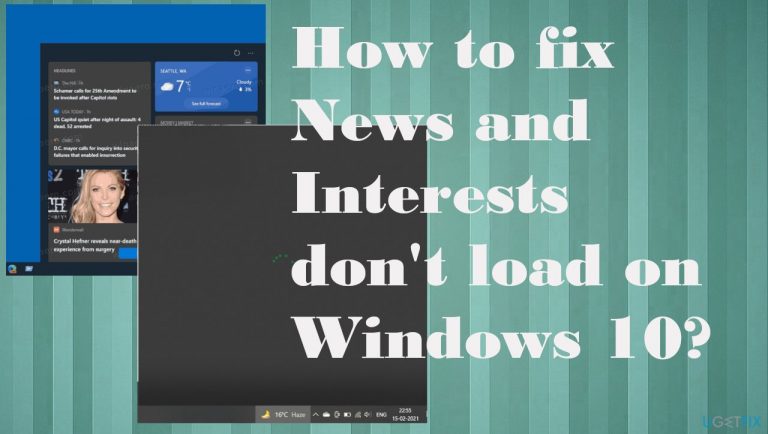
What causes How to fix News and Interests don’t load on Windows 10?
- Windows 10 operating system update issues
- User account failure or disconnection
- Damage or corruption to system files
- Compatibility issues with system functions
- Internet connection problems
Repairs Windows system files, removes malware, and restores a clean OS state — without reinstalling.
Hello. My PC is not working properly. The section where News and Interests should show up keeps loading and doesn't load at all. The circle keeps showing, and nothing happens. I have Windows 10 computer and was using this feature pleasantly. Can you help with this, please?
News and Interests don't load on Windows 10 is an issue that can be unnoticed when the person is not using this feature, but it is frustrating for the ones that find the function helpful. People complain that the feature has issues,[ref en-1] and about the particular loading problem that is common. However, there is no particular generic fix.
Various issues can trigger the failure of the feature, so different instances require different solutions. The first thing that can trigger the disappearance of the news and interest section could be Windows 10 operating system update.[ref en-2] There might be some bugs or missing pieces in the update for your OS, so you can fix the failure of this feature by re-running the upgrade if there any patches or roll back the update.
The annoying issue with this problem when News and Interests don't load on Windows is the fact that the feature is available, but the content keeps loading for a long time without any changes. If the internet connection is okay and there are no other issues but this function, the problem roots somewhere else.
The problem may occur due to your user account failure or disconnection and even after the damage or corruption to some files. Compatibility issues can also lead to problems with common and useful system functions like this.[ref en-3] You can activate and deactivate the feature, you can also check settings and preferences for this function to solve the problem.
Another possible fix for the News and Interests don't load issue can be checking for data damage and system function failure. You can run the tool that is capable of indicating such altered pieces and even fix the damage. Try [d1] and when common problems get fixed, move on to the methods below.
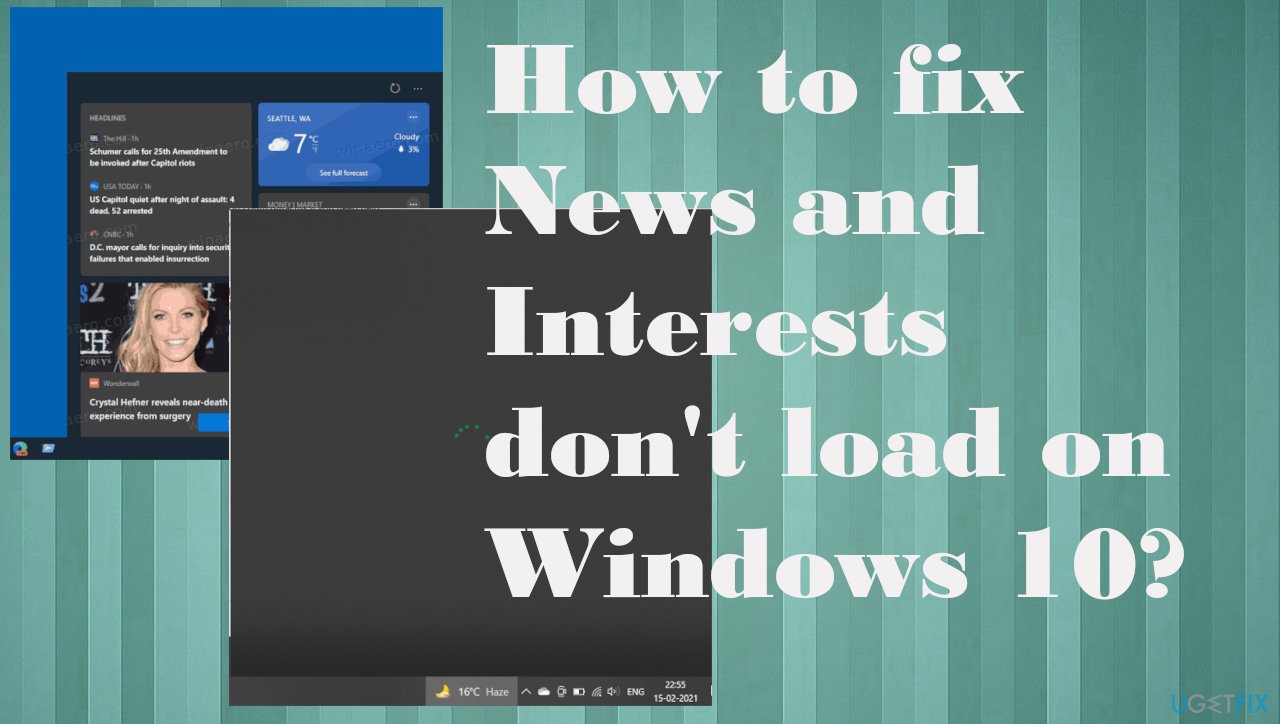
1. Run the latest Windows OS update
- Go to Settings.
- In the Settings window, click on Update & Security.
- Go to Windows Update.
- Click on Check for updates and let it check for updates.
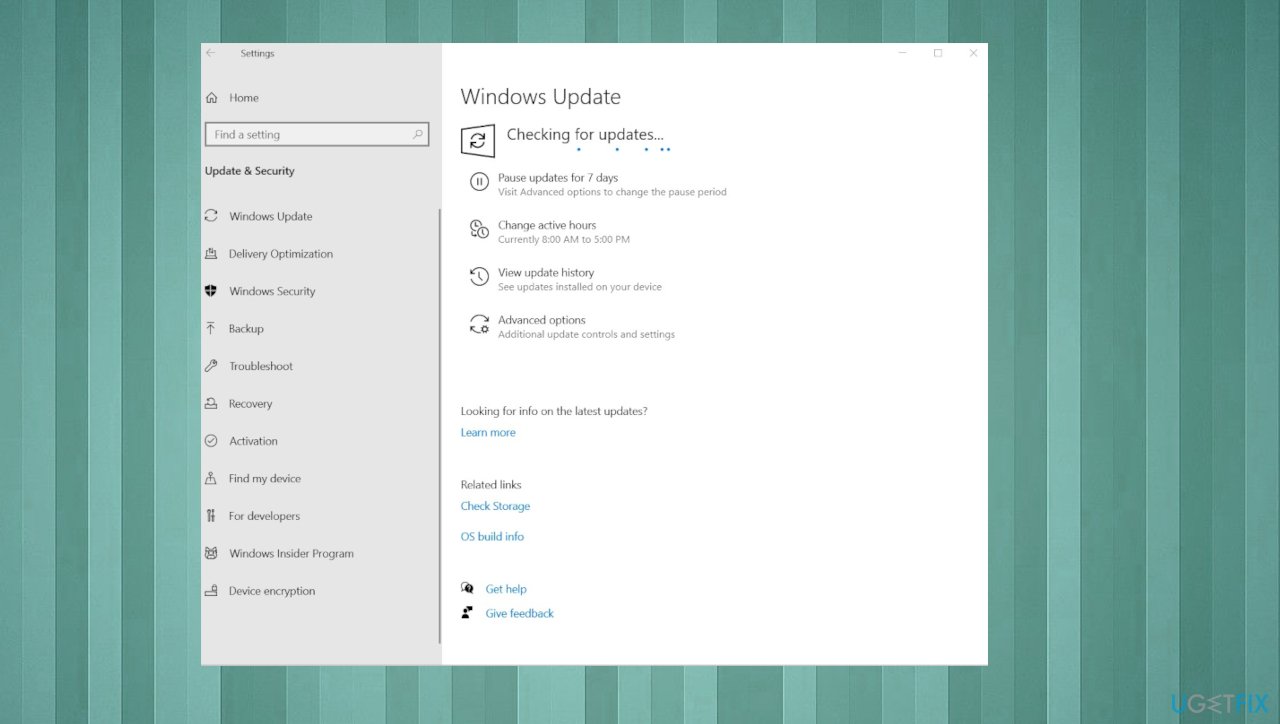
News and interests dont load fix update - If any updates found – install them.
2. Check the particular account
- Go to Settings.
- Click Update & Security.
- Click Windows Insider Program.
- Under the Windows Insider account, you'll see the account it's tied to.
3. Make sure to sign in
- Open the taskbar menu.
- Click the Settings button - three dots.
- Select the Sign in with a Microsoft account option.
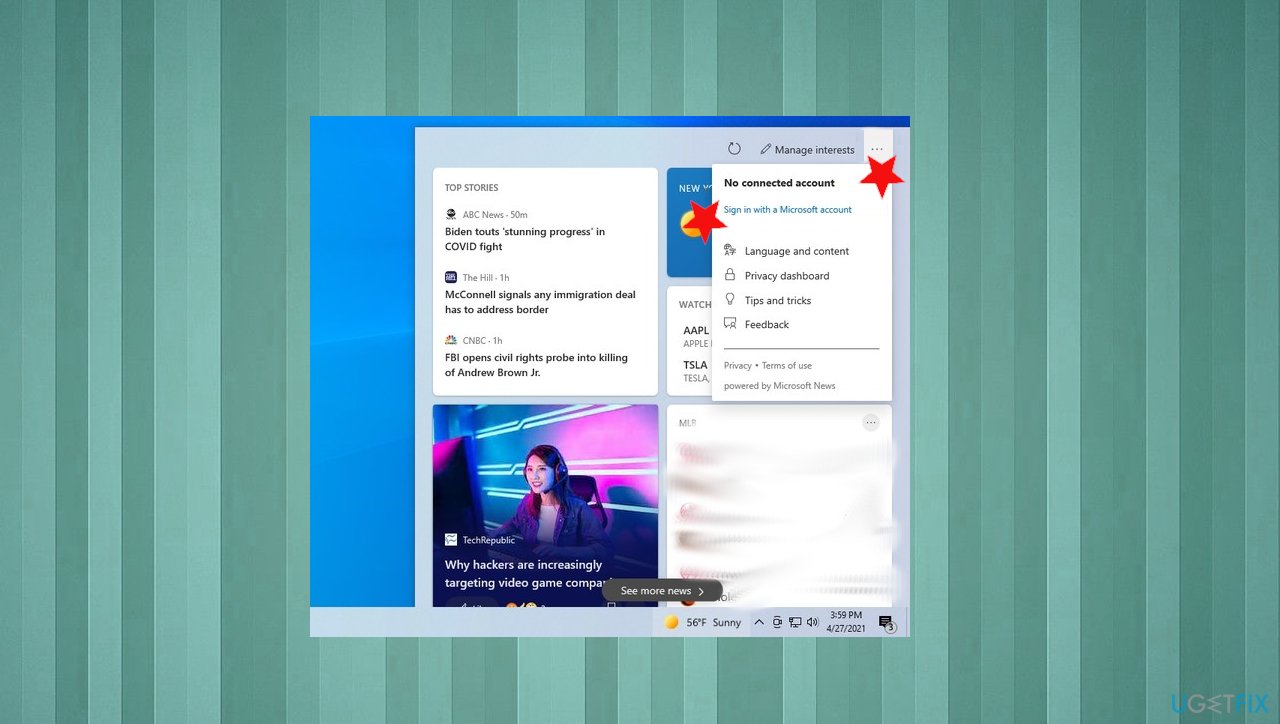
News and interests dont load fix sign in - Click the Add an account.
- Select your email client provider.
- Continue with the on-screen directions to sign in.
4. Disable the news and interest widget
- Right-click the taskbar.
- Select the News and interests menu.
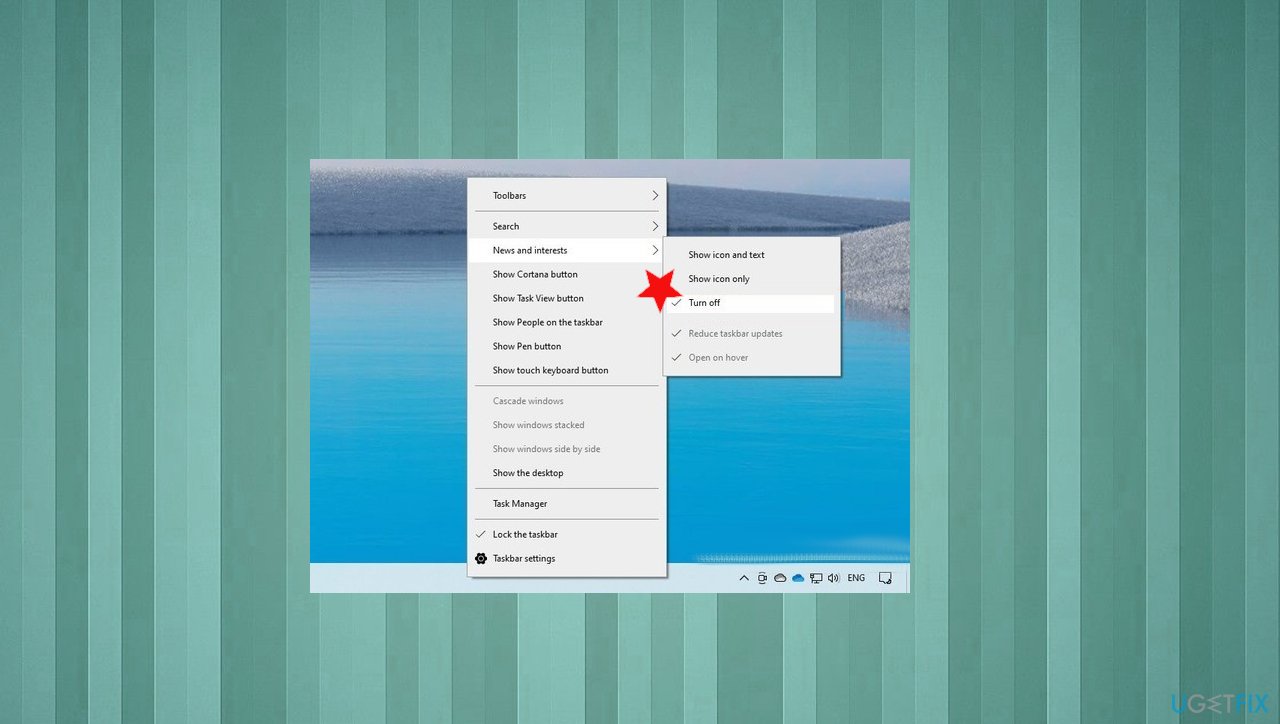
News and interests dont load fix disable - Check the Turn off to disable the feature.
5. Reset the PC
- Go to Settings.
- Choose Update & Security.
- Go to Recovery.
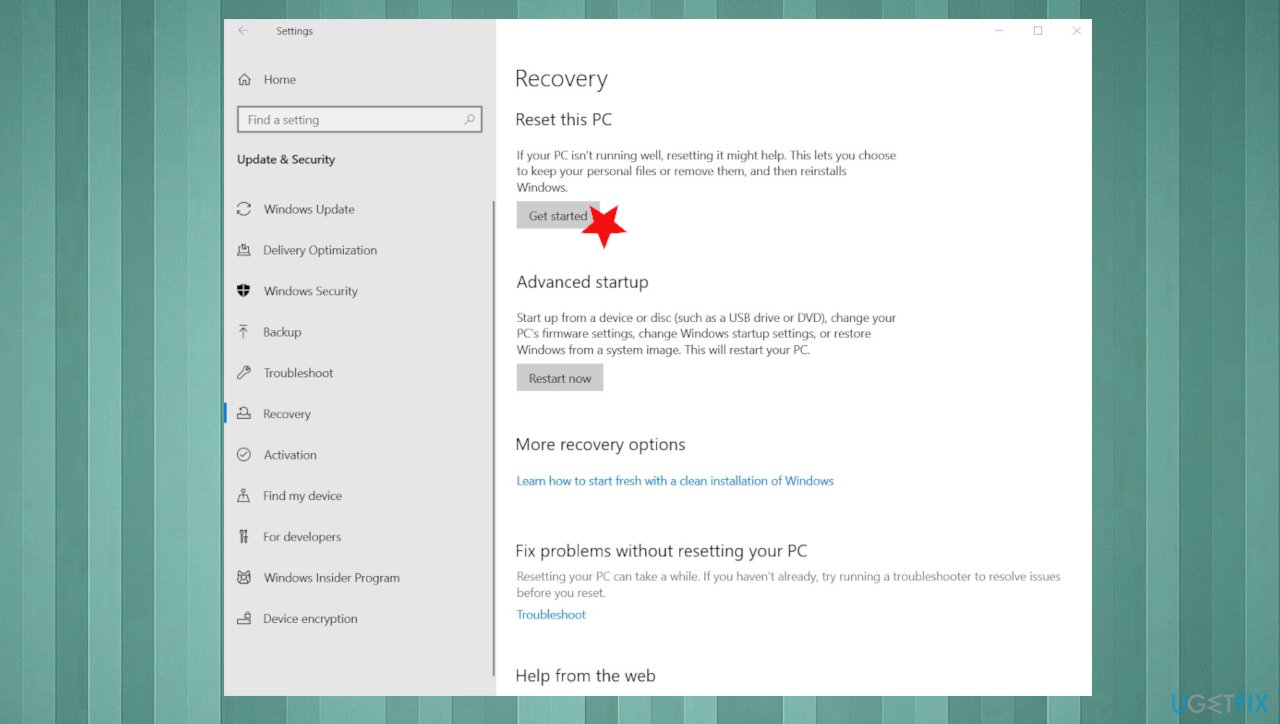
News and interests dont load fix reset - Then under Reset this PC, select Get Started.
- Choose what happens with your files.
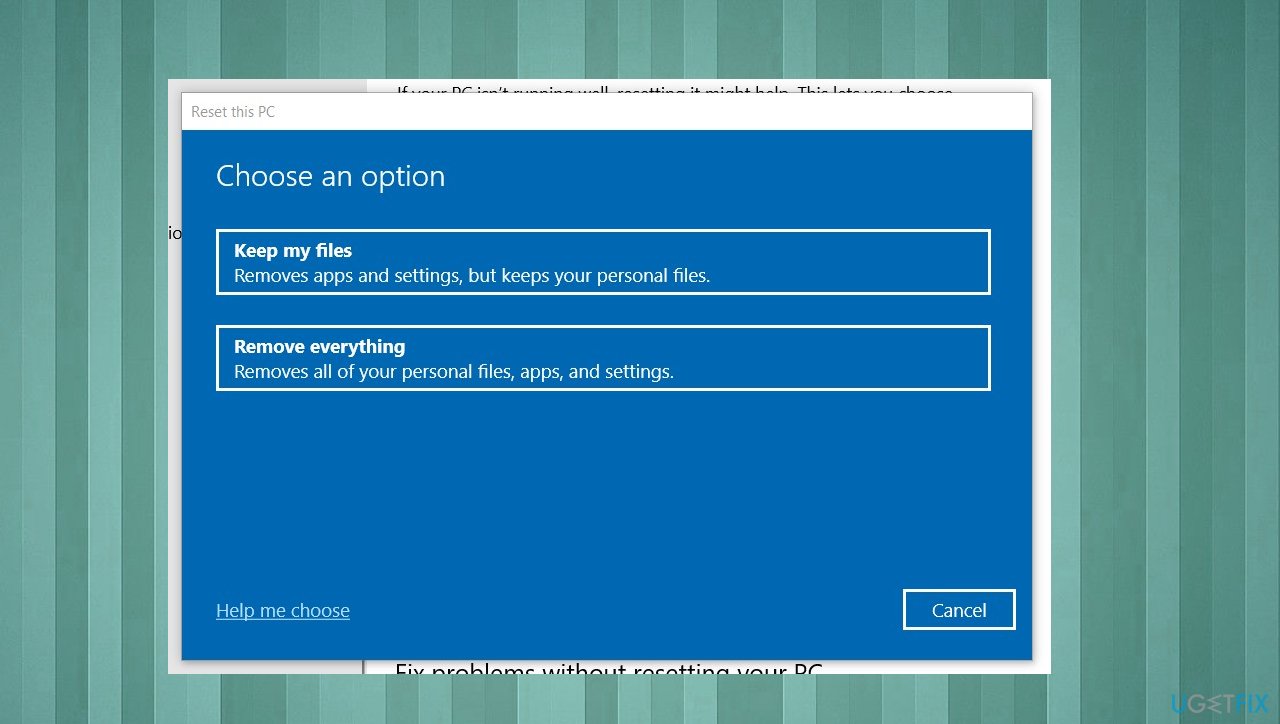
News and interests dont load fix reset file options - Follow its directions on the wizard to reset your device.
6. Rollback the previous WIndows build
- Navigate to Settings.
- Choose Update & Security.
- Then Recovery.
- Under Go back to the previous version of Windows 10, Choose Get Started.
- Follow its directions.
Bottom line
To fix the News and Interests loading issue, you can try re-running the Windows update, checking your user account, and activating or deactivating the feature. Additionally, running a tool to check for data damage may help. If none of these solutions work, consider seeking further technical support.
Frequently asked questions
Try right-clicking on the taskbar, selecting 'News and Interests,' and then choosing 'Show icon and text.' If it still doesn't appear, restart your PC.
You can reset the News and Interests feature by opening Task Manager, finding the 'Windows Processes' related to it, and ending those tasks. Restart your PC to see if the feature loads correctly.
Ensure your Windows 10 is up to date by going to Settings > Update & Security > Windows Update, and check for any available updates that may resolve the issue.




Report an issue
What's wrong with this guide? We review every report and update or remove content.
Report received — thank you. We'll review and fix it.
You need a free account to submit a report.
Be the first to comment