How to fix
“Not Implemented” error in MS Office and Outlook
on Windows
Resolve the "Not Implemented" error in MS Office and Outlook on Windows 10/11 quickly. Expert-tested solutions ensure your productivity is back in minutes.

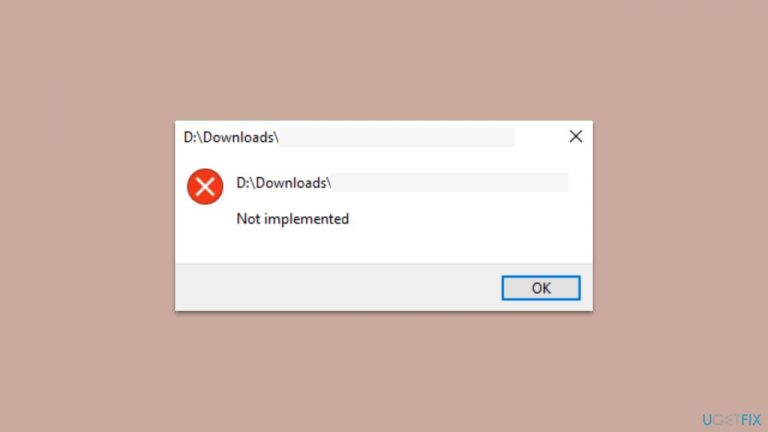
What causes How to fix “Not Implemented” error in MS Office and Outlook?
- Conflicts with other software or add-ins
- Corrupted software installation
- Outdated software
- Missing updates
Repairs Windows system files, removes malware, and restores a clean OS state — without reinstalling.
Hi. Whenever I attempt to open any Office file, such as Word or Excel, I receive a "Not Implemented" error, which is really annoying - I can't use files for my work. Any ideas on how to deal with this?
Microsoft Office is a suite of productivity applications developed by Microsoft Corporation that includes popular software such as Microsoft Word, Excel, PowerPoint, and Outlook. These applications are widely used in homes, schools, and businesses around the world. Microsoft Office offers a range of features that can help users create, edit, and manage documents, spreadsheets, presentations, and emails efficiently.
Outlook is a popular email and calendar management application that is included in the Microsoft Office suite. It offers a range of features such as email organization, calendar scheduling, task management, and contact management. Outlook is widely used in professional settings, where users rely on it to manage their work schedules and communicate with their colleagues.
The "Not implemented" error message can occur in Microsoft Office applications and Outlook when a requested function or feature is not currently available or has not been implemented in the installed version of the software. This error can occur for a variety of reasons, including conflicts with other software or add-ins, corrupted software installation, outdated software, or missing updates.
When this error occurs in Microsoft Office applications such as Word, Excel, or PowerPoint, it can prevent users from accessing certain features or functions. For example, a user might encounter the "Not implemented" error message when attempting to use a specific feature or function, such as inserting a chart or using a particular formatting option.
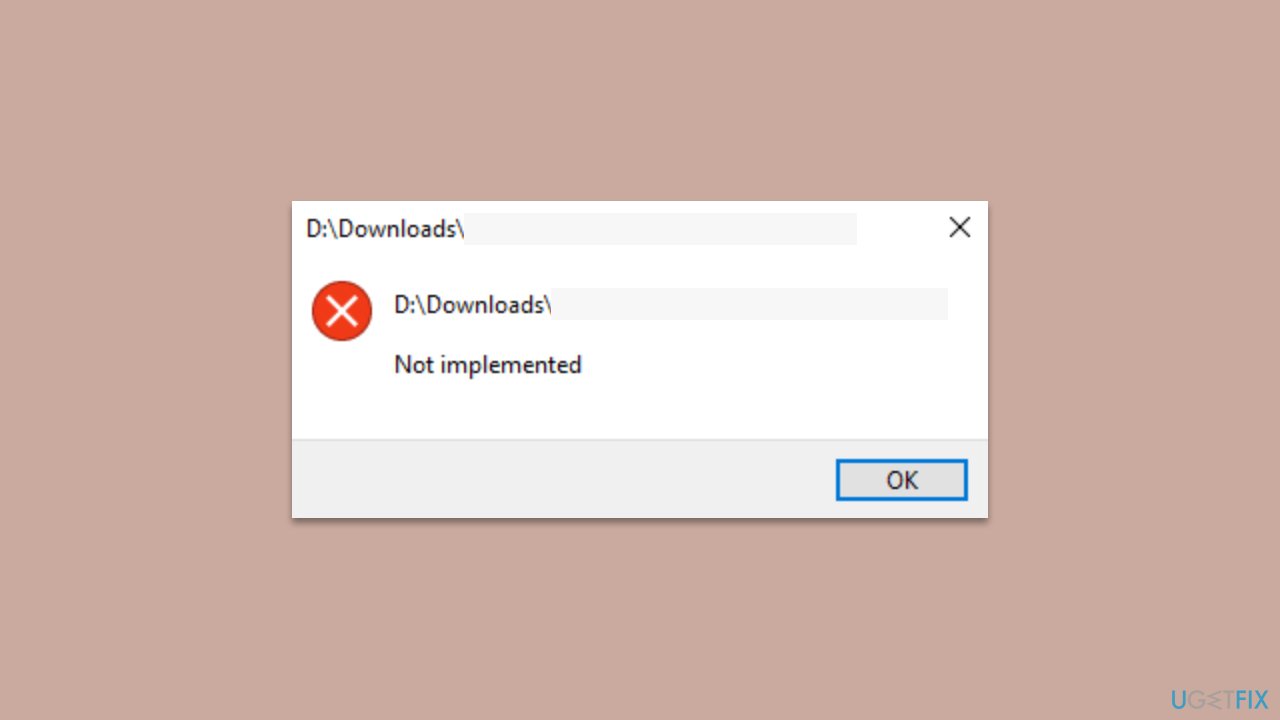
To resolve this issue, users can try updating their Microsoft Office software to the latest version, repairing or reinstalling Office, disabling add-ins or conflicting software, or accessing the file on a different computer. We provide these and other instructions below, but if you would rather perform automatic PC repair, we recommend using the [d1] utility.
Solution 1. Update the apps
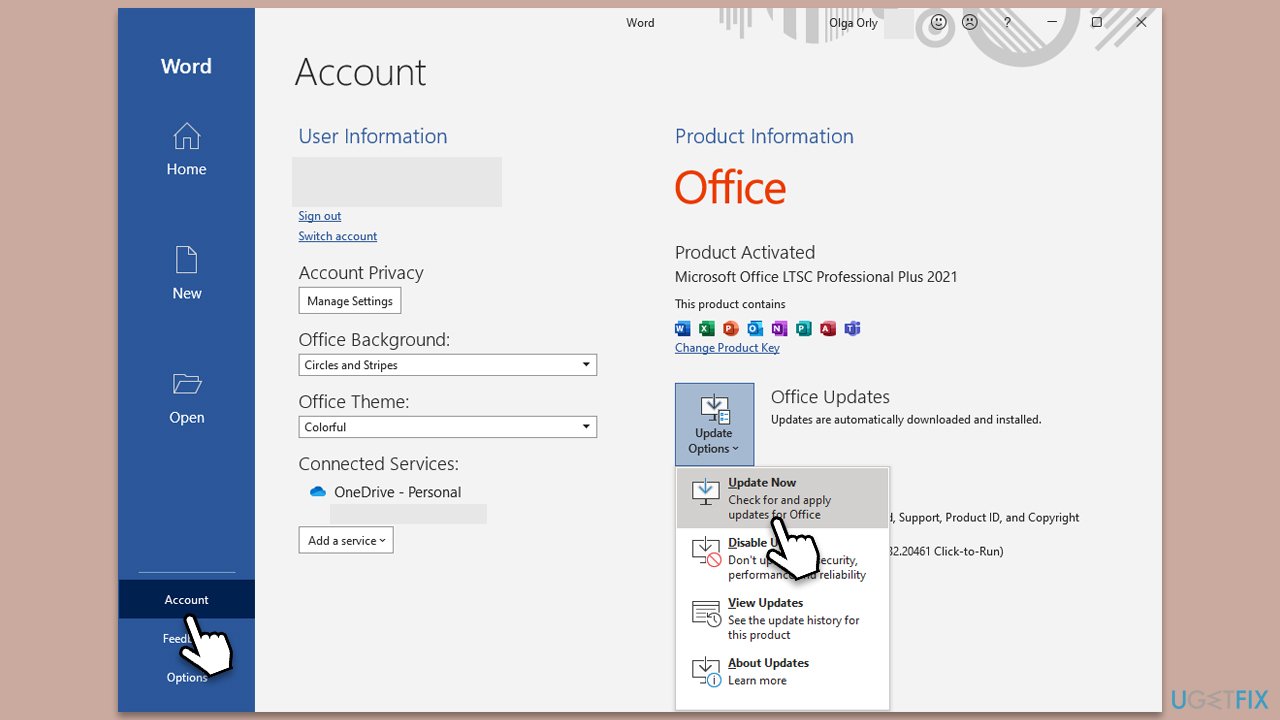
Updating Office or Outlook might fix bugs and resolve the "Not Implemented" error in Windows.
- Open any Office/Outlook application.
- Click on File in the top-left corner.
- Click on Account and then click on Update Options.
- Choose Update Now and install any available updates.
Solution 2. Repair Office
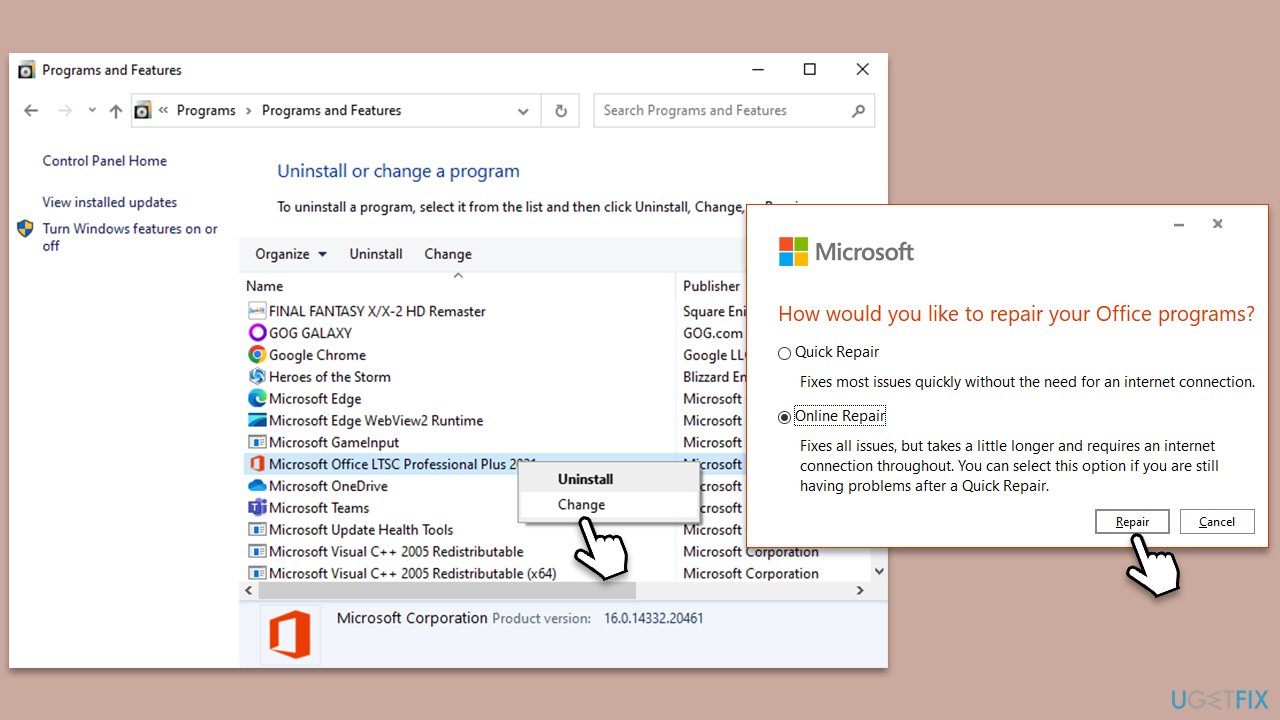
There's a built-in repair function that you can use to repair the Office suite.
- Type Control Panel in Windows search and press Enter.
- Select Programs > Programs and Features.
- Select Microsoft Office and click on Change.
- Choose the option for Online Repair and click Repair.
- Follow the prompts to finish the process.
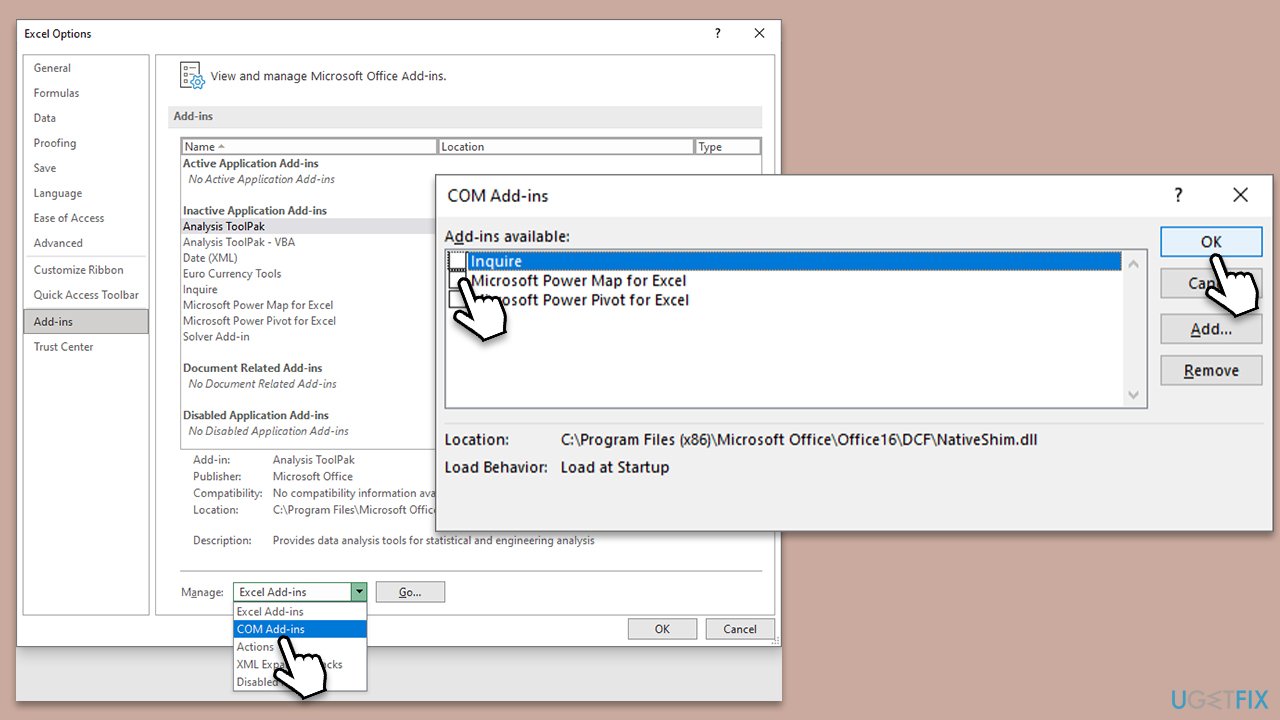
Solution 3. Disable COM add-ins
- Press Win + R on your keyboard to open the Run dialog.
- Type in outlook.exe /safe and press Enter or click OK (use the same principle for any other Office apps).
- In the Outlook application, o to File > Options (or just pick Options from the main menu).
- Go to the Add-ins section.
- Under the Manage section, select COM Add-ins from the drop-down menu and click Go.
- Uncheck all the Add-ins and click OK.
- Now close down the app and re-open it in normal mode.
Solution 4. Create a new Outlook profile
- Before proceeding, make sure Outlook is closed.
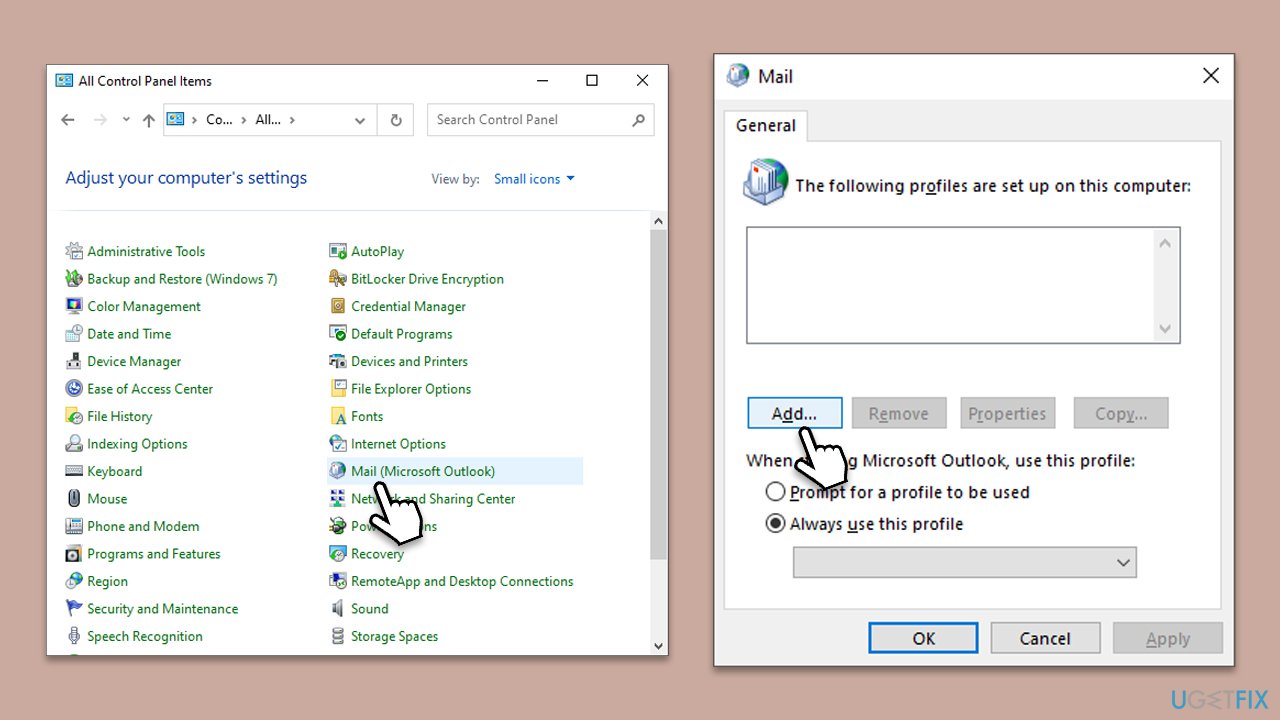
- Open Control Panel, select Small icons at the top-right of the window, and select Mail.
- Click on Show Profiles.
- Click on Add to create a new profile.
- Enter a name for your new profile.
- Set up your email account.
- Test the account settings.
- Set the new profile as default.
- Open Outlook and start using your new profile.
Solution 5. Reinstall MS Office
Some users said that the only way they could fix the "Not Implemented" error in MS Office and Outlook was by reinstalling the suite.
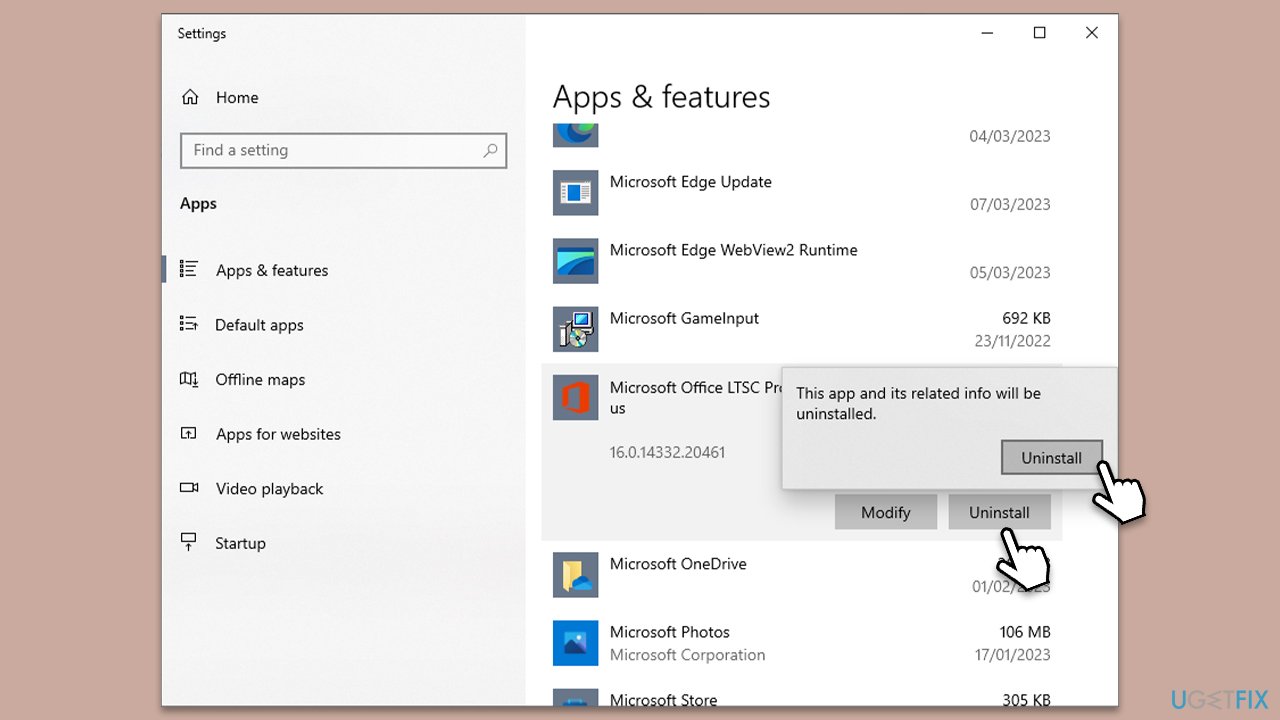
- Right-click on Start and pick Apps and Features.
- Scroll down to find the MS Office installation.
- Click Uninstall and confirm with Uninstall.
- Follow on-screen instructions to remove the app completely.
- Reboot the PC and then reinstall Microsoft office.
Bottom line
To fix the 'Not Implemented' error in MS Office and Outlook, users can try updating their software, repairing or reinstalling Office, disabling add-ins or conflicting software, or accessing the file on a different computer. If these solutions do not resolve the issue, consider using an automatic PC repair utility.
Frequently asked questions
The 'Not Implemented' error in MS Office on Windows 10 often arises from outdated software, corrupted files, or conflicts with add-ins. Updating Office or disabling problematic add-ins may resolve the issue.
To fix the 'Not Implemented' error in Outlook on Windows 11, try repairing the Office installation through the Control Panel or resetting the Outlook profile. These steps can often restore functionality.
To prevent the 'Not Implemented' error in MS Office on Windows, ensure that your software is regularly updated and manage add-ins carefully. Regular maintenance can help keep your applications running smoothly.




Report an issue
What's wrong with this guide? We review every report and update or remove content.
Report received — thank you. We'll review and fix it.
You need a free account to submit a report.
Be the first to comment