How to fix
Olpair.com error
on Windows
Resolve the olpair.com error on Windows 10 or Windows 11 quickly and effectively with our expert-tested solutions. Get your streaming back in minutes!


What causes How to fix olpair.com error?
- Free version users experience traffic restrictions
- Servers cannot handle high traffic
- Users must pair devices to validate IP address
- Pop-up ads may interfere with streaming
- Potential malware affecting system performance
Repairs Windows system files, removes malware, and restores a clean OS state — without reinstalling.
Hello, I am using Kodi app to watch movies and TV shows. Recently, I wanted to try a new add-on olpair.com, but I keep getting https://olpair.com error message and don't know what to do next. Is there a way to bypass this issue? I heard that olpair has a lot to offer, so I definitely want to try it out. Thanks!
Olpair.com is one of the most popular sites for online streaming. Authors provide the service under two different categories: premium membership and free services. While Premium members enjoy unlimited access and Cloud storage, free client users can only stream four hours a day.
Olpair.com can also be reached via Kodi - an open source[ref en-1] media player that is available for multiple platforms, including computer systems, smart TVs, network connected media players, set-top boxes, etc. The app has many features and is highly customizable - video and other media can be streamed from third party sources, such as Amazon Prime Video, Crackle, Rhapsody, Spotify, and many others. However, recently Kodi add-on was found to be infected with the crypto mining malware, so you should pay attention to system slowdowns if you have this add-on.[ref en-4]

The olpair Kodi stream authorization error occurs when Kodi users opt for a Free version of the service, and servers simply cannot handle the traffic. Therefore, olpair.com authors made decision restrict traffic to their site by making users to pair their devices using the authorization system. This way, they also decided to try to earn more money as all advertising revenue was collected by Kodi only.
To do that, Free service users of Olpair.com need to enter the provider's website and validate their IP address with the help of the pairing process. As soon as that is complete, users can stream various content for four hours. However, be prepared to see Olpair.com pop-up ads which are supposed to help the service survive.
Below you will find ways to fix olpair.com Kodi streaming authorization error, so please follow the detailed guide.
With that being said, we should add that olpair.com is also not as secure as it seems and has been dealing with the same issues as Kodi. Security experts have reported that the service is using crypto-mining code and abuses visitors' computing power while they stream the media.[ref en-2] Therefore, use it at your own risk. Besides, the authentication window, if clicked anywhere, will redirect you to questionable websites.
Ways to fix olpair Kodi stream authorization error
Before we move to methods recommended for fixing errors appearing from the use of this service, note that you must be careful while using olpair.com: don't explore such unsafe sites without anti-virus software installed on your computer and don't download files from this site. Otherwise, will end up compromising your device by installing malware[ref en-3] on it. If you have already done that, make sure you scan your device using security software like [d1] to see if it is infected.
If you have been bothered by numerous olpair.com ads, there is a high chance that its developer decided to generate pay-per-click revenue without your approval. However, you can always block ads on the affected web browser by using these steps:
- Go to Chrome's settings and click Advanced option;
- Scroll down till you see the Privacy and Security section, and select Content settings;
- Click Popups and findolpair.com, and other names that seem unknown to you.
- Click three dots and select Block under each of these names.
Option 1. Fix olpair.com error by pairing your device's IP
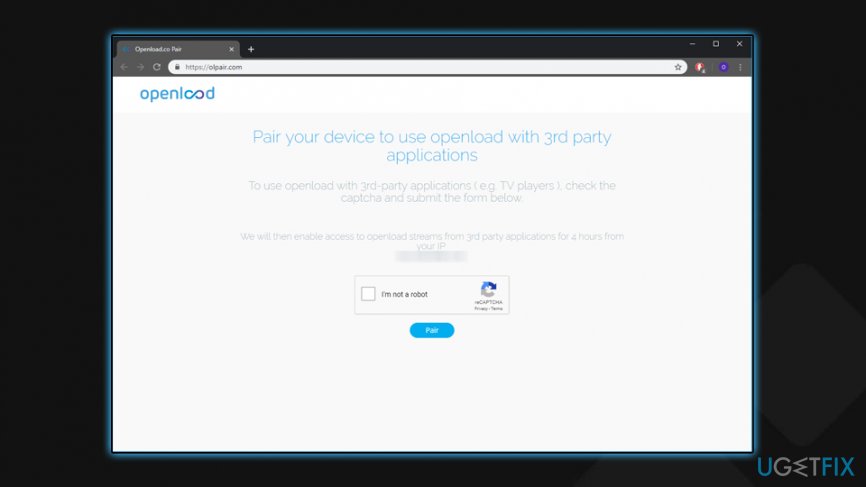
This is the best way to fix olpair.com error. However, once four hours are gone, users will have to change their IP address in order to keep streaming. Services like VPN or proxy can be used to alter the IP of any machine. However, there are certain risks involved when using these services. Anyways, here's how you pair your device with olpair.com:
- Launch Kodi application
- Then, open your browser and type in olpair.com, hit Enter
- Tick the I'm not a Robot box
- Click Pair
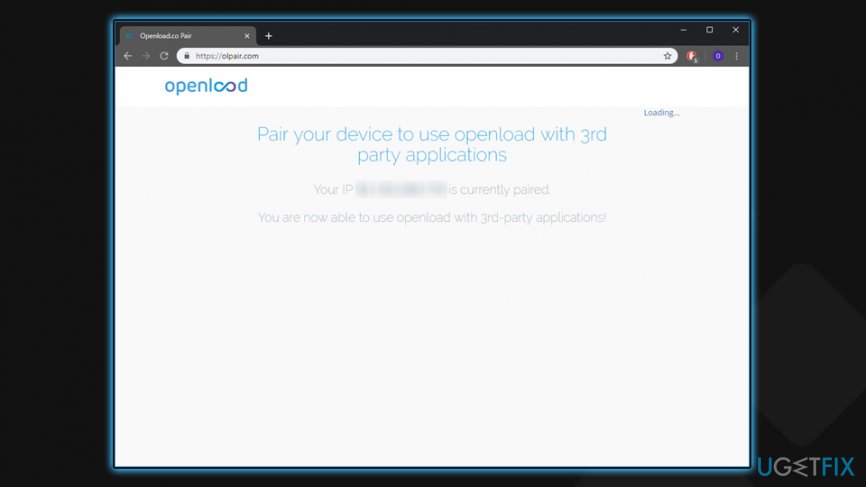
Olpair com error validate your ip successful
Option 2. Fix olpair.com error within the Kodi app
Another way to fix olpair.com error is by disabling pop-up notifications within Kodi app. Follow these steps:
- Pick Addons and locate Olpair add-on
- Right click on it and select Settings
- Go to Playback
- Locate Hosters with captchas and turn it off, then click OK
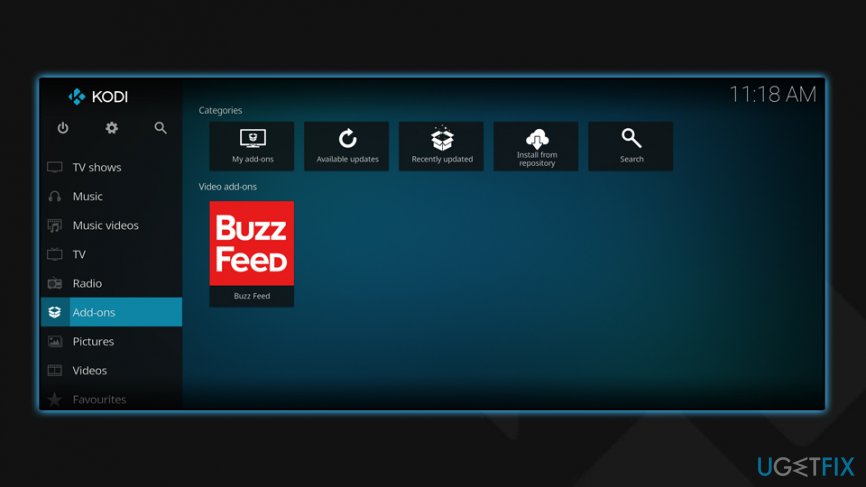
Olpair com error use kodi app
Note that we dot approve of copyright material streaming. This guide does not encourage users to participate in any illegal activities, and all the actions are taken at their own risk.
Bottom line
To fix the olpair.com Kodi streaming authorization error, users should pair their devices on the olpair.com website, consider upgrading to a premium membership, and be cautious of pop-up ads. If these solutions do not work, users may need to explore alternative streaming options or check for malware on their systems.
Frequently asked questions
The olpair.com error typically occurs when streaming services require a pairing code for access, often due to blocked or misconfigured network settings.
To fix the olpair.com error, try clearing your browser cache, disabling VPNs or proxies, and ensuring your network connection is stable.
Yes, you can prevent the olpair.com error by using a reliable streaming service that doesn’t require pairing codes and ensuring your browser settings are configured correctly.




Report an issue
What's wrong with this guide? We review every report and update or remove content.
Report received — thank you. We'll review and fix it.
You need a free account to submit a report.
Be the first to comment