How to fix
OneNote 0xE00015E0 Error Code
on Windows
Resolve the OneNote 0xE00015E0 error on Windows 10 quickly and efficiently. Expert-tested solutions ensure smooth functionality with zero traces left.

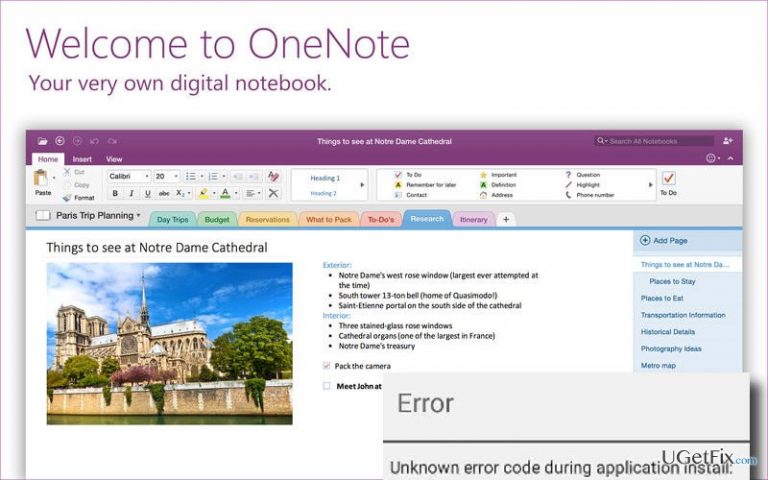
What causes How to Fix OneNote 0xE00015E0 Error Code on Windows 10?
- Inappropriately installed Windows 10 update
- Outdated OneNote app
- User account issues
- Email account issues
Repairs Windows system files, removes malware, and restores a clean OS state — without reinstalling.
Could you please explain me why each time when I try to open OneNote error 0xE00015E0 shows up? I use ASUS PC, which runs Windows 10. Need some help, please!
Thousands of people have already searched for an answer how to fix OneNote error 0xE00015E0. We hope that the fixes that we are going to provide will be useful and you won’t have to look for another. However, before we begin listing the methods on how to fix 0xE00015E0 error Code, we would like to answer the question why does anyone need OneNote?
OneNote is a Microsoft application that functions as a notebook. It allows organizing upcoming events, meeting notes, must have to do lists, and so on. Besides, it allows not only typing, but also writing and drawing. OneNote supports PCs, Macs, and mobile devices, which is why it has millions of users worldwide. Many people have praised this tool for simplicity, user friendly interface, multiple functions, advanced settings, and other features. Unfortunately, but Windows 10 users have started complaining about Error Code 0xE00015E0 that shows up exceptionally when trying to open OneNote application. Our team has started initiating a research related to this issue and found out that it can easily be fixed.
Since users fixed 0xE00015E0 error using several diverse methods, we are going to provide them all down below. If you wonder what may be the cause of OneNote error code 0xE00015E0, these may be:
- Inappropriately installed Windows 10 update;
- Outdated OneNote app;
- User account/Email account
In order to try the easiest 0xE00015E0 error fix, we recommend installing [rev id=”RegCure Pro”], [rev id=”SpeedyPC Pro”] or [rev id=”Reimage”] programs. They have been developed for fixing errors like this and optimizing the system to prevent future errors. If, however, you don’t want installing additional program or if it did not help to remove 0xE00015E0 error when opening OneNote, try these methods:
How to Fix 0xE00015E0 Error Code on Windows 10?
First of all, you should try Verification of your Microsoft Account. Many users found this OneNote 0xE00015E0 Error Code fix useful. For that, follow these steps:
- Disable OneNote via Task Manager.
- Click Ctrl + Alt + Delete, locate OneNote in the opened list, click on it and select End Task.
- After that, Go to Start - Select Settings – Accounts – Your email and account
- Here you will be asked to verify your Account link. Click on it.
- Make sure that you enter your Microsoft account password correctly.
- Then, reopen OneNote and 0xE00015E0 error should be gone.
Check & Change settings
- Click Start (bottom left corner) – select Control Panel – System and Security
- Select Programs (the list of options on the left side of the window)
- Opt for Run Programs made for Previous version of Windows under Programs and Features
- When the list of programs opens, find OneNote and click on it. Wait until the testing finishes.
- You will be asked if you agree to make the changes. Click yes to proceed.
Finally, try to reinstall OneNote application or sign in as an Administrator. If any of the aforementioned methods doesn’t help, try to fix 0xE00015E0 error code automatically using [rev id=”RegCure Pro”], [rev id=”SpeedyPC Pro”] or [rev id=”Reimage”].
Bottom line
To fix the OneNote 0xE00015E0 error code, users can try verifying their Microsoft account, installing error-fixing programs like RegCure Pro, SpeedyPC Pro, or Reimage, and following additional troubleshooting methods. If these solutions do not resolve the issue, users may need to explore further support options.
Frequently asked questions
The OneNote 0xE00015E0 error code typically indicates a syncing issue with your notebooks, often due to connectivity problems or corrupted files.
To fix the OneNote 0xE00015E0 error on Windows 11, try clearing the cache of the OneNote app and then attempt to sync your notebooks again.
Yes, ensure that your Internet connection is stable and check that OneNote has the necessary permissions to sync in your Windows 10 settings.




Report an issue
What's wrong with this guide? We review every report and update or remove content.
Report received — thank you. We'll review and fix it.
You need a free account to submit a report.
Be the first to comment