How to fix
OpenGL error 1281
on Windows
Resolve OpenGL error 1281 on Windows 10 and Windows 11 effortlessly. Get expert-tested solutions that fix glitches in minutes and enhance your experience.


What causes How to fix OpenGL error 1281?
- Third-party variables or modules running
- Corrupt or faulty graphic settings
- Syncing issues
- Outdated files
- Incomplete Java script installation
Repairs Windows system files, removes malware, and restores a clean OS state — without reinstalling.
Hello. Every time I open Minecraft, I get this OpenGL error 1281. It keeps popping up in the chat, and I do not know what to do and how to remove it. I don't know what Minecraft OpenGL even does. Is there any particular issue that should get fixed in the game, or am I doing something wrong?
OpenGL error 1281 is common, and users[ref en-1] in various platforms and online forums question the issue and the process itself. The OpenGL is a setting inside the game that makes the game faster and tries to make it run smoother on the PC. By working within the Minecraft game, the process should reduce the load of rendering on the operating system directly.
Minecraft OpenGL error 1281 gets triggered by the option tat should ensure that game only renders GPU[ref en-2] when the direct view of the gamer is applied. This is why the error is frustrating users who encountered the pop-up. There are other codes that might occur alongside this OpenGL error, and those are all fixable.
OpenGL error 1281 (invalid value) Minecraft occurs, and people do not know what happens or where to begin. The option itself is set On by default, so gamers can have enhanced performance. The main reason why the error shows up is third-party variables or modules that are running.
These incompatibility or concurrence issues can be fixed. So do not panic thinking that your game is infected[ref en-3] because it shows the Minecraft OpenGL error 1281 on the screen. There is nothing as dangerous as malware that could be the reason for an error popping up.
OpenGL error 1281 might be related to shaders - graphic settings that are mainly imported by the user in the modded Minecraft. Corrupt or faulty settings trigger the error. Also, syncing issues, updates, old files can be the triggers. Do not forget about Java scrip usage in the game application. If these Java requirements are installed automatically, it is possible that files get left out, and 1281 error pops up.
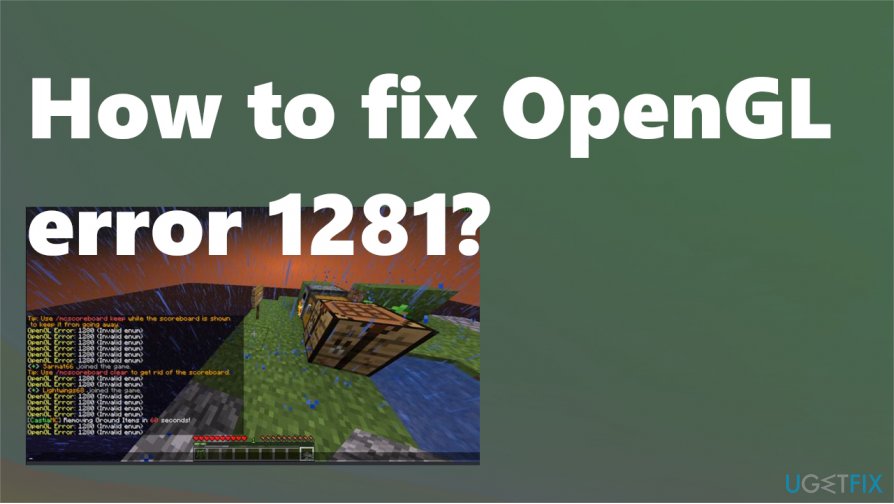
How to fix OpenGL error 1281
Minecraft OpenGL error 1281 is the one that users commonly encounter. It is often occurring them people play in a fully modded Minecraft. This is why chances are that mod modules can be conflicting with your game application. Before you search for ways to fix OpenGL error 1281, you should make sure that files and system issues are not triggering the problem or additional interruptions. Run [d1] for the job. Then you should make sure that you are logged in as an administrator on the computer and can the active open internet connection. Now you can browse the solutions below.
Remove all the Shaders
These Minecraft add-ons allow players to set terrains and settings. Since this is mini-mods, that can change some options shaders use resources of the app, so might conflict with other mod modules. You can try to disable them or cut-paste them to another location if you think you might want to use them again.
Update drivers to fix OpenGL error 1281
You can do it automatically with third-party applications if you do not have patience or time, but you might risk getting a rogue tool, PUP, instead of the proper driver updater.
Manually updating drivers requires going to the website of your video card manufacturer and finding the latest correct driver for the device. Download and install the driver on the computer. Pay attention to details.
Disable Show GL errors
- Open Options while in Minecraft.
- Find Video settings and then go to Others.
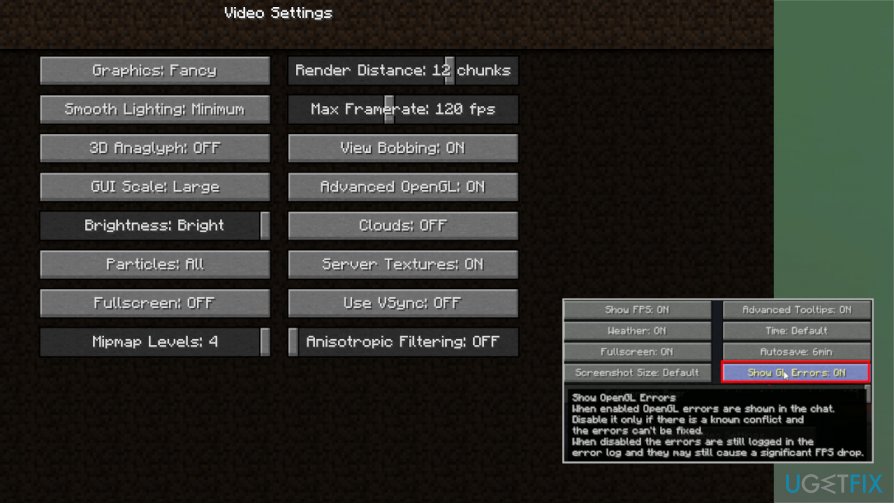
Opengl error minecraft fix show - Click Show GL errors and turn the option OFF.
- Save settings by restarting.
Update OptiFine to fix OpenGL error 1281
OptiFine is one of the third-party apps that can trigger issues and OpenGL error 1281. To update the program:
- Go to OptiFine download center.
- Find the latest version and download it.
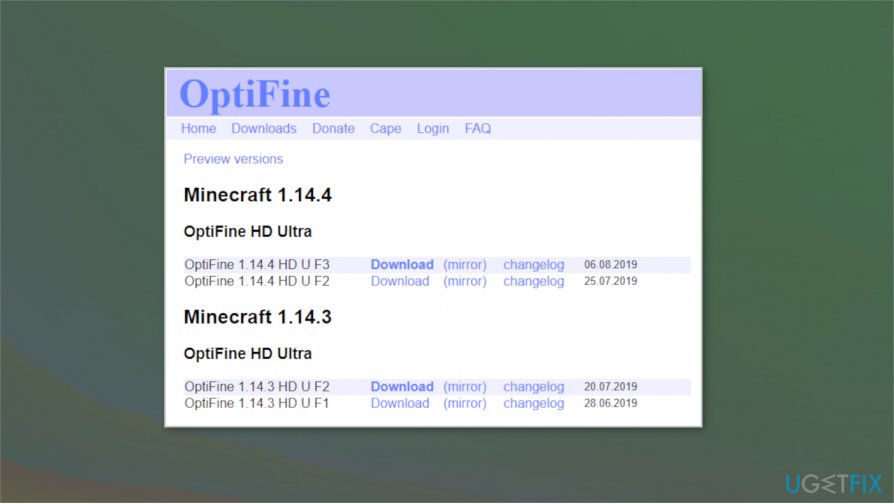
Opengl error minecraft fix update - Follow instructions on the screen and finish installing.
- Restart the PC to ensure changes.
Bottom line
To fix OpenGL error 1281, consider checking for third-party software conflicts, updating your graphic settings, and ensuring all necessary Java files are correctly installed. If these solutions do not resolve the issue, further investigation into your system's compatibility with Minecraft may be needed.
Frequently asked questions
Common causes include outdated graphics drivers, incompatible hardware, or software conflicts. Ensure your graphics drivers are up to date and check for any recent software installations that might conflict with OpenGL.
You can update your graphics drivers by going to Device Manager, expanding the Display adapters section, right-clicking on your graphics card, and selecting 'Update driver'. Alternatively, you can download the latest drivers directly from the manufacturer's website.
Yes, ensure that hardware acceleration is enabled in your graphics settings, and check that your system meets the minimum requirements for the application using OpenGL. Adjusting compatibility settings for the application may also help.




Report an issue
What's wrong with this guide? We review every report and update or remove content.
Report received — thank you. We'll review and fix it.
You need a free account to submit a report.
Be the first to comment