How to fix
Ordinal 43 Not Found error in Fallout 3
on Windows
Resolve the Ordinal 43 Not Found error in Fallout 3 on Windows 10 and 11 effortlessly. Get expert-tested solutions to fix it in minutes!

What causes How to fix Ordinal 43 Not Found error in Fallout 3?
- Missing .DLL file
- Drivers issues
- Incompatibility issues
- Corrupted files
Repairs Windows system files, removes malware, and restores a clean OS state — without reinstalling.
Hello. I have not been able to get my Fallout 3 to work properly. When I click Play, the game crashes. It worked fine before I upgraded from Windows 7. Can anyone help?
Fallout 3 is a computer role-playing game developed by Bethesda Softworks[ref en-1] and released in 2008. It is a post-apocalyptic computer and console open-ended game and the third major installment in the Fallout series. The game takes place in the year 2277, 200 years after the Great War. The gameplay features include real-time combat and first or third-person perspective.
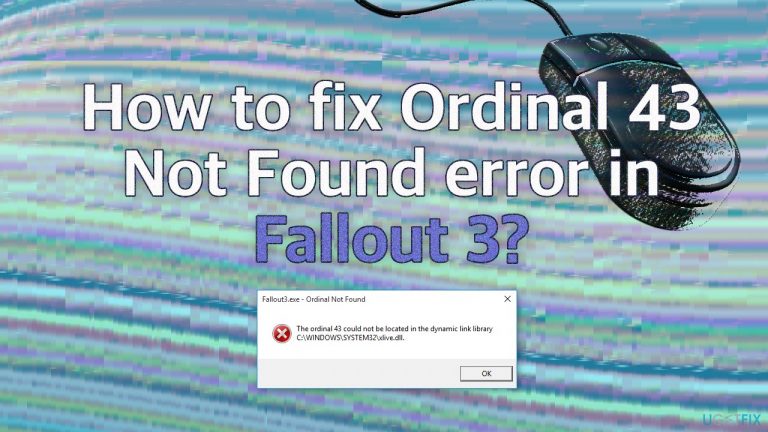
Since the game was released quite a while ago, some users experience issues when trying to launch it on new systems. Often people experience the error when they upgrade their Windows to the latest version. The message they receive after the game crashes, says:
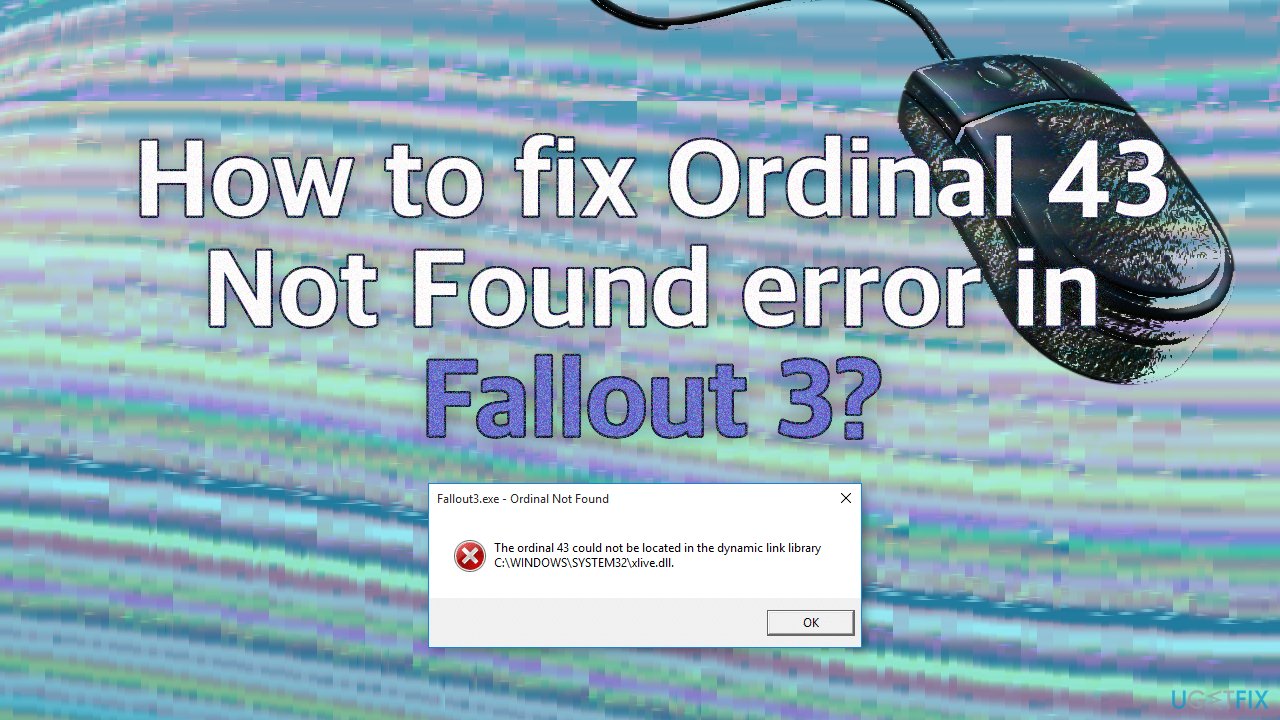
Fallout3.exe- Ordinal Not Found
The ordinal 43 could not be located in the dynamic link library C:\\WINDOWS\\SYSTEM32\\xlive.dll,
The most likely reason for the occurrence of Ordinal 43 Not Found error is the missing .DLL file. Dynamic Link Library[ref en-2] is a type of file that contains instructions that other programs can call upon to do certain things. Other causes may be drivers,[ref en-3] incompatibility issues, and corrupted files.
The problem can be related to file corruption, so we strongly recommend you first try running a scan with repair software [d1], as it can help you fix underlying issues on Windows without you having to troubleshoot manually. Since there are several possible reasons for the "Ordinal 43 Not Found" error in Fallout 3 you must follow the steps below in order to fix it:
Solution 1. Download the Missing DLL File
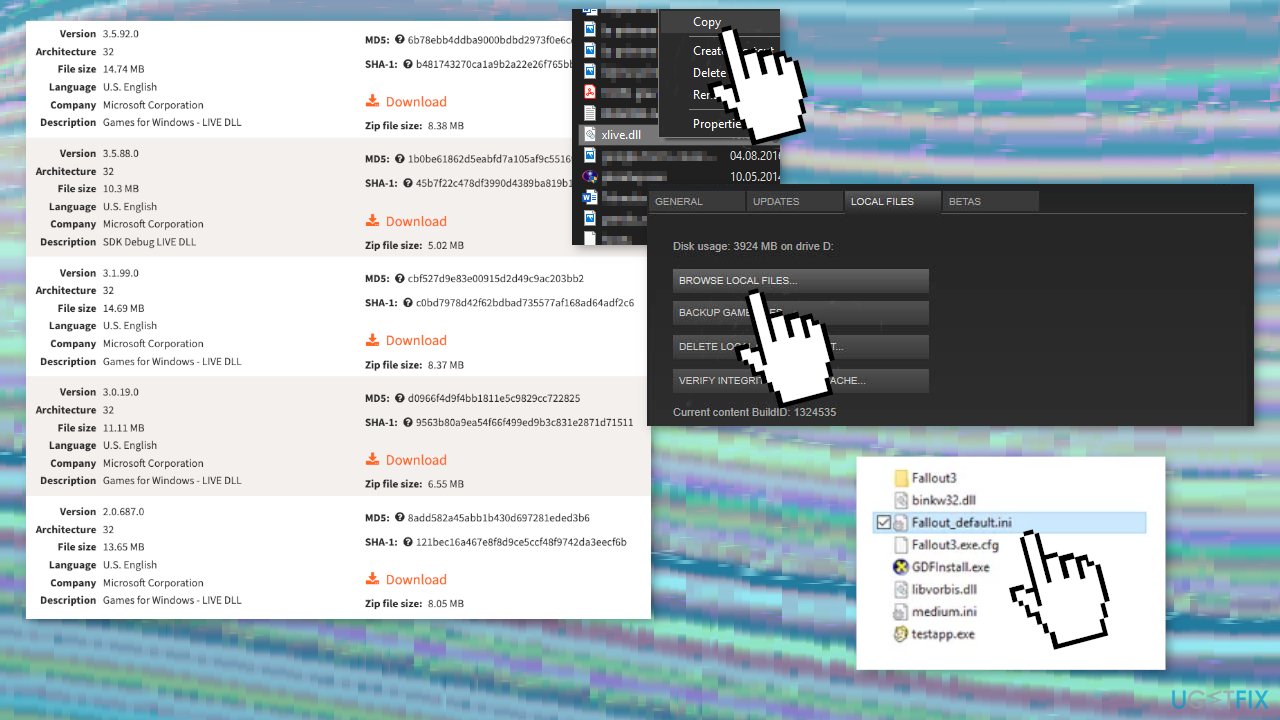
- Download the dll file; We recommend you choose the 3.5.92.0 version with the Games for Windows – LIVE DLL description
- Click the Download button, locate the zip file in your Downloads folder, right-click it and extract it
- You should now be able to see an xlive.dll file; right-click it and choose the Copy option from the context menu
- If the game has been installed through the Steam client, make sure you open it up and navigate to the Library tab at the top of the Steam window and locate Fallout 3 in the list of games you own on your Steam account
- Right-click the Fallout 3 entry in the list and choose the Properties option
- Navigate to the Local Files tab in the Properties window and click the Browse Local Files (the default location for all Steam games is C > Program Files (x86) > Steam > steamapps > common)
- If the game was installed through a DVD, you will have to locate the game’s shortcut on your Desktop, right-click on it and choose Open file location from the context menu which will appear. If you don’t have the game’s shortcut on the Desktop, you must browse for the game’s installation folder manually (C >> Program Files >> Fallout 3)
- You can also search for it in the Start menu by typing Fallout 3 with Start menu open, right-clicking the game’s entry, and choosing the Open file location option
- Right-click anywhere inside and choose Paste from the context menu which will appear (you can also use the Ctrl + V key combination)
- See if Fallout 3 now works properly
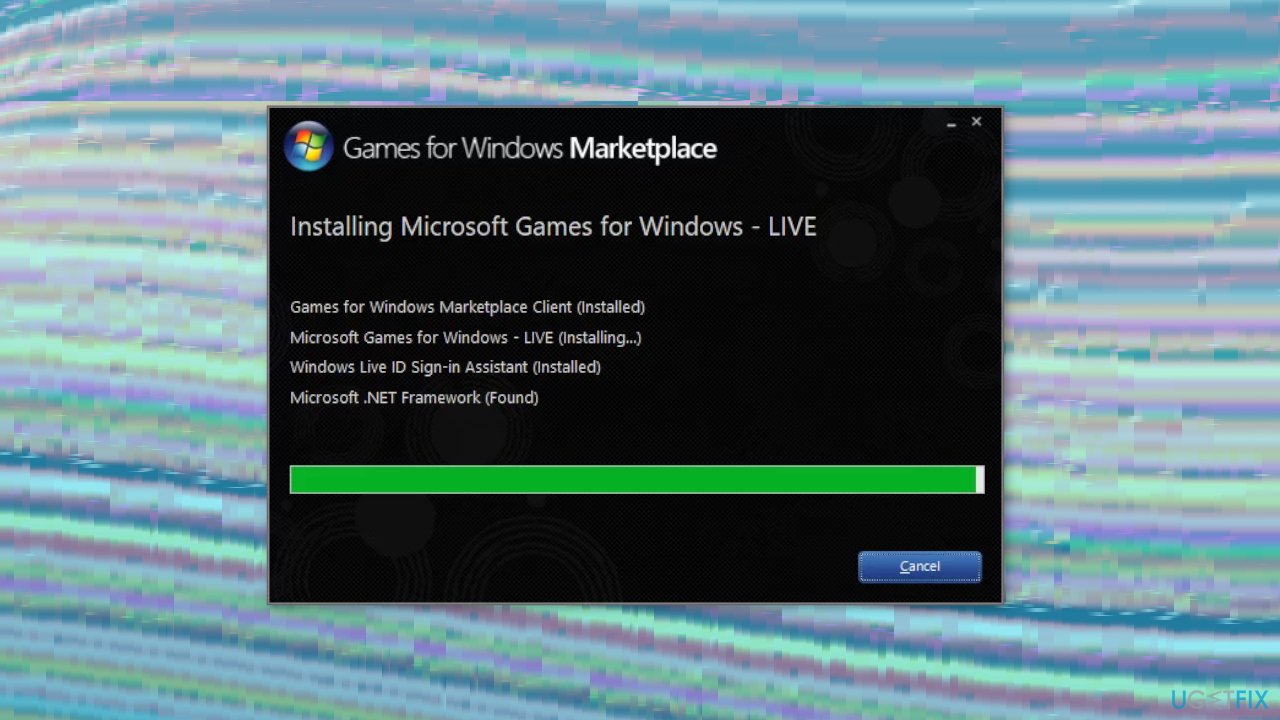
Solution 2. Install Games for Windows Marketplace
- Download Games for Windows Live if you do not have it
- You will not need to run the tool but the xlive.dll file should now be available on your computer
Solution 3. Launch Fallout 3 in Compatibility Mode for Windows XP SP3
- Navigate to the location where the Fallout3.exe file is located
- Right-click it and choose Properties
- Navigate to the Compatibility tab in the Properties window and check the box next to the Run this program as an administrator
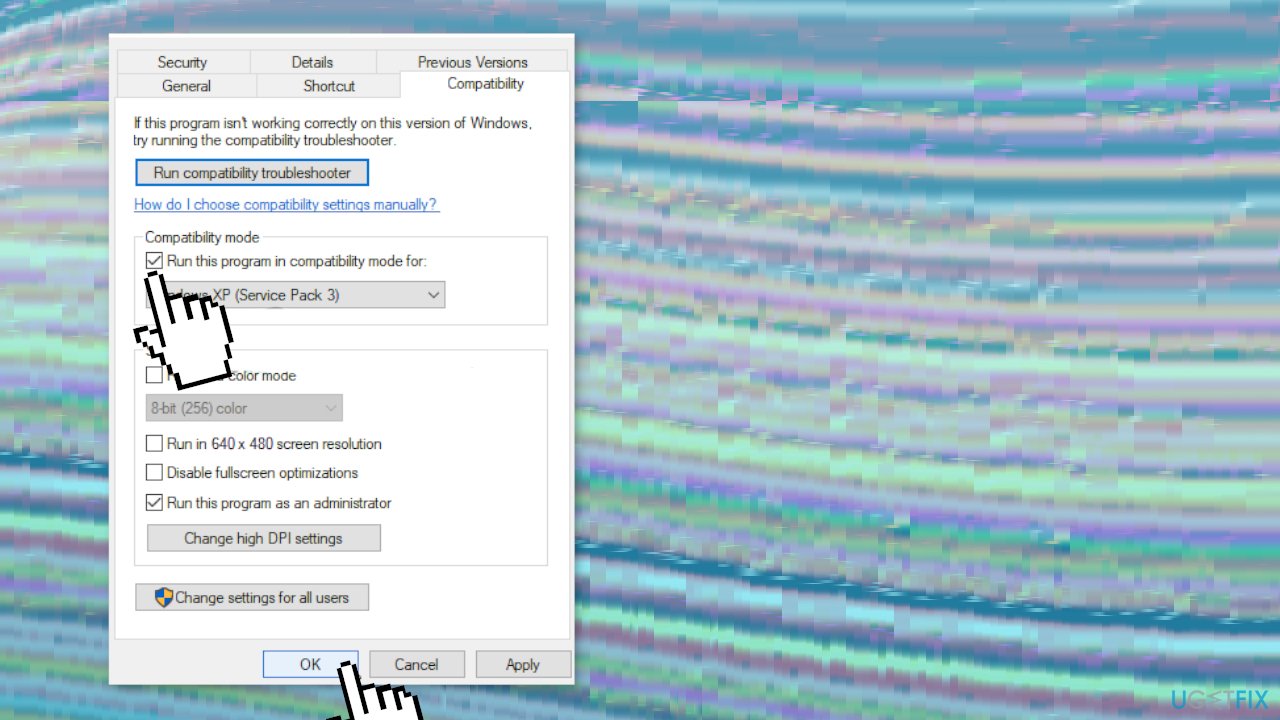
- Under the Compatibility mode section, check the box next to the Run this program in compatibility mode for option and choose Windows XP SP3 from the menu.
- Accept the changes and exit
- Try to see if Fallout 3 runs successfully
Solution 4. Change your Graphics Card Drivers
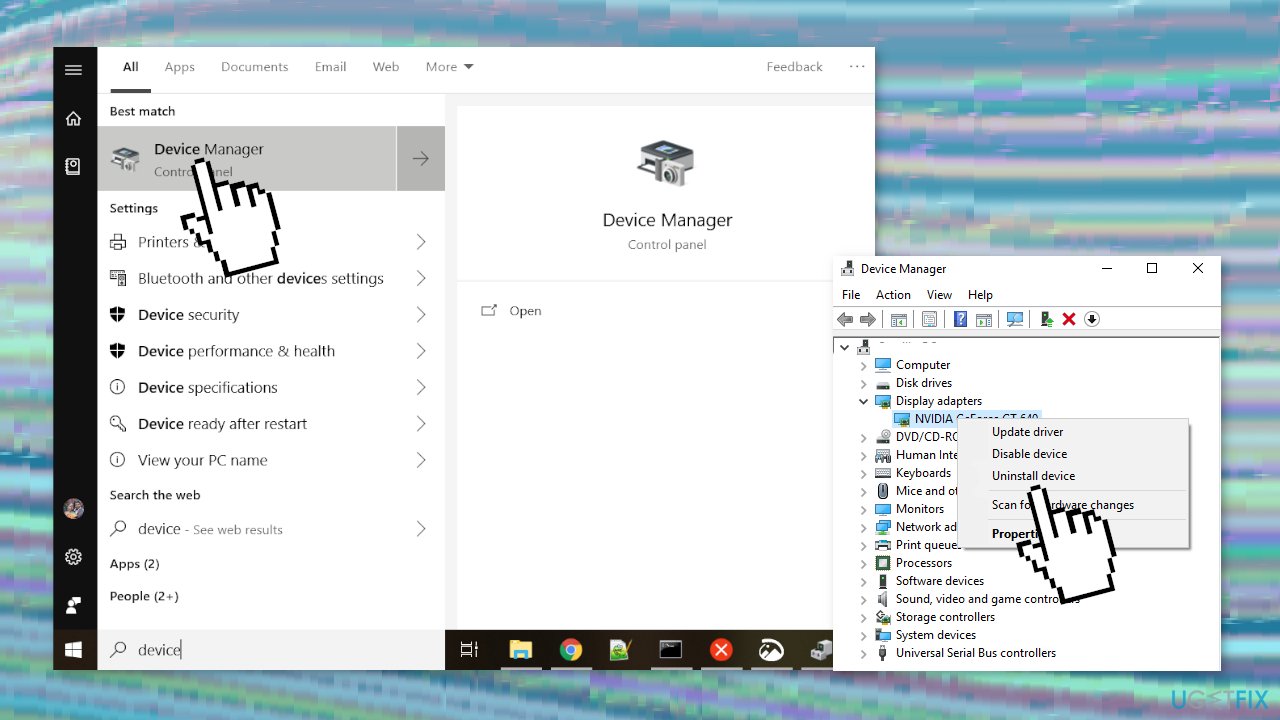
- Click the Start menu button at the bottom left part of your screen, type Device Manager, and select it
- Expand the Display adapters section, right-click your graphics card and choose Uninstall Device
- Confirm any appearing dialogs or prompts to confirm the uninstallation of the current graphics device driver and wait for the uninstallation to complete
- Look up your graphics card driver on NVIDIA’s or AMD’s Input the required info regarding the card and your operating system and click on Search
- A list of all available drivers should appear. Make sure you select an older entry, (2018 is recommended) click on its name, and the Download button
- Save it to your computer, open it, and follow the on-screen instructions
- Check if you can play Fallout 3
Bottom line
To fix the Ordinal 43 Not Found error in Fallout 3, you should first download the missing xlive.dll file and ensure it is placed correctly. Additionally, running a scan with repair software may help address underlying issues. If these solutions do not resolve the problem, further troubleshooting may be necessary.
Frequently asked questions
The Ordinal 43 Not Found error typically indicates that a required DLL file is missing or incompatible with your system. This often occurs when running older games like Fallout 3 on newer versions of Windows.
To fix this error, you can try reinstalling the game, updating your graphics drivers, or ensuring that the necessary Visual C++ Redistributables are installed on your Windows 10 system.
Yes, setting Fallout 3 to run in compatibility mode for Windows XP or Windows 7 can resolve the Ordinal 43 Not Found error on Windows 11 by allowing the game to use older system settings.




Report an issue
What's wrong with this guide? We review every report and update or remove content.
Report received — thank you. We'll review and fix it.
You need a free account to submit a report.
Be the first to comment