How to fix
Outlook stuck at startup
on Windows
Resolve Outlook startup issues on Windows 10 and 11 quickly with effective troubleshooting tips. Expert-tested solutions guarantee zero traces left.

What causes How to fix Outlook stuck at startup in Windows?
- Outdated software
- Corrupt installation files
- Issues with other programs
- Problems with PST files
- User's profile issues
Repairs Windows system files, removes malware, and restores a clean OS state — without reinstalling.
Hello. There is something wrong with my Outlook. Whenever I try to launch it, it is stuck on starting and all I see are three dots constantly "loading." I tried restarting the app several times but that did nothing to resolve the situation.
Outlook is a popular email client from Microsoft that works effectively with other Office applications in order to give users a complete platform for scheduling, task management, and email communication.
Even with its widespread use and extensive capabilities, users could occasionally run into problems that make it difficult for it to perform. One prevalent issue is when Outlook becomes stuck during startup, making it impossible for users to access their tasks, calendar, or emails. Workflow disruptions and frustrations might arise from this problem.
There are a number of reasons why Outlook freezes when it starts up, such as outdated software, corrupt installation files, or issues with other programs. Outlook may also open incorrectly due to issues with PST files or the user's profile. You might think about a few different strategies to deal with this problem.
Outlook freezing glitches and compatibility difficulties can be fixed by installing the most recent Office updates. Outlook functionality can also be restored by using Windows' built-in applications to repair corrupted system files. If the issue doesn't go away, you might need to reinstall Outlook or reset its settings to their original defaults. These fixes can resolve problems caused by corrupted or misconfigured software.
For those who prefer a more straightforward solution, utilizing a PC repair tool [d1] could offer a convenient alternative. Such tools are designed to diagnose and fix underlying Windows problems automatically, potentially resolving the issue with Outlook without requiring manual intervention.
Fix 1. Repair corrupted files
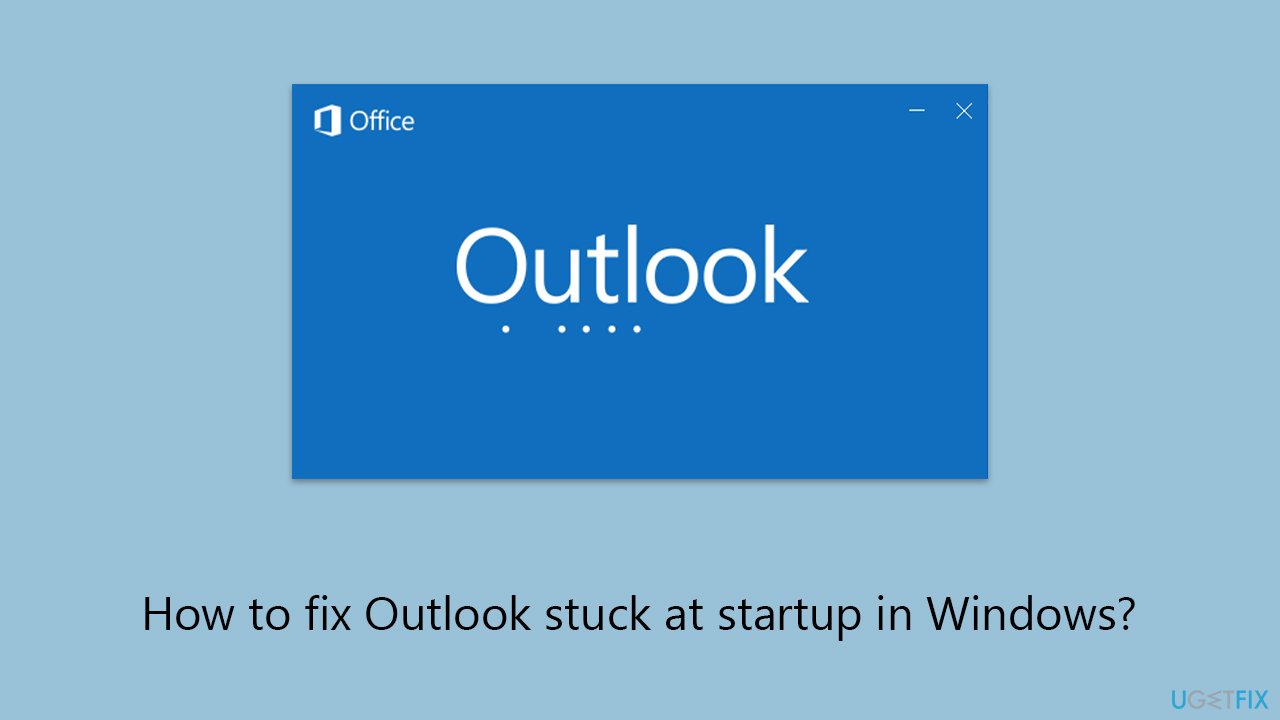
Utilizing SFC and DISM can resolve underlying system issues that might prevent Outlook from starting properly.
- Type cmd in Windows search.
- Right-click on Command Prompt and pick Run as administrator.
- When UAC asks you whether you want to make changes, agree by pressing Yes.
- Next, copy and paste the following commands, pressing Enter each time:
sfc /scannow
DISM /Online /Cleanup-Image /CheckHealth
DISM /Online /Cleanup-Image /ScanHealth
DISM /Online /Cleanup-Image /RestoreHealth
(Note: if you get an error executing the last command, add /Source:C:\RepairSource\Windows /LimitAccess to it and try again.) - Restart your computer.
Fix 2. Repair MS Office
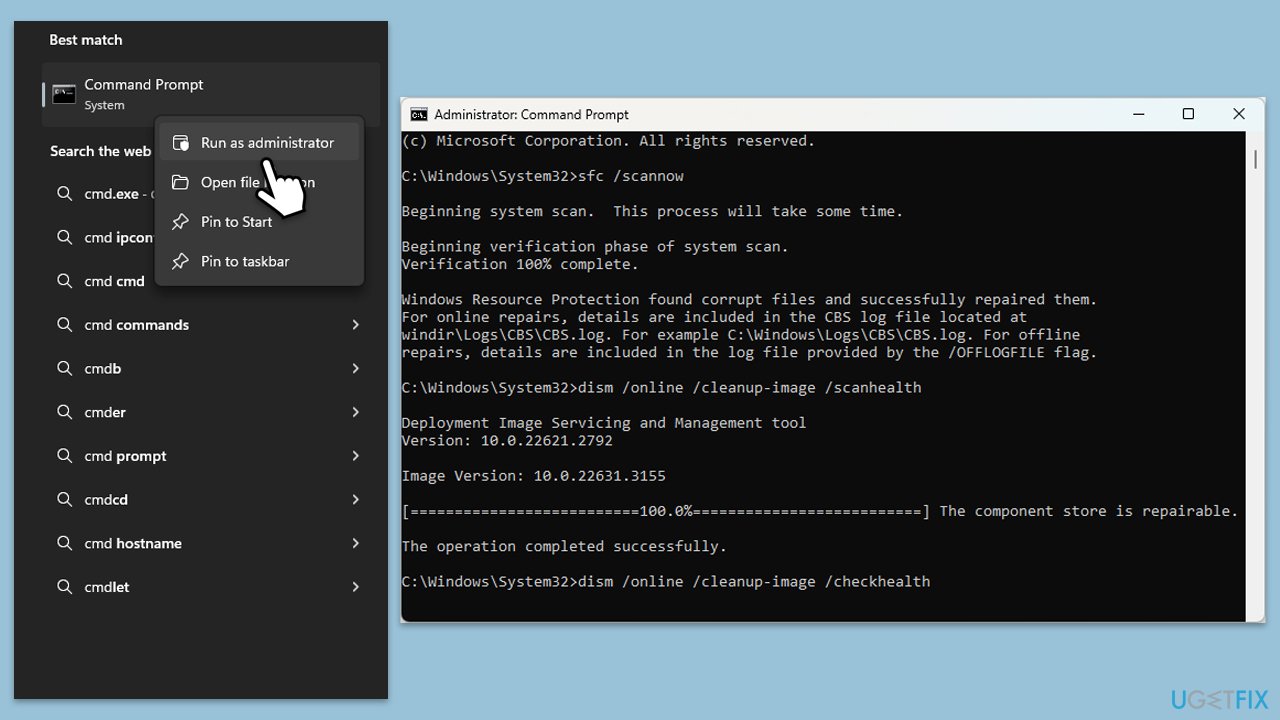
Microsoft Office’s repair feature can address problems with its applications, including Outlook, by repairing the Office installation without affecting your documents.
- Type Control Panel in Windows search and press Enter.
- Select Programs > Programs and Features.
- Select Microsoft Office and click on Change.
- Choose the option for Online Repair and click Repair.
- Follow the prompts to finish the process.
Fix 3. Repair or reset MS Outlook
Repairing or resetting Outlook can fix issues specific to the application, such as corrupted files or settings.
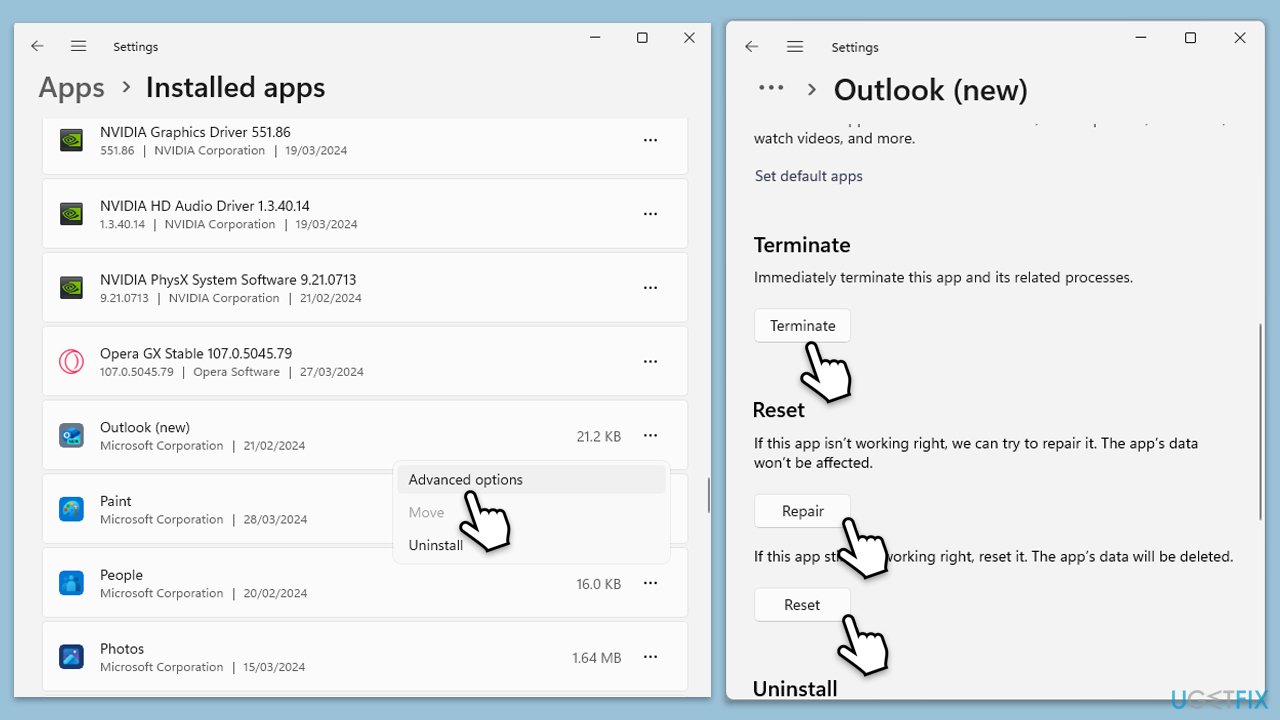
- Right-click on Start and select Apps & Features/Installed apps.
- Scroll down to find Outlook on the list and click Advanced options.
- Scroll down again and click Terminate and Repair.
- If that does not work, try using Reset.
- Start Outlook and see if the issue is fixed.
Fix 4. Start Outlook in Safe Mode
Initiating Outlook in Safe Mode loads the application without any add-ins, aiding in identifying if an add-in is to blame for startup issues.
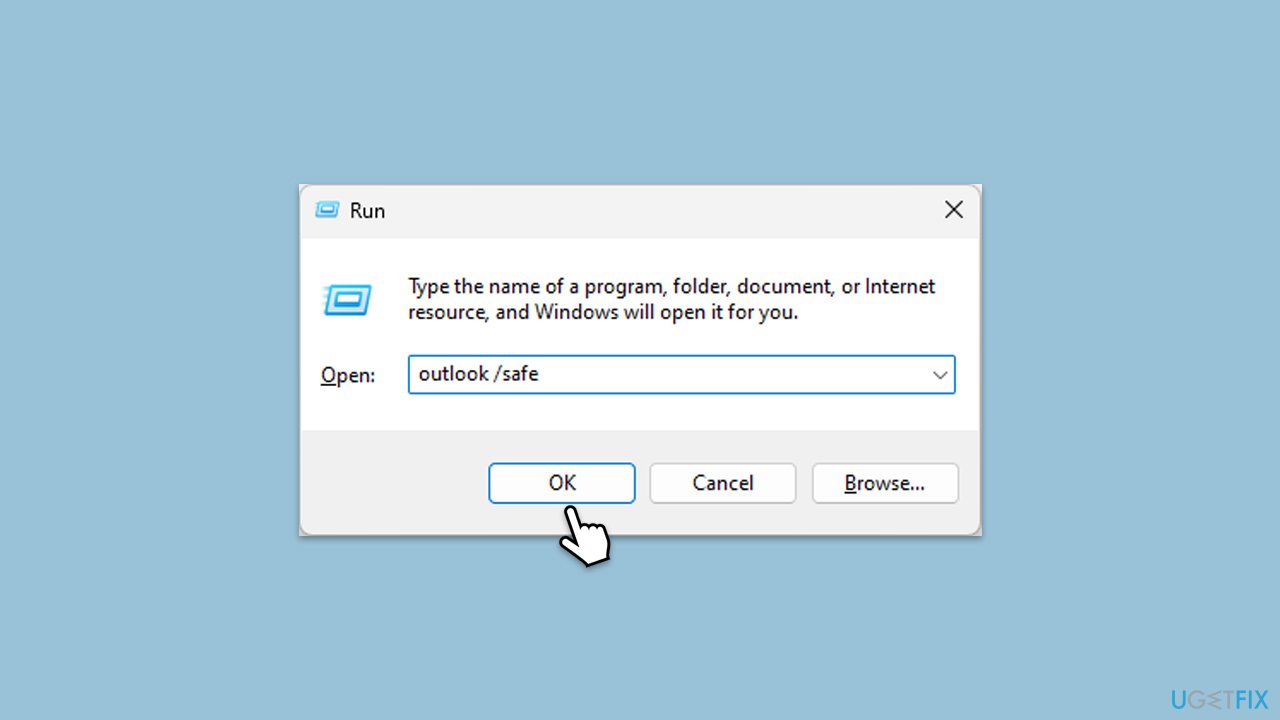
- Press Win + R to summon the Run dialog.
- Type outlook /safe and hit Enter.
- If Outlook launches, add-ins may be causing the issue.
- Deactivate them by navigating to File > Options > Add-ins, selecting COM Add-ins, and clicking Go. Disable all add-ins and restart Outlook normally to see if the problem is resolved.
Fix 5. Use the ScanPST.exe tool to repair the PST file
The ScanPST.exe utility is designed to repair issues with Outlook PST files, which store your email, contacts, and calendar data. Corrupted PST files can prevent Outlook from opening correctly.
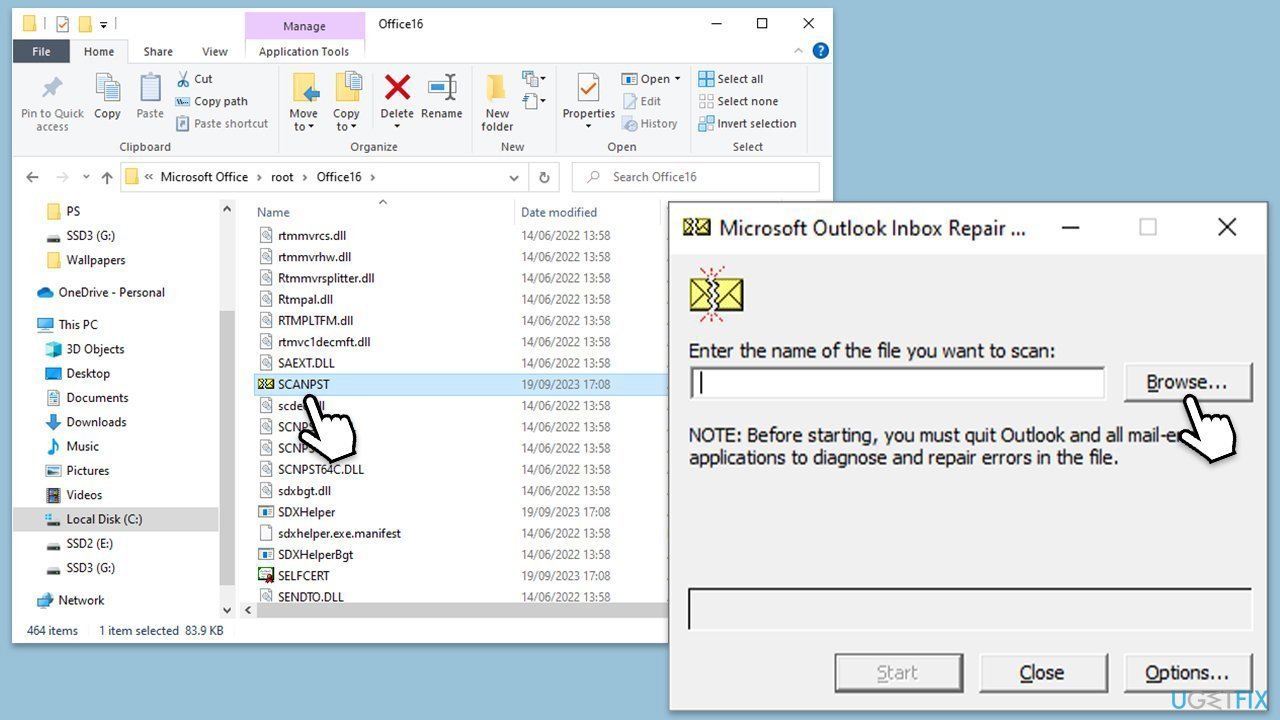
- The Office suite, including Outlook, is usually installed in the Program Files folder on your computer's system drive, such as C:\Program Files (x86)\Microsoft Office\Office version or C:\Program Files\Microsoft Office\Office version- go to this location.
- Double-click on SCANPST.EXE to launch it.
- Click on the Browse button to navigate to the location of your PST file. By default, this should be in Documents\Outlook Files. If not, you may need to search your system for .pst files.
- Once you've selected the PST file, click Start to begin the scanning process. This may take some time, depending on the size of your PST file.
- If the tool finds errors in your PST file, you will be prompted to start the repair process. Click on Repair.
Fix 6. Reinstall Office
Completely removing and then reinstalling Microsoft Office can resolve persistent issues by starting fresh with a clean installation.
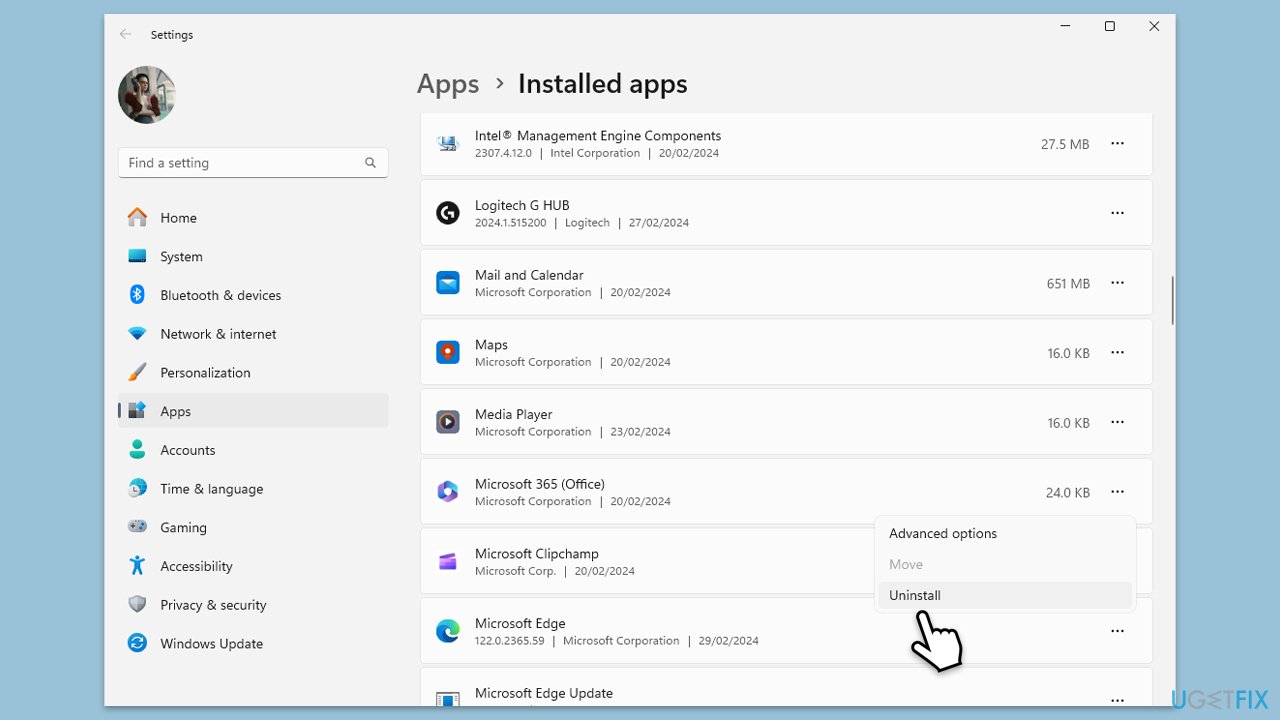
- Right-click on Start and pick Apps and Features.
- Scroll down to find the MS Office installation.
- Click Uninstall and confirm with Uninstall.
- Follow on-screen instructions to remove the app completely.
- Press Win + E to open File Explorer.
- Navigate to the following location and delete its contents:
C:\Program Files\Microsoft Office - Next, type regedit in Windows search and press Enter.
- Go to the following locations in the Registry Editor and delete these items:
Computer\HKEY_LOCAL_MACHINE\SOFTWARE\Microsoft\AppVISV
Computer\HKEY_LOCAL_MACHINE\SOFTWARE\Microsoft\Office\ClickToRun
Computer\HKEY_CURRENT_USER\Software\Microsoft\Office - Restart your system and then reinstall Microsoft Office.
Bottom line
To fix Outlook stuck at startup, you can install the latest Office updates, use Windows' built-in applications to repair corrupted system files, or consider reinstalling Outlook and resetting its settings. If these solutions do not resolve the issue, utilizing a PC repair tool may provide a convenient alternative.
Frequently asked questions
Try starting Outlook in Safe Mode by holding down the Ctrl key while launching the application, which can help bypass any add-in issues causing the startup problem.
Access the Control Panel, go to Programs and Features, find Microsoft Office, and select 'Change' to initiate a repair process that can fix startup issues.
Yes, you can reset Outlook by renaming the 'Outlook' folder located in the AppData directory, which will create a new profile and potentially resolve the startup issue.




Report an issue
What's wrong with this guide? We review every report and update or remove content.
Report received — thank you. We'll review and fix it.
You need a free account to submit a report.
Be the first to comment