How to fix
“parser returned error 0xC00CE556”
on Windows
Resolve the "parser returned error 0xC00CE556" on Windows 10 effortlessly. Get expert-tested solutions that fix issues in minutes!


What causes How to fix “parser returned error 0xC00CE556” on Windows 10?
- Damaged system files
- Corrupted registry entries
- Malware infection
- Software crash
- Issues with .NET Framework
Repairs Windows system files, removes malware, and restores a clean OS state — without reinstalling.
Hi everyone. After installing Windows 10 I receive the NET Parsing Error 0xC00CE556 whenever I try to run GoPro Studio. I’ve checked for Windows Updates, but the Windows Update service got stuck at 40%. Rebooted the machine and checked for updates again. This time everything worked, and all available updates have been successfully installed. Besides, I did a scan with anti-malware, which revealed no threats. What could I do to fix Error 0xC00CE556 on Windows 10?
The error with “parser returned error 0xC00CE556” message is the issue that appears on the Windows operating system and may present itself when you try to install or even open the program, reboot the computer. It is intrusive and frustrating to get any error message, and this error can inhibit you from proceeding with various computer functions, so you need to deal with it to get to normal work.
Error Code 0xC00CE556 is yet another Windows 10 specific issue, which has been harassing computer users[ref en-1] for a long time. While it has been gone for some time making us think that Microsoft has fixed the bug with one of the updates that are the case for some other Windows 10 issues,[ref en-2] it turned out recently that people keep getting NET Parsing Error 0xC00CE556 under various circumstances.
Sometimes the system throws the “Parser returned error 0xC00CE556” notification when trying to install or launch a particular application. Nevertheless, the vast majority of Windows 10 users reported this bug check to be delivered right after the system is booted. 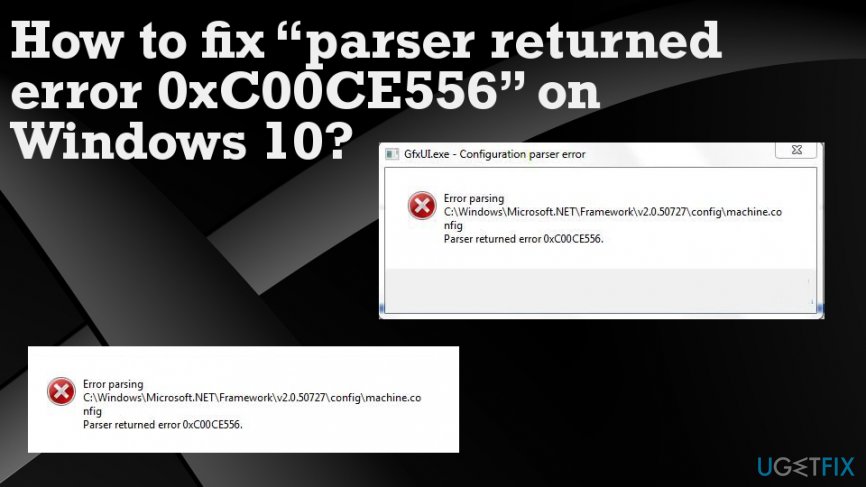
BUT, taking into account the content of the error message itself, it gets clearer that the culprit is most probably related to the .NET Framework software or rather .NET Framework-related machine.config file.
Error parsing
C:\\Windows\\Microsoft.NET\\Framework64\\v2.0.50727\\config\\machine.
config
parser returned error 0xC00CE556.
According to specialists, the system cannot process the machine.config located in the C:\\\\Windows\\Microsoft.Net\\Framework\\v2.0.50727\\Config\\ directory due to the fact that the file has been damaged. Thus, you should try the following method to fix error 0xC00CE556 permanently.
How to fix “parser returned error 0xC00CE556” on Windows 10
Since we have already clarified the most probable cause of the error 0xC00CE556, which is the corrupted machine.config file, the reasonable solution would be to replace the corrupted file with the default one. For this purpose, you may try to run the system scan with [d1]. This tool focuses on the system’s optimization by fixing damaged registry entries, system files, as well as the removal of file leftovers, malware, and similar tasks. It has an inbuilt database of Windows system files, so it may detect the corrupted machine.config file automatically and replace it.
Replace corrupted files on Windows 10 to fix “parser returned error 0xC00CE556”
If, however, the software did not help, then you should replace the file manually. This can be done by following these steps:
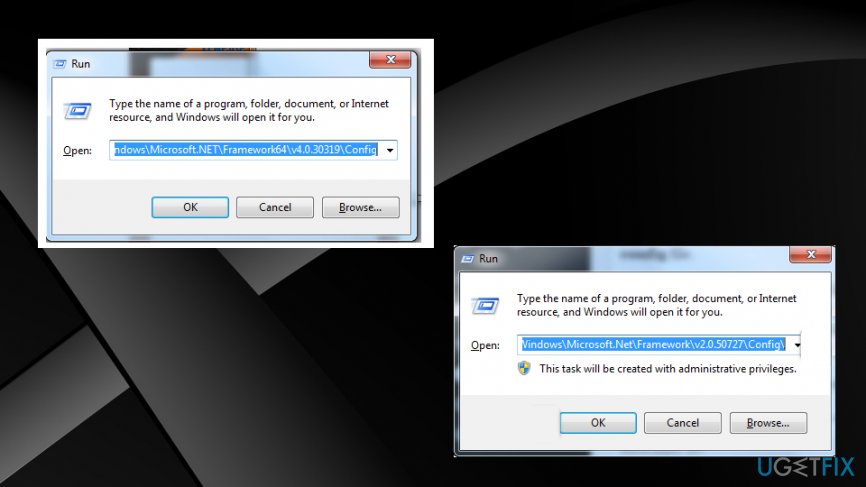
- Click Win key + R.
- Type C:\\Windows\\Microsoft.NET\\Framework\\v2.0.50727/config in the run dialogue box and press Enter.
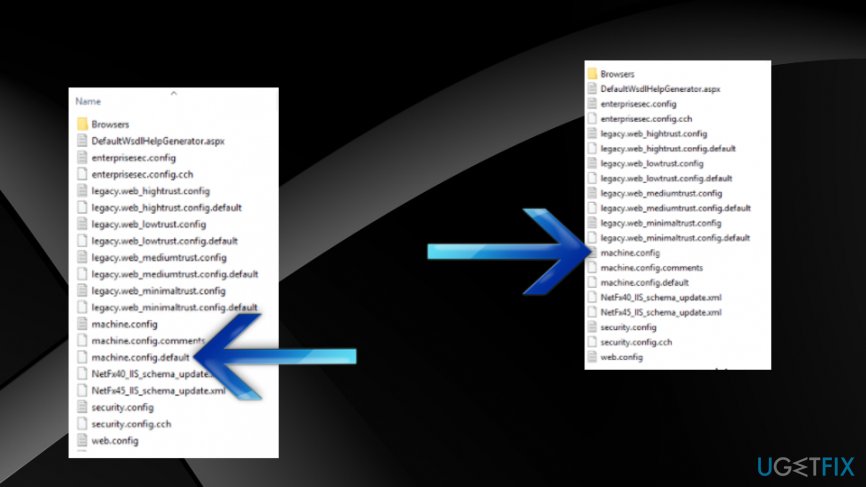
How to fix parser returned error 0xc00ce556 on windows 10 run - Locate the machine.config.default file and copy it to another location (e.g. Desktop).
- If the UAC appears, click OK or Agree to proceed.
- Rename it to machine.config.
- Then copy the file and place it in the C:\\\\Windows\\Microsoft.Net\\Framework\\v2.0.50727\\Config\\ directory.
How to fix parser returned error 0xc00ce556 on windows 10 machine config - Reboot the system.
Clean reinstall of the OS
Reinstalling the Windows entirely definitely solve the issues and get your computer working as it should be.
Bottom line
To fix the error 0xC00CE556, you can try repairing the .NET Framework, checking for system file corruption, or performing a clean installation of the affected application. If none of these solutions work, consider seeking further assistance or reinstalling Windows 10.
Frequently asked questions
This error typically occurs due to corrupted XML files or issues with Windows updates. Ensuring that your XML files are well-formed and checking for system updates can help resolve the issue.
To fix this error during a Windows update, try running the Windows Update Troubleshooter from Settings > Update & Security > Troubleshoot. Additionally, resetting the Windows Update components may help in resolving the error.
Yes, you can open the XML file in a text editor to check for syntax errors and correct them. Using tools like Notepad++ can help identify issues with the XML structure.




Report an issue
What's wrong with this guide? We review every report and update or remove content.
Report received — thank you. We'll review and fix it.
You need a free account to submit a report.
Be the first to comment