How to fix
RDN/TROJAN.WORM!055BCCAC9FEC pop-up
on Windows
Eliminate the RDN/TROJAN.WORM!055BCCAC9FEC pop-up on Windows 10 and Windows 11 effortlessly. Expert-tested solutions for seamless troubleshooting await …

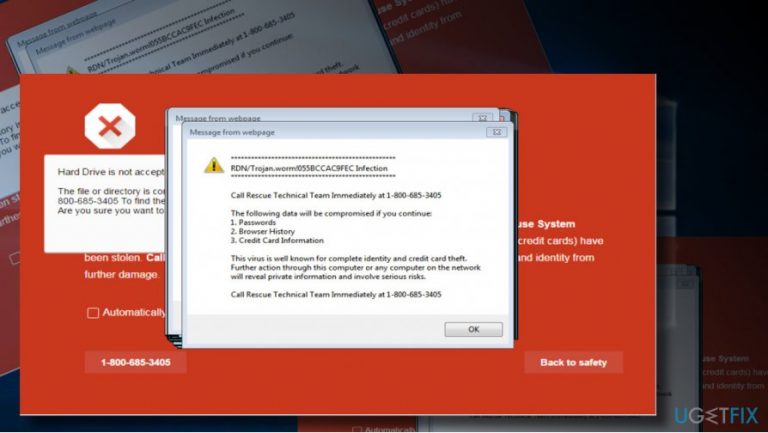
What causes How to fix RDN/TROJAN.WORM!055BCCAC9FEC pop-up?
- Potentially unwanted program (PUP)
- Adware
- Downloading third-party programs
- Installation of software bundles
- Pre-checked attachments in installation setup
Repairs Windows system files, removes malware, and restores a clean OS state — without reinstalling.
Please advise asap! I receive an error message RDN/TROJAN.WORM!055BCCAC9FEC while browsing with Edge. I’ve tried Chrome, but it throws the same error window as well.
There was a telephone number given, but when I called it some guy speaking very poor English asked me to pay $150.00 to fix the problem. He stated that this error is fatal and may lead to identity theft and other crimes. However, that guy did not seem reliable... it claims that he‘s working for Microsoft and that he is located in NY, but that accent and lack of knowledge raise my suspicions.
Could you please tell me is there something I should worry about?
RDN/TROJAN.WORM!055BCCAC9FEC is yet another Rogue Tech-Support-Scam,[ref en-1] which is an alteration of RDN/YahLover.worm!055BCCAC9FEC scam. Both of these rogue alerts are actively circulating around the Internet these days. As soon as you notice the pop-up, which contains one of the above-mentioned errors, report it to Microsoft[ref en-2] so that the company could perform a detailed investigation.
RDN/TROJAN.WORM!055BCCAC9FEC pop-up alert on Chrome, Edge or another web browser is pushed out by a potentially unwanted program (PUP) - unpopular ‘adware.’[ref en-3]
Unfortunately, security experts haven’t yet tracked down what particular programs hackers misuse to spread RDN/TROJAN.WORM!055BCCAC9FEC adware, but, judging from people’s reports, the biggest chances to run into it is to download third-party programs (e.g. download managers, media players, mini-games, ad-blockers, etc.).
Therefore, be very cautious when installing apps from third-party download sources like cnet, softonic, and others. To prevent installation of software bundles,[ref en-4] opt for Advanced installation setup and carefully check if the software hasn’t been complemented with pre-checked attachments (web browser add-ons, toolbars, extensions). Make sure that you unmark all of them or, at best, reject the installation.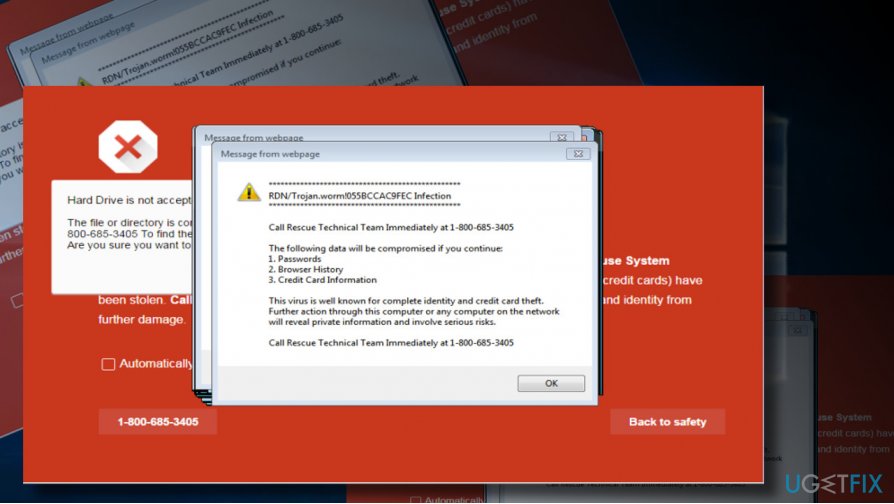
If the adware that carries a malicious code of RDN/TROJAN.WORM!055BCCAC9FEC scam infiltrates the target system, it injects itself into the startup, modifies web browser’s settings and creates a scheduled task on a web browser, which further starts bringing the fake alert message to the user. The alert mimics an official Google Security Warning and contains such false claims:
- The message is a Google Security Warning;
- The PC is infected with RDN/TROJAN.WORM!055BCCAC9FEC;
- The owner of the infected PC is at the risk of identity theft, loss of credit card details;
- The only solution – to call for Microsoft-certified technicians (the number is provided).
Such information is fake, so ignore the pop-up and DO NOT call the pretend-to-be Microsoft technicians. Many people fall for believing that RDN/TROJAN.WORM!055BCCAC9FEC pop-up is genuine and called the given number. The outcome – they were asked to pay $150 for the “virus removal.”
Be sure that paying the money will not help to fix your computer because there is not such virus as RDN/TROJAN.WORM!055BCCAC9FEC at all. All you have to do is to remove the deceptive adware from the system and reset your web browser’s settings. The guidelines on how to do that are given down below:
Fixing RDN/TROJAN.WORM!055BCCAC9FEC pop-up on Windows
RDN/TROJAN.WORM!055BCCAC9FEC adware freezes the web browser and may block Windows Task Manager. This is the reason why so many people fall for panic and call for technical support, which leads to nothing else than money loss. Instead of that, you should initiate a forced restart of the PC and boot into Safe Mode.
When the system fully boots up, scan it with [d1] to removal malware and its leftovers on the registries. However, automatic RDN/TROJAN.WORM!055BCCAC9FEC error fix will not restore web browser, so you should refer to the guidelines on how to reset your web browser provided below.
Those who opt for manual RDN/TROJAN.WORM!055BCCAC9FEC virus removal, here's the tutorial:
- Open the list of programs that have been recently installed. For this purpose, navigate to:
Start > Control Panel > Programs and Features > Add/Remove Programs (Windows 7, XP).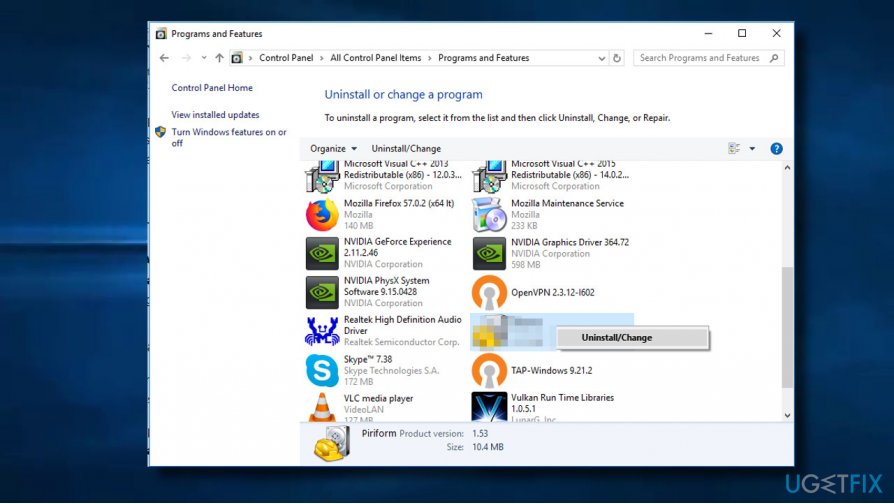
Uninstall suspicious programs2 - Navigate to Start > Control Panel > Programs and Features (Windows 8, 8.1).
- Press Windows key + I to open Settings. Open Apps & Features.
- In Apps & Features, select the program you want to remove and click Uninstall. (Windows 10).
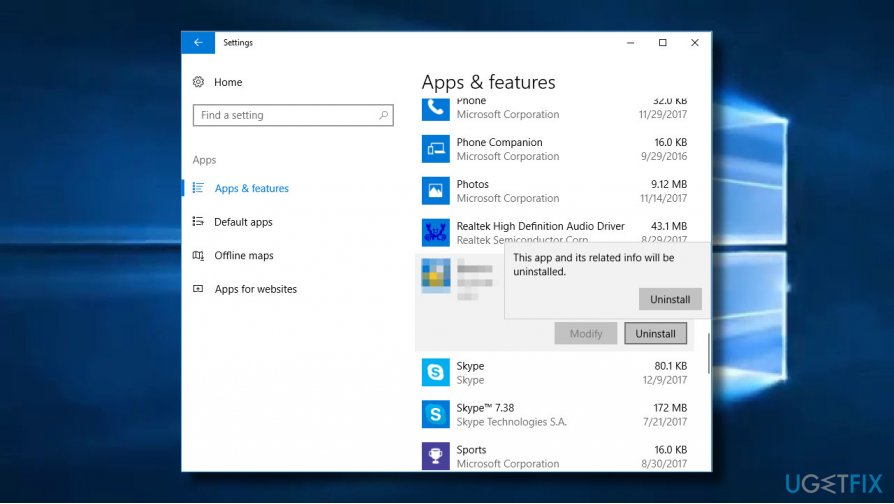
Uninstall suspicious programs - Carefully check what programs have been recently installed. The best way to do that is to sort the programs by date. Select unknown programs and click Uninstall. To confirm the removal, click OK/Uninstall.
NOTE: each web browser on the RDN/TROJAN.WORM!055BCCAC9FEC infected computer has to be restored manually. Select the web browser, which throws the error pop-up, click on the link provided below, and perform the given steps:
How to reset Microsoft Edge?
How to reset Internet Explorer?
How to reset Mozilla Firefox?
How to reset Google Chrome?
Bottom line
To fix the RDN/TROJAN.WORM!055BCCAC9FEC pop-up, report it to Microsoft and be cautious when installing apps from third-party sources. Use Advanced installation setup to unmark any pre-checked attachments. If these steps do not resolve the issue, consider seeking professional help.
Frequently asked questions
Start by running a full system scan using Windows Defender or a trusted antivirus program to detect and remove the malware. Additionally, check your startup programs and browser settings for any suspicious entries.
Yes, you can use the built-in Windows Defender to perform a thorough scan and remove the threat, along with using the Task Manager to disable any unwanted startup items.
To prevent future infections, keep your Windows 10 or Windows 11 system updated, avoid clicking on unknown links, and regularly run security scans with your antivirus software.




Report an issue
What's wrong with this guide? We review every report and update or remove content.
Report received — thank you. We'll review and fix it.
You need a free account to submit a report.
Be the first to comment