How to fix
Runtime Error R6025
on Windows
Resolve Runtime Error R6025 on Windows 10 or 11 easily with our expert-tested solutions and proven methods. Fix issues in minutes!

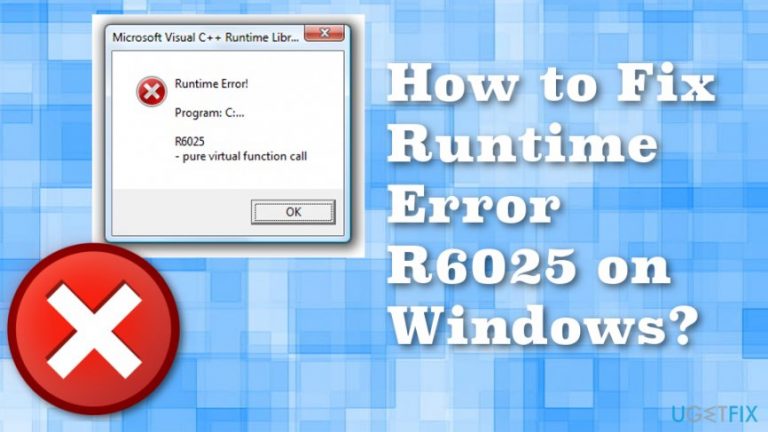
What causes How to Fix Runtime Error R6025 on Windows?
- Missing particular components of Visual C++ framework
- Incompatibility with third-party software
- Corrupted program
- Incorrect modifications in the Windows Registry
- Bugs or issues in installed applications
Repairs Windows system files, removes malware, and restores a clean OS state — without reinstalling.
I am using Windows 8.1. When I try to run Internet Explorer, I receive a runtime error R6025 that informs about “pure virtual function call.” This error does not show up every time, but once in a while, it appears. How to fix this error?
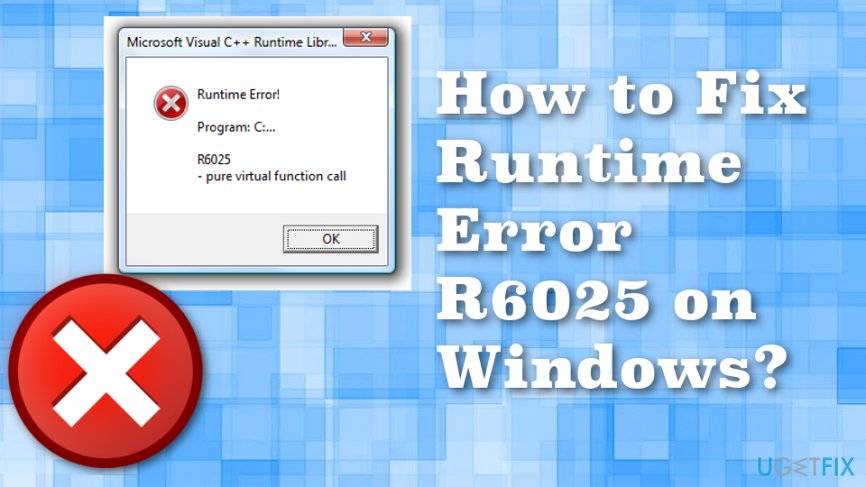
Runtime Error R6025 or “Runtime Error R6025 Pure Virtual Function Call” warning might appear when particular programs or processes are forced to stop.[ref en-1] This error is often related to the Visual C++ framework and occurs due to the missing particular components or incompatibility with third-party software.
This error message informs that particular program tried to call a “pure virtual function” but the call wasn’t valid. We can illustrate this case with an example. Imagine that you are playing an online game and the server is down. In this case, your computer might deliver a runtime error message.
However, in general, this Runtime Error R6025 informs that particular program is corrupted and cannot perform. Besides, just like many other Windows issues and errors, this one might also be caused by the problems with Registry. Thus, Runtime Error R6025 might be triggered by some incorrect modifications in the Windows Registry.[ref en-2]
Computer users are not advised to modify the registry themselves because it’s easy to cause more damage than good. It’s better to fix Registry or system files using reputable software such as [rev id=”Reimage”]. This program also indicates useless or possibly intrusive apps.[ref en-3]
This error might show up when developing the program. Thus, this message might inform the developer that there are some mistakes left in the code or some functions need to be fixed. However, depending on how the program’s code has been written, this error might not show up during the development stage. Runtime Error R6025 might appear at run-time.
For some reasons, users install applications that have bugs or various issues that trigger this error. Therefore, regular computer users who came up with this error, just have to uninstall the program and install the latest version of it.
Ways to fix Runtime Error R6025
As we already mentioned, in order to get rid of the “Runtime Error R6025 Pure Virtual Function Call”, you need to uninstall and install the program that triggers this error. However, there are other solutions to the issue. But try at least a few of them to fully fix the issue. Also, don't forget to scan the system using [rev id=”Reimage”] for double-checking.
Method 1: Display Driver Update
- Go to Device Manager.
- Find Display Adapters and Right-click your Display Adapter.
- Select Update Drive.
- Search for updates automatically.
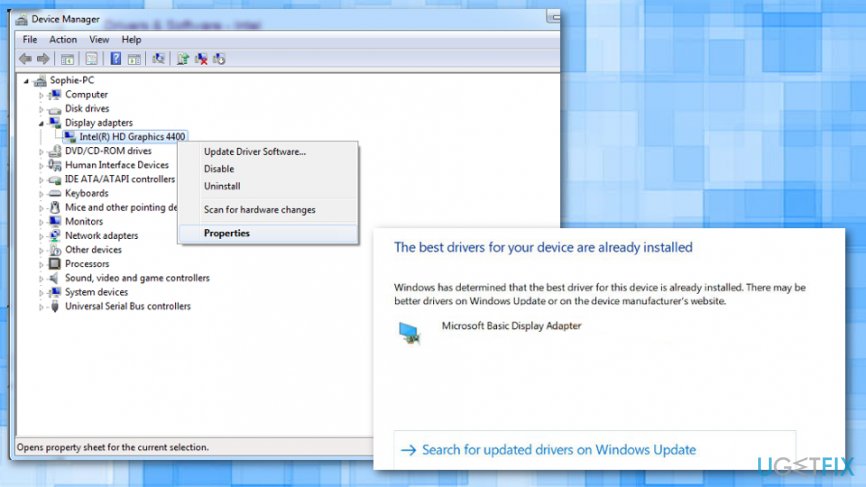
Fix runtime error r6025 on windows driver updates - If it shows that the best update is already installed go for the second option and search for drivers on Windows Update.
Method 2: Rollback and Reinstall Driver
- Once again go to Device manager and right-click your Display Adapter.
- Choose the Driver tab.
- Click Roll Back and after each roll back test which version works for you.
- Then Reinstall the Display Adapter from the manufacturer's site and disable previously installed driver updates.
Method 3: Uninstalling Applications
Press Windows key + R and cpl, then Enter. Try uninstalling AutoCAD, Visual Studio 2013, Bing Desktop or other similar programs. Then reboot. Or follow these steps:
- Close the program that caused Runtime Error R6025.
- Press Ctrl + Alt + Delete simultaneously to open the Task Manager.
- When in Task Manager, click the Processes tab and choose the Image Name.
- In the list find the application that caused the runtime error, click it and select End Process.
- Close the Task Manager.
- Go to Start -> Control Panel - > Add/Remove Programs under the Programs section.
- In the list of the installed programs find the application that triggered the error and uninstall it.
- Close the Control Panel.
- Click Start and in the Search field enter “Cleanmgr” and press Enter.
- Choose the drive where you have installed the program (often it is a “C" drive). Check all the options and click OK. Then, choose Delete files.
- Restart your computer.
- Reinstall the program.
Method 4: Clean Boot Windows
- Enter msconfig to Run.
- In the following windows select the Selective startup option on the General tab.
- Choose the Services tab.
- Select the Hide all Microsoft service option.
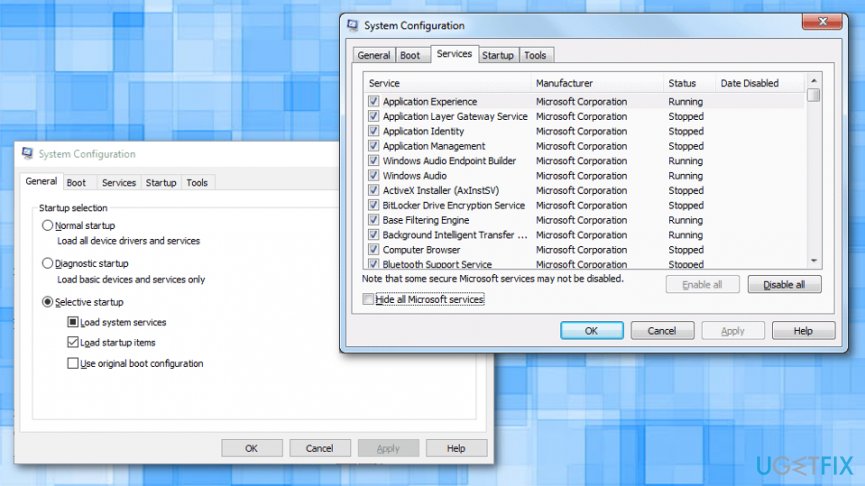
Fix runtime error r6025 on windows system configuration - Press the Disable all buttons to stop all services.
- Press Apply and OK buttons.
- Select Restart option on the System Configuration dialog box.
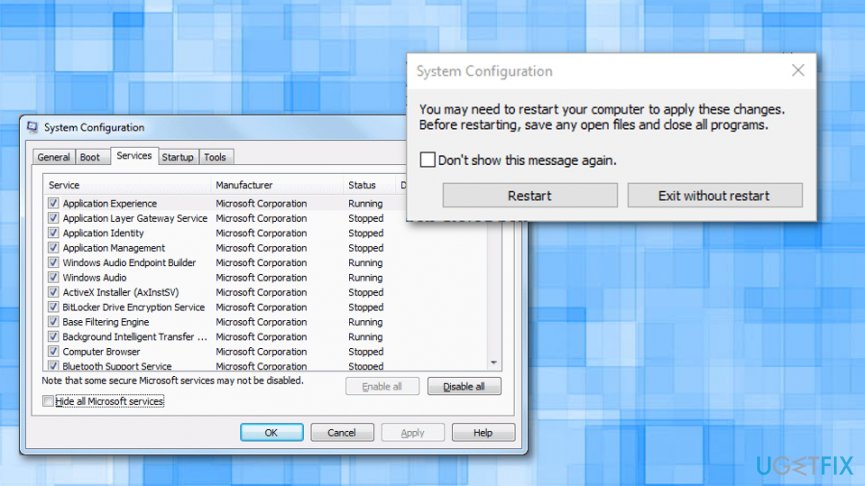
Fix runtime error r6025 on windows system configuration restart
Bottom line
To fix Runtime Error R6025, users can uninstall the problematic program and install the latest version, or use reputable software to repair the Registry or system files. If these solutions do not work, it may be necessary to seek further technical assistance.
Frequently asked questions
Runtime Error R6025 typically occurs due to issues with memory allocation or when a program attempts to access an invalid memory location. It can be triggered by corrupted software or incompatible applications.
To fix Runtime Error R6025 on Windows 11, try reinstalling the affected program, updating drivers, or running a system file checker scan to repair corrupted system files.
Yes, certain applications, particularly those that require extensive system resources or have not been optimized for Windows 10, may trigger Runtime Error R6025. Check for updates or patches for these programs to minimize issues.




Report an issue
What's wrong with this guide? We review every report and update or remove content.
Report received — thank you. We'll review and fix it.
You need a free account to submit a report.
Be the first to comment