How to fix
SE Error 193 in Skyrim
on Windows
Resolve SE Error 193 in Skyrim on Windows 10 and 11 effortlessly with our expert-tested solutions. Get back to your game in minutes!

What causes How to fix SE Error 193 in Skyrim?
- Incompatible mods with the script extender
- Mods made for the base 32-bit version of Skyrim
- File corruption
- Outdated mods
- Missing or invalid DLL files
Repairs Windows system files, removes malware, and restores a clean OS state — without reinstalling.
Hello. After I downloaded some mods for Skyrim I cannot launch the game. I keep getting an SE Error 193. What should I do?
Skyrim is a computer game released in 2011. Despite that, it still has a very active community and is loved for its action, role-playing, and most importantly, modding[ref en-1] abilities. Skyrim is one of the most modded games and that is what keeps users interested 10 years later. Mods allow users to add functions that are unavailable in the original game, change characters, or even improve graphics. Mods have become an increasingly important factor in the success of Skyrim, as they provide the ability for self-expression.
However, not everyone has a smooth experience with third-party mods. As they manipulate the original game, some errors are inevitable. Users report receiving SE Error 193 after installing some mods. It prevents them from playing the game. The full message says:
Last time you ran the game, one or more script extender plugins failed to load. This normally happens when you try to load mods that are not compatible with the script extender. To fix this problem you can check for an update on the mod page or disable the mod until it is updated.
Error(s) reported: StorageUtil.dll (Campfire - Complete Camping System 1.11): not a valid dll (code 193)
However, some users claim that they have updated their mods or tried to disable them but the error still appears. We previously wrote about SKYUI error code 1 in Skyrim which is also related to modding. Error 193 can appear for many different reasons but the main one seems to be that users install mods that are incompatible. For example, mods made for the base 32-bit version of Skyrim will not work with the 64-bit Skyrim SE.[ref en-2]
The problem can be related to file corruption, so we strongly recommend first try running a scan with repair software [d1], as it can help you fix underlying issues on Windows like registry issues, BSoDs[ref en-3] without you having to troubleshoot manually. Since there are several possible reasons for the SE Error 193 in Skyrim, you must follow the steps below in order to fix it:
Solution 1. Use 7-Zip to Extract Mods
Some users previously used outdated versions of other utilities like WinRAR to decompress files, and for most users, the error disappear after they used 7-Zip.
- Visit the 7-Zip official website and download the newest version of the tool on your PC
- Install it and restart your PC
- Go to the Skyrim SE mod files and right-click
- Click on Extract files... or Extract Here options
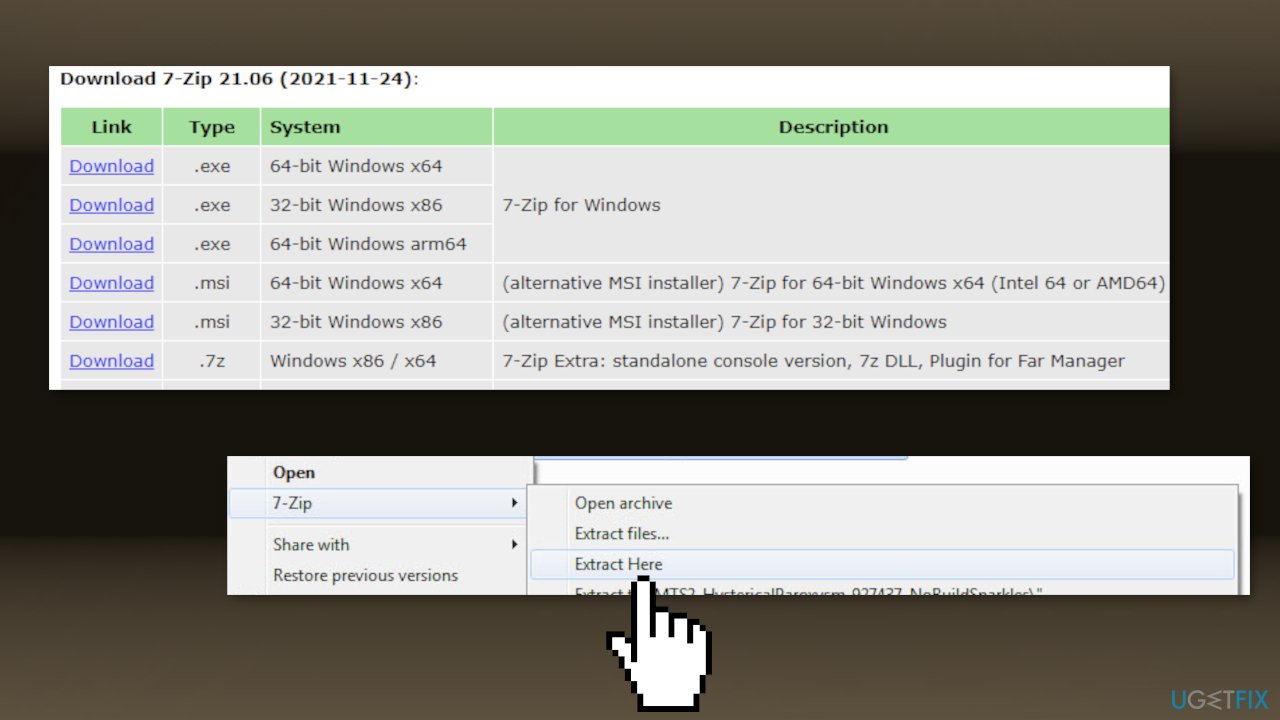
- Follow the on-screen prompts and complete the extracting process
- Restart your computer again and check if the problem has been fixed
Solution 2. Run Mod Launcher as Administrator
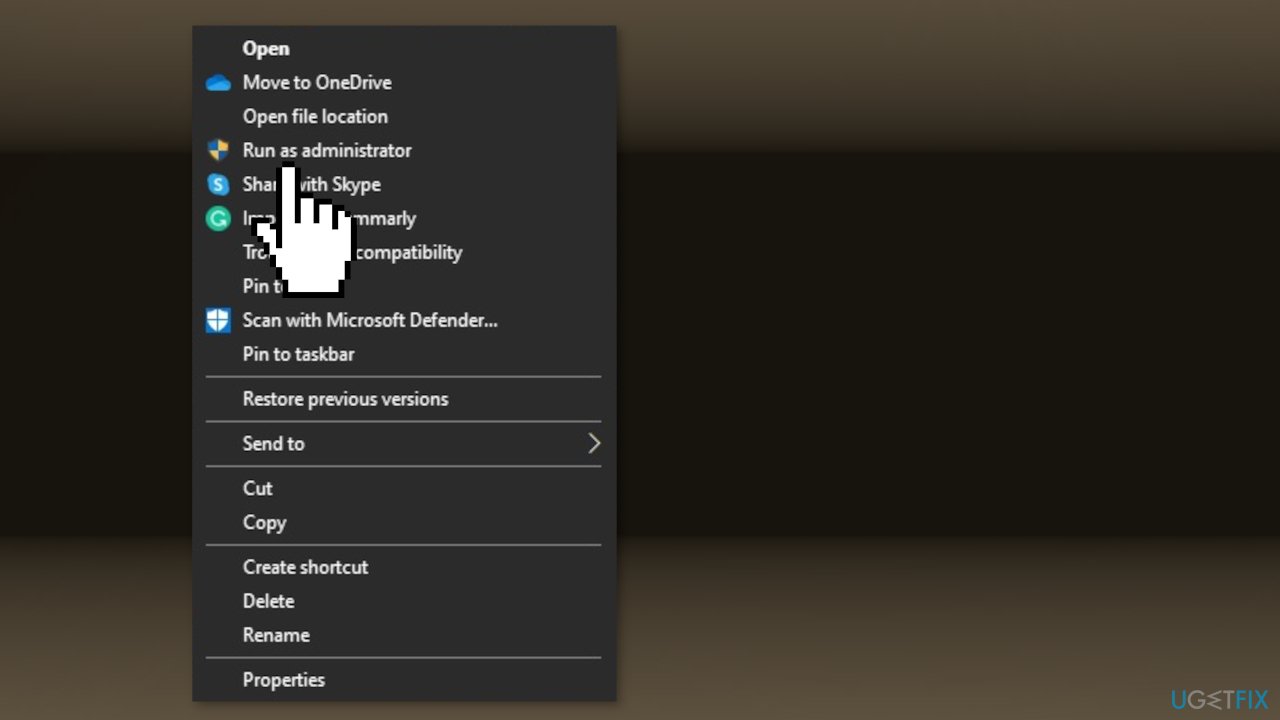
This error can also occur if the Mod launcher you’re using to install & apply the mods does not have admin access.
- Right-click on your mod launcher and choose Run as Administrator from the context menu
Solution 3. Disable Windows Defender
- Click on Start, type Control Panel, and select it from the search results
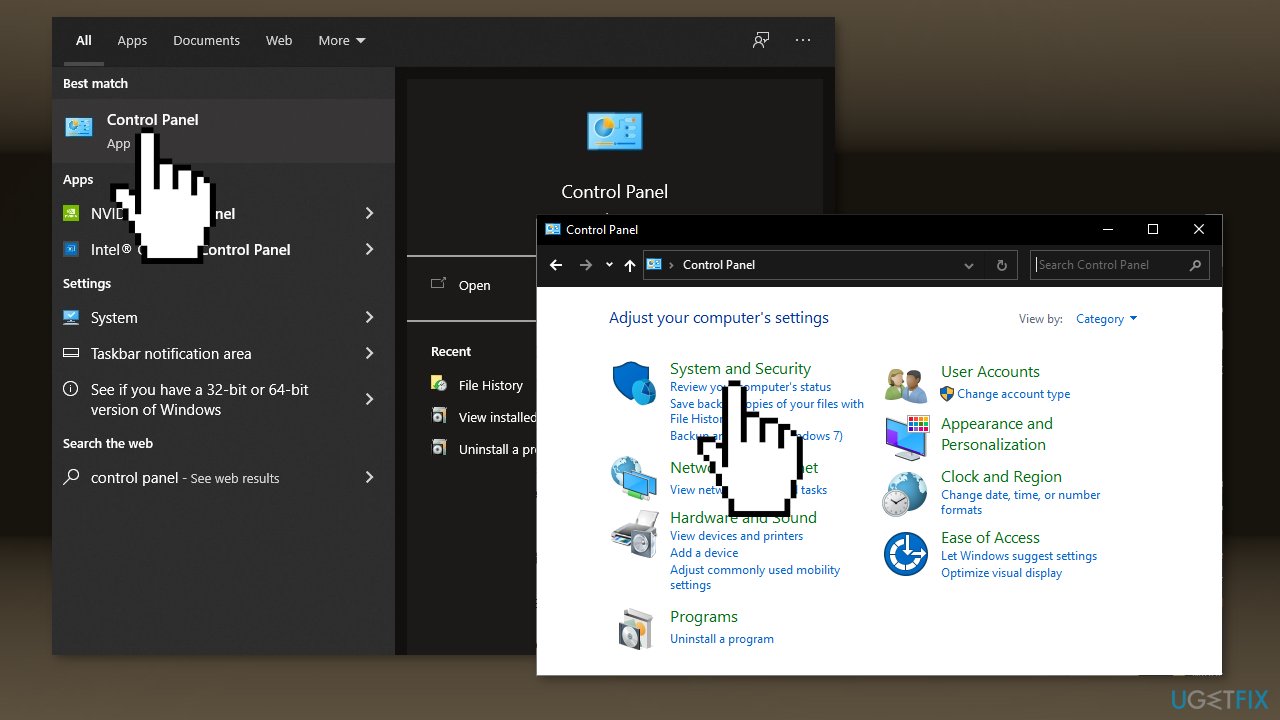
- Go to System and Security > Windows Defender Firewall
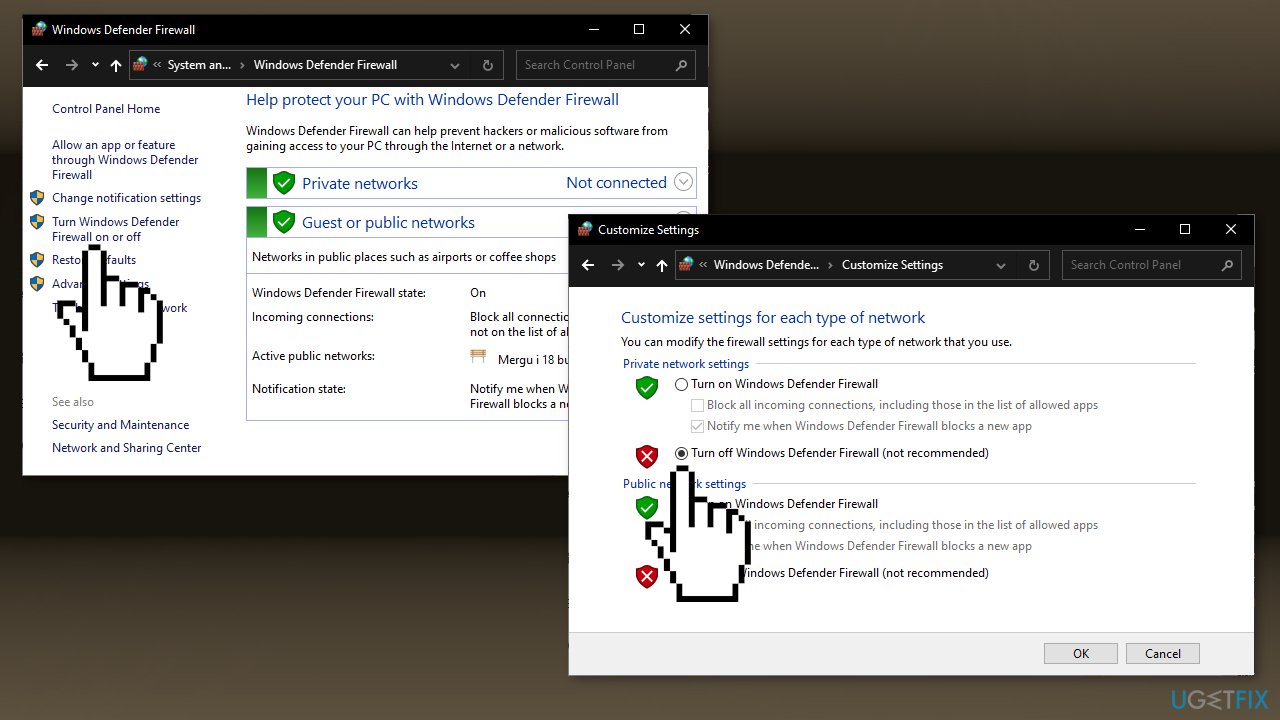
- Click on Turn Windows Defender Firewall on or off
- Simply click on Turn off Windows Firewall (not recommended) for both the Private and Public network settings
- Restart your system
Bottom line
To fix SE Error 193, check for updates on the mod page or disable the mod until it is updated. Additionally, running a scan with repair software can help address underlying issues. If these solutions do not work, further troubleshooting may be necessary.
Frequently asked questions
SE Error 193 usually indicates that the game is trying to load a file that is not compatible with your system architecture, often due to a missing or incorrect DLL file.
To fix SE Error 193, ensure that all necessary mod files are correctly installed and compatible with your version of Skyrim, and verify that your game is set to run in the correct architecture mode (32-bit or 64-bit).
Yes, keeping your Windows 10 or Windows 11 system updated can resolve compatibility issues that might lead to SE Error 193, as updates often include important system and driver enhancements.




Report an issue
What's wrong with this guide? We review every report and update or remove content.
Report received — thank you. We'll review and fix it.
You need a free account to submit a report.
Be the first to comment