How to fix
SEC_ERROR_OCSP_FUTURE_RESPONSE error in Firefox
on Windows
Resolve the SEC_ERROR_OCSP_FUTURE_RESPONSE error in Firefox on Windows 10 or 11 effortlessly. Expert-tested solutions for quick fixes!

What causes How to fix SEC_ERROR_OCSP_FUTURE_RESPONSE error in Firefox?
- Incorrect Date settings
- Incorrect Time settings
- Incorrect Time Zone settings
- Connection problems
Repairs Windows system files, removes malware, and restores a clean OS state — without reinstalling.
Hello. I cannot connect to some websites when using Firefox, and I receive the SEC_ERROR_OCSP_FUTURE_RESPONSE error. Is there a way to fix this?
Mozilla Firefox is a free and open-source web browser created in 2002. In 2012, Mozilla was recognized as the most trusted Internet company for privacy. As of 2022, Firefox is the fourth-most popular desktop web browser after Google Chrome.
However, as with many other browsers, people can encounter various errors while trying to access websites. Users report receiving a SEC_ERROR_OCSP_FUTURE_RESPONSE error in Firefox when trying to view certain websites. Browser errors can appear due to many reasons.
Sometimes they are caused by connection problems, web address typos, and problems with the website itself. However, the SEC_ERROR_OCSP_FUTURE_RESPONSE error seems to be caused by the incorrect Date & Time settings on the computer. In this guide, you will find instructions that will teach you 3 ways to adjust the date, time, and time zone in Windows.
In such cases, a maintenance tool like [d1] can be very useful. It can automatically clear cookies and cache with a click of a button, which makes the process way faster. Besides, this powerful software can fix various system errors, BSODs,[ref en-1] corrupted files, and registry[ref en-2] issues which is especially helpful. Otherwise, you can follow the step-by-step guide provided below.
Adjust Date, Time, and Time Zone in Windows
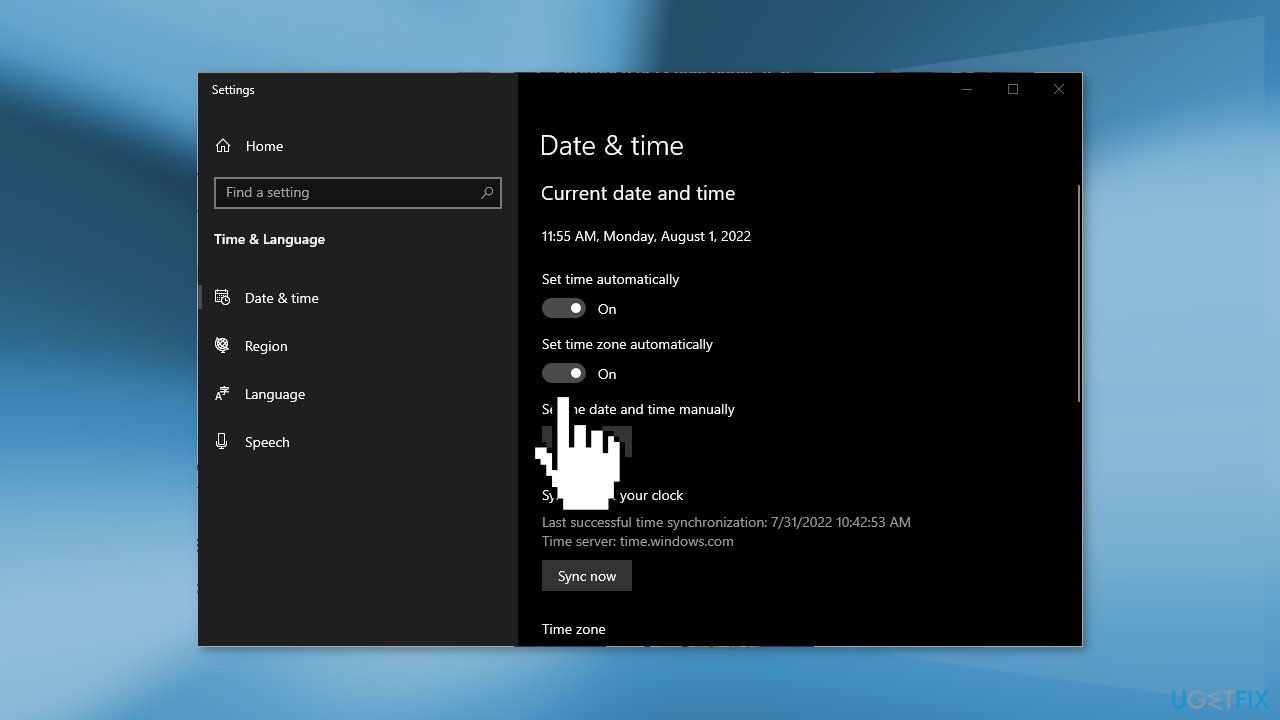
Automatically:
- Open Settings
- Click on Time & Language and go to Date & time
- Turn on the Set time zone automatically toggle switch
Manually:
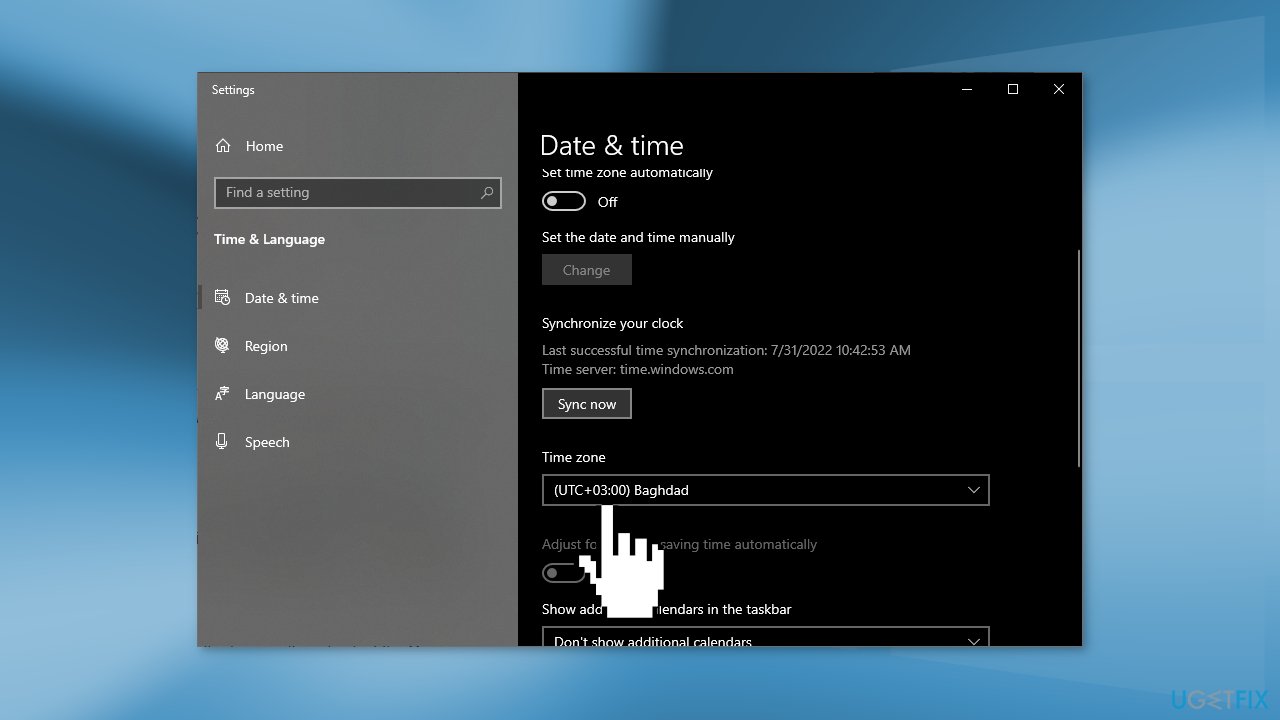
- Open Settings and click on Time & Language
- Click on Date & time
- Turn off the Set time zone automatically toggle switch
- Use the Time zone drop-down menu and select the correct zone setting
Using Command Prompt:
- Open the Start menu and search for Command Prompt
- Select the Run as administrator option
- Type the following command to confirm the current time zone and press Enter:
tzutil /g
- Type the following command and note the time zone that you want to use and press Enter:
tzutil /l
- Type the following command to set the new time zone and press Enter
:tzutil /s "Line Islands Standard Time"
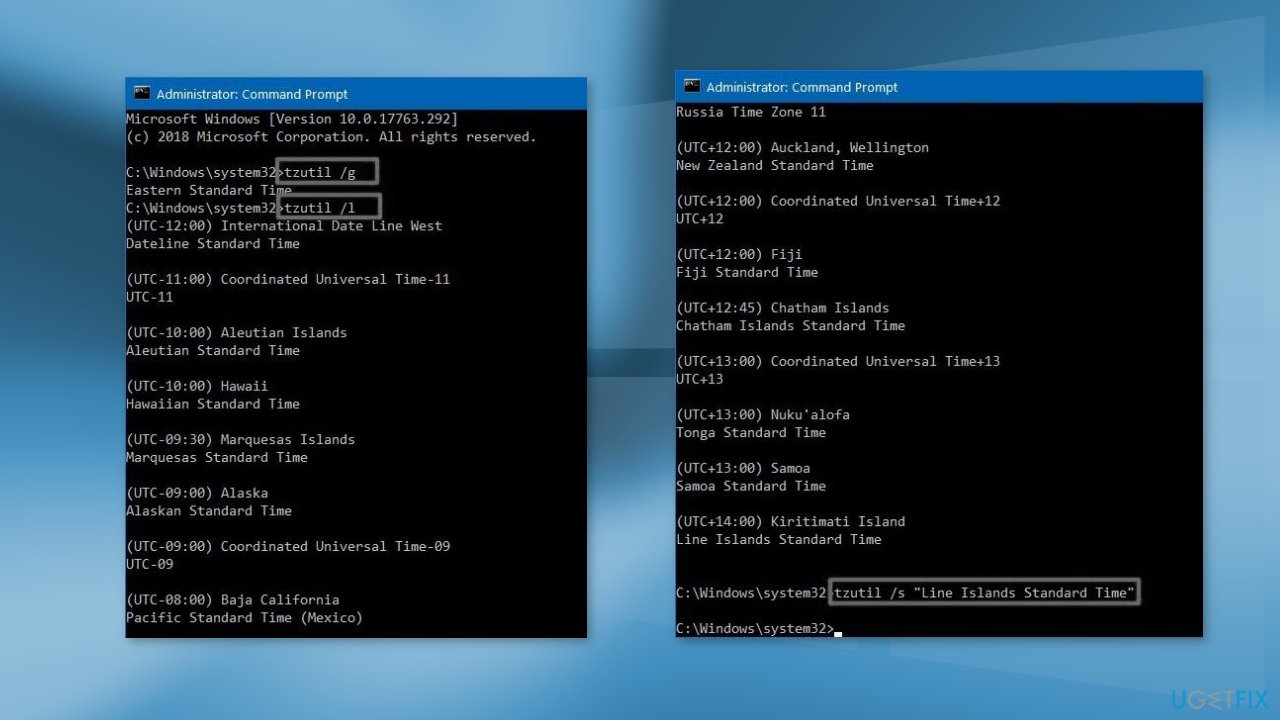
- In the command, make sure to change "Line Islands Standard Time" with the correct time zone that you need
- Type the following command to confirm the time zone was updated successfully and press Enter:
tzutil /g
Bottom line
To fix the SEC_ERROR_OCSP_FUTURE_RESPONSE error in Firefox, you can adjust the date, time, and time zone settings in Windows either automatically, manually, or using Command Prompt. If these solutions do not resolve the issue, consider using a maintenance tool to clear cookies and cache or troubleshoot further.
Frequently asked questions
This error typically occurs when the OCSP response from the certificate authority is time-stamped in the future, indicating a mismatch with your system's date and time settings.
Ensure your Windows 10 or Windows 11 device has the correct date and time settings, and consider adjusting the time zone if necessary.
You can disable OCSP checking in Firefox by navigating to about:config, searching for 'security.OCSP.enabled', and setting it to 0, but this is not recommended as it may reduce security.




Report an issue
What's wrong with this guide? We review every report and update or remove content.
Report received — thank you. We'll review and fix it.
You need a free account to submit a report.
Be the first to comment