How to fix
“Something is wrong with one of your data files” error in Outlook
on Windows
Resolve the "Something is wrong with one of your data files" error in Outlook on Windows 10 and 11 quickly and effectively. Expert-tested solutions await!

What causes How to fix “Something is wrong with one of your data files” error in Outlook?
- Unexpected system shutdowns
- Application conflicts
- Buggy updates
- Corrupted PST or OST files
Repairs Windows system files, removes malware, and restores a clean OS state — without reinstalling.
I don't use Outlook too often, but, as of recently, when I do I get an error "Something is wrong with one of your data files" error whenever I try to open it. This results in me not being able to use the app at all. What does that mean and how to address that?
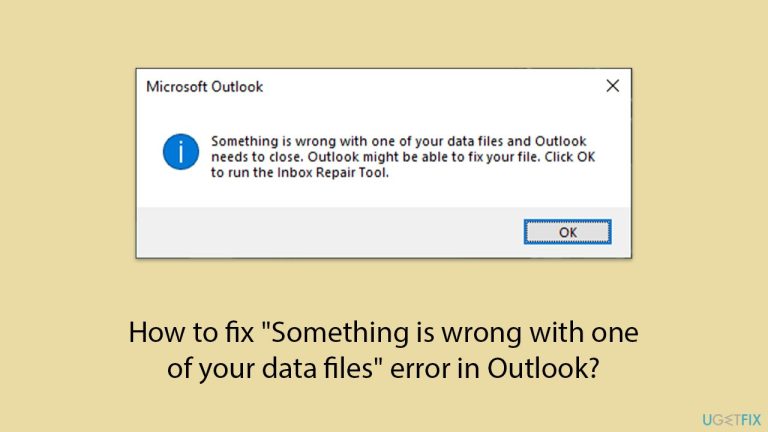
"Something is wrong with one of your data files" error in Outlook is a well-known issue that can ruin the app's work process. This message indicates that Outlook has issues with its data files because these contain emails, contacts, calendar events, or other important information.
If you come across the "Something is wrong with one of your data files" error, it means that any Outlook data file, such as PST (Personal Storage Table) or OST (Offline Storage Table) file, became corrupted. These files are crucial for the proper functioning of Outlook, and a problem with them could keep you from accessing your emails or performing operations on those items.
PST or OST files could be corrupted due to various reasons, including unexpected system shutdowns, application conflicts, or buggy updates. As a result, you might not be able to open Outlook, face its crashes, or have issues with sending and receiving emails.
The usual way to fix this error is by repairing or rebuilding these files; nevertheless, if the cause of the error is a faulty Windows update, you should make sure that the consequent patch is installed on your system to address this issue.
For a thorough solution, consider using a repair utility like [d1]. This tool is specifically designed to diagnose and fix various issues, including file corruption, ensuring your PC functionality is restored to its pristine state.
Fix 1. Install all available Windows updates
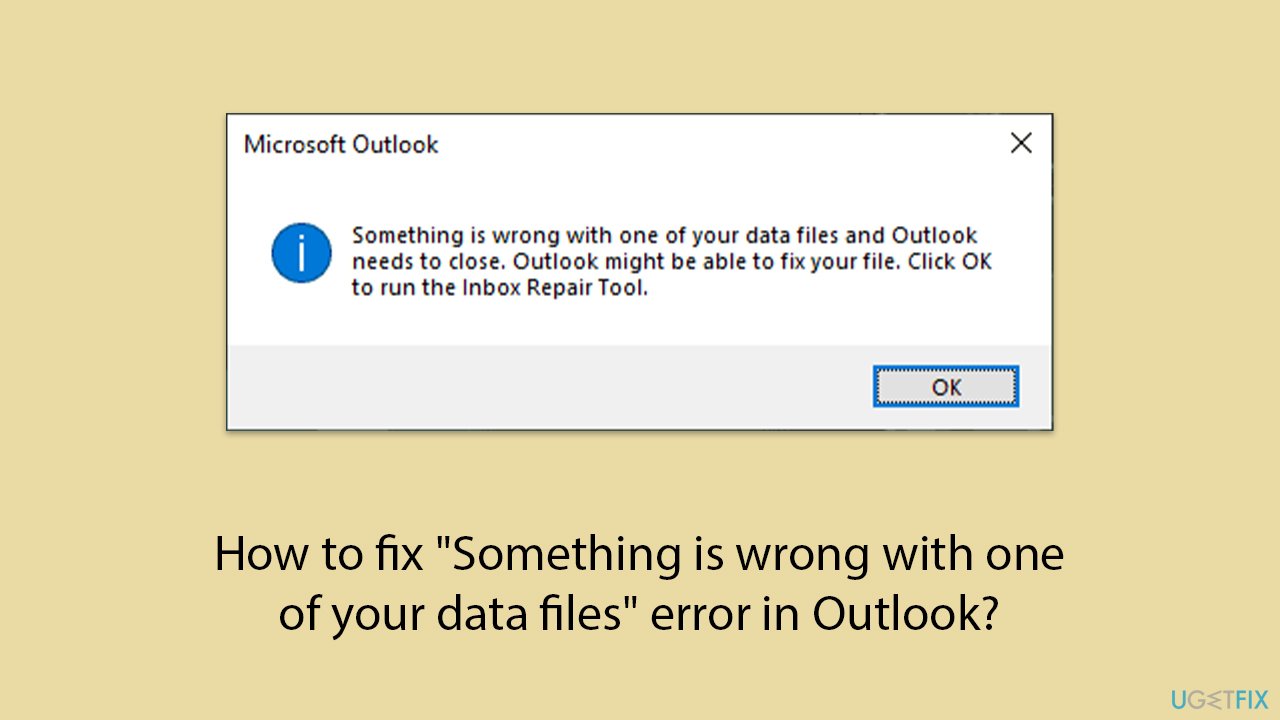
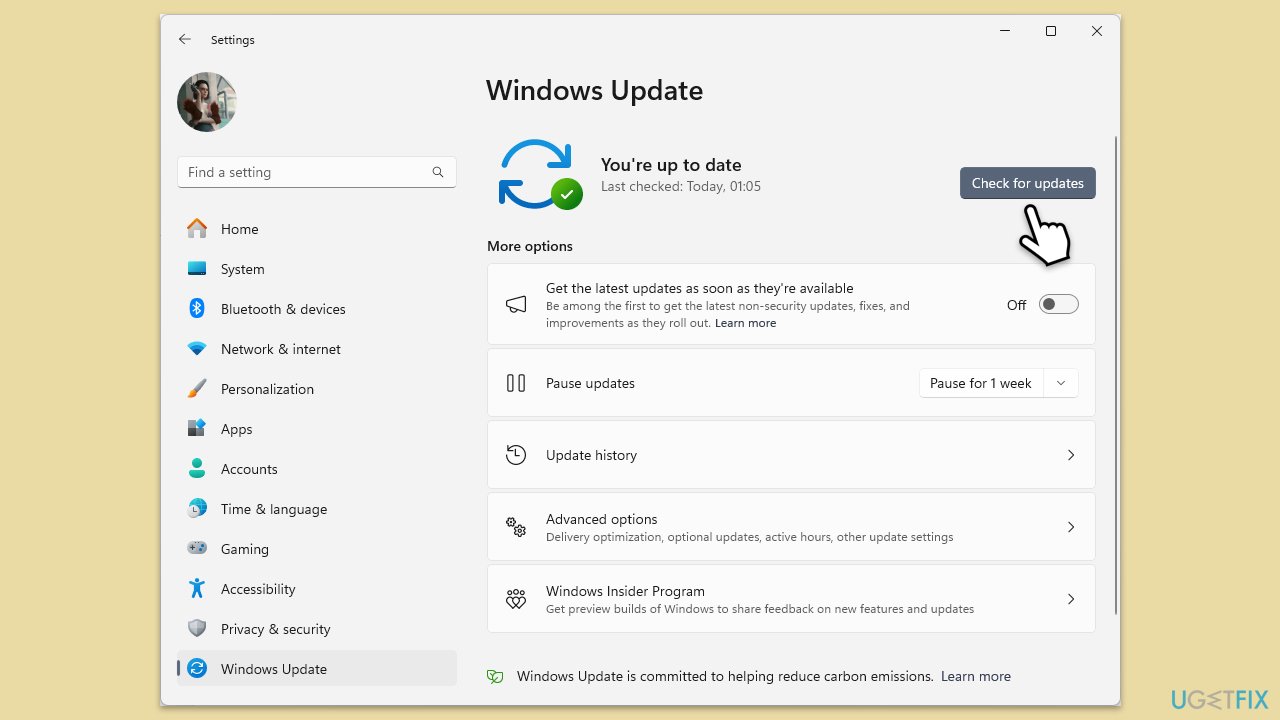
Installing the latest Windows updates can resolve compatibility issues and bugs that may be causing the "Something is wrong with one of your data files" error.
- Type Updates in Windows search and hit Enter.
- If updates are available, click Install updates.
- Otherwise, click Check for updates.
- If optional updates are available, install them as well.
- When all the update processes are complete, restart your device.
Fix 2. Repair the PST or OST Files
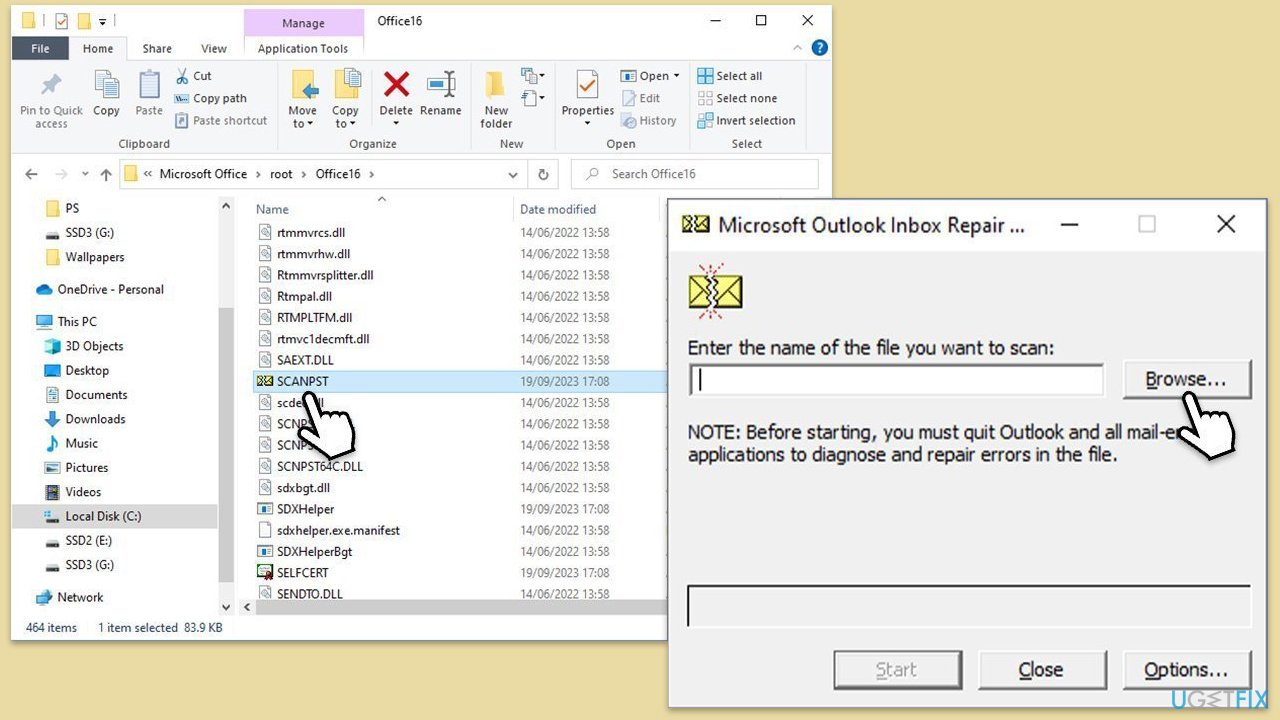
Using the Inbox Repair Tool (scanpst.exe) can fix corruption in PST or OST files that might be causing the error.
- Close Outlook.
- Navigate to the search bar and type Control Panel, then open it.
- Under View by, select Small icons from the drop-down menu.
- Go to Mail and then click on Data Files.
- In the Account Settings window, you’ll see the Data Files tab; here, you will find the location of your PST files listed.
- Take note of the location.
- Press Win + E to open File Explorer.
- Navigate to one of these locations (depending on your Office version):
C:\Program Files\Microsoft Office\Office[version]\
C:\Program Files\Microsoft Office\root\Office16 - Open the Inbox Repair Tool (scanpst.exe)
- Click Browse and select the PST file/OST file.
- Click Start and follow the prompts to repair the file.
Fix 3. Recreate OST File
Recreating the OST file can resolve issues caused by corruption in the offline data file.
- Close Outlook and other Office apps.
- Type Control Panel in Windows search and then press Enter.
- Under the View by section, select Small icons from the drop-down menu.
- Click on Mail (Microsoft Outlook).
- Select Email accounts.
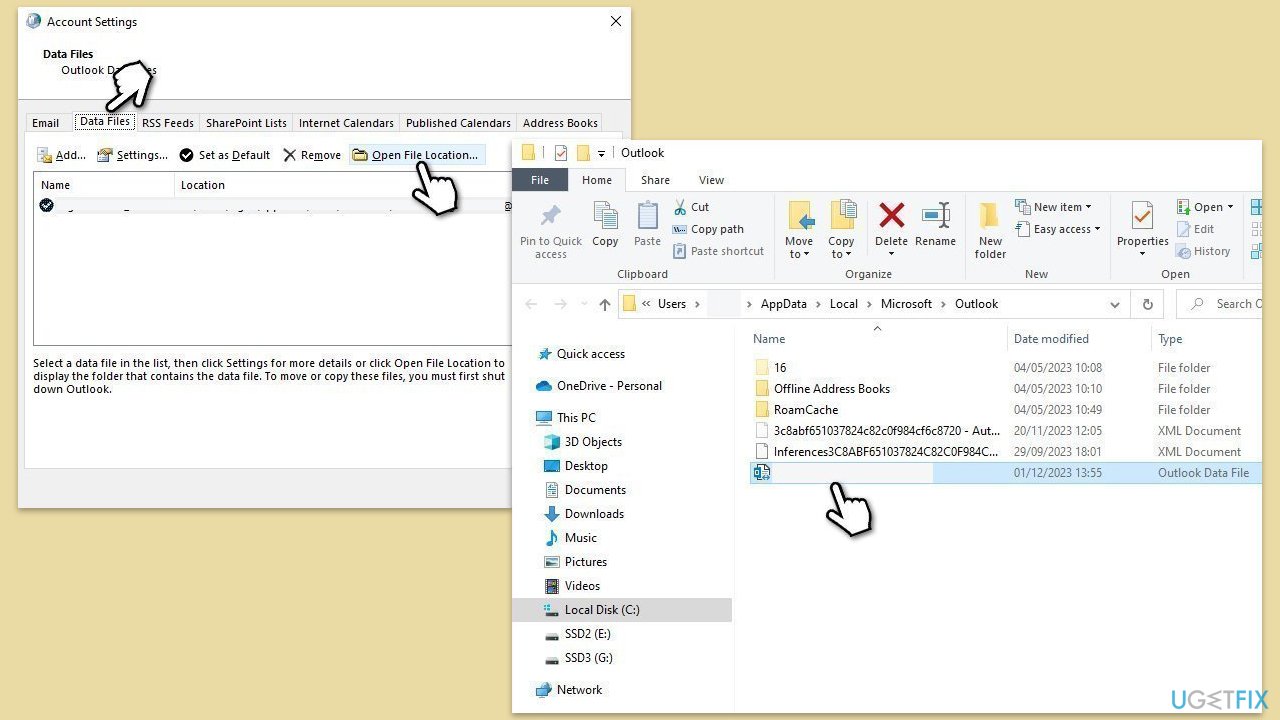
- Then, navigate to the Data Files tab.
- Pick your account and click on Open File Location.
- Delete the OST file by pressing Shift + Del.
- Now reboot Outlook.
Fix 4. Use a registry fix
Applying a registry fix can resolve issues related to corrupted registry entries that might be affecting Outlook data files.
- Type regedit in Windows search and hit Enter.
- If UAC shows up, click Yes.
- Navigate to the following location:
HKEY_CURRENT_USER\SOFTWARE\Microsoft\Office\16.0\Outlook\PST - On the right side of the Window, look for LastCorruptStore and PromptRepair entries.
- Right-click on each and select Delete.
- If these files don't exist, skip this fix.
- Restart Outlook.
Fix 5. Repair MS Office
Another possible fix could be an online repair, which is built-in.
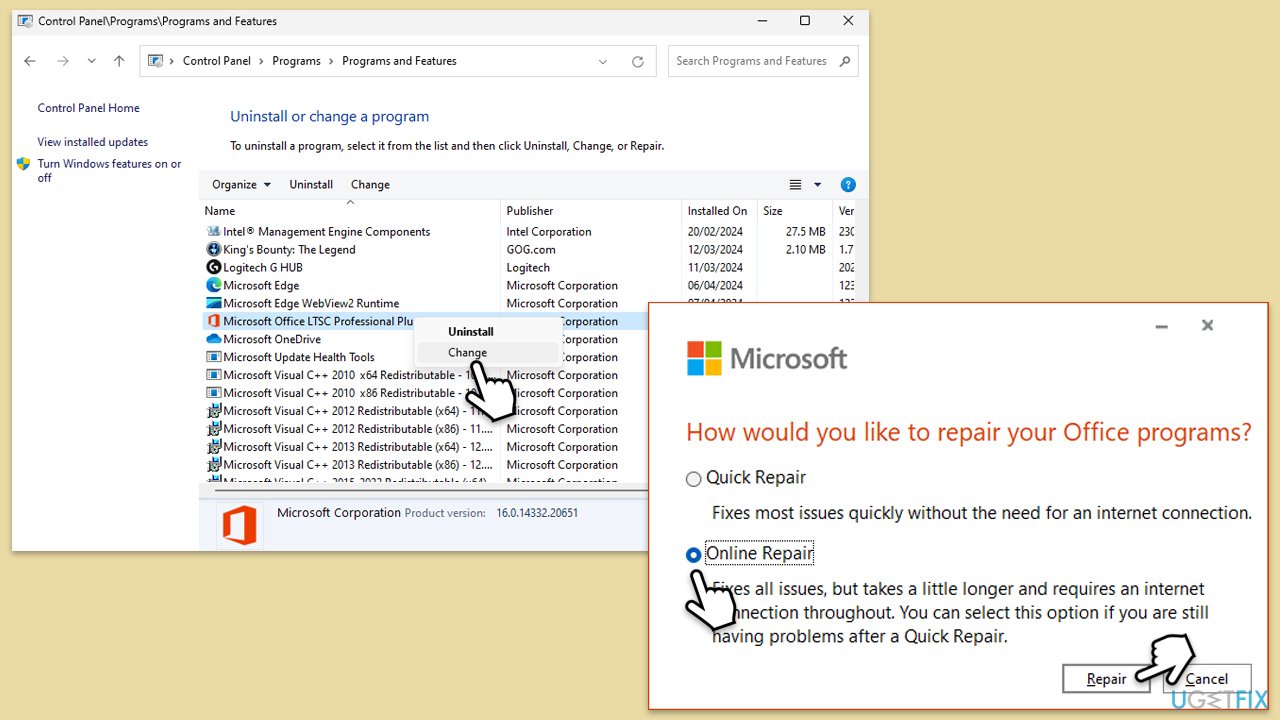
- Type Control Panel in Windows search and press Enter.
- Select Programs > Programs and Features.
- Select Microsoft Office and click on Change.
- Choose the option for Online Repair and click Repair.
- Follow the prompts to finish the process.
Bottom line
To fix the 'Something is wrong with one of your data files' error in Outlook, you should install all available Windows updates and consider using a repair utility designed to diagnose and fix file corruption. If these solutions do not resolve the issue, further investigation into the data files may be necessary.
Frequently asked questions
This error typically occurs due to corrupted PST or OST files, which can happen after an improper shutdown or software conflicts.
You can use the built-in Inbox Repair Tool (Scanpst.exe) to scan and repair corrupted PST files by locating the tool in the Outlook installation directory.
If the repair tool fails, consider creating a new Outlook profile or reinstalling Outlook to resolve persistent issues related to data files.




Report an issue
What's wrong with this guide? We review every report and update or remove content.
Report received — thank you. We'll review and fix it.
You need a free account to submit a report.
Be the first to comment