How to fix
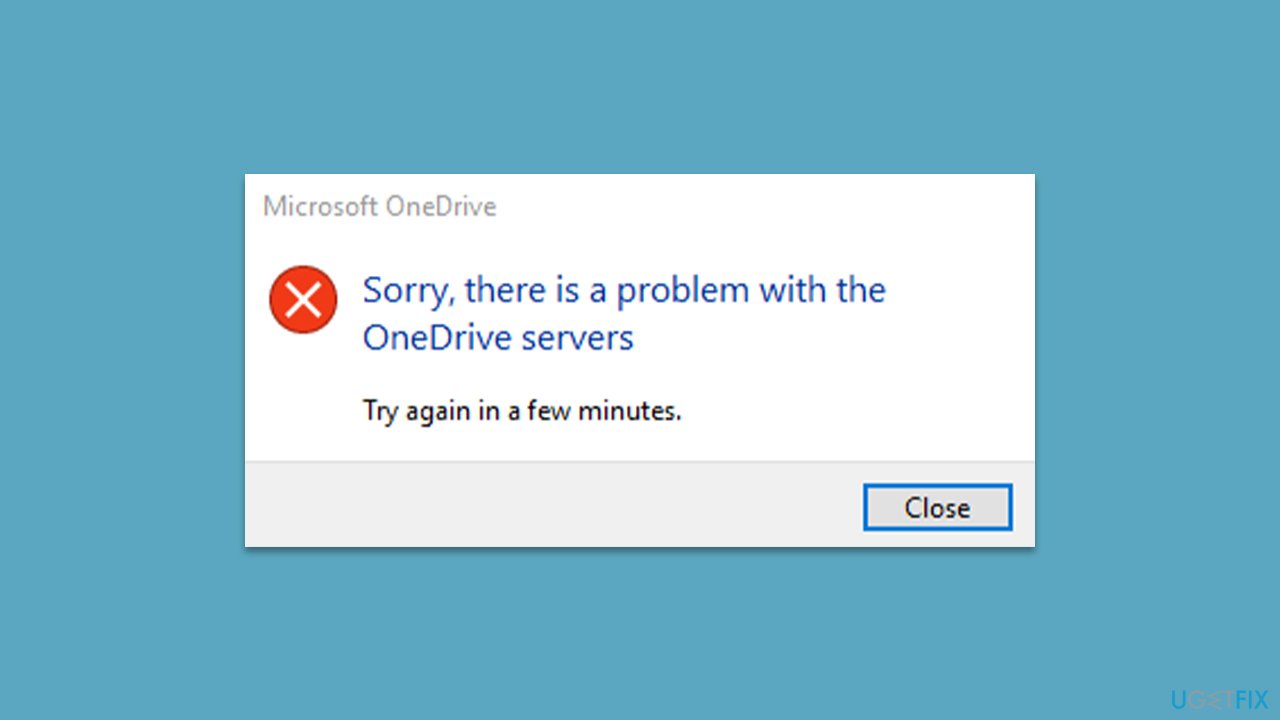
“Sorry, there is a problem with the OneDrive servers” error 0x8004def5
on Windows
Resolve the "Sorry, there is a problem with the OneDrive servers" error 0x8004def5 on Windows 10 and 11 with our expert-tested solutions. Fixed in minutes!


What causes How to fix “Sorry, there is a problem with the OneDrive servers” error 0x8004def5 in Windows?
- Network connectivity issues
- Server downtime
- Conflicts with third-party applications
- Corrupted OneDrive installation files
- Outdated Windows updates
Repairs Windows system files, removes malware, and restores a clean OS state — without reinstalling.
Hello. For the past two weeks or so, I've been getting the "Sorry, there is a problem with the OneDrive servers" error on my Windows PC. It also shows error code 0x8004def5. It happens all the time, and it's really becoming annoying. I don't see any issues with using OneDrive - it's working fine.
OneDrive is a cloud-based file hosting and synchronization service offered by Microsoft. It allows users to store and share files, photos, and other documents across multiple devices, including PCs, laptops, smartphones, and tablets.
OneDrive comes pre-installed on Windows 10/11 and is integrated with Microsoft Office, allowing users to easily access and edit their documents from anywhere. With OneDrive, users can also collaborate with others in real time on documents and share files with others, both inside and outside their organization.
The "Sorry, there is a problem with the OneDrive servers" error message with the code 0x8004def5 occurs when the OneDrive sync client is unable to connect to the Microsoft servers. This could happen due to a number of reasons, including network connectivity issues, server downtime, or conflicts with third-party applications.
In some cases, the 0x8004def5 error may also occur due to corrupted or outdated OneDrive installation files or outdated Windows updates. To resolve the issue, users can try restarting their computer, checking their network connection, disabling any third-party antivirus or firewall software temporarily, repairing or reinstalling OneDrive, updating Windows to the latest version, or resetting the application.
Below we provide several methods to fix the "Sorry, there is a problem with the OneDrive servers" error 0x8004def5 on Windows systems. Before proceeding with manual solutions, we recommend you try fixing the issue automatically with [d1] - a powerful solution for most Windows problems. It can repair corrupted system files and replace them with brand new ones, clean junk, take care of privacy-related files, fix virus damage, and more.
Fix 1. Check out built-in troubleshooters
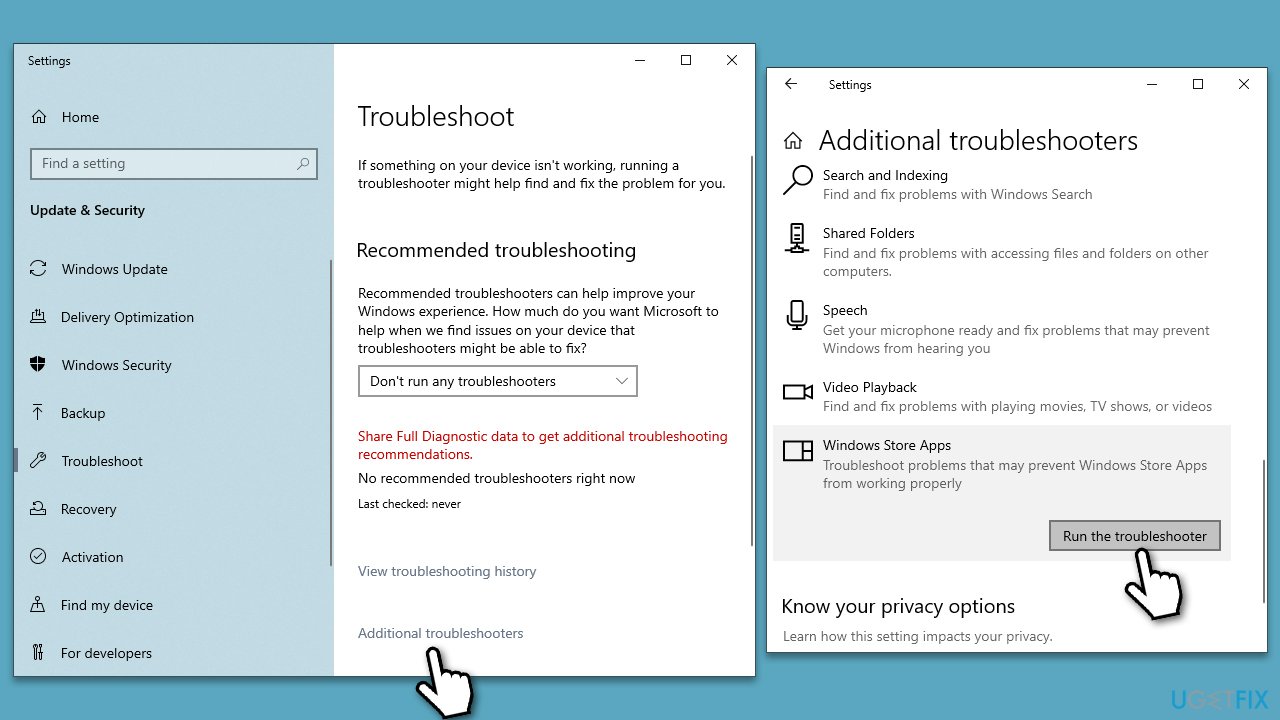
Troubleshooters are great tools to diagnose and sometimes automatically repair issues you are having with Windows, including the "Sorry, there is a problem with the OneDrive servers" error 0x8004def5 error. We recommend performing the following steps:
- Type Troubleshoot in Windows search and press Enter.
- Select Additional troubleshooters/Other troubleshooters.
- Find Windows Store Apps from the list and select Run the troubleshooter/Run.
- Wait till the process is finished and apply the offered fixes.
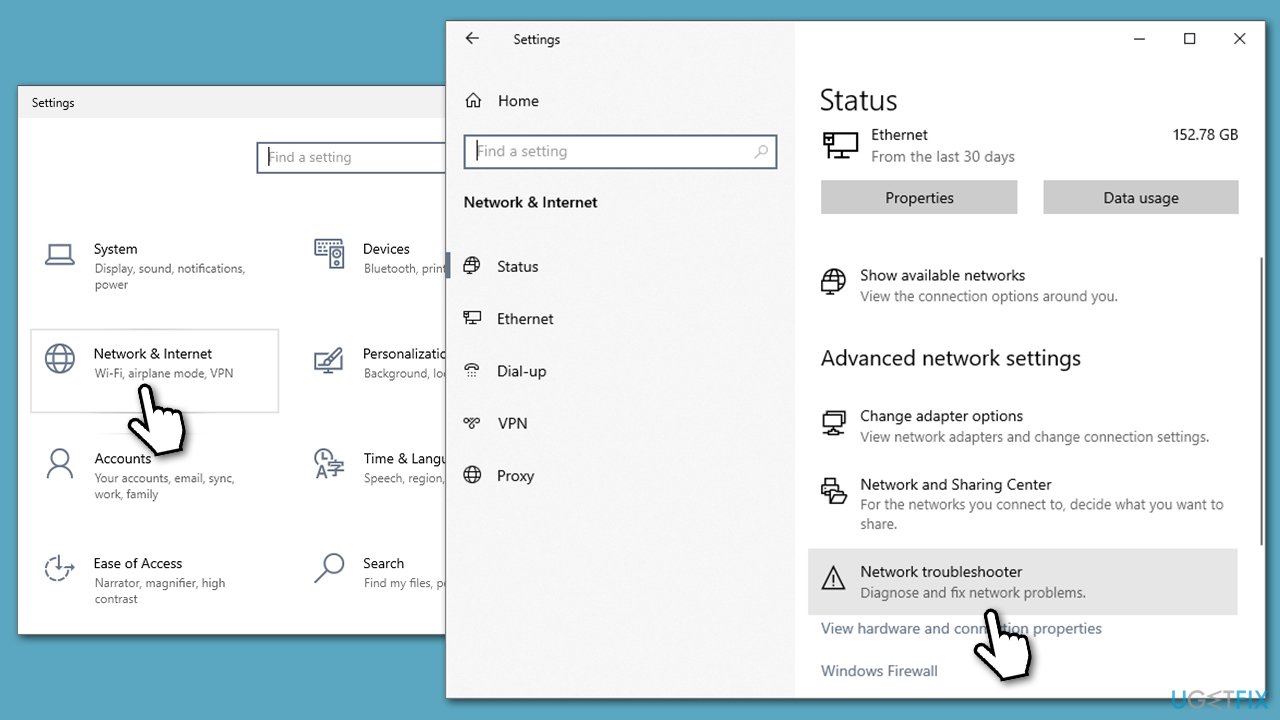
Next, run network troubleshooter:
- Right-click on Start and pick Settings.
- Go to Network & Internet section.
- On the right side, find the Advanced network settings section.
- Click Network troubleshooter and wait.
Fix 2. Repair damaged system files
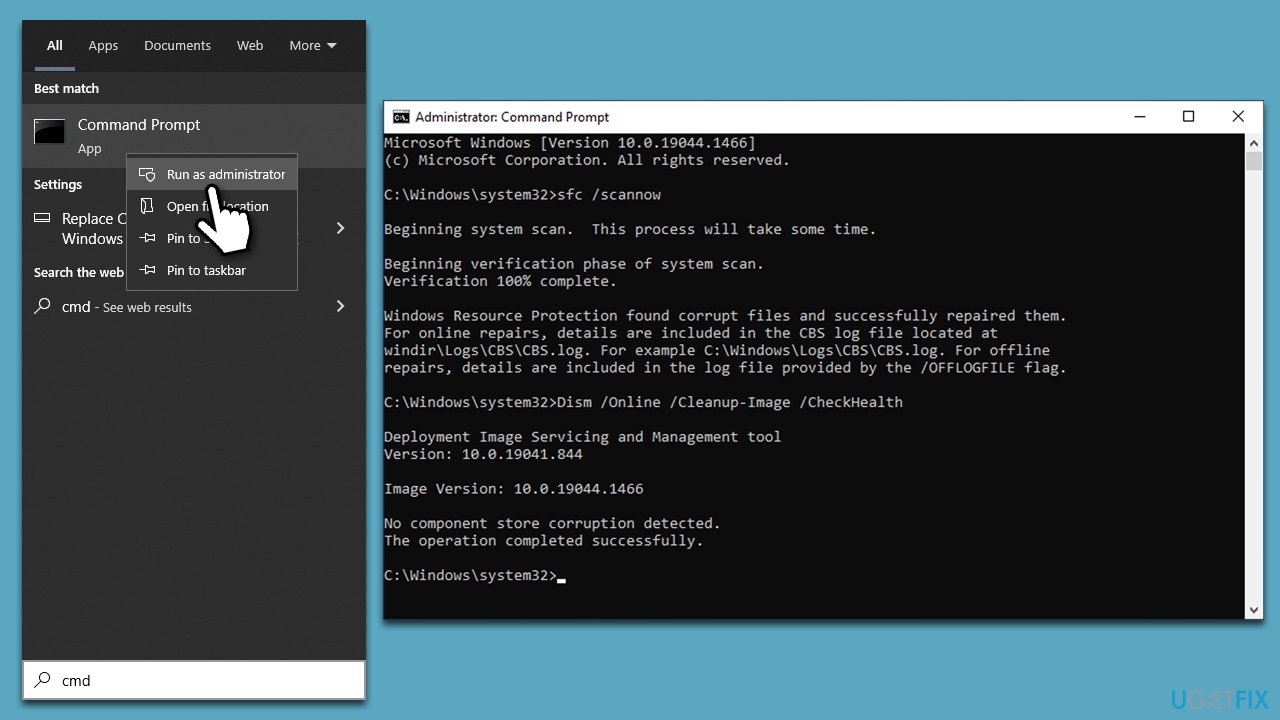
- Type cmd in Windows search
- Right-click on Command Prompt and pick Run as administrator
- When User Account Control (UAC) shows up, click Yes
- Use the following command and press Enter:
sfc /scannow - When the scan is complete, you should also run the following commands to repair Windows image files if needed:
DISM /Online /Cleanup-Image /CheckHealth
DISM /Online /Cleanup-Image /ScanHealth
DISM /Online /Cleanup-Image /RestoreHealth - Restart your device.
Fix 3. Install all Windows updates
Microsoft fixes bugs via Windows updates, which are deployed on a regular basis. This method is especially important for those who have been neglecting to install Windows updates:
- Type Updates in Windows search and press Enter.
- On the right side of the window, press Check for updates.
- If there are optional updates available, install them as well.
- Restart your system.
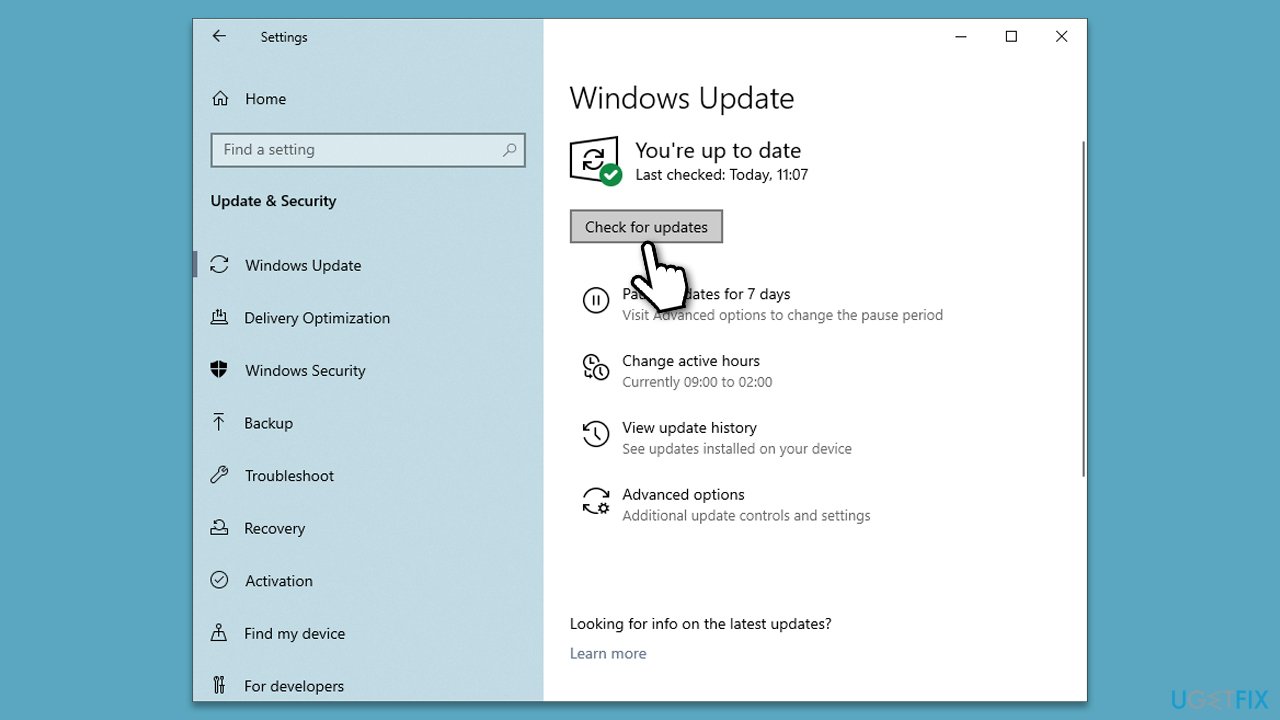
Fix 4. Delete OneDrive's Telemetry logs
- Press Win + R on your keyboard to open the Run dialog.
- Type AppData and press Enter or click OK.
- Navigate to the following location:
AppData\Local\Microsoft\OneDrive\logs\Common - Here, scroll down and delete the following files:
UserTelemetryCache.otc
UserTelemetryCache.otc.session - Close down File Explorer.
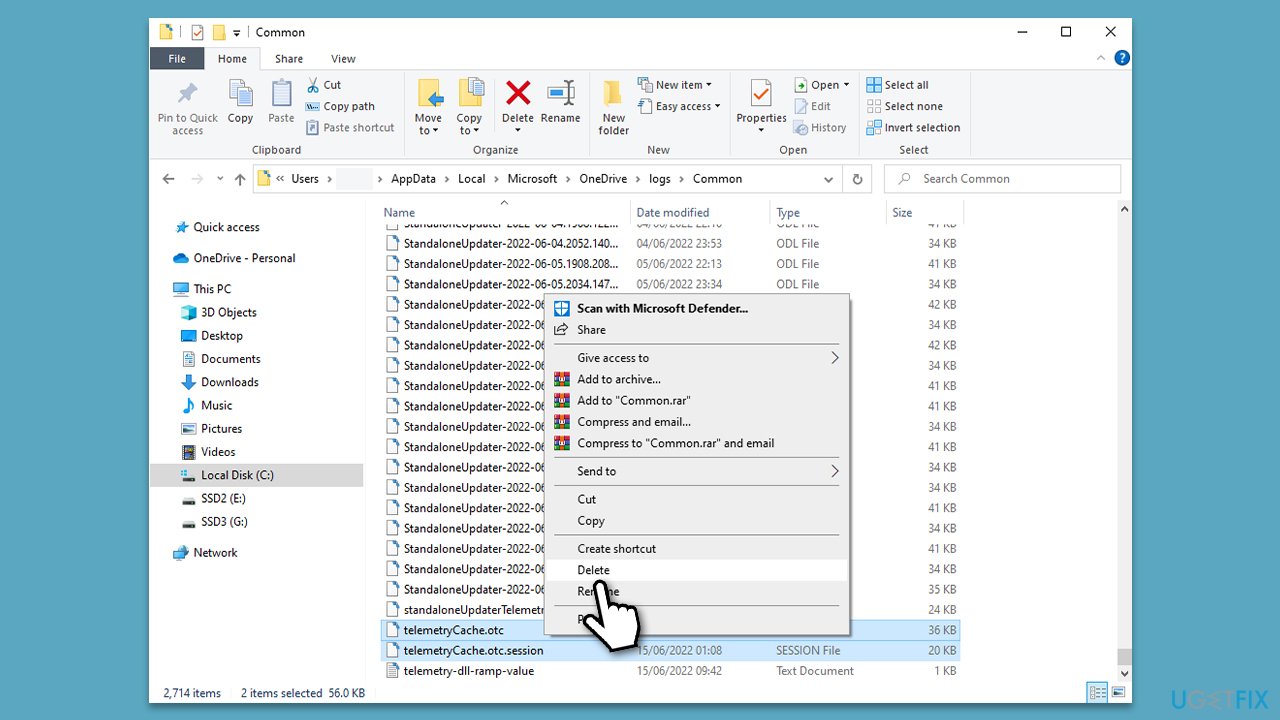
Fix 5. Reset OneDrive
Resetting OneDrive is what fixed the "Sorry, there is a problem with the OneDrive servers" error 0x8004def5 for many people. Please follow these steps:
- Press Win + R on your keyboard.
- When the Run window opens, copy and paste the following text into it:
%localappdata%\Microsoft\OneDrive\onedrive.exe /reset
(use %programfiles(x86)%\Microsoft OneDrive\onedrive.exe /reset instead if you get an error here) - Press Enter or click OK.
- After this command is executed, the app should be reset, and OneDrive should open.
- If it doesn't, wait a few minutes, then open the Run window again and use the following command:
%localappdata%\Microsoft\OneDrive\onedrive.exe - Press Enter.
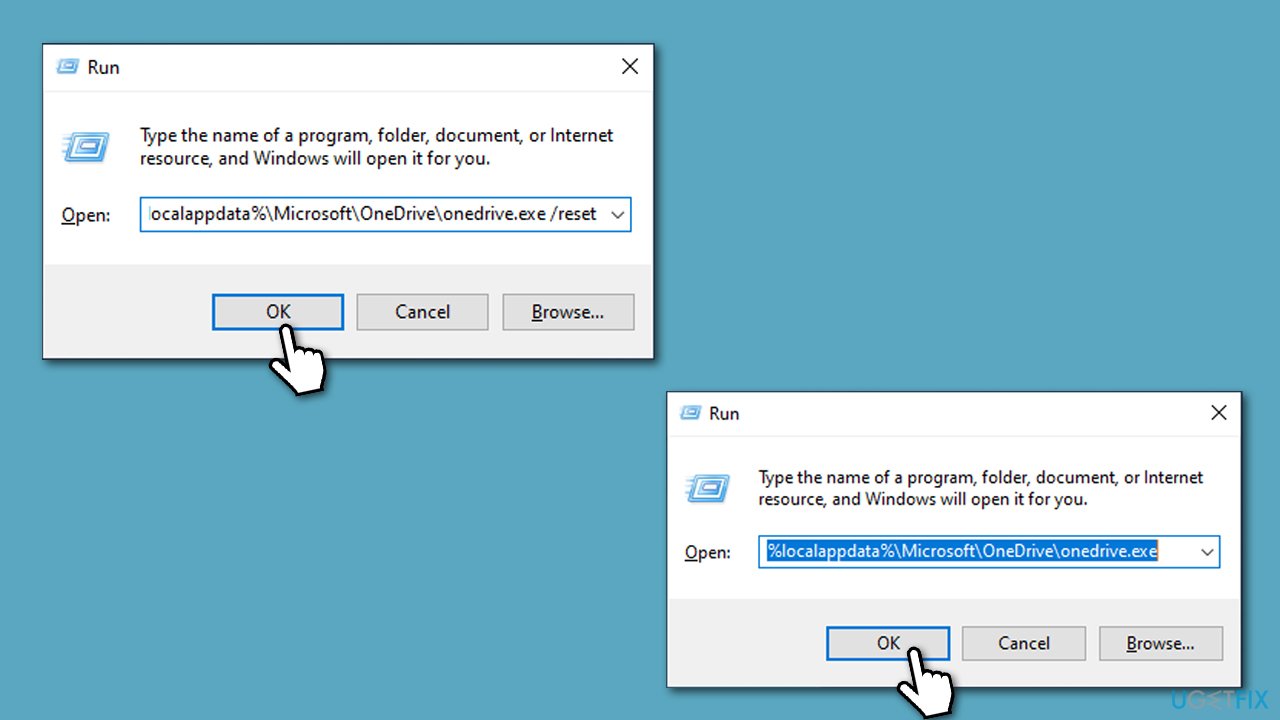
Fix 6. Reinstall OneDrive
- Right-click on Start and pick Apps and Features.
- Scroll down to find Microsoft OneDrive.
- Click Uninstall > Uninstall.
- Follow on-screen instructions to finalize the process.
- Restart your system.
- You can then go to the official Microsoft website - OneDrive download page.
- Download the app and install the app by following the on-screen instructions.
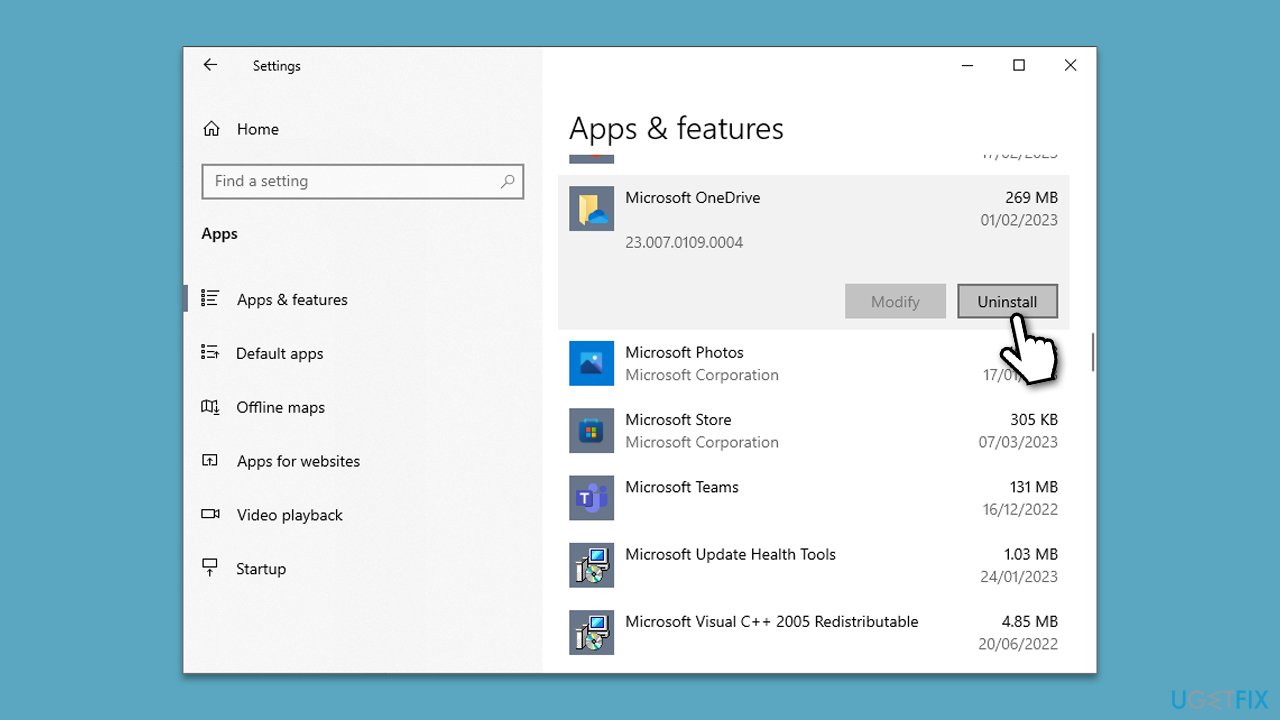
Bottom line
To resolve the error 0x8004def5, users can try restarting their computer, checking their network connection, disabling third-party antivirus or firewall software, repairing or reinstalling OneDrive, updating Windows, or resetting the application. If none of these solutions work, consider using a dedicated repair tool for Windows problems.
Frequently asked questions
The error 0x8004def5 typically occurs due to connectivity issues, incorrect account settings, or problems with the OneDrive application itself.
To fix the OneDrive server error, try resetting the OneDrive app by running the command 'onedrive.exe /reset' in the Run dialog, and then re-link your account if necessary.
Yes, you can check the OneDrive service status by visiting the Microsoft Office status page or using the 'Get Help' app on Windows 10 to see if there are any reported outages.




Report an issue
What's wrong with this guide? We review every report and update or remove content.
Report received — thank you. We'll review and fix it.
You need a free account to submit a report.
Be the first to comment