How to fix
“The parameter is incorrect” error when launching Malwarebytes Anti-Malware
on Windows
Resolve the "The parameter is incorrect" error in Malwarebytes on Windows 10 or 11 quickly and easily with expert-tested solutions. Fixed in minutes!

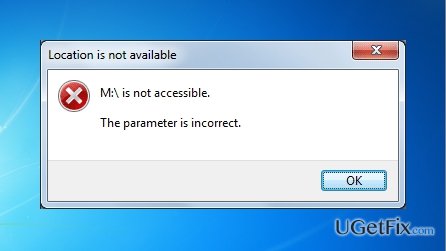
What causes How to fix “The parameter is incorrect” error when launching Malwarebytes Anti-Malware?
- Adware present on the operating system
- Spyware present on the operating system
- Trojan horses may be at fault
- Rootkits may be causing the issue
- Corrupted registry keys from other anti-virus utilities
Repairs Windows system files, removes malware, and restores a clean OS state — without reinstalling.
Recently, I am having problems launching Malwarebytes Anti-Malware. After I click on it, the message “The parameter is incorrect" pops up. It’s surely an odd behavior since I haven‘t seen such message before. What would be your advice? Thanks in advance.
“The parameter is incorrect” error message might be caused by adware and spyware present on the operating system. More sophisticated virtual threats try to counterfeit system notifications to prevent users from interfering with the background operation. Other reports reveal that trojan horses or rootkits may be at fault for such behavior. Therefore, solution methods differ. In order to save time and to reduce possible damage to the system, here are steps you should follow to clean your device.
Solution 1. Run System Restore
This method will revert your system to the last saved system image. Due to this fact, you may lose some of the files or apps which have been created during the period between the last restore point and the present.
- In Windows 7, reboot the device and tap on F8 or F2 to enter the Setup functions.
- Then, navigate to Advanced Boot Options.
- By navigating with arrows keys, choose Safe Mode with Command Prompt.
- In the newly appeared window, enter cd restore and hit Enter.
- Afterward, and type rstrui.exe and apply the change by clicking Enter again.
- After several minutes, a new window emerges. Follow the guide by clicking Next. If you have several created restore points, choose the most recent one.
- Click Yes to finish the procedure.
Solution 2. Uninstall other anti-virus utilities
Other anti-malware utilities might interfere with the operation of your main anti-virus program. Their corrupted or damaged registry keys may be the cause of this error as well. In that case, uninstall Malwarebytes Anti-Malware and other programs. Download the former utility from its official web site and install it. If the same message still pops up, opt for the alternative method suggested below.
Solution 3. Run Reimage
Depending on the type of adware, you may succeed in launching other type of security applications. Reimage is one of such options. If you cannot launch [d1] in normal mode, run it in the Safe mode and perform the scan. You may also look through the tasks running in your Task Manager. On the final note, reset the browser settings to clear all elements left by adware and other sorts of malware.
Bottom line
To fix the "The parameter is incorrect" error when launching Malwarebytes Anti-Malware, you can try running System Restore, uninstalling other anti-virus utilities, or using Reimage. If none of these solutions work, consider seeking further technical assistance.
Frequently asked questions
This error usually occurs due to corrupted installation files, incompatible software, or issues with the Windows registry that affect Malwarebytes' functionality.
You can try reinstalling Malwarebytes by completely uninstalling it, using the Malwarebytes Removal Tool, and then downloading the latest version from the official website.
Yes, you can attempt to repair the installation by going to the Control Panel, selecting Malwarebytes, and choosing the 'Repair' option, which may resolve the issue.




Report an issue
What's wrong with this guide? We review every report and update or remove content.
Report received — thank you. We'll review and fix it.
You need a free account to submit a report.
Be the first to comment