How to fix
Twitch black screen error
on Windows
Resolve the Twitch black screen error on Windows 10 and Windows 11 easily with expert-tested solutions. Get back to streaming in minutes!

What causes How to fix Twitch black screen error?
- Incorrect DNS settings
- IP configuration issues
- Hardware acceleration conflicts
- Installed web browser extensions
- Bugs in applications or operating system
- Altered system data
Repairs Windows system files, removes malware, and restores a clean OS state — without reinstalling.
Hello. I am facing the black screen on Twitch, and it is extremely annoying. It is not related to any streamer, I think. But I have no idea what I should do to fix this problem. Can you help me get rid of the black screen on Twitch?
Twitch's black screen error occurs on the streaming platform that gained popularity nowadays[ref en-1] when all the social life events occur online. When the screen goes black, it is impossible to access the stream of your favorite creator, so this solution is needed and often searched for in online forums and various communities.
There are methods to fix the problem because reasons also can vary for the error. It might require configuring particular settings, changing preferences, or clearing leftover data that leads to function failure. Any installed web browser extensions or even PUPs[ref en-2] can lead to problems with the display or particular functioning of the site.
The root cause of any issues, including the Twitch black screen error, indicates what can be done to solve the problem properly. These causes for the black screen issue can include incorrect DNS settings or IP configurations. If these are for blame, misconfiguration can be easily fixed. Such incorrect settings can lead to more problems with the machine, so it is important to solve the issue fully and set all the preferences correctly.
Hardware acceleration can also be the cause of this error. This feature is supposed to improve the performance of your machine, but it can force applications and software to trigger the failure of the process. It can also conflict with existing software, so issues like Twitch black screen error appear.
Another common issue that can trigger application system problems - bugs and issues with applications, software, or the operating system itself.[ref en-3] Many functions can get disabled when there are problems with needed processes or crucial functions of the device. It can also be the result of affected, damaged, altered system data.
These issues related to simple system features can be fixed by altering needed configurations. Some of the quickest methods could include running the tool that automatically finds and repairs corrupted pieces. An app like [d1] can find, indicate and recover functions without your interaction. If that helps, you might fix Twitch's black screen error without ding anything to those DNS, IP, and server settings yourself. If you cannot fix the issue with this program - move through these steps and instructions.
1. Fix DNS settings
- Press Windows + R, type control panel in the dialogue box, and press Enter.
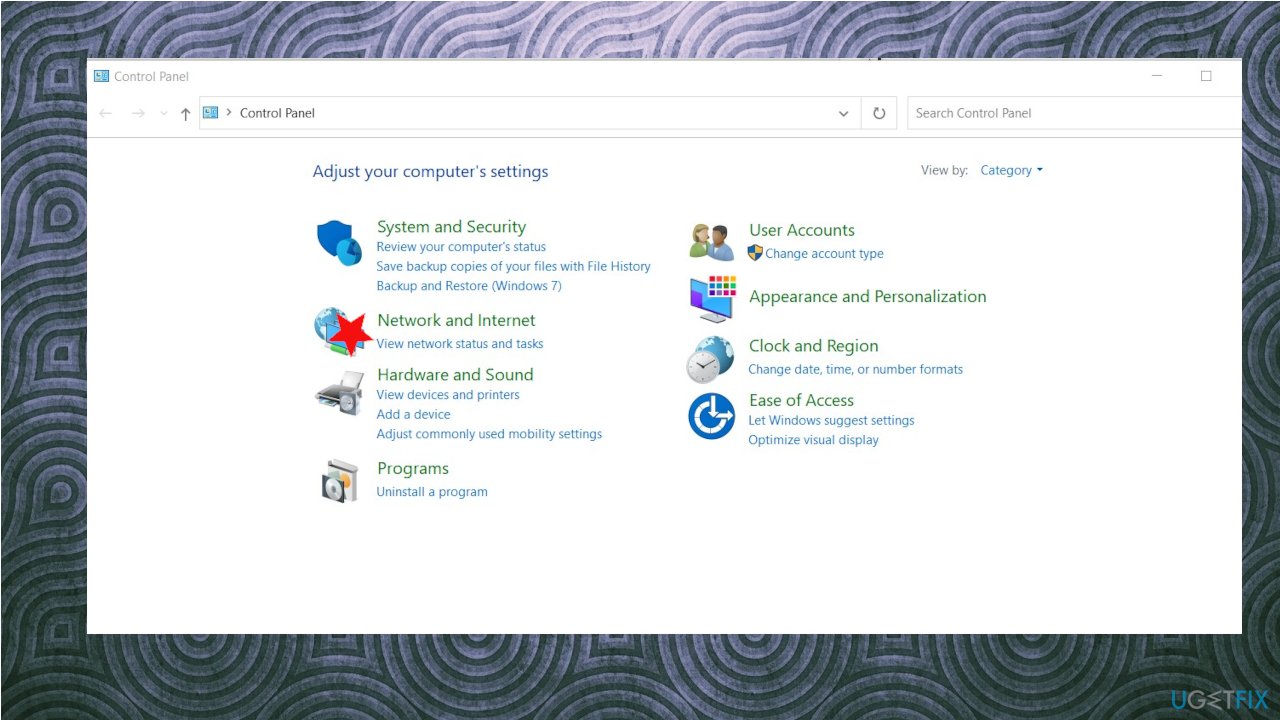
- Click on the sub-heading Network and Internet.
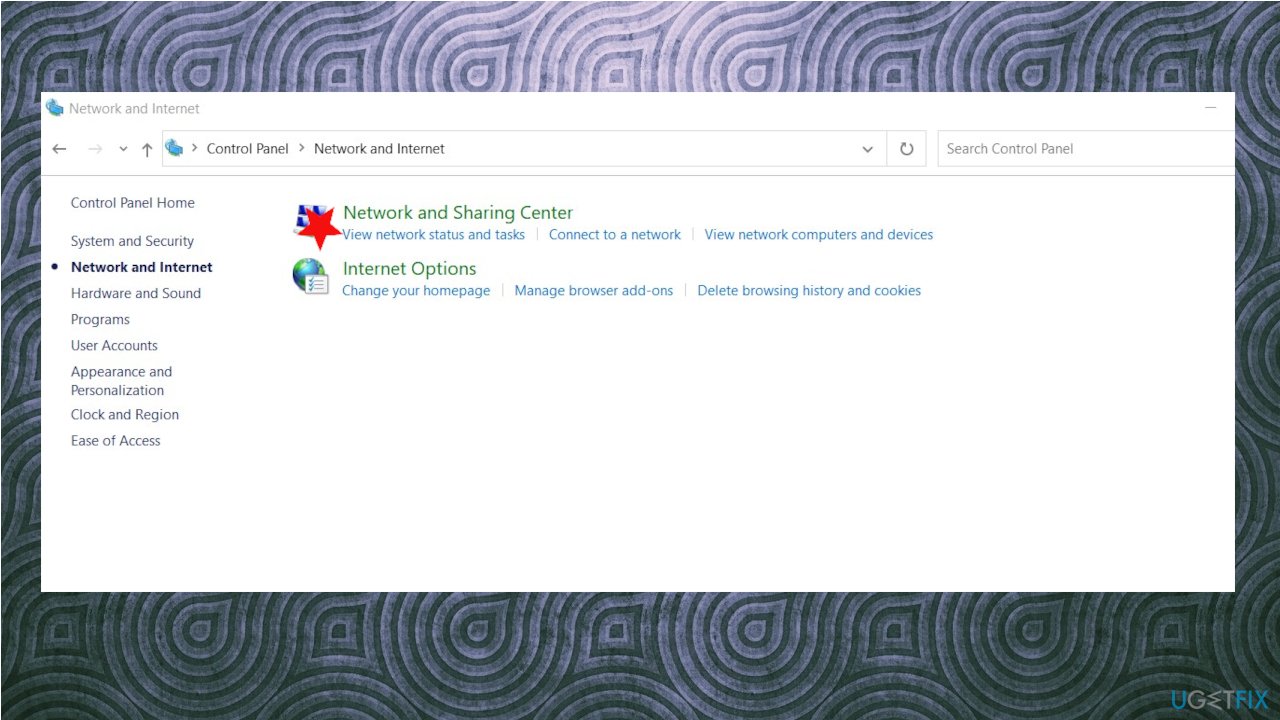
Twitch blackscreen error fix netwok panel - Select Network and Sharing Center on the next window.
Twitch blackscreen error fix network sharing - Click on the network present in the form of Connections.
- Now click on Properties present at the near bottom of the small window which pops up.
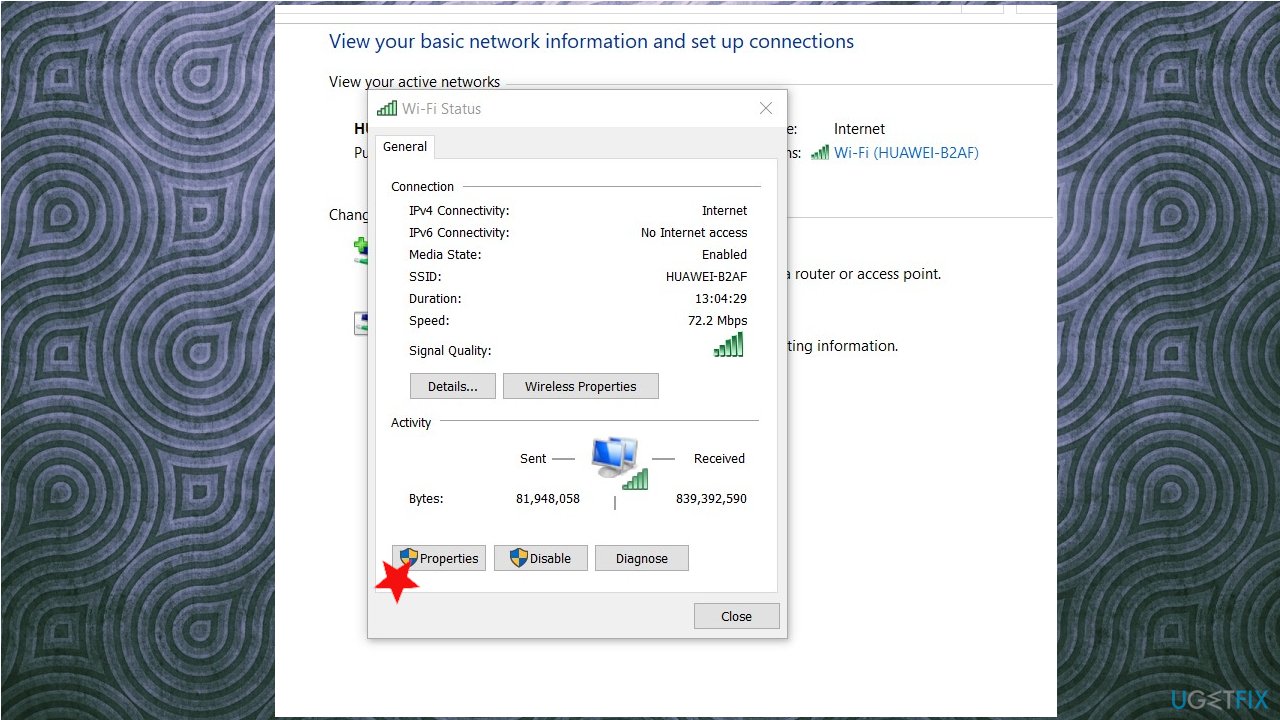
Twitch blackscreen error fix properties - Double-click on Internet Protocol Version 4 (TCP/IPv4).
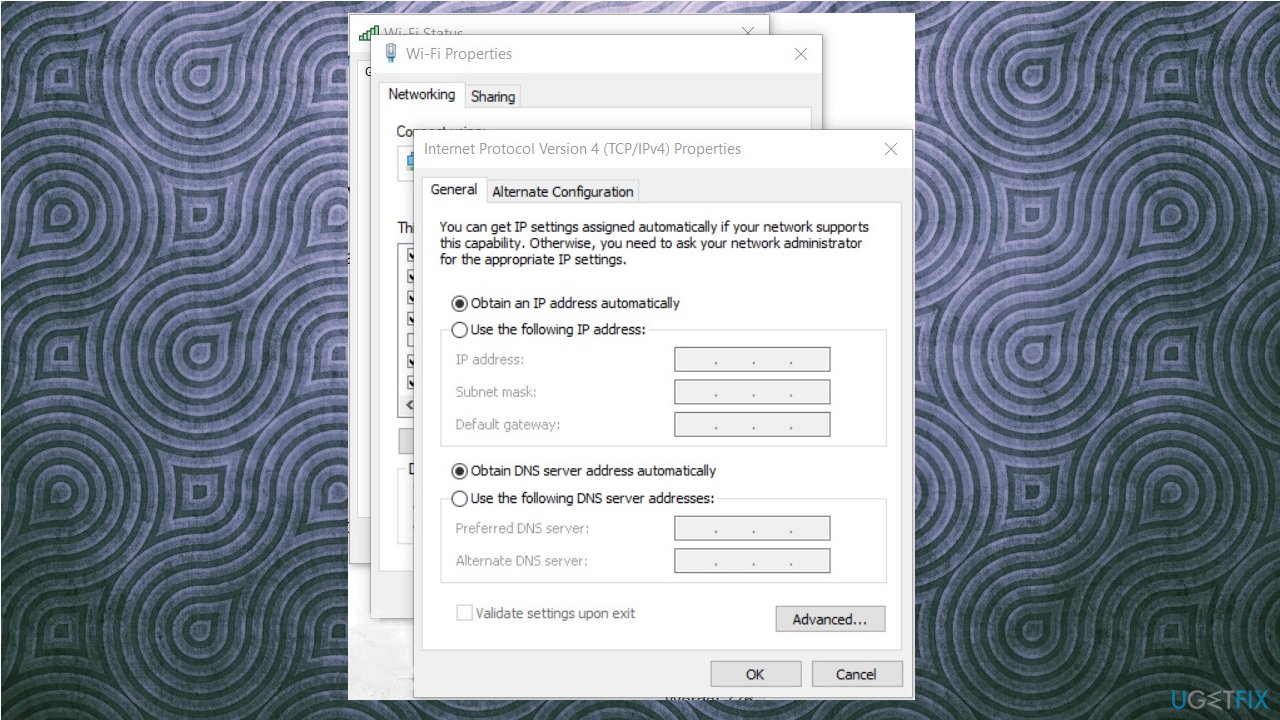
Twitch blackscreen error fix ip settings - Click on Use the following DNS server addresses. Now set the values as follows:
Preferred DNS server: 8.8.8.8
Alternate DNS server: 8.8.4.4 - Press OK to save changes and exit.
- Restart the PC.
2. Turn off Hardware Acceleration
- Open Google Chrome and click on the menu icon at the top right side of the screen.
- Click on Settings present at the near end of the drop-down menu.
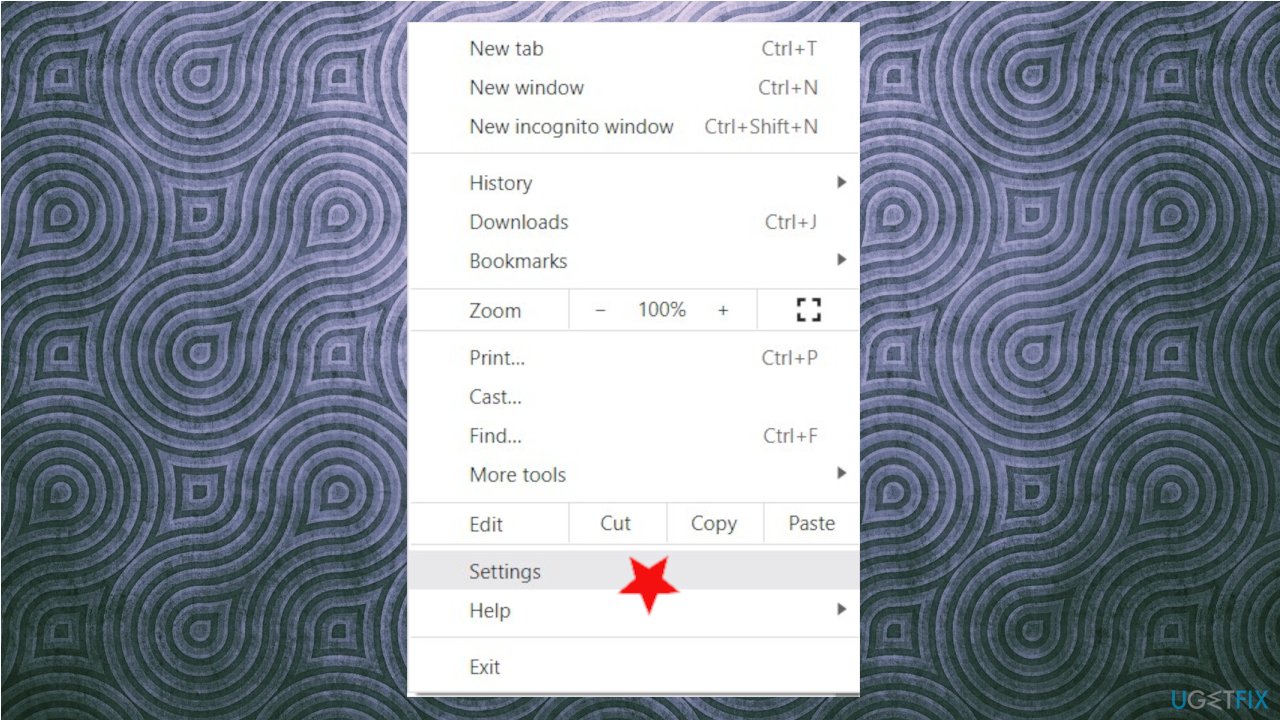
Twitch blackscreen error fix chrome settings - Navigate to the very end of settings and click on Advanced.
- Navigate to the end of the tab again until you find the System.
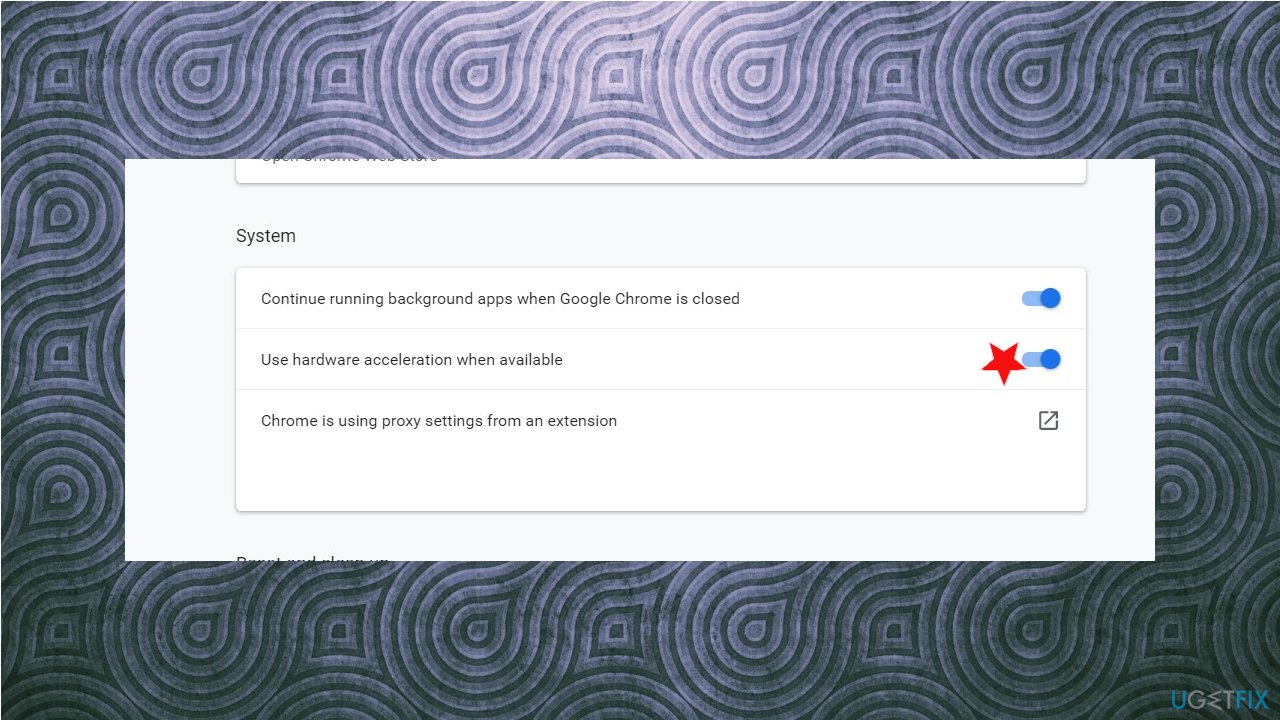
Twitch blackscreen error fix acceleration - Uncheck the option which says Use hardware acceleration when available.
- Re-launch your browser and implement the changes we did.
- Now check if an error occurs.
3. Reset Network configurations
- Press Windows + R, type command prompt in the dialogue box, right-click on the application, and select Run as administrator.
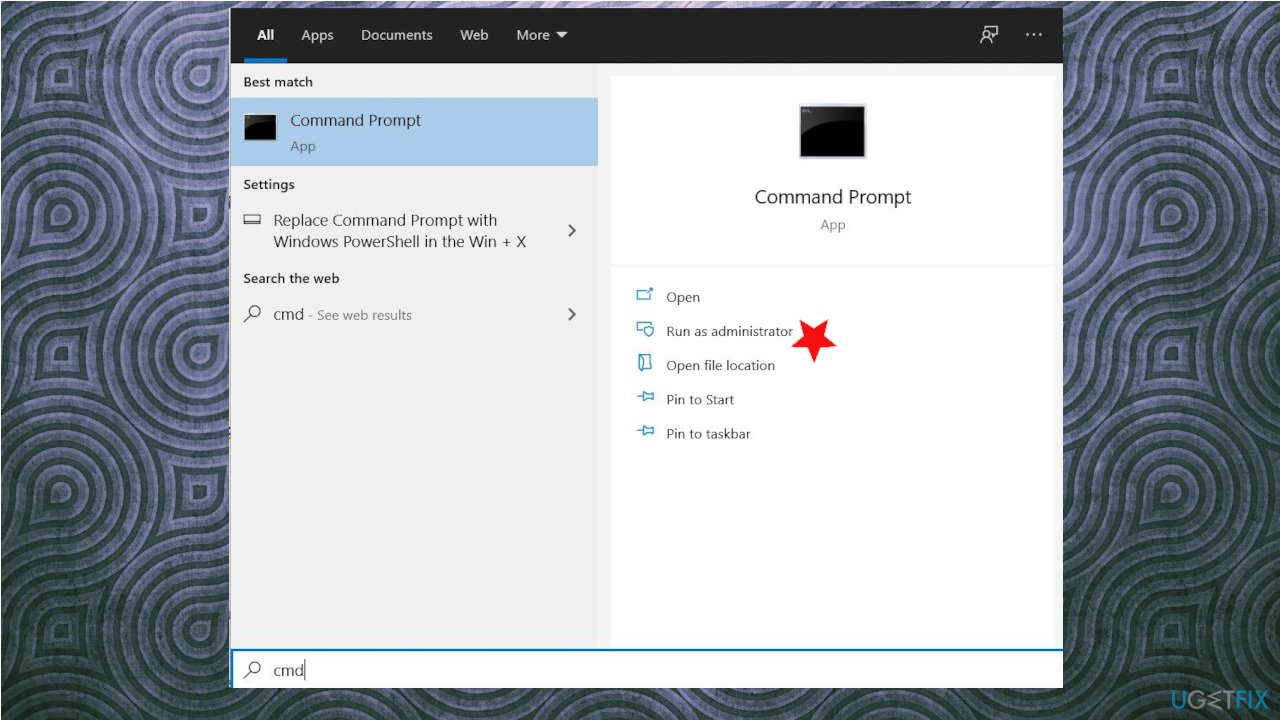
Twitch blackscreen error fix command - Once in elevated command prompt, execute the following commands one by one:
ipconfig /flushdns
ipconfig /renew - Restart your computer.
4. Enable TLS
- Search for the control panel.
- Open the settings.
- Now find and open Network and Internet but make sure that view by parameter to category.
- In there, click on Internet Options.
- Now a popup window will open up.
- Go to the Advanced tab, scroll down & find TLS under security.
- Tick all TLS following to 1.3.
- Apply & Ok.
- Give your computer a restart
5. Clear cache and cookies
- Open up Chrome.
- Click on the Three Dots.
- Find settings.
- Scroll down to find Clear browsing data under Privacy and security. Click on it.
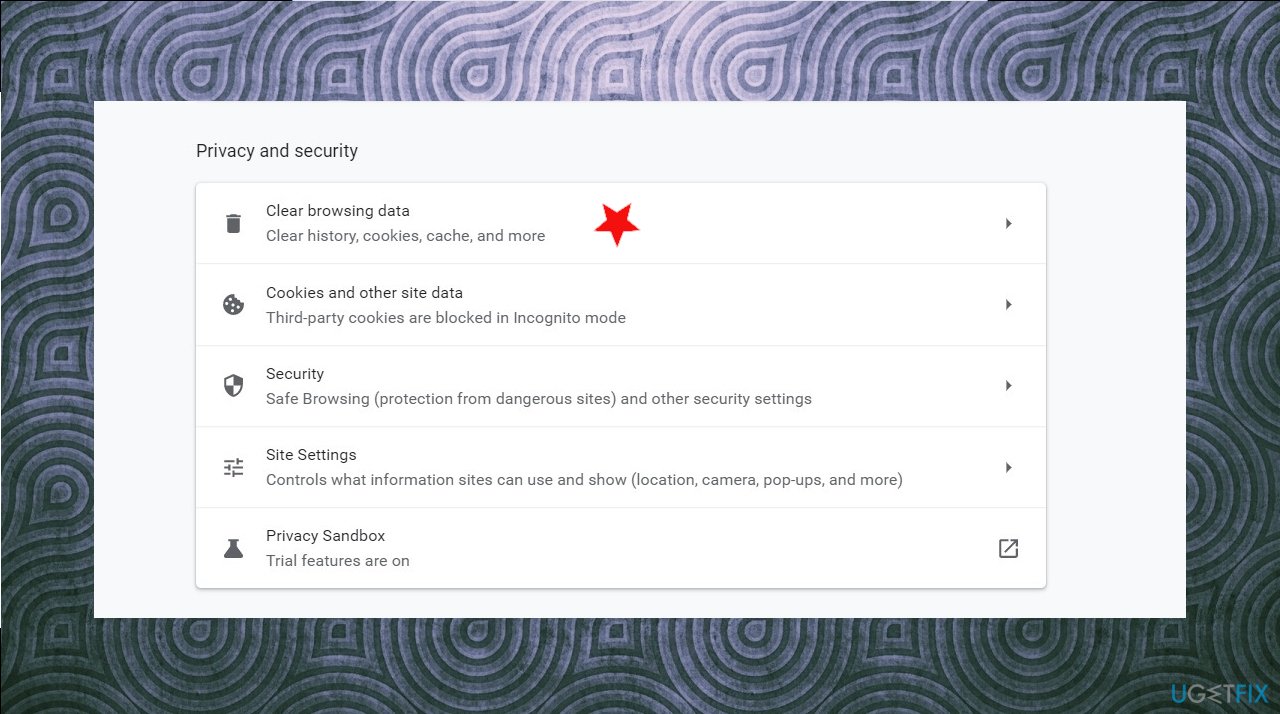
Twitch blackscreen error fix clear browsing - Specify the range which you want to clear.
- Select what you want to remove.
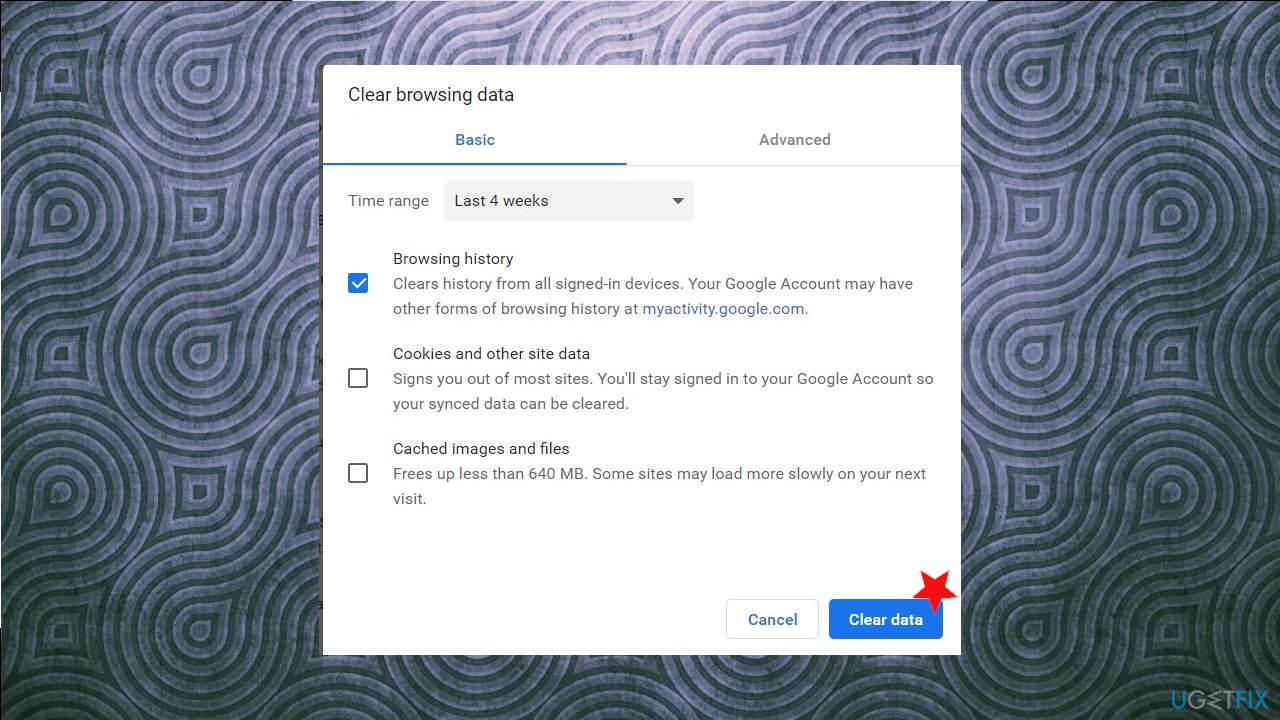
Twitch blackscreen error fix cear data - On my end, Cookies and other site data and Caches image and files options are checked.
- Now finally, click on the Clear data.
Bottom line
To fix the Twitch black screen error, you can try configuring your DNS settings, disabling hardware acceleration, or clearing browser extensions. If these methods do not resolve the issue, consider checking for application bugs or restoring altered system data.
Frequently asked questions
The Twitch black screen error can be caused by browser issues, outdated graphics drivers, or conflicts with extensions or ad blockers in your web browser.
Try clearing your browser cache and cookies, disabling extensions, or updating your graphics drivers to fix the Twitch black screen error on Windows 11.
Google Chrome and Microsoft Edge are generally recommended for the best Twitch experience on Windows 10, as they tend to handle streaming better and have fewer compatibility issues.




Report an issue
What's wrong with this guide? We review every report and update or remove content.
Report received — thank you. We'll review and fix it.
You need a free account to submit a report.
Be the first to comment