How to fix
“Unsupported Operating System” Valorant error
on Windows
Resolve the "Unsupported Operating System" error in Valorant on Windows 10 and 11 quickly. Expert-tested solutions for smooth gameplay await!

What causes How to fix “Unsupported Operating System” Valorant error in Windows?
- Game unable to identify the operating system
- Game no longer supports Windows 7, 8, or 8.1
- Older Windows versions are not secure
- Potential security flaws in outdated systems
- Inability to access in-game events and updates
Repairs Windows system files, removes malware, and restores a clean OS state — without reinstalling.
Hello. When I tried to play Valorant I got the "Unsupported Operating System" error on Windows. What does it mean? What should I do?
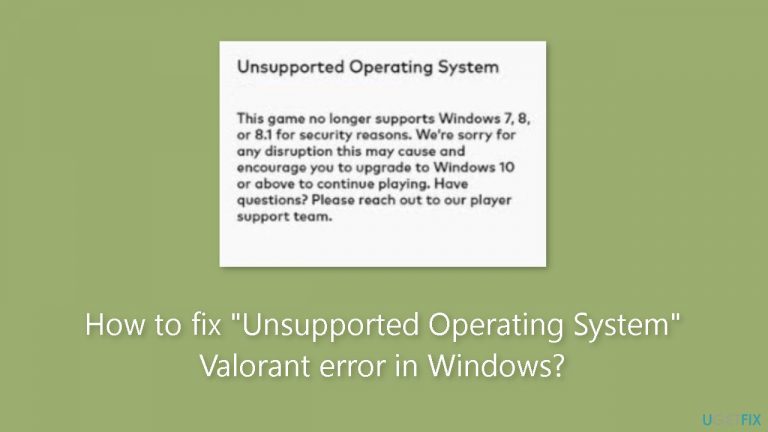
The "Unsupported Operating System" problem that appears in Valorant is mainly related to Windows users since the game is unable to identify the operating system that is being used. This warning message usually appears when the game has hidden problems that make it unplayable on some Windows versions. The entire error message is as follows:
Unsupported Operating System - This game no longer supports Windows 7, 8, or 8.1 for security reasons. We’re sorry for any inconvenience this may cause and encourage you to upgrade to Windows 10 or above to play.
For users, this problem may have a number of important implications. Above all, it keeps them from using their present Windows system to play the popular and competitive online game Valorant. Players who enjoy the game will become frustrated as a result, and their gaming sessions will be interrupted. Because they are unable to access the game, gamers may occasionally be forced to miss out on in-game events, updates, and competitive activity.
Moreover, it also prompts security concerns. The previous Windows versions (Windows 7, 8, and 8.1) are no longer supported for security-related concerns, as the error notice makes clear. This implies that gamers who keep using these antiquated operating systems might be leaving themselves open to security flaws, increasing the risk of malware and other internet dangers infecting their systems.
Players are advised to update their operating systems to Windows 10 or a higher version in order to fix this problem. This solution improves the entire safety and functionality of their systems by letting them play Valorant and guaranteeing that they have access to the most recent security upgrades and capabilities. If upgrading the operating system isn't an option for the user, they might perhaps think about running a compatible Windows version within their current configuration utilizing virtualization software. It's crucial to remember that this workaround could have certain drawbacks, especially in terms of system needs and performance.
In this guide, you will find 4 steps that should help you fix "Unsupported Operating System" Valorant error in Windows. You can also run a system repair tool like [d1] that can fix most system errors, BSODs,[ref en-1] corrupted files, registry[ref en-2] issues, or clear cookies and cache.[ref en-3] Otherwise, follow the step-by-step instructions below.

Method 1. Upgrade the Operating System
As indicated in the error message, you must upgrade to either Windows 11 or Windows 10 to play the game. Therefore, please proceed with the upgrade and verify if this resolves the issue. If you encounter difficulties upgrading to one of the latest Windows versions, you can utilize a virtual machine. You have the option to install Windows 11 on virtualization platforms such as Hyper-V, Oracle VirtualBox, VMWare Workstation, or any other virtual machine software to enjoy the game.
Method 2. Update Drivers
Outdated drivers could be the cause of this issue. In this case, you can fix it automatically by using [rev id="DriverFix"], which will scan your PC for missing and out-of-date device drivers. Or you can update them manually:
- Open Settings.
- Click on Update & Security.
- Click on Windows Update.
- Click the Check for updates button.
- Click the View optional updates option.
- Click the Driver updates tab.
- Select the driver you want to update.
- Click the Download and install button.
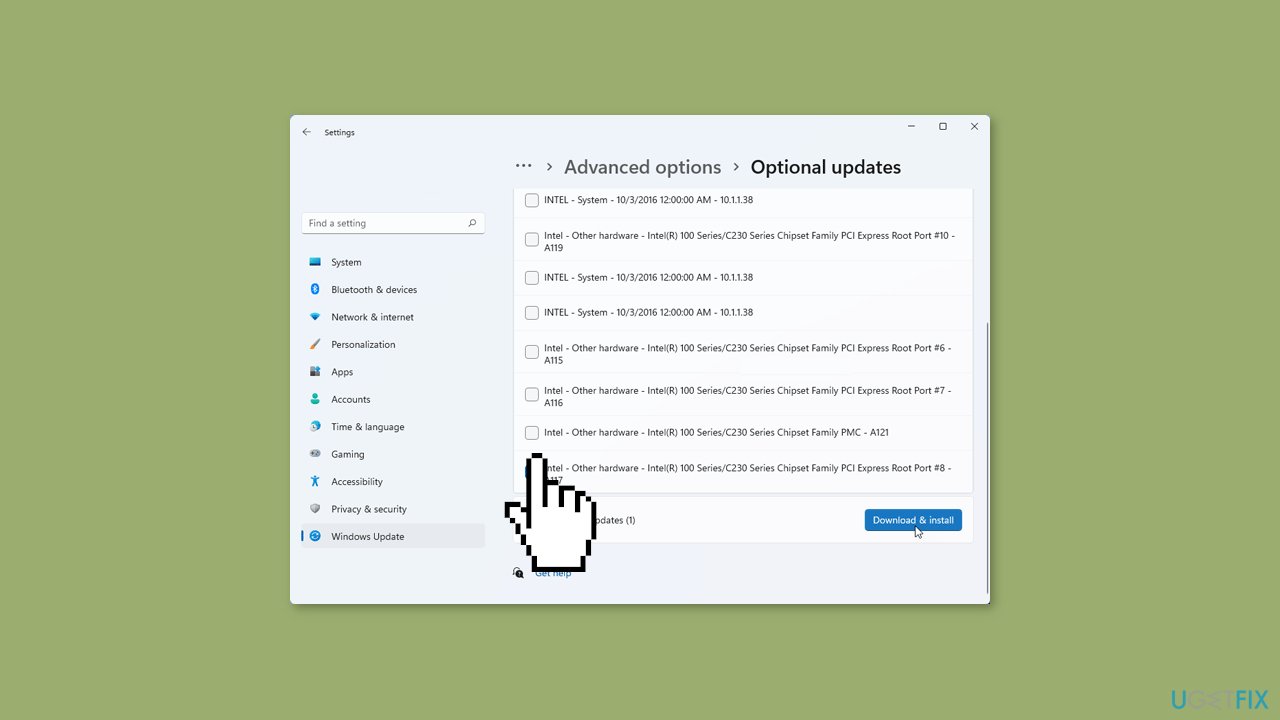
If the View optional updates link is not available after checking for updates, then Windows Update does not have any new drivers or any updates for other products at that particular time.
Method 3. Disable Compatibility Mode
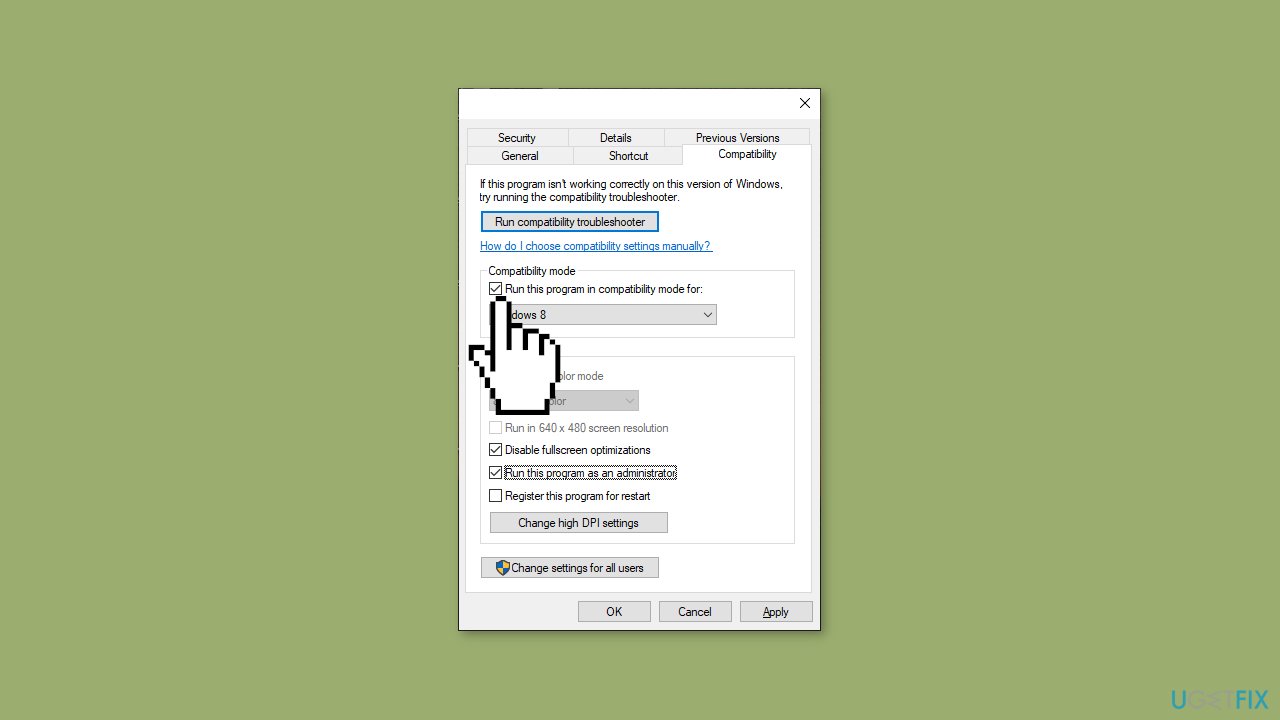
If you've previously enabled Compatibility Mode on Windows 11, it's essential to turn it off since the game has been updated, and there are no remaining issues preventing it from running on the current Windows version.
- Open the Properties of Valorant.
- Untick the Run this program in Compatibility mode for option from the Compatibility tab.
Method 4. Verify the Integrity of Game Files
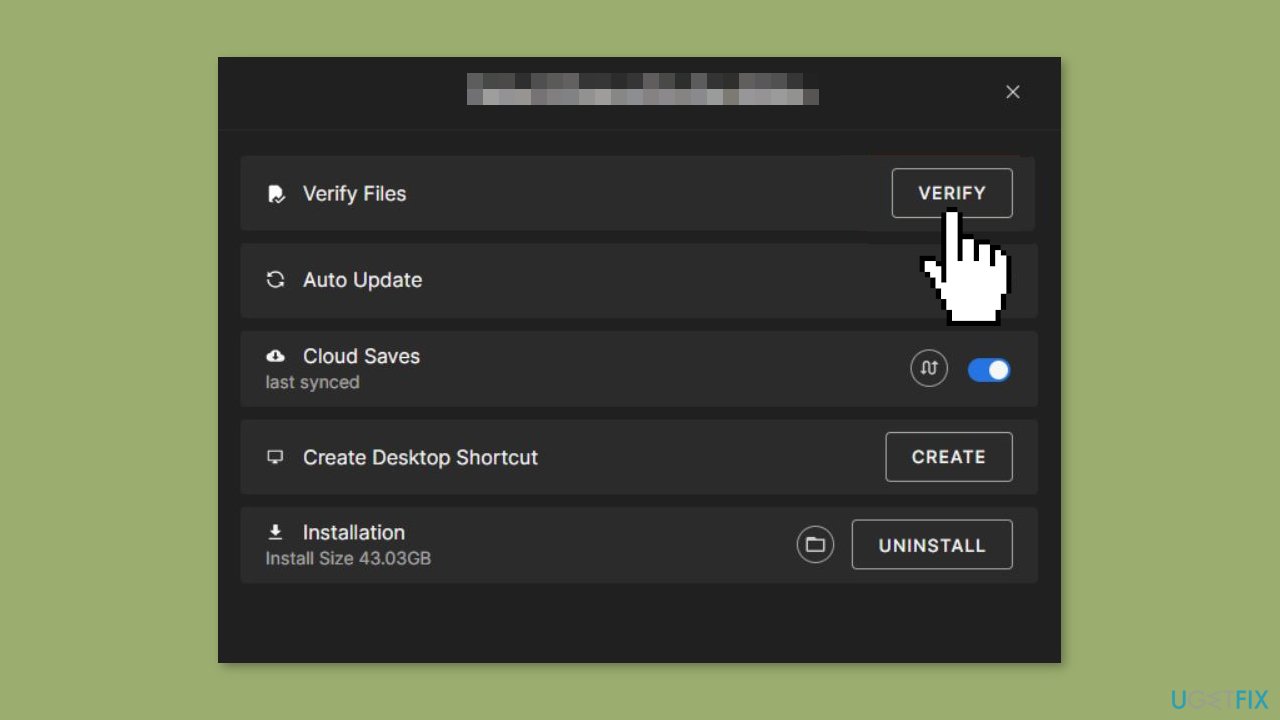
If previous solutions haven't resolved the issue, your final option is to restore the integrity of the game files. If the game files are damaged, Valorant will be unable to carry out its necessary functions. As Valorant is hosted by Epic Games, we'll utilize its launcher to accomplish this.
- Open the Epic Games launcher and navigate to Valorant in the Library.
- Click on the three dots.
- Select the Verify button.
Bottom line
To fix the "Unsupported Operating System" error, players should upgrade their operating systems to Windows 10 or above. If upgrading isn't an option, they may consider using virtualization software to run a compatible Windows version. If none of these solutions work, players should seek further assistance or explore alternative gaming options.
Frequently asked questions
This error typically occurs when Valorant detects that your Windows operating system is not compatible, often due to outdated system files or incorrect system settings.
To fix this error, ensure that your Windows 11 is fully updated and try reinstalling the Riot Vanguard anti-cheat software.
Valorant requires at least Windows 7, but for optimal performance, it is recommended to use Windows 10 or Windows 11 with the latest updates installed.




Report an issue
What's wrong with this guide? We review every report and update or remove content.
Report received — thank you. We'll review and fix it.
You need a free account to submit a report.
Be the first to comment