How to fix
Windows activation error 0xc004c008
on Windows
Resolve Windows activation error 0xc004c008 quickly and effectively. Get your system running smoothly again with expert-tested solutions.


What causes How to fix Windows activation error 0xc004c008?
- Product key used on another PC
- Product key used on more devices than allowed
- Hardware changes like motherboard or RAM
- Windows license expired
- Using a valid key on a different PC
Repairs Windows system files, removes malware, and restores a clean OS state — without reinstalling.
Hi, guys. Could you please tell me why I am getting an error code 0xc004c008 when installing Windows 10. I have a valid product license key, so I have no idea why Windows 10 cannot be successfully be activated. Please advice.
The Error Code 0xc004c008 is a known Windows problem. People can come across this error on Windows 7, 8 , 8.1, and 10, but the oldest version (Windows 7) is not very likely to return this error anymore. Usually, people come across this bug when trying to install Windows 8 or 10 more than once.
This bug check means that the product key[ref en-1] you are using has already been used on another PC, or it’s being used on more devices than the Microsoft Software License Terms[ref en-2] allow. If you are installing Windows OS on the same device, the same product activation code will be approved as many times as you need. However, in case your PC crashed and you changed it to another one, the same license key won’t fit, which is why you may get the error code 0xc004c008.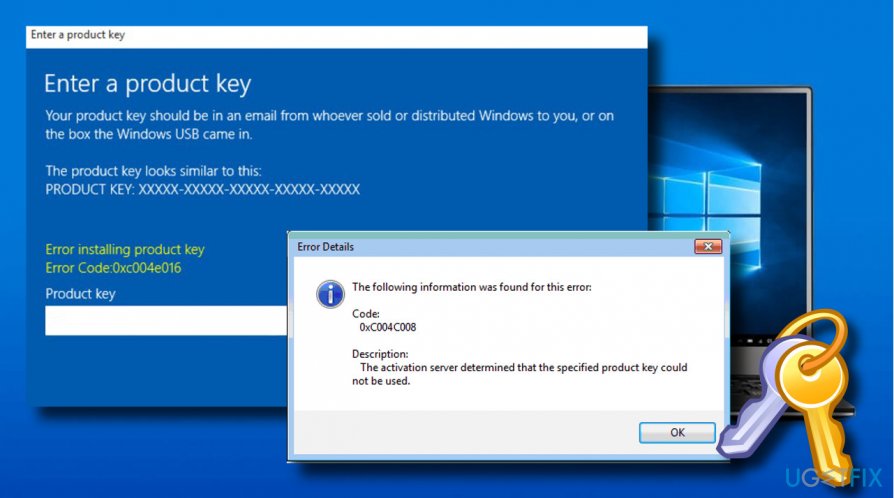
The problem may be triggered by the changes of some hardware components[ref en-3] either. For instance, if you changed a motherboard, RAM or hard drive, Microsoft may treat your device as a new one and reject the license key that you own.
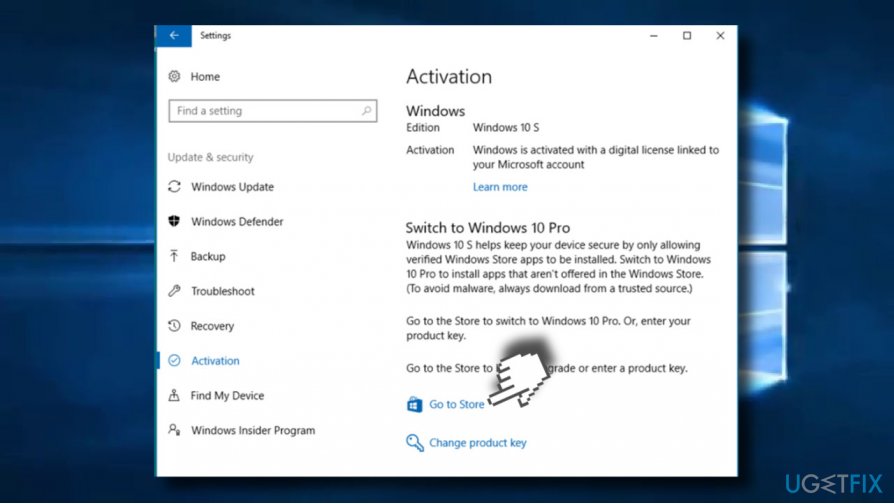
In case your Windows 10 license expired or it’s no longer valid because you’ve changed the PC or reached the limit of devices that can run using the same product license key, you will have to buy a new Windows product activation code from Windows Store:
- Press Windows key + I to open Settings.
- Select Update & Security and open Activation tab.
- Select Go to Microsoft Store. Once there, follow the on-screen instructions to by Windows 10 license.
In case the error shows up even if the activation code is valid and you are using it on the same PC, you may try running Windows Activation Troubleshooter or activate Windows using your phone:
Method 1. Run Windows Activation Troubleshooter
- Press Windows key + I to open Settings.
- Select Update & Security and open Activation tab.
- Click Troubleshoot button.
NOTE: to run the troubleshooter, you’ll have to sign in as administrator.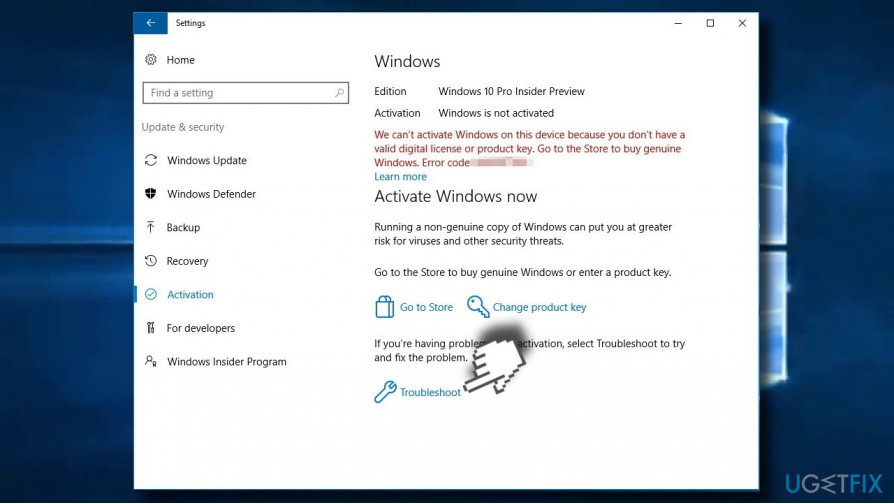
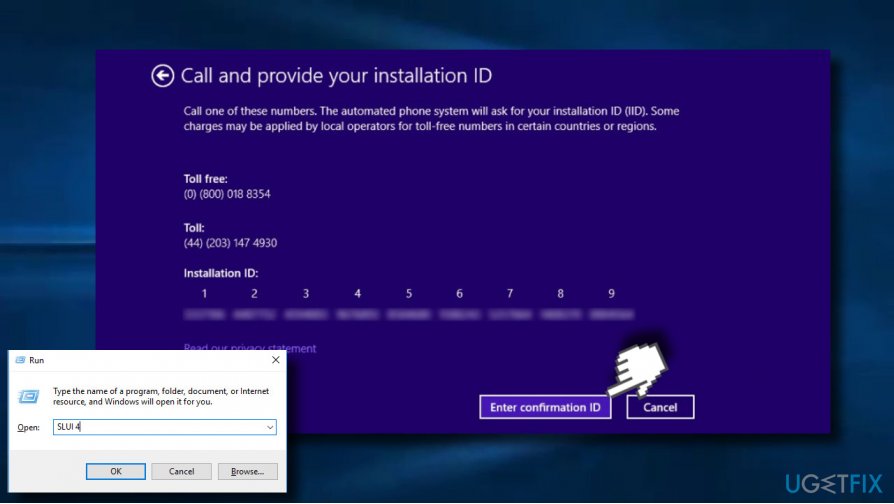
Method 2. Try Phone Activation
- Press Windows key + R to open Run.
- Type SLUI 4 command and press Enter.
- When Phone Activation window opens, select your country.
- Now call the activation number. Prepare your Installation ID as you’ll be asked to type it in.
- Specify how many copies of Windows you have installed with the license. Normally, you should select 1. Other options will not work.
- Finally, you should get a confirmation ID.
TIP: to keep Windows protected and optimized, we recommend installing a powerful optimization utility. Our recommendation is [d1]. This program can not only take care of your system’s files and registry entries. It will protect the system from malware as it has an inbuilt Avira AntiVir engine.
Bottom line
To fix the error code 0xc004c008, you can run the Windows Activation Troubleshooter or activate Windows using your phone. If the issue persists, consider purchasing a new Windows product activation code from the Microsoft Store.
Frequently asked questions
The error 0xc004c008 typically occurs when the Windows operating system cannot validate the product key, often due to multiple activations or when the key is blocked by Microsoft.
To fix the 0xc004c008 error on Windows 11, you can try re-entering your product key through the Settings app or use the Activation Troubleshooter to resolve the issue.
Yes, you can open Command Prompt as an administrator and run the command 'slmgr.vbs /ato' to attempt reactivation, which may help resolve the error 0xc004c008.




Report an issue
What's wrong with this guide? We review every report and update or remove content.
Report received — thank you. We'll review and fix it.
You need a free account to submit a report.
Be the first to comment