How to fix
Windows Defender Error Ox800706BB
on Windows
Resolve Windows Defender error Ox800706BB with our expert tips. Fix issues swiftly and regain your system's security—expert-tested for reliability!

What causes How to Fix Windows Defender Error Ox800706BB?
- Windows Defender not properly initialized
- Third-party anti-virus software interfering
- Group Policies settings misconfigured
- System corruption or damage
- Malware infection blocking Windows Defender
Repairs Windows system files, removes malware, and restores a clean OS state — without reinstalling.
Hello, all. I’ve on Creators Update already. Everything was working OK, but this morning when I tried to launch Windows Defender, I got an error code Ox800706BB. How can I fix it?
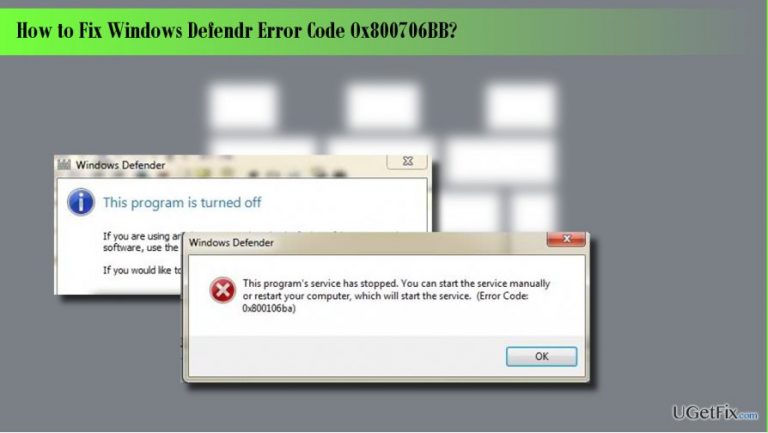
Windows Defender is anti-virus software inbuilt in Windows 10 OS by default. While there are many controversial opinions about its reliability and capacity, security specialists unitedly agree upon the fact that Windows Defender, as an inbuilt tool, is a good idea because Windows OS gets installed with a powerful protection. However, people encounter lots of issues related to this anti-virus, for example, the error code Ox800706BB. This error message typically shows up when the PC user attempts to activate Windows Defender. It says: “An error has occurred in the program during initialization. If the problem continues please contact your system administrator. Error Code Ox800706BB.” Even though there are hundreds of people whose computers got struck by this bug, Microsoft has neither approved nor fixed it yet. However, people who could not launch Windows Defender managed to fix Ox800706BB error either by re-enabling it, deleting third-party anti-virus or changing Group Policies Settings. Before you start performing any fixes manually, we would strongly recommend you to check the system with a professional anti-malware/optimization tool, say [d1]. It will ensure that the system is not infected with malware and it’s not blocking Windows Defender now. Besides, it will check the system for corruption and damage, which may also be causing the Ox800706BB bug.
If you have already performed a system scan with [d1] or another professional optimization tool, but the scan results were not informative, you should try the following methods:
Method 1. Disable and enable Windows Defender
- Click Windows key, type regedit, and press Enter.
- Using the left pane, navigate to the HKey_Local_Machine\Software\Policies\Microsoft\Windows Defender key.
- Find DisableAntiSpyware key and delete its value. For this purpose, you have to double-click on the REG –DWORD and set its value to 0.
- Then set its value to the one that was set before and check if the issue persists. Either way, DO NOT leave your OS unprotected.
Method 2. Remove third-party anti-virus
Are you using a third-party anti-virus? Windows Defender remains a default anti-virus tool in Windows 10 as long as the PC user does not install another third-party anti-virus/anti-malware tool. Therefore, if you have installed another security tool some time ago, you should uninstall it completely in order to use Windows Defender service again.
Method 3. Change Group Policy Settings
- Log into your account as an administrator.
- Then click on Windows key, type gpedit.msc, and press Enter.
- Click Local Computer Policy and select Administrative Templates.
- Select Windows Components and open Windows Defender.
- Select Windows Defender and double-click Turn off Windows Defender option on the right pane.
- In the newly opened window, click Disable.
- Finally, click OK to save the changes.
Bottom line
To fix the Ox800706BB error, you can try disabling and enabling Windows Defender, removing any third-party anti-virus software, or adjusting Group Policies settings. If these methods do not resolve the issue, consider running a professional anti-malware or optimization tool to check for further problems.
Frequently asked questions
The error code Ox800706BB indicates that Windows Defender is unable to start or operate properly due to a corrupted file or a conflict with another security program in Windows 10 or Windows 11.
To fix the Ox800706BB error on Windows 10, try running the Windows Update troubleshooter and ensure your system is fully updated, or reset the Windows Defender settings to default.
Yes, you can fix the Ox800706BB error on Windows 11 by running the System File Checker tool to repair corrupted files and checking for any conflicting software that may interfere with Windows Defender.




Report an issue
What's wrong with this guide? We review every report and update or remove content.
Report received — thank you. We'll review and fix it.
You need a free account to submit a report.
Be the first to comment