How to fix
“Windows Health is Critical” error
on Windows
Resolve the "Windows Health is Critical" error swiftly on Windows 10 or 11 with expert-tested solutions for a smoother experience. Fixed in minutes!

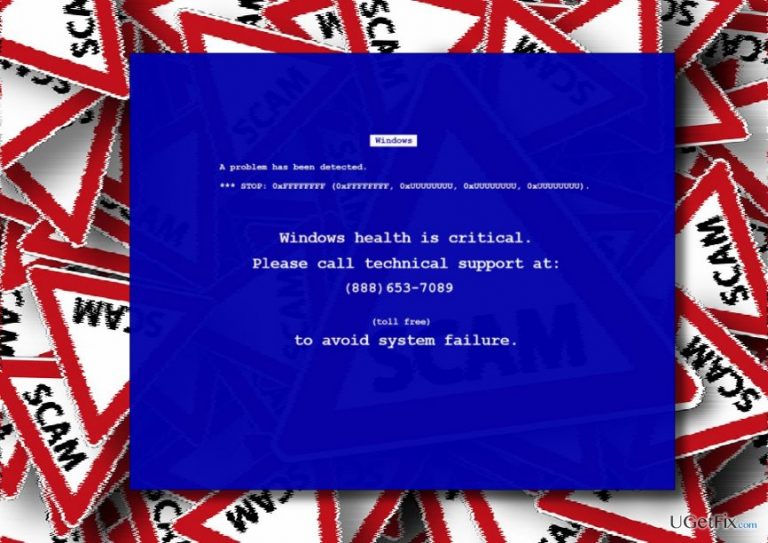
What causes How to fix “Windows Health is Critical” error?
- Fake alert mimicking Microsoft notifications
- Malicious code from browser add-ons and extensions
- Installation of potentially unwanted programs (PUPs) from free software
- Malicious ads or links on dubious websites
- Injection of adware into the web browser
Repairs Windows system files, removes malware, and restores a clean OS state — without reinstalling.
Today I get “Windows Health is Critical” error on Chrome, which crashed web browser and did not let me to exit. I’m using Windows 10, which has been updated a couple of days ago and works fine. Should I worry?
“Windows Health is Critical” is a FAKE alert, which mimics the style of Microsoft notifications and seek to trick people into calling for scammers. Although the exact purpose of cyber frauds who spread this alert hasn’t been identified yet, based on the experience with the previous Tech-Support-Scam alerts it can be speculated that cyber frauds seek to gain access to people’s computers, trick them into disclosing personal information or dial a highly-charged telephone number. Anyway, those who are generating “Windows Health is Critical” error do not have good intentions.
“Windows Health is Critical” scam distribution
“Windows Health is Critical” technical support scam may be disseminated using various unfair methods. In most of the cases, the “Windows Health is Critical” malicious code spreads as a constituent part of web browser add-ons and extensions, which may be attached to third-party applications (free ones). Consequently, people who install freewares by following Quick or Basic installation end up with the whole package of potentially unwanted programs (PUPs). It may also be spread via malicious ads or links injected in doubtful websites. Clicking on such content may trigger a pop-up message asking for user’s confirmation to download an extension, add-on or toolbar. If the user clicks Yes, the “Windows Health is Critical” error can be installed. Finally, this fake alert can be generated by malicious websites by entering an URL address or clicking on a link.
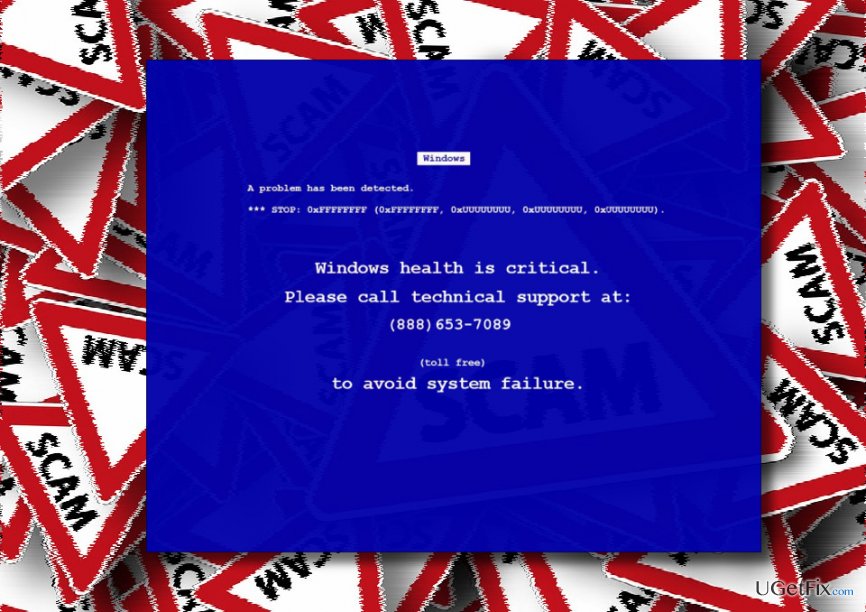
How does the “Windows Health is Critical” scam work?
When the “Windows Health is Critical” adware is injected into a web browser, the PC user may first notice an increased number of pop-up ads and web browser’s slowdowns. Besides, soon after that, browser starts generating a full-screen error saying:
"Windows Health Is Critical" error message:
Fake windows error message:
Windows A problem has been detected.
STOP: 0xFFFFFFFF (0xFFFFFFFF, 0xUUUUUUUU, 0xUUUUUUUU, 0xUUUUUUUU, 0xUUUUUUUU).
Windows health is critical.
Please call technical support at: +46101388486 (toll free) to avoid system failure.
The “Windows Health is Critical” alert freezes the screen, so the user has to force it to close via Task Manager. Although the pop-up claims that the system is in a critical state and needs appropriate maintenance, you should not believe a word. The given “toll-free” number is owned by scammers who may trick you in various ways.
How to disable “Windows Health is Critical” pop-up?
First of all, you will have to close your web browser if it's stuck with the “Windows Health is Critical” scam. For this purpose, press Ctrl + Shift + Del, find the process of your web browser on the list, click it and select End Task.
Then boot your PC into Safe Mode and remove all suspicious/unknown programs that have been installed recently.
- Press Windows key and move your cursor over the Power button.
- Press and hold the Shift key and select Restart.
- When PC restarts, choose Troubleshoot → Advanced Options → Startup Settings.
- Click Restart.
- You will then see a new table with the list of boot settings. Press F5 to enable Safe Mode with Networking mode.
- After that, right-click on Windows key and select Control Panel.
- Open Programs & Features and look for suspicious entries.
- Click on them and select Uninstall.
- Finally, reset your web browser to default settings.
To fix “Windows Health is Critical” error completely, scan your PC with [d1] to delete all file leftovers.
Bottom line
The 'Windows Health is Critical' error is a scam designed to trick users into contacting scammers. To resolve this issue, users should remove suspicious browser extensions, run antivirus scans, and avoid clicking on dubious ads. If these fixes do not work, consider seeking professional technical support.
Frequently asked questions
The 'Windows Health is Critical' error indicates that your system has detected a serious issue affecting its performance or stability, often related to hardware or software problems.
To resolve this error, you can run the Windows Troubleshooter and check for updates, or perform a system scan using the 'sfc /scannow' command in Command Prompt.
In Windows 11, you can use the built-in Health Report feature found in the Windows Security app to identify issues, alongside tools like DISM to repair system files.




Report an issue
What's wrong with this guide? We review every report and update or remove content.
Report received — thank you. We'll review and fix it.
You need a free account to submit a report.
Be the first to comment