How to fix
Windows Live Mail Error Code 0x800CCC90
on Windows
Resolve Windows Live Mail Error Code 0x800CCC90 quickly and effortlessly. Get expert-tested solutions for smooth email access on Windows 10 and 11.

What causes How to Fix Windows Live Mail Error Code 0x800CCC90?
- Incorrect password entered
- Corrupted data within the WLM app
- Outdated WLM app
- Third-party anti-virus interference
Repairs Windows system files, removes malware, and restores a clean OS state — without reinstalling.
Hi guys. For some reason, the messages in my Live Mail account don’t get sent out. The all accumulate in the Outbox and stays there for a week or more. I keep receiving a pop-up message that Windows Live Mail is unable to send or receive messages for the particular email address account. The server error 0x800CCC90 is mentioned. This happens with all email addresses that I try to contact to. What should I do?
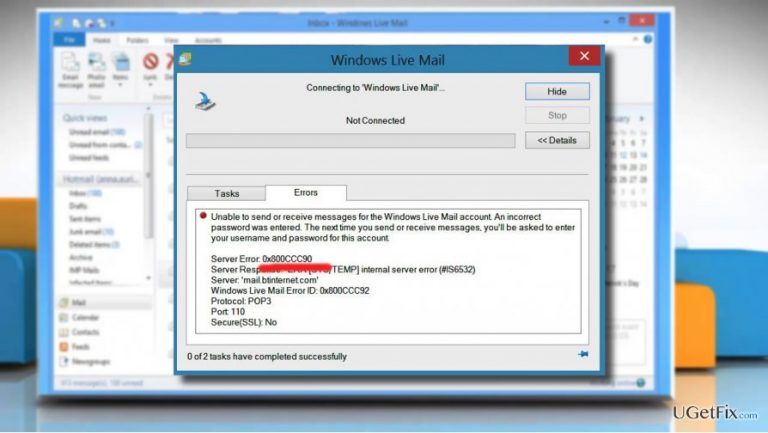
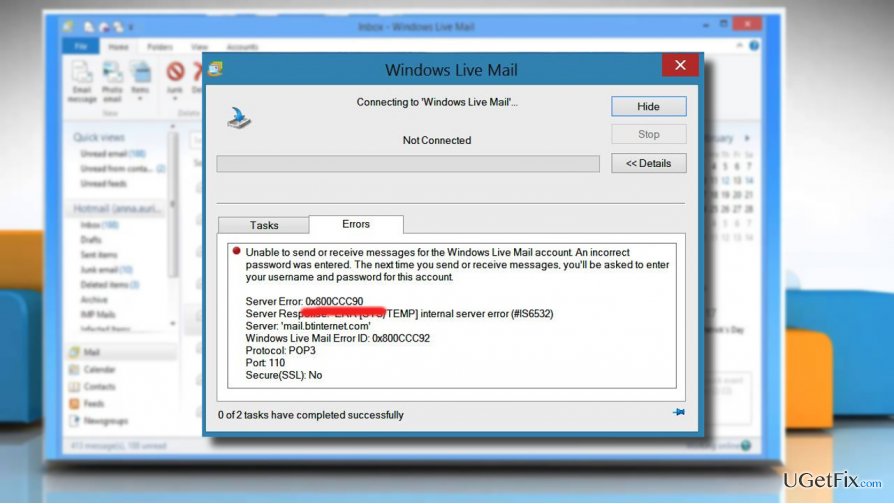
Windows Live Mail is the latest free desktop email app developed and owned by Microsoft. Earlier, the app was known as Outlook. Windows Live Mail is used by millions of mail users and praised for being clear and simple. For now, it comes as a part of Windows Essentials suite along with Live Write, MovieMaker, OneDrive, and Photo Gallery apps. Although this email app does not stand among the most problematic Windows apps, it causes some minor inconveniences to people from time to time. Recently, we stumbled upon several reports where people express their frustration regarding Windows Live Mail Error 0x800CCC90. The full error message reads as follows:
Unable to send or receive messages for the *** Email address is removed for privacy *** account. An incorrect password was entered. The next time you send or receive messages, you'll be asked to enter your user name and password for this account.
Server Error: 0x800CCC90
Server Response: -ERR Auth-Status: Invalid login or password
Server: 'pop.rcn.com'
Windows Live Mail Error ID: 0x800CCC92
Protocol: POP3
Port: 110
Secure(SSL): No
Server Error: 0x800CCC90 Server Response: -ERR Auth-Status: Invalid login or password
If this message shows up on the screen, it means that none of the email messages from a malfunctioning WLM account are sent to the recipients. They are sent to the Outbox folder and left there for an unspecified period of time. According to people’s reports, the 0x800CCC90 error may be triggered by Avast or another third-party anti-virus. Besides, the corrupted data within the WLM app or the outdated app itself may be the culprit of the server error 0x800CCC90. To fix that, please try the following steps:
Fixing Windows Live Mail Error 0x800CCC90
Method 1. Disable your anti-virus temporarily
If you have Avast or another third-party antivirus installed, we would recommend disabling or uninstalling it temporarily and then checking if Windows Live Mail keeps malfunctioning. If this method helped to fix 0x800CCC90 error, make sure to delete the culprit completely and install another reputable anti-malware.
Method 2. Repair Windows Live Mail
Windows 10 / 8
- Right-click on "Windows key" and select "Control Panel."
- Open "Programs and Features" and locate "Windows Essentials."
- Click it and select "Uninstall/Change."
- Select "Repair all Windows Essentials programs."
Windows Vista / 7
- Click "Start" and select "Control Panel."
- Open "Programs" and select "Programs and Features."
- Look for "Windows Essentials 2012" and click it.
- Select "Uninstall/Change" and click "Repair all Windows Essentials programs."
Windows XP
- Click "Start" menu and open "Control Panel."
- Select "Add or Remove Programs' and look for "Windows Live Essentials."
- Click "Change/Remove" and select "Repair."
- Finally, click "Continue."
Method 3. Re-install Windows Live Essentials
Download the latest Windows Live Essentials version from the official Microsoft’s website here, run its installer and follow the on-screen instructions.
Bottom line
To fix the Windows Live Mail Error 0x800CCC90, you can check your password, update the app, and disable any conflicting antivirus software. If these steps do not resolve the issue, consider seeking further technical support.
Frequently asked questions
This error typically occurs due to incorrect account settings or issues with your internet connection. Ensuring that your email account settings are correctly configured can help resolve the issue.
You can fix this error by checking your email account settings, ensuring that the server names and ports are correct, and verifying your internet connection.
Keeping your Windows 10 system updated can help prevent such errors, as updates may include important fixes for email applications like Windows Live Mail.




Report an issue
What's wrong with this guide? We review every report and update or remove content.
Report received — thank you. We'll review and fix it.
You need a free account to submit a report.
Be the first to comment