How to fix
“Windows needs your current credentials” error
on Windows
Resolve the "Windows needs your current credentials" error on Windows 10/11 effortlessly. Get expert-tested solutions that fix issues in minutes.


What causes How to fix “Windows needs your current credentials” error?
- Corrupted Credential Manager
- Wrong Group Policy Configurations
- Virus Infection or Threat Leftovers
- System File Corruption
- Issues with User Accounts
Repairs Windows system files, removes malware, and restores a clean OS state — without reinstalling.
Hello. I am struggling with the issue I have on my windows 10 machine. If I log in to the machine with a password, everything goes well. However, when the pin code, the pop-up with "Windows needs your current credentials" message appears and states that I need to lock and unlock the PC with password again. I repeat the process, and it goes well, but later on, the same issue occurs. How can I get rid of this message? Or is this the result of security issues?
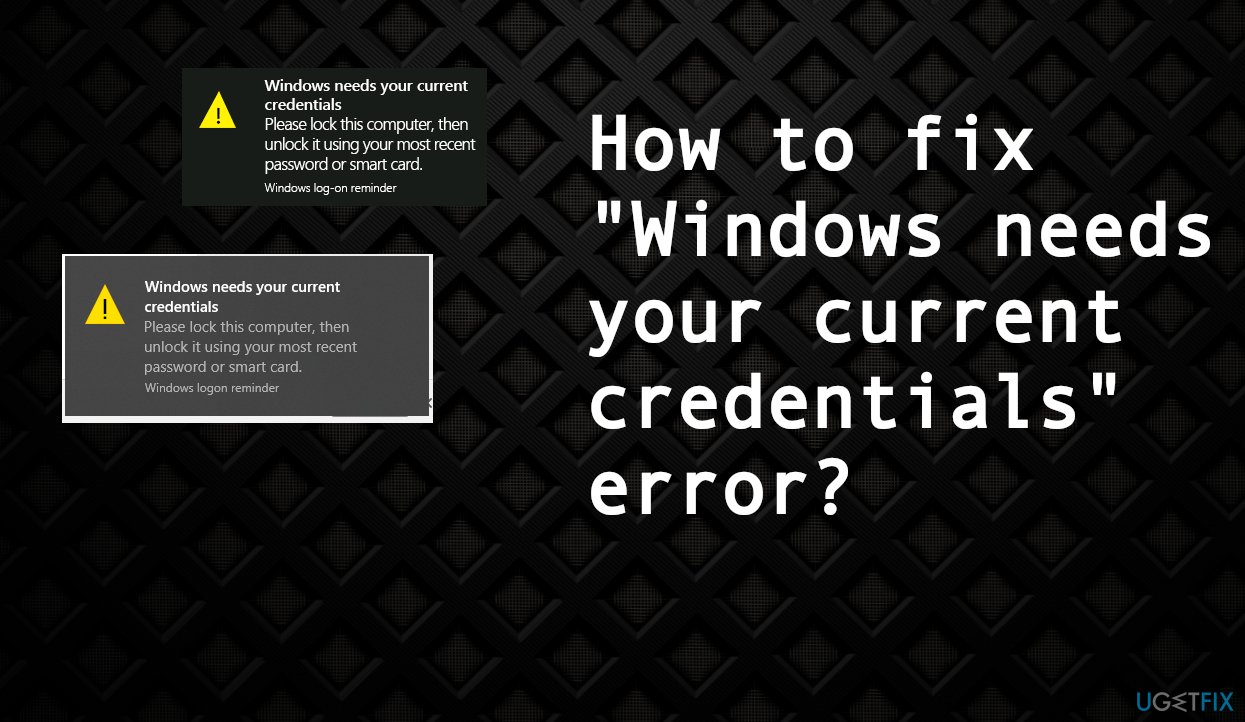
"Windows needs your current credentials" error can appear when you try to log in to your machine. It can occur even when typing the correct credentials in. Users[ref en-1] report that the message reoccurs over and ver after the screen locking. Sometimes people state that when using the PIN, the issue is not bothering them, but others say it only occurs when the leg in is attempted with the PIN code.
This is a very irritating issue and can appear on various devices, not depending on the particular version of Windows. It seems that a corrupted credential manager is responsible for these issues, but problems with the user account or other functions can still lead to triggers for such issues on the machine.
Windows systems can have various issues due to different reasons. Updates, OS bugs,[ref en-2] compatibility problems can cause multiple frustrating problems for the user. The error that delivers "Windows needs your current credentials" pop-up can occur due to the wrong group policy configurations, virus infection[ref en-3] or threat leftovers, system file corruption, issues directly with user accounts.
Windows systems can throw the error when particular records that need to the configuration are affected, so the communication can not be properly launched. Malware that is present on the machine can be responsible for such issues or file damage in other parts of the device, folders, directories. Unfortunately, damaged system files can lead to severe problems with the performance. You can solve such issues with a tool like [d1] since the program checks and repairs data controlling specific functions.
Another problem leading to the "Windows needs your current credentials" error can be related to the authentication problem in user accounts. If that is the case, simple solutions like re-verification of the account can work. Nevertheless, you should rely on all possible fixes and try a few of them before skipping the solutions entirely.
1. Verify your user account
- Go to the Start Menu.
- Right-click on your user profile.
- Go to Change account settings.
- Choose Your info and select Settings app.
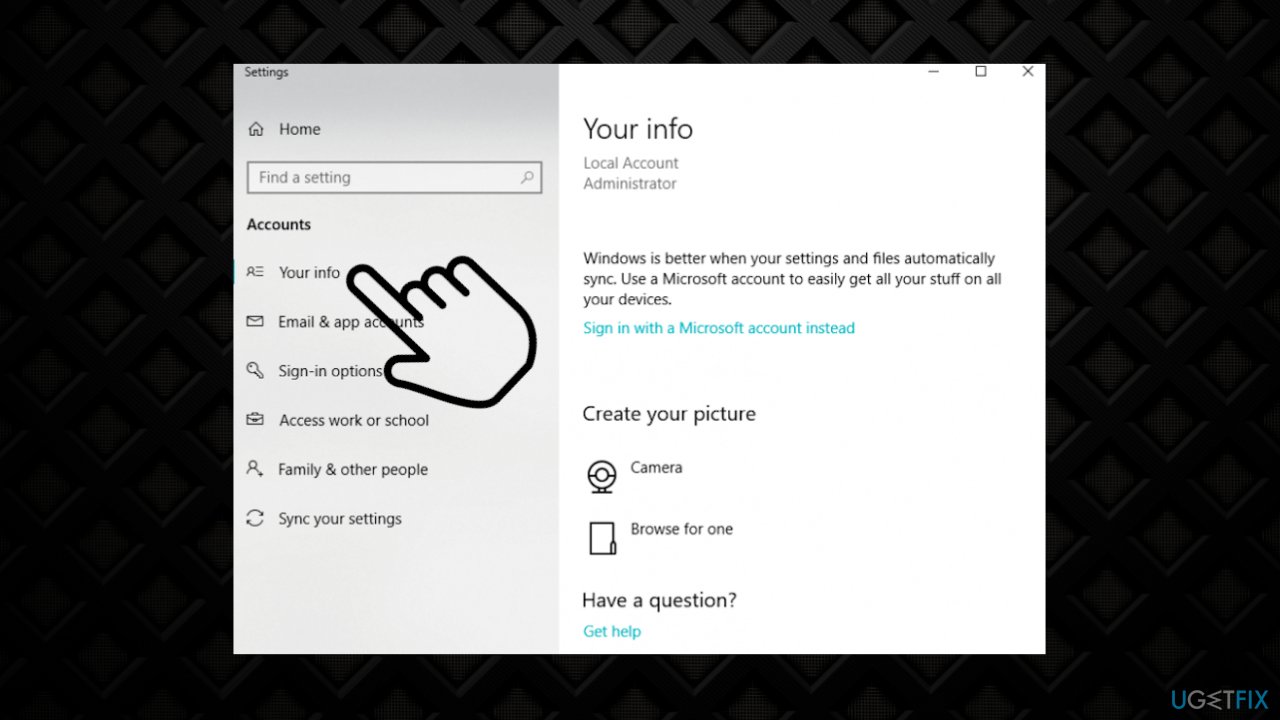
Windows needs your current credentials error user info - Hit the Verify link.
- Follow the list of on-screen commands to verify your info.
- Reboot the device when you’re done.
2. Alter group policy configurations
- Press the Windows + R key to open Run Box.
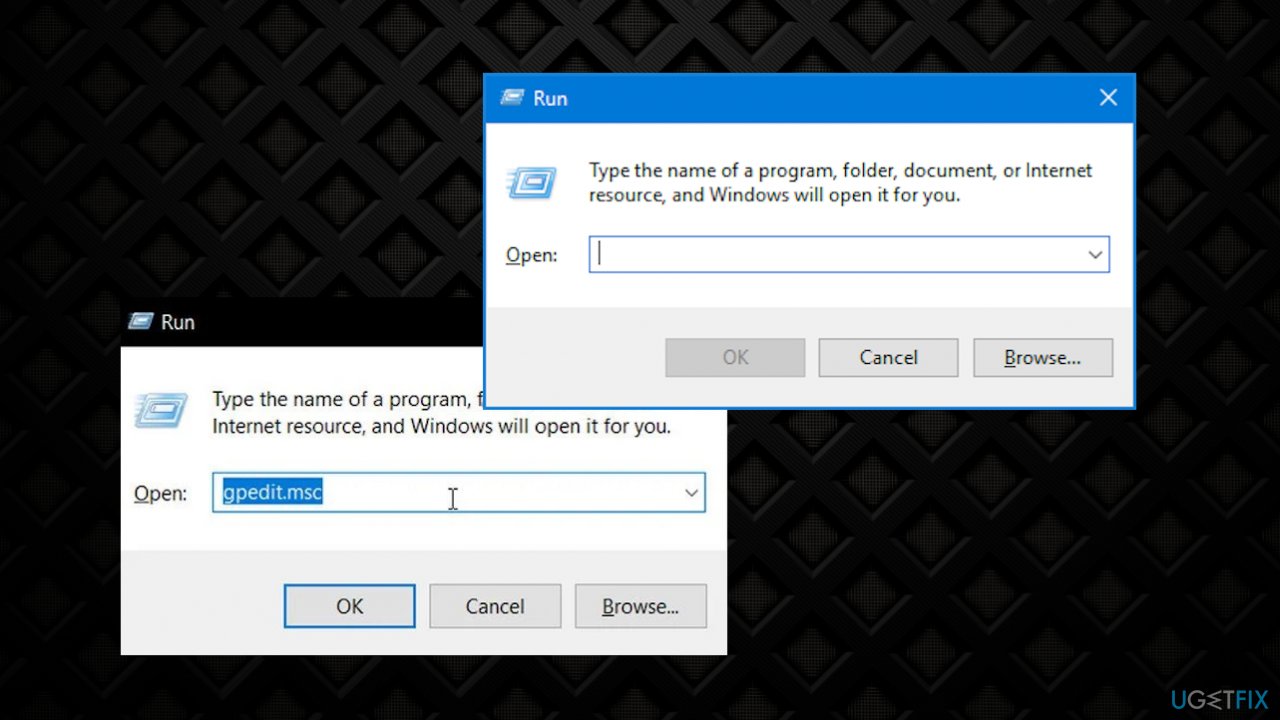
Windows needs your current credentials error run commnad - Type the command gpedit.msc and hit OK.
- The Local Group Policy Editor window appears on your screen.
- On the left side, click on the Computer Configuration.
- Double-click in the Administrative Templets.
- Select System.
- Click on the Login option from the list.
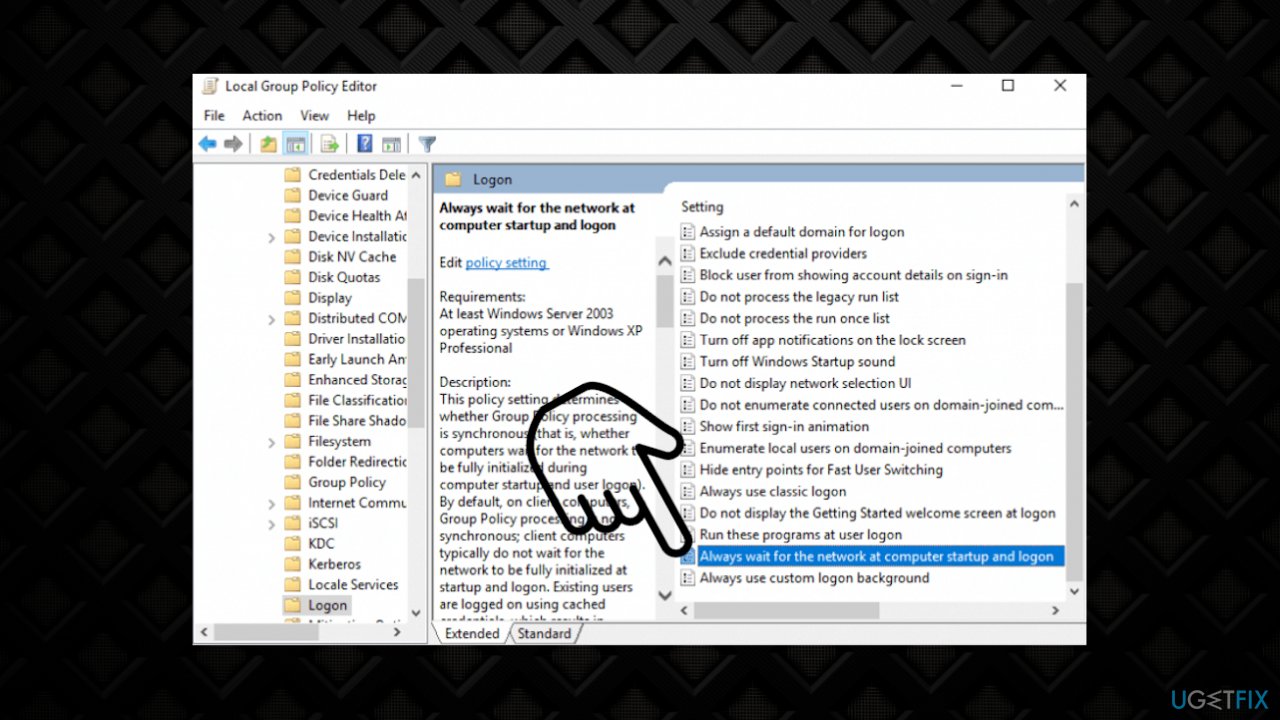
Windows needs your current credentials error group policies - Double-click on an Always wait for the network at computer startup and logon option.
- Check if the option was enabled then Disable it.
- Or try setting it to Not Configured.
- Hit Apply and OK and exit.
3. Activate the Windows 10 trial
- Press Windows + I key to open the Settings window.
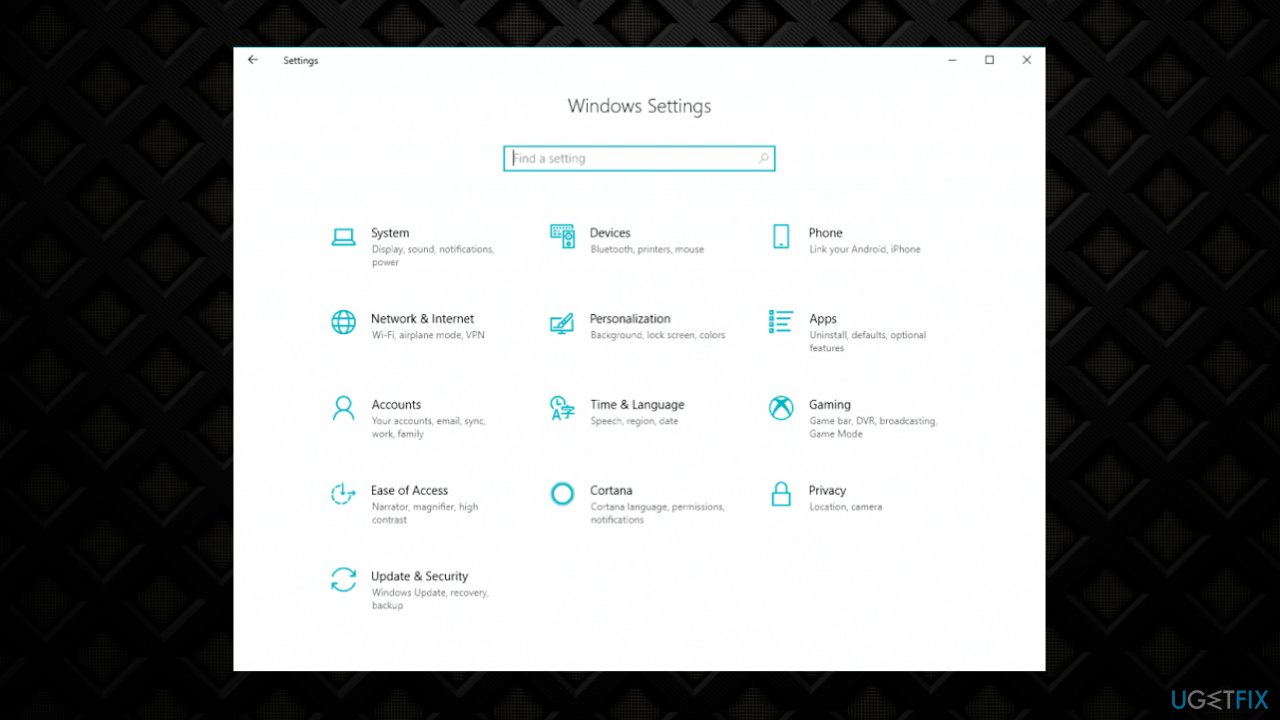
Windows needs your current credentials error settings - Click on the Update & Security option.
- Choose the Activation.
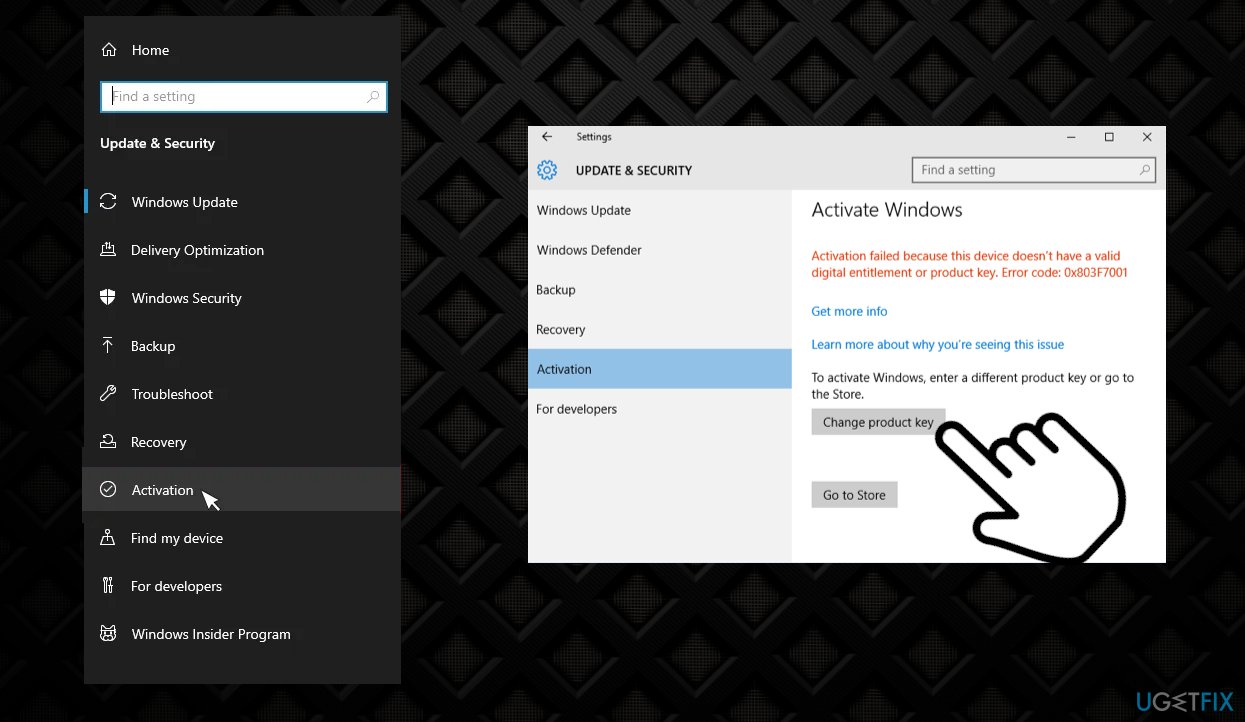
Windows needs your current credentials error activation - Select the option Change Product Key on the right side.
- Enter the product key : VK7JG_NPHTM_C97JM_9MPGT_3V66T and hit Enter. It will initiate the Trial version, and the copy of Windows 10 Pro is not yet activated.
- Locate the Start Upgrade button in the next step and click on it.
- Wait till the process is finished and the system shutdown and reboots.
- You will see the message:
“Working on upgrades <__% complete> Don’t turn off your computer.” - When the process is finished, wait for the Edition upgrade completed.
- Windows 10 is upgraded to the Pro version. Now open the Activation screen, through Settings and verify the current version.
4. Try System Restore
- Click on the Windows Logo using the S.
- Then input Recovery.
- Launch it.
- Click on the Open System Restore option.
- Select the Next toggle.
- Follow the on-screen steps until you finish this.
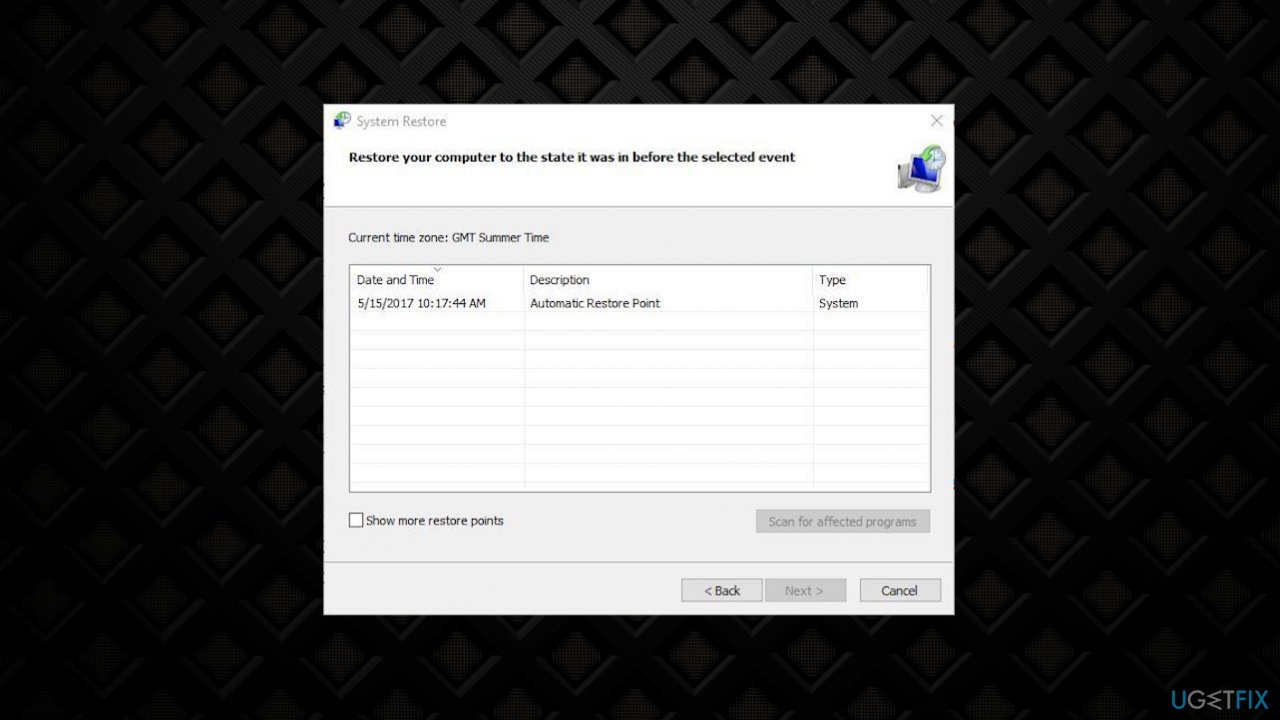
Windows needs your current credentials error system restore - You’ll then receive the list of Restore Points.
- Select one of them to get back to the earlier state.
- Then allow the process to finish and then Restart your PC.
Bottom line
To resolve the 'Windows needs your current credentials' error, you can try repairing the Credential Manager, checking group policy settings, and scanning for malware. Additionally, using a tool to check and repair system files may help. If these solutions do not work, consider further troubleshooting or seeking professional assistance.
Frequently asked questions
This error typically occurs due to outdated or corrupted credentials, especially when accessing network resources or after a system update.
You can reset your credentials by opening the Credential Manager, removing the problematic entries, and then re-entering your login details when prompted.
Yes, changing your Windows password can help, especially if the error is triggered by a mismatch between saved credentials and your current password.




Report an issue
What's wrong with this guide? We review every report and update or remove content.
Report received — thank you. We'll review and fix it.
You need a free account to submit a report.
Be the first to comment