How to fix
Windows update error 80072EFE
on Windows
Resolve Windows update error 80072EFE quickly and effectively with our expert-tested solutions for Windows 10 and 11. Fixed in minutes!

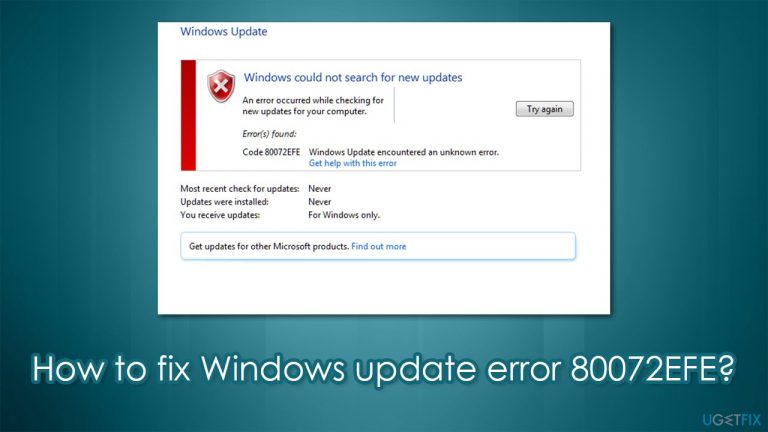
What causes How to fix Windows update error 80072EFE?
- Internet connection problems
- Malware infection
- Issues during OS upgrade
- Bugs in the operating system
- Stability issues
Repairs Windows system files, removes malware, and restores a clean OS state — without reinstalling.
Hi, I am constantly getting 80072EFE errors when trying to update Windows. I have been trying for a couple of weeks now, but the problem does not go away. Is there anything that can be done about this?
Windows updates are very important to any operating system version, despite the popular belief that they are not. First of all, they fix bugs,[ref en-1] stability issues and implement new features regularly. The most important characteristic, however is the fact that Microsoft patches important software vulnerabilities[ref en-2] that could otherwise be exploited by cybercriminals and improve the overall security of the system.
As long as the updates were shipped via the internet connection, there have been problems that many users had to deal with. In fact, the 80072EFE update error is just one of many that people can encounter when trying to update Windows. In some cases, users can see it when trying to upgrade from an older OS version to the newest one.
This error code can usually be seen on Windows 7 machines, although it can also be encountered on Windows 10 in some cases. Those affected might also see a code ERROR_INTERNET_CONNECTION_ABORTED when facing this issue.
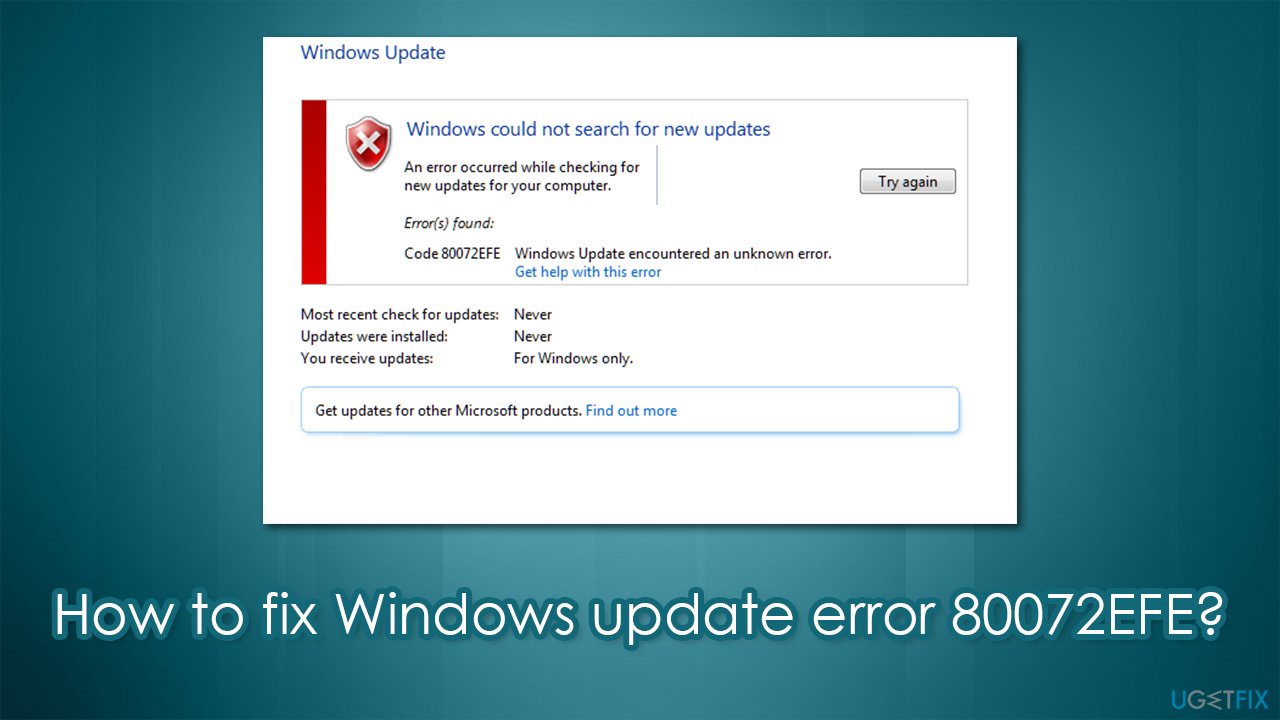
In most cases, the main cause of the error is internet connection problems, which, in itself, can be caused by numerous reasons. If you are facing this issue on Windows 10, the problem likely relates to malware[ref en-3] infection. Therefore, in order to fix the 80072EFE error code, you should first scan your device with antivirus software and then proceed with the other solutions we provide below.
Fix 1. Perform a full system scan with anti-malware
You can use any antivirus software you like, although Microsoft Defender should be able to find and remove malware for your effectively. For that, perform the offline scan:
- Type Windows Security in the search bar and press Enter
- Go to Virus and threat protection section
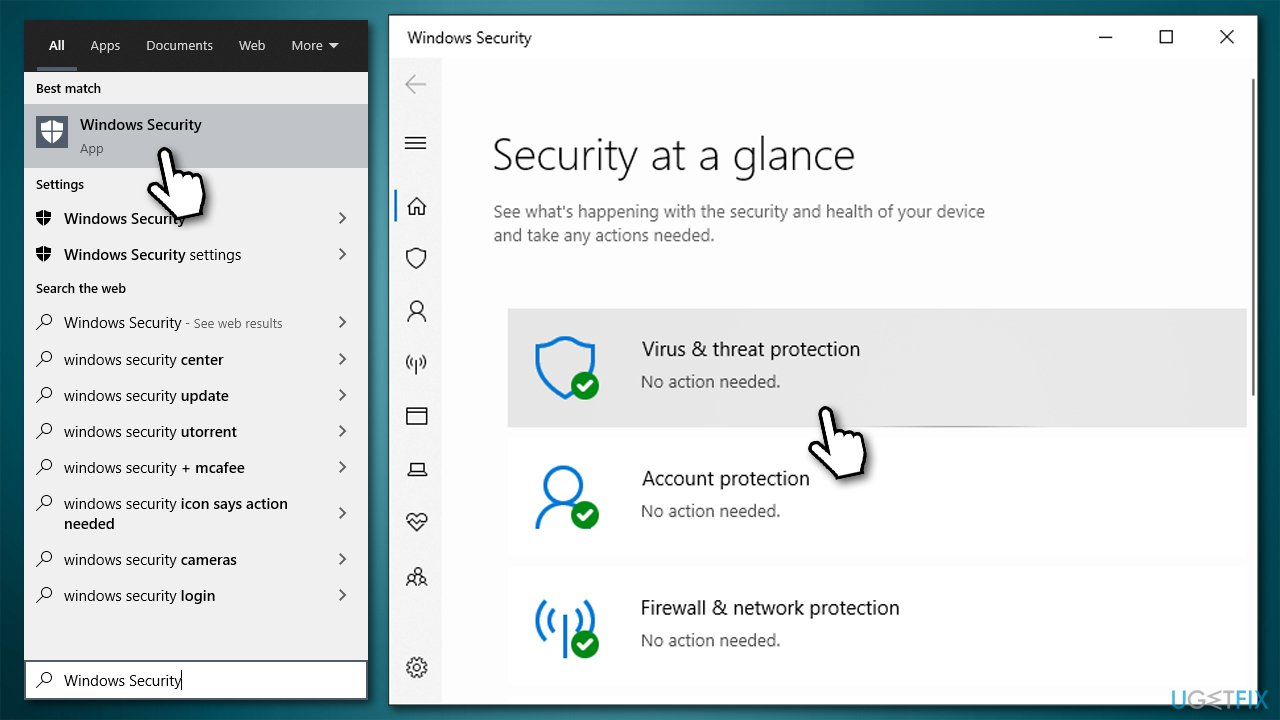
- Select Scan options
- Pick Microsoft Defender offline scan and click Scan now
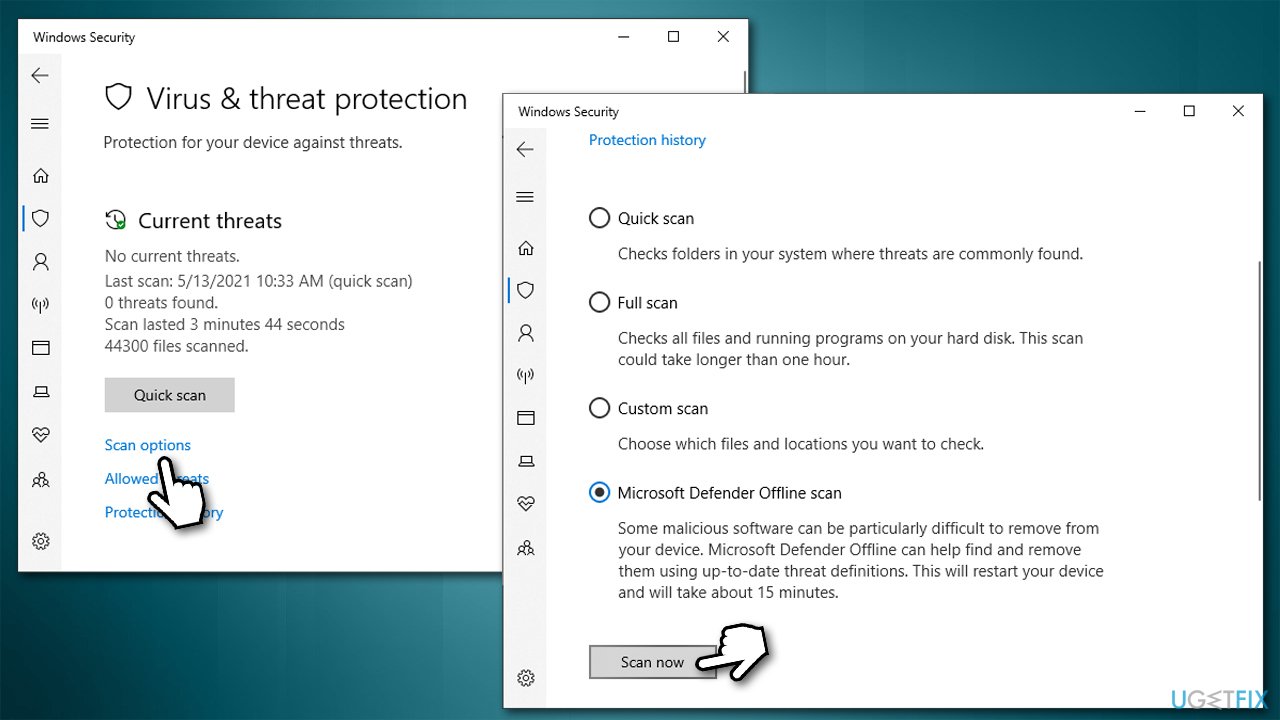
- Your PC will restart and deep scan will begin.
If the scan found the virus and deleted it for you, don't forget to take care of the damage that could have been caused by it. We highly recommend you use [d1] after malware elimination, as it can find and replace damaged DLLs, registries, and other corrupted system files.
Fix 2. Run Windows Update troubleshooter
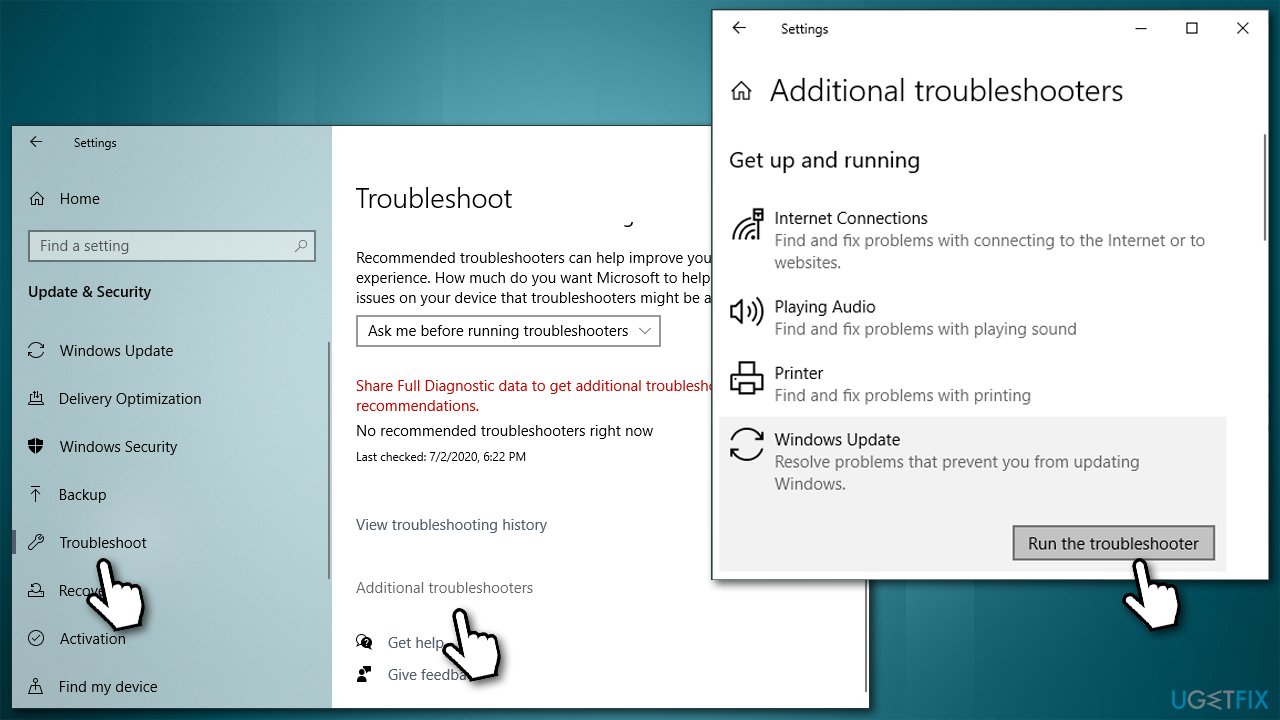
- Right-click on Start and pick Settings
- Go to Update & security section
- Pick Troubleshoot from the left menu
- On the right, you should see troubleshooters listed (if not, click on Additional troubleshooters)
- Select Windows Update and pick Run the troubleshooter.
Fix 3. Check system file integrity
Check whether Windows system files are not corrupted with the help of SFC:
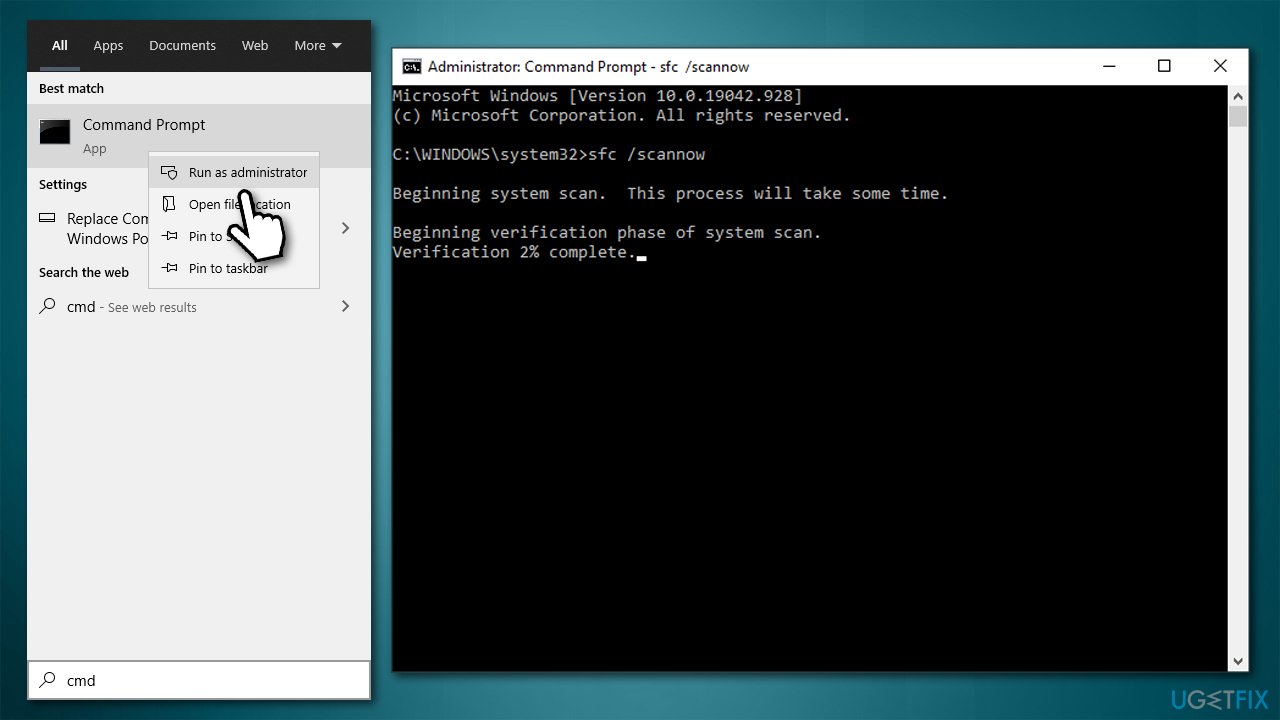
- Type cmd in Windows search
- Right-click on Command Prompt and pick Run as administrator
- If User Account Control shows up, pick Yes
- In the new window, copy and paste the following commands, pressing Enter after each (let each of the scans to complete before you do):
sfc /scannow
DISM /Online /Cleanup-Image /CheckHealth
DISM /Online /Cleanup-Image /ScanHealth
DISM /Online /Cleanup-Image /RestoreHealth
Fix 4. Reset Windows update components
Damaged or corrupted Windows update files might be the root cause of the problem. When dealing with Windows update errors, it is best to terminate related services and then delete the cache:
- Open Command Prompt as administrator
- Paste the following commands, pressing Enter after each:
net stop wuauserv
net stop cryptSvc
net stop bits
net stop msiserver - Press Win + E to open File Explorer
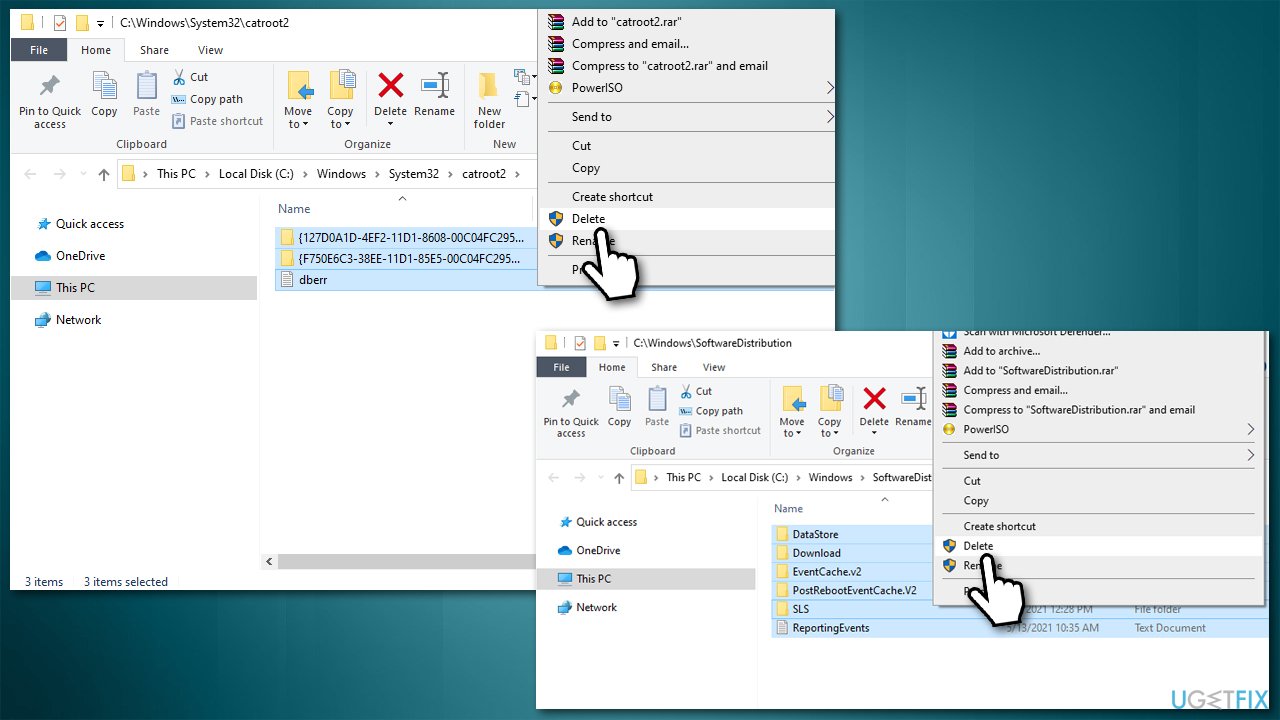
- Delete the contents of the following folders:
C:\\Windows\\System32\\catroot2
C:\\Windows\\SoftwareDistribution
- In Command Prompt, paste the following commands (press Enter each time):
net start wuauserv
net start cryptSvc
net start bits
net start msiserver - Restart your PC.
Fix 5. Reset your internet connection
- Open Command Prompt as admin once again
- Paste in the following command lines:
ipconfig /flushdns
ipconfig /registerdns
ipconfig /release
ipconfig /renew
netsh winsock reset - Restart your PC.
Bottom line
To fix the 80072EFE error code, you should first perform a full system scan with antivirus software, such as Microsoft Defender, to remove any malware. If the issue persists, consider checking your internet connection and exploring other troubleshooting methods. If none of these solutions work, further assistance may be required.
Frequently asked questions
The Windows update error 80072EFE typically indicates a connectivity issue, preventing your Windows 10 or Windows 11 device from accessing the update servers.
To resolve error 80072EFE on Windows 10, try resetting your network settings and ensuring your date and time settings are correct.
For Windows 11, you can also run the Windows Update Troubleshooter and check for any proxy settings that may be blocking the connection.




Report an issue
What's wrong with this guide? We review every report and update or remove content.
Report received — thank you. We'll review and fix it.
You need a free account to submit a report.
Be the first to comment