How to fix
X3daudio1_7.dll is missing or not found error
on Windows
Resolve the X3daudio1_7.dll missing error on Windows 10 and 11 effortlessly. Get quick fixes from experts, complete with screenshots and updated solutions.

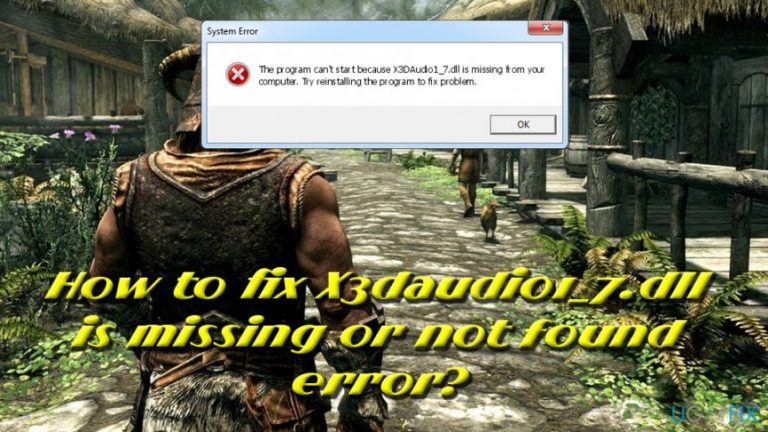
What causes How to fix X3daudio1_7.dll is missing or not found error?
- Missing X3DAudio1_7.dll file
- Issues with DirectX installation
- Malware infection on the computer
- Corrupted game installation
- Incorrect system configuration
Repairs Windows system files, removes malware, and restores a clean OS state — without reinstalling.
Hello. Yesterday I built a new PC, installed Windows, as well as all recommended updates. I also installed DirectX and all the necessary packages. Everything works fine, however, every time I want to launch PUBG, I get the following error: Cannot find X3DAudio1_7.dll. Please, re-install this application. I re-installed the game 3 times by now, and it does not fix the problem. This is driving me crazy! Please help as soon as you can!
The X3DAudio1_7.dll missing errors are related to DirectX[ref en-1] (as is part of DirectX software collection) - an API[ref en-2] for handling graphics-intensive tasks on Windows operating systems. Windows reports this problem because there is something wrong with the DLL[ref en-3] file. Typically, reinstallation of the program does not solve the issue.
Because X3DAudio1_7.dll file is used only by games and other graphics-intensive programs, issues arise only during the attempt to launch the application, or when the game is running and is trying to load a module from DirectX. The X3daudio1_7.dll is missing or not found the error is known to affect various games, including Metro 2033, Skyrim, PUBG, and many others.
There are a variety of error messages that could occur, including:
- Cannot find X3DAudio1_7.dll. Please, re-install this application
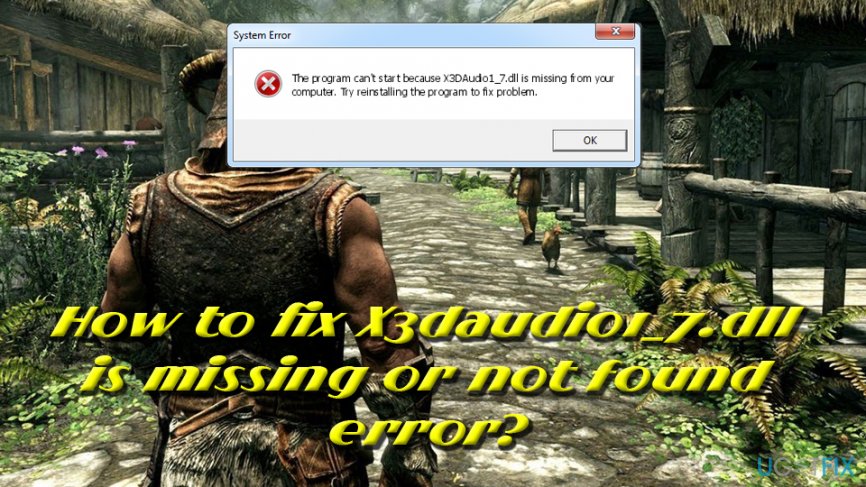
- The program can't start because X3DAudio1_7.dll is missing from your computer. Try reinstalling the program to fix the problem
- X3DAudio1_7.dll not found. Reinstalling might help fix this
- File X3DAudio1_7.dll not found
While in most cases the problem is closely connected to software issues, in some cases, various errors might occur when the computer is infected with malware.[ref en-4] If you experience X3DAudio1_7.dll and other errors, as well as computer slowdowns, crashes, restarts, high CPU and GPU usage, you should definitely install [d1] and perform a full system scan. Malware can sometimes disguise as a legitimate file or even emit no symptoms at all.
After you make sure that the culprit is not a computer virus, you should follow the guide below and fix X3daudio1_7.dll is missing or not found the error.
Warning: DO NOT download X3daudio1_7.dll file from third-party websites. Executable downloaded from unknown sites may be malicious or require you to pay money - which is utterly unnecessary.
Solution 1. Install the newest version of DirectX
Because X3daudio1_7.dll is part of DirectX package, installing the newest version of DirectX may be a quick fix:
- Go to Microsoft DirectX End-User Runtime Web Installer page
- Select the appropriate language and download the applciation
- Locate the downloaded file, double-click it and proceed with the on-screen instructions
- Finally, try to start the application again and see if it fixed the issue
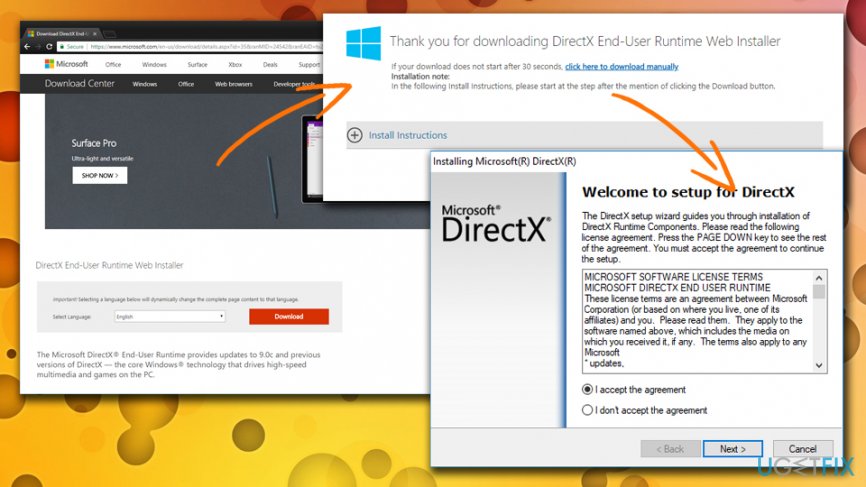
X3daudio1 7 dl error update direct x
Solution 2. Use System File Checker
In some cases, corrupted or accidentally deleted system files may be the cause of The X3DAudio1_7.dll errors. The built-in Windows tool is capable of scanning the machine for all the issues and fixing all abnormalities automatically. Windows re-installation would help too, but there is no need to execute such a lengthy procedure.
- Type in Command Prompt into the task bar search box at the bottom left
- Right click on it an select Run as administrator
- User account control window will pop up. Click Yes
- In Command Prompt Window, type in sfc /scannow and hit Enter
- Let Windows finish the scan and fix all issues automatically
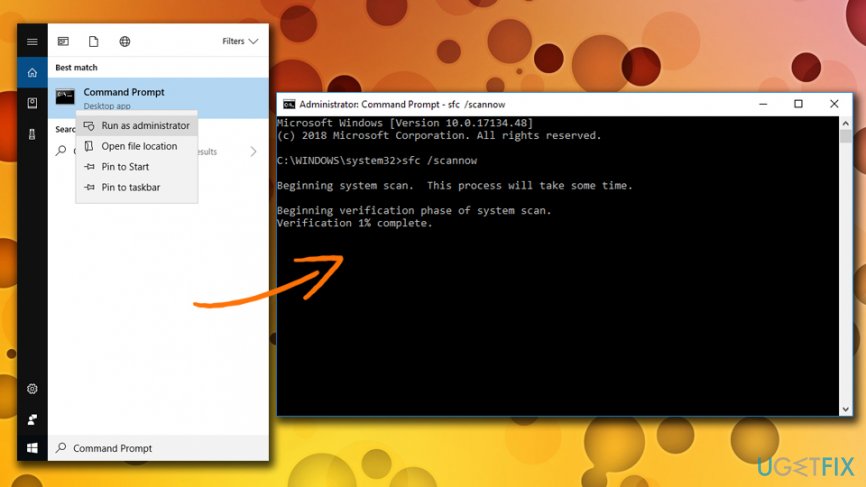
X3daudio1 7 dl error run system file checker
Solution 3. Update your graphics drivers
Because DirectX is handling multimedia tasks, there is a chance that it is not working correctly due to outdated or corrupted video card drivers. To fix X3daudio1_7.dll is missing error by updating video card drivers, follow these steps:
- Type in Device Manager into the task bar search box
- Expand your Display adapters and select the graphics card
- Right-click on it and pick Update Driver
- Select Search automatically for updated driver software and let Windows install newest driver version
- Reboot your computer
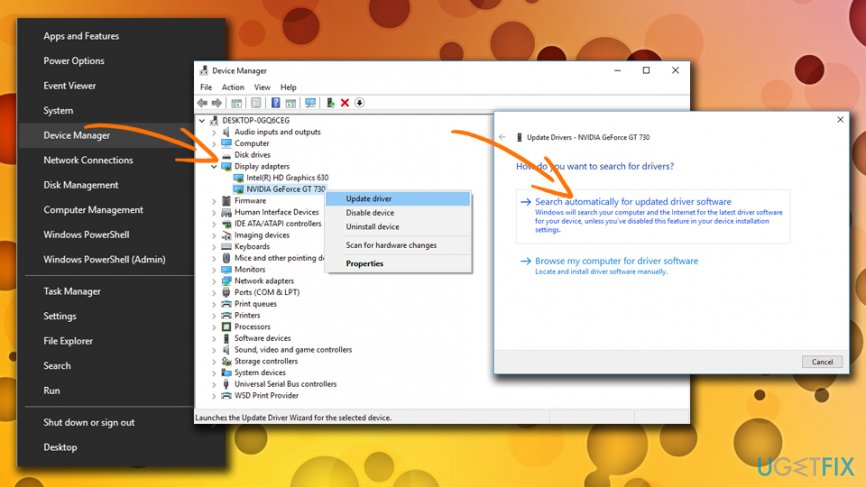
X3daudio1 7 dl error update graphics drivers
Bottom line
To fix the X3DAudio1_7.dll missing error, ensure that DirectX is properly installed, scan your system for malware, and consider reinstalling the game. If these steps do not resolve the issue, further investigation into system settings or hardware compatibility may be necessary.
Frequently asked questions
This error typically occurs due to missing or corrupted game files, outdated audio drivers, or improper installation of applications that rely on the X3daudio1_7.dll file.
You can restore the X3daudio1_7.dll file by reinstalling the application that generated the error, or by downloading the file from a reputable source and placing it in the appropriate system directory.
Yes, you can use the System File Checker (SFC) tool by running 'sfc /scannow' in the Command Prompt, which will scan and repair missing or corrupted system files.




Report an issue
What's wrong with this guide? We review every report and update or remove content.
Report received — thank you. We'll review and fix it.
You need a free account to submit a report.
Be the first to comment