How to fix
“You’ll need a new app to open this ms-windows-store” error
on Windows
Resolve the "You'll need a new app to open this ms-windows-store" error on Windows 10 and 11 swiftly. Expert-tested solutions await! Zero traces left.


What causes How to fix “You’ll need a new app to open this ms-windows-store” error on Windows Store?
- Windows Store cache
- Third-party apps
- Damaged system files
- Malware
Repairs Windows system files, removes malware, and restores a clean OS state — without reinstalling.
“You’ll need a new app to open this ms-windows-store” error when trying to open Windows Store. I used it a couple of hours ago and everything was fine. Have no ideas what might have happened. Would highly appreciate your help.
Windows Store is one of the pre-installed Windows 10 (and older versions) application, which provides access to thousands of programs compatible with Windows. Programs available on the Windows Store for download are digitally signed, which means that developers ensure that the programs are error-free and safe to use. On top of that, Windows Store service provides Windows OS with the latest updates and patches. Thus, if Windows Store malfunctions, you may have serious problems.
Windows Store is often stroke by errors
Sadly, Windows Store bugs are more common than Microsoft expects. Typically, people are able to launch the app, but an attempt to download or install an app or update ends up with a failure. Nevertheless, sometimes Windows Store refuses to run and displays an error “You’ll need a new app to open this ms-windows-store.” Microsoft hasn’t yet acknowledged the issue, but there are some fixes that may help you to fix “You’ll need a new app to open this ms-windows-store” error and we’ll provide them down below.
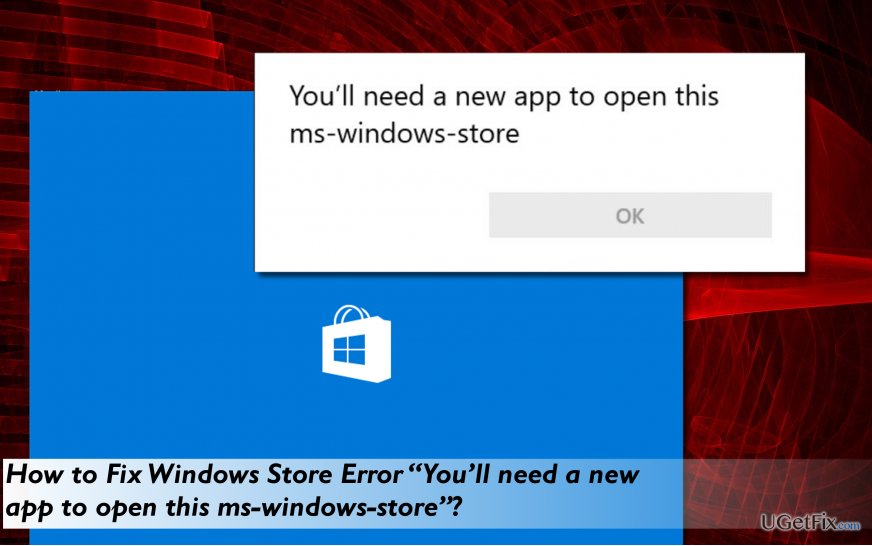
Fixing “You’ll need a new app to open this ms-windows-store” error
Windows Store app may fail to work due to various reasons. The culprit may be Windows Store cache, third-party apps, damaged system files or similar. However, the outcome is clear – a complete Windows Store damage. To fix “You’ll need a new app to open this ms-windows-store” error, we would recommend you to scan the system with reliable anti-malware, then clear Windows Store cache and, finally, re-install the Store.
Option 1. Run a professional anti-malware
Malware can damage Windows Store files and trigger the “You’ll need a new app to open this ms-windows-store” error. Thus, we recommend installing [d1] and running a full scan with it. This tool is useful in particular when dealing with various system errors as it primarily optimizes the system and then check for PUPs and malware thoroughly.
Options 2. Reset Windows Store
- Press Windows key + R, type WSReset.exe, and press Enter.
- Right-click on it and select Run as administrator.
- Press Yes on the UAC window and close everything.
- Restart Windows Store app and try to download the app you needed.
Option 3. Reinstall Windows Store
- Click Windows key + R, type PowerShell, and press Enter.
- Right-click on the search results and select Run as Administrator.
- Type Get-Appxpackage –Allusers and press Enter.
- Find Windows Store entry and copy the package name. For this purpose, mark it and press Ctrl + C.
- Now type Add-AppxPackage -register “C:\\Program Files\\WindowsApps\\” –DisableDevelopmentMode command.
NOTE: replace PackageFullName with the Windows Store package name by pressing "Ctrl + V." Besides, instead of C: type the letter of the root driver of your system. - Reopen PowerShell with administrative privileges as explained above.
- Paste Add-AppxPackage -register “C:\\Program Files\\WindowsApps\\” –DisableDevelopmentMode command and press Enter.
- Finally, reboot the system to execute all changes.
Bottom line
To fix the 'You’ll need a new app to open this ms-windows-store' error, it is recommended to scan the system with reliable anti-malware, clear the Windows Store cache, and re-install the Store. If these solutions do not resolve the issue, further investigation may be needed.
Frequently asked questions
This error indicates that there is a problem with the Microsoft Store app or its associated files on your Windows system, preventing it from launching correctly.
You can open PowerShell as an administrator and run the command 'Get-AppxPackage Microsoft.WindowsStore | Remove-AppxPackage' followed by 'Get-AppxPackage -allusers Microsoft.WindowsStore | Foreach {Add-AppxPackage -DisableDevelopmentMode -Register "${$_.InstallLocation}\AppXManifest.xml"}' to reinstall the Microsoft Store.
Ensure that your Windows 11 is updated to the latest version and check that your date and time settings are correct, as discrepancies can cause issues with the Microsoft Store.




Report an issue
What's wrong with this guide? We review every report and update or remove content.
Report received — thank you. We'll review and fix it.
You need a free account to submit a report.
Be the first to comment