How to fix
“Your computer was disabled”
on Windows
Resolve the "Your computer was disabled" issue on Windows 10 or 11 quickly and effectively. Expert-tested solutions inside, fixed in minutes!

What causes How to fix “Your computer was disabled”?
- Fake security alert
- Adware program
- Social engineering attack
- Technical support scam
- Potentially unwanted program
Repairs Windows system files, removes malware, and restores a clean OS state — without reinstalling.
Hello, from time to time I get a message stating " Your computer was disabled". There is a number that they suggest to call (888) 727-3087 and fix the issues with my device. The alert claims that my data is at risk. I don't believe this is Microsoft support number or service. Sometimes it involves a specific error like XLMR01F985, for example. I think this is fake or even caused by malware. I don't know what to do because reboots and anti-malware scans are not giving results. How can I fix it?
"Your computer was disabled" pop-up message is a fake security alert which is most likely caused by the adware program and social engineering attack.[ref en-1] The alert that freezes your screen and affects the browser is not delivered by the Microsoft or Windows team. This is a technical support scam that aims to get people's money, personal or financial details.
Fake messages with "Your computer was disabled" statements are not the main infection, and you need to get rid of. The potentially unwanted program that lures on your machine causes alerts, redirects, commercial content and other possible symptoms on the device.[ref en-2]
Calling the provided number or contacting scammers in other ways can lead to money loss, stolen information or even more severe malware infection. When you initiate the contact, they may ask you to allow the remote access or download specific software. When they get on your system, various methods can be used to collect your personal details like banking logins, credit card information.[ref en-3]
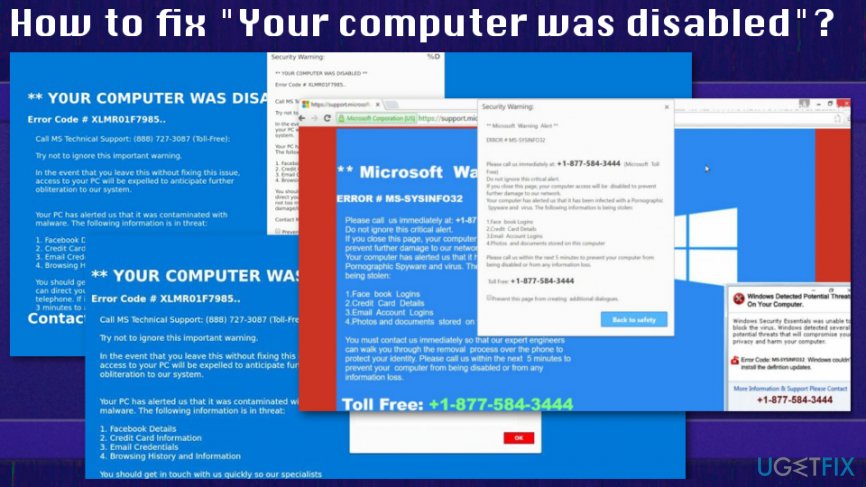
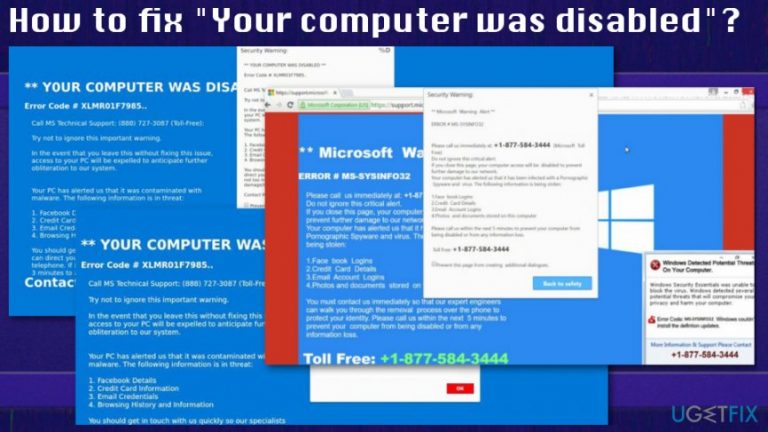
The "Your computer was disabled" or Error Code XLMR01F7985 alerts may display the following text:
YOUR COMPUTER WAS DISABLED
Error Code # XLMR01F7985
Call MS Technical Support: (877) 374-3014
Try not to ignore this important warning.
In the event that you leave this without fixing this issue, access to your PC will be expelled to anticipate further obliteration to our system.Your PC has alerted us that it was contaminated with malware. The following information is in threat:
1. Facebook Details
2. Credit Card information
3. Email Credentials
4. Browsing History and informationYou should get in touch with us quickly so our specialists can direct you through the rebuilding procedure by telephone. If it’s not toll much trouble call us in the next 3 minutes to alert sever damage/loss data of your PC.
Contact MS Expert: (877) 374-3014 (Toll-Free)
Although the phone number, text or other details may be different these "Your computer was disabled," or Error Code XLMR01F7985 scams work the same. You need a thorough system scan and malware removal process to clean this system entirely.
Ways to fix "Your computer was disabled" or Error Code XLMR01F7985 fake alerts
When "Your computer was disabled," or Error Code XLMR01F7985 alerts appear on the screen for the first time, you can try closing the window or exiting the browser entirely. However, constant alerts about the system issue indicate the infiltration of a PUP that needs to be deleted. Anti-malware tools are not built the same and databases may vary from tool to tool, so not every one of them are going to detect intrusive programs.
Also, getting software from reputable source ensures that the program is up-to-date and avoids any additional installations. Software bundling and deceptive websites or promotional ads are the main methods used to deliver this PUP in the first place. Get the anti-malware tool or PC repair program like [d1] and clean the machine. But fix additional issues on the machine by following suggested methods below.
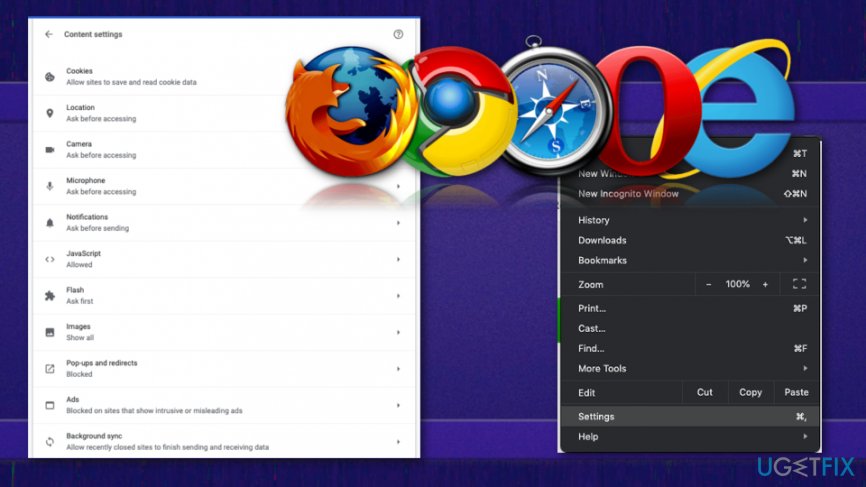
Additionally, there is a need to reset browsers if the PUP already altered preferences to make termination more difficult.
Uninstall suspicious programs via Control Panel
- Open Start menu and search for Control Panel.
- Go to the list and find Programs & Features.
- Click on Uninstall a program.
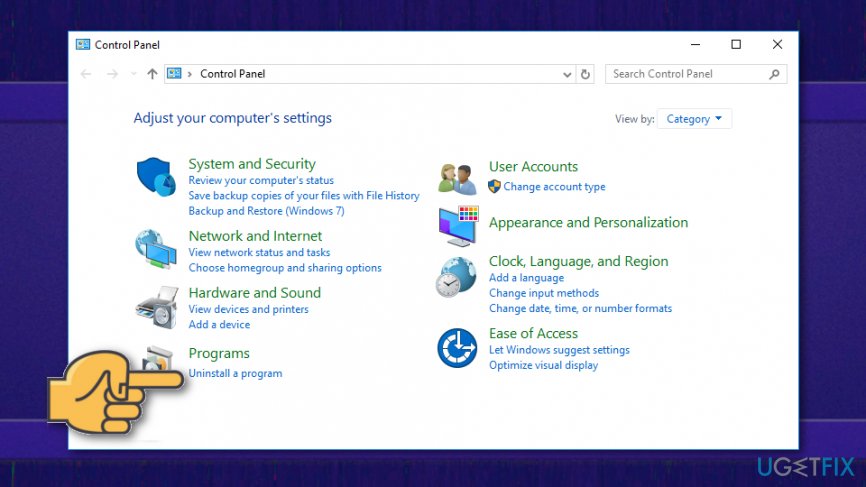
How to fix your computer was disabled program uninstall - Find a particular program and click on it.
- Then choose the Uninstall button on the toolbar.
- The following program may be the ones that cause the fake security alerts:
YeaDesktop, Wajam, 1.0.0.1, DNS Unlocker, Cinema Plus, Price Minus, SalesPlus, New Player, MediaVideosPlayers, Browsers_Apps_Pro, PriceLEess, Pic Enhance, etc.
Eliminate PUPs from MacOS device
- Open Utilities by pressing ⇧+⌘+U.
- Find Activity monitor and double-click it.
- Look for questionable processes and select Force quit option to end the process.
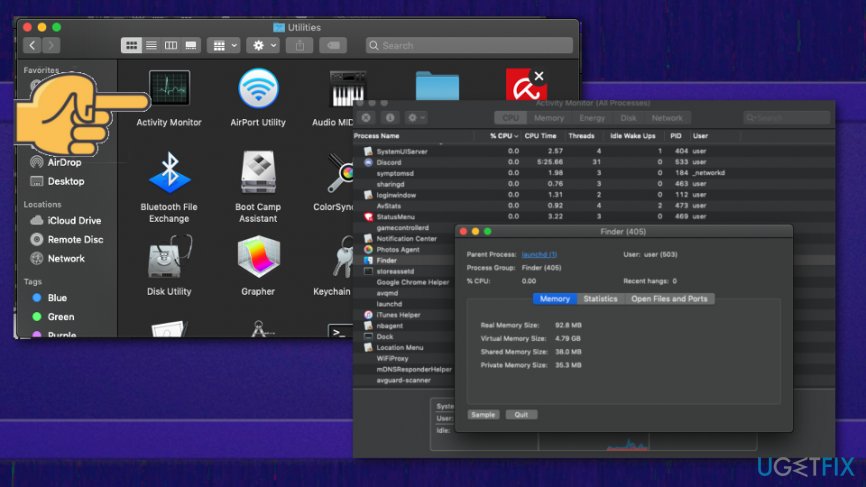
How to fix your computer was disabled activity monitor - Go to Applications.
- Move to trash any suspicious programs.
- Empty the trash.
Bottom line
The 'Your computer was disabled' message is a scam that can be caused by adware or malware. To fix this issue, you should run anti-malware scans and remove any unwanted programs. If these steps do not resolve the problem, consider seeking professional technical support.
Frequently asked questions
Try restarting your computer in Safe Mode and run a full antivirus scan to check for malware that might have caused the issue.
Yes, you can attempt to restore your system to an earlier point using System Restore or repair the system files using the Command Prompt.
This message often appears due to malware infections, corrupted system files, or issues with Windows updates that disrupt system functionality.




Report an issue
What's wrong with this guide? We review every report and update or remove content.
Report received — thank you. We'll review and fix it.
You need a free account to submit a report.
Be the first to comment