How to fix
Your pc ran into a problem and needs to restart
on Windows
Resolve the "Your PC ran into a problem" error on Windows 10 and 11 effortlessly. Get your device back on track with our expert-tested solutions.

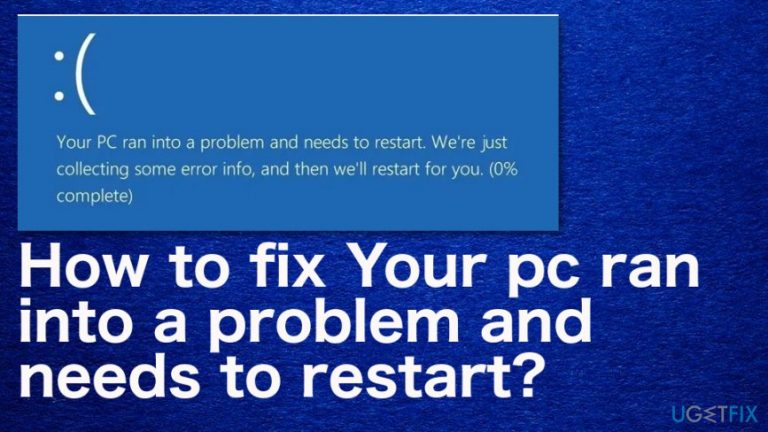
What causes How to fix Your pc ran into a problem and needs to restart?
- Changes in the registry
- Corrupted system files
- Problematic driver
- Virus/malware infection
- Loose hard drive connection
- Improper shutdown of the system
Repairs Windows system files, removes malware, and restores a clean OS state — without reinstalling.
Hello. I ran to a problem with a Blue Screen of Death. "Your PC Ran Into a Problem And It Needs to Restart" appears on the screen, and I don't know what should I do about it. PC becomes unresponsive, and the system restarts automatically but freezes again after that. I restarted the Windows using the power button and experienced the error yet again. What you can suggest?
The Blue Screen of Death "Your pc ran into a problem and needs to restart" is the error that appears quite commonly on various Windows devices. The blue screen itself indicates that this is a fatal system error and that the OS reached a point where the device cannot operate properly due to the issue.[ref en-1] Fortunately, it can also be solved with standard methods, but everything depends on the particular reason why the error appears in the first place.
When a computer runs to an issue like "Your pc ran into a problem and needs to restart" error, it means that the device itself tries to prevent the crucial damage by stopping the operations. You need to take action to solve the problem so damage can be prevented or at least reduced.
The possible reason for this type of system notification is a particular error, but without a specific code, it is hard to determine how "Your pc ran into a problem and needs to restart" BSOD can be solved. It can be related to memory issues, corrupted files, drivers, or even malware infection[ref en-2] or virus damage.
You should check those system files, try to update drivers, Windows OS,[ref en-3] and apply other methods to know which technique works the best to determine the reason behind your frustration. To narrow them down to the following factors might trigger the error:
- Changes in the registry;
- Corrupted system files;
- Problematic driver;
- Virus/malware infection;
- Loose hard drive connection;
- Improper shutdown of the system.
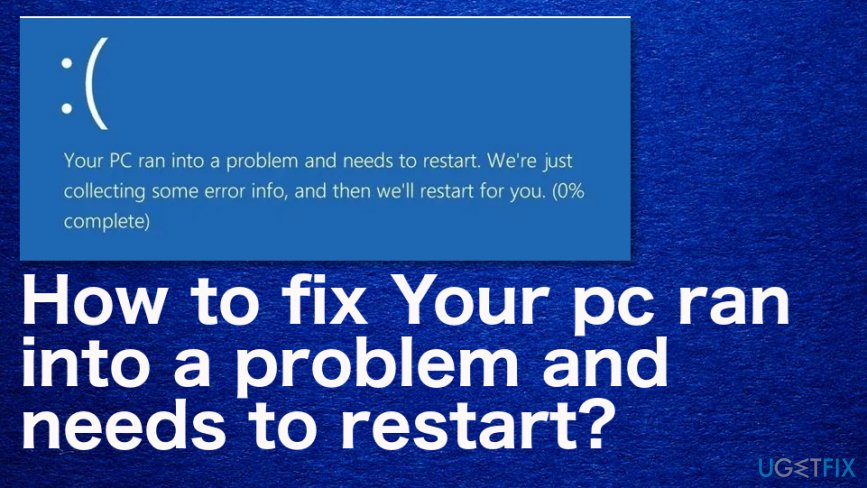
How to fix Your pc ran into a problem and needs to restart
"Your pc ran into a problem and needs to restart" is the screen that can show other messages or error codes to determine the particular issue. The first step in this journey to find the best solution should be a system scan using [d1] that should indicate suspicious programs or even damaged files for you. Then you can rely on the methods listed below and possibly fix the problem related to this BSOD. Try a few solutions at least.
Boot into the Safe Mode and then boot normally to fix "Your pc ran into a problem and needs to restart" issue
- Go to Start and then Settings.
- Find Update&Security and Recovery option.
- Go to Advanced startup and choose to Restart now.
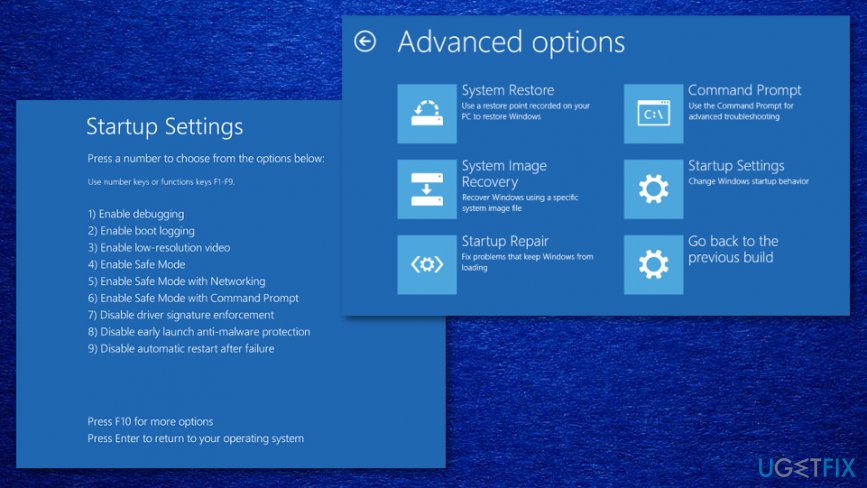
How to fix your pc ran into a problem and needs to restart startup - After that, go to Troubleshoot and Advanced options.
- Again to Startup Settings and Restart.
- You can choose the Safe Mode option on the Startup Settings window and restart the machine.
Check the disk
- Go to This PC and right-click on the drive to choose Properties.
- Then locate Tools and Check, to find a Scan drive option.
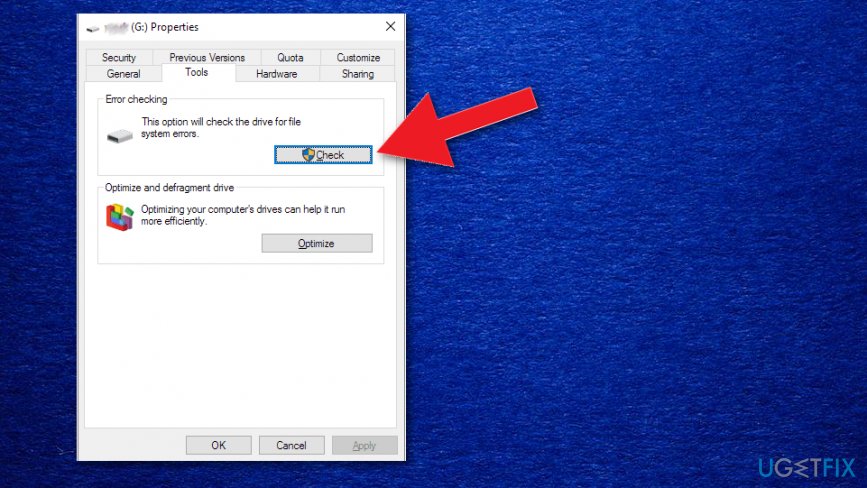
How to fix your pc ran into a problem and needs to restart disk check
Check the System Log in Event Viewer to fix Your pc ran into a problem and needs to restart
- Find Event Viewer via Start.
- Right-click the program and choose Run as administrator.
- Expand the Windows Logs and choose System.
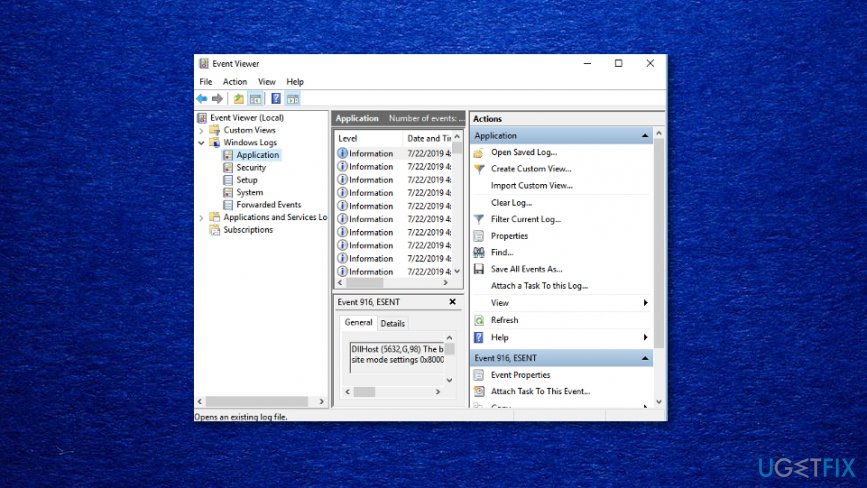
How to fix your pc ran into a problem and needs to restart event viewer - Check for errors and fix them according to the info.
Modify the Memory Dump Settings
- Press Windows key + S and enter the advanced system.
- Then select View advanced system settings from the results.
- Choose Advanced in the Properties window and under the Start-up Recovery topic click on Settings.
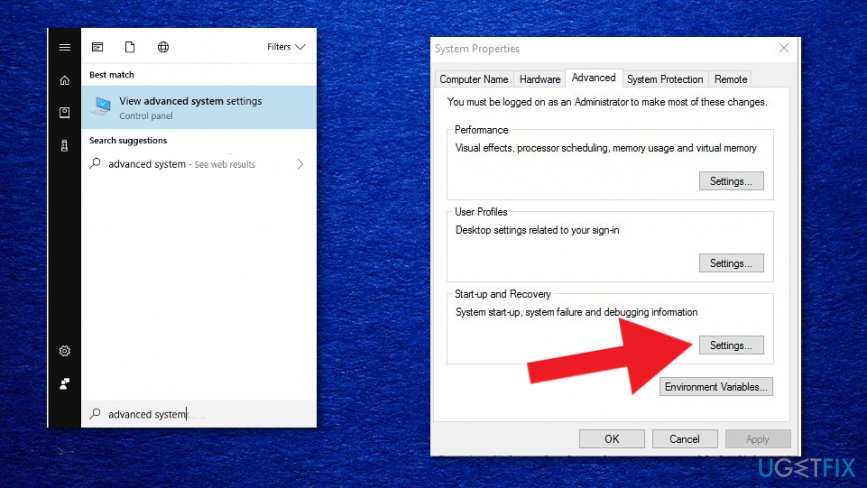
How to fix your pc ran into a problem and needs to restartdump memory - Under the System failure option, uncheck the box next to Automatically restart.
- Click the drop-down menu and left-click again on the Complete memory dump option.
- Save changes and reboot the device
Perform a System Restore to fix "Your pc ran into a problem and needs to restart" error
- Press Windows + S again and type system restore.
- Choose to Create a restore point.
- When System Properties window opens click the System Restore button.
- Continue with the process by clicking Next.
- Choose the point and follow the processing steps.
Bottom line
To fix the "Your PC ran into a problem and needs to restart" error, you should check system files, update drivers, and ensure Windows is up to date. If these methods do not resolve the issue, further investigation into the specific error code or consulting professional help may be necessary.
Frequently asked questions
Try booting into Safe Mode to troubleshoot the issue. If that doesn't work, consider running a system restore to revert your system to a previous state.
Yes, you can attempt to repair the system using Windows Recovery Environment without losing your personal files. Use the Startup Repair option to fix the issue.
This error can be caused by hardware failures, corrupt system files, or incompatible software. Regularly updating Windows 10 or Windows 11 can help prevent these issues.




Report an issue
What's wrong with this guide? We review every report and update or remove content.
Report received — thank you. We'll review and fix it.
You need a free account to submit a report.
Be the first to comment