How to fix
Turn on wireless capability
on Windows
15 minutes Hello. I need help from you. I have a Windows laptop and connecting to Wi-Fi. I even get the “Wireless capability is turned off” error. I have no idea what is wrong because I checked the hardware and all the things are ok. The wifi is working on my phone, so I can…


What causes How to turn on wireless capability in Windows?
- Incompatible drivers
- Outdated drivers
- Windows Updates issues
- Malware infections
- Corrupted data in the registry
Repairs Windows system files, removes malware, and restores a clean OS state — without reinstalling.
Hello. I need help from you. I have a Windows laptop and connecting to Wi-Fi. I even get the "Wireless capability is turned off" error. I have no idea what is wrong because I checked the hardware and all the things are ok. The wifi is working on my phone, so I can connect to the internet, apparently. Can you help me fix the issue with my computer?
There are various ways to turn your wi-fi on in Windows machines. Keyboard commands, menu settings, the application preferences. However, these issues with not connecting devices and the internet can be triggered by problems with your machine. It is the best and the easiest way to connect to the network because there is no need to have a cable and you can use your laptop wherever.
The issue when you need to turn on wireless capability is a topic for complaints.[ref en-1] People cannot solve the inability of the computer to connect to the wi-fi and it is frustrating. Unfortunately, the issue can be related to various problems on the machine, so troubleshooting is needed and some serious changes might be required to solve the error.
Networking problems can cause such connectivity issues, drivers that are incompatible or outdated can also trigger issues with the functions. Windows Updates[ref en-2] and even malware[ref en-3] can lead to turn on wireless capability in Windows issues and other problems with the system.
All these issues are frustrating and come out of nowhere, but it is possible to fix the problem and forget about the error entirely. This Wireless capability is turned off the problem can occur while you troubleshoot the issue, so fixes should be offered. However, there are additional solutions for the problem and the main solution for many system problems is the damaged and corrupted data repair. You can rely on [d1] or a similar tool that finds and repairs problems in the registry and other folders.
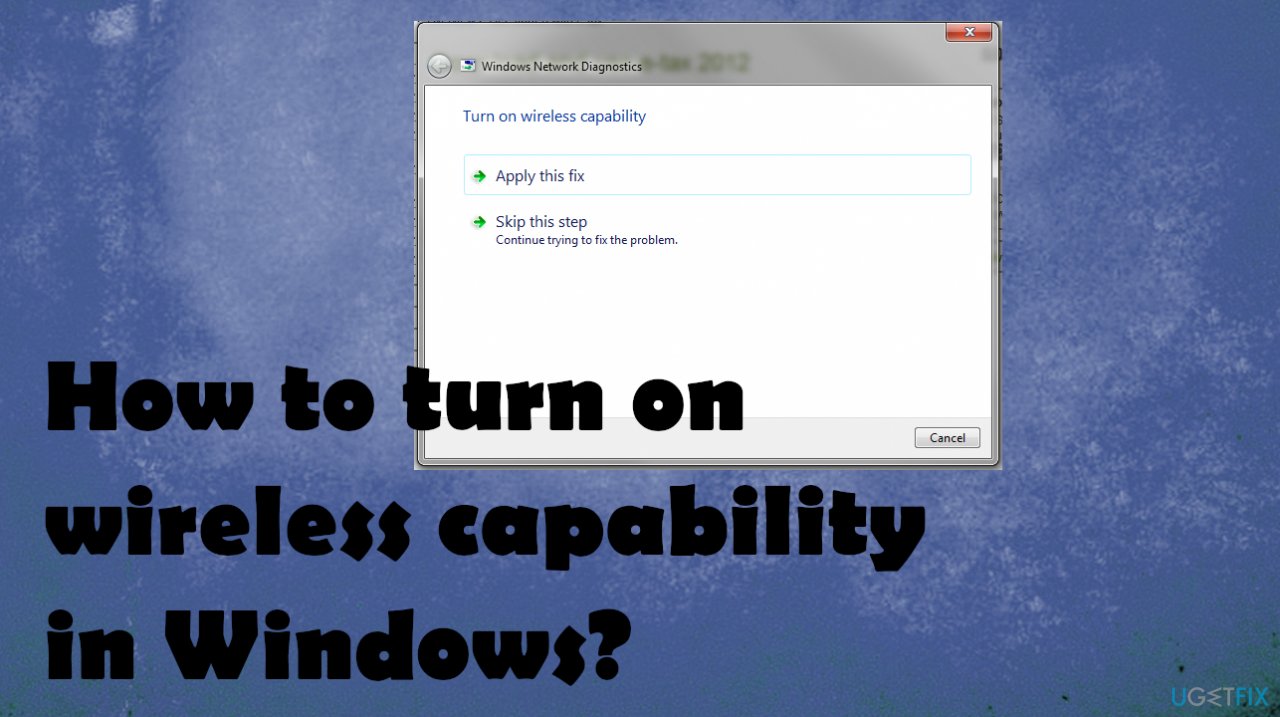
1. Update wireless network adapter drivers
- Open the device manager by holding down the Windows and R keys and putting devmgmt.msc in.
- Do not forget to click OK.
- In the Device Manager, you will find different drivers.
- Go to Network adapters and then expand it.
- Right-click on the drivers and then select Update Driver Software.
- Select Search automatically for updated driver software.
- Your computer will search online for drivers and updates them.
Another option for driver updates can be [rev id="DriverFix"] or similar applications. This is the program that searches and installs needed updates of driver software.
2. Turn on Power management
- Open your control panel.
- Select Network Connections under Network and Internet.
- Right-click on the WiFi or the wireless connection.
- Choose Properties.
- Under the Networking Tab, click on Networking.
- Click on Configure.
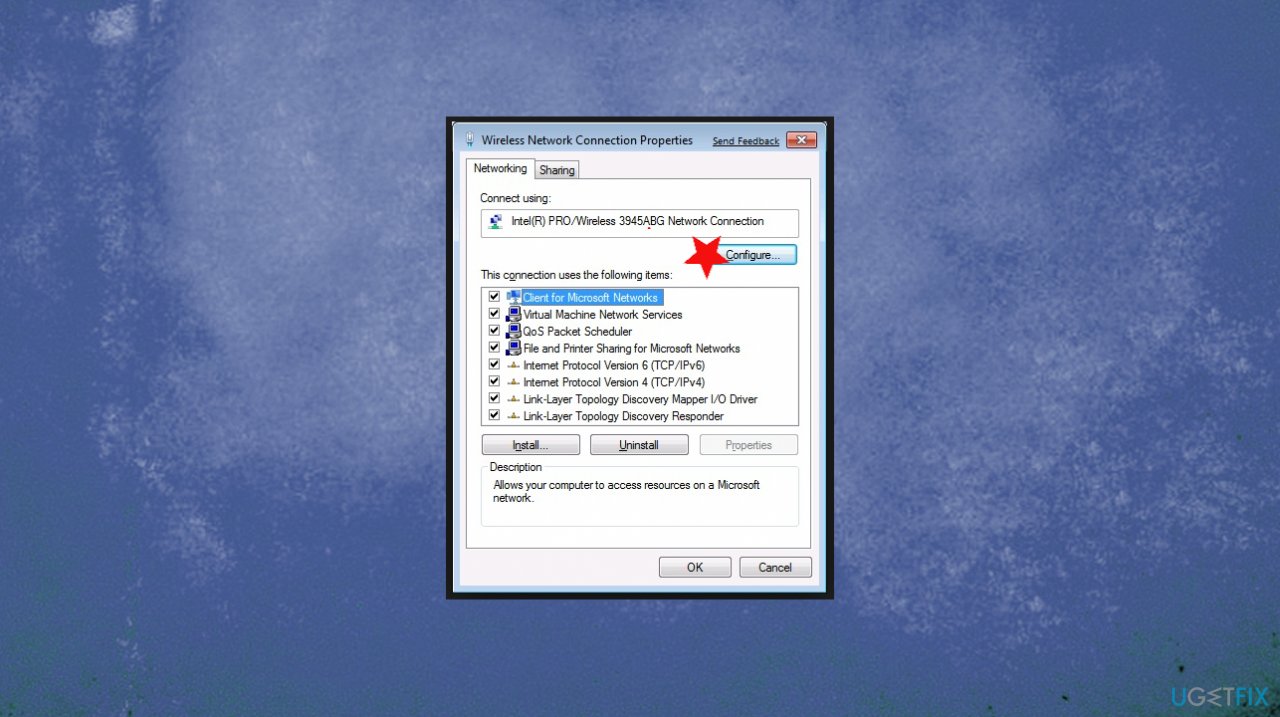
Turn on wireless capatibility fix configure - Go to the Power Management tab.
- Then uncheck the box for Allow the computer to turn off this device to save power.
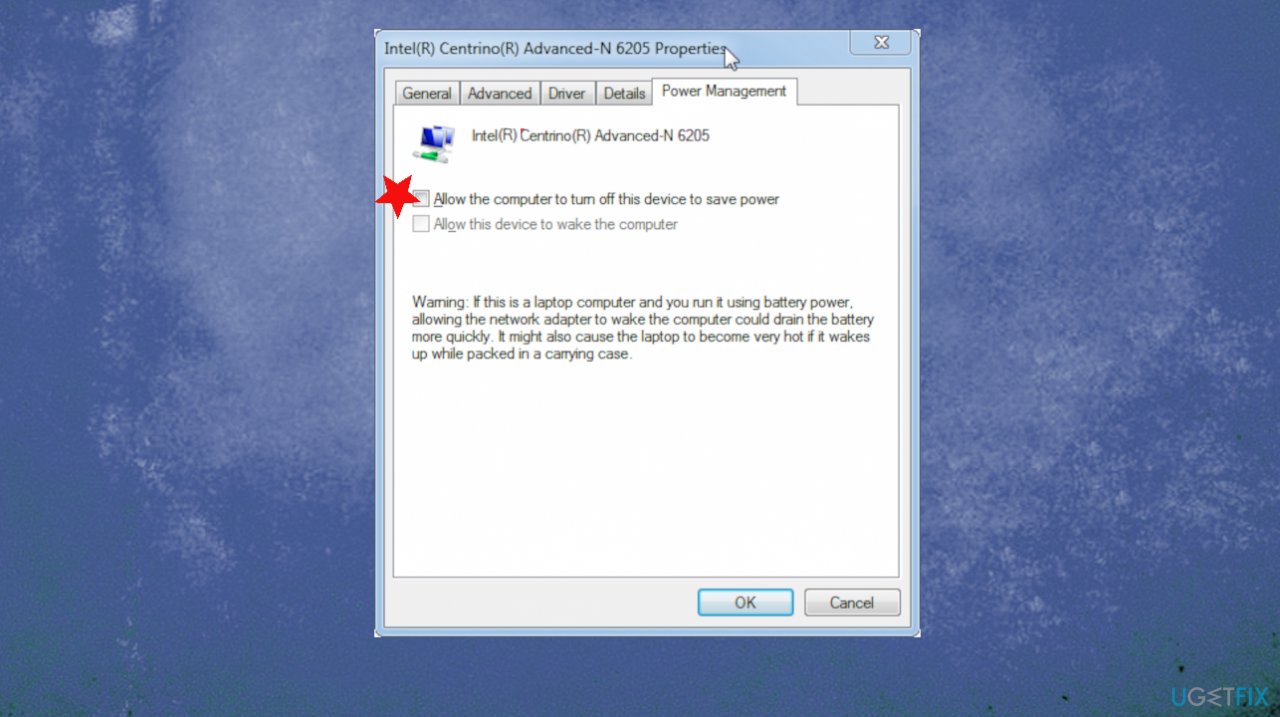
Turn on wireless capatibility fix allow
3. Turn on Wi-fi manually
- Click the Windows button.
- Click Settings.
- Select Network & Internet.
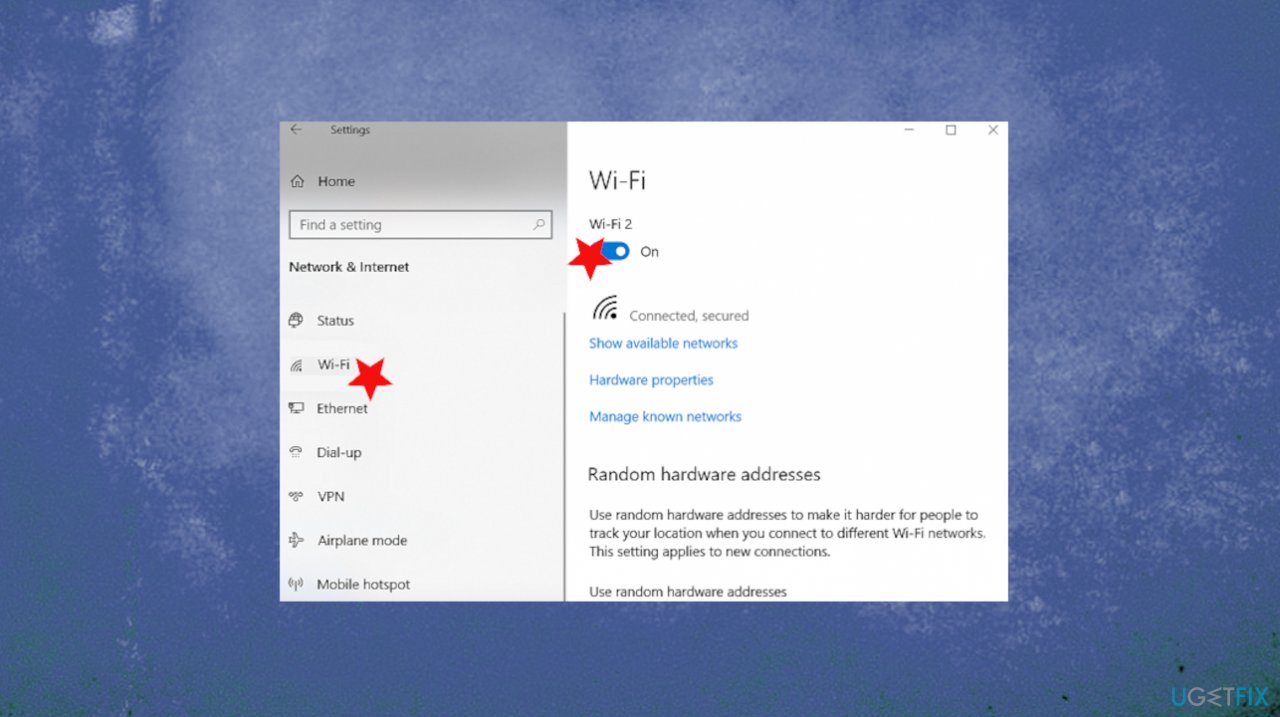
Turn on wireless capatibility fix wifi settings - Select Wi-Fi.
- Slide Wi-Fi On, then available networks will be listed.
- Click Connect. Disable/Enable WiFi.
- You can use a keyboard shortcut for the wi-fi connection turn on.
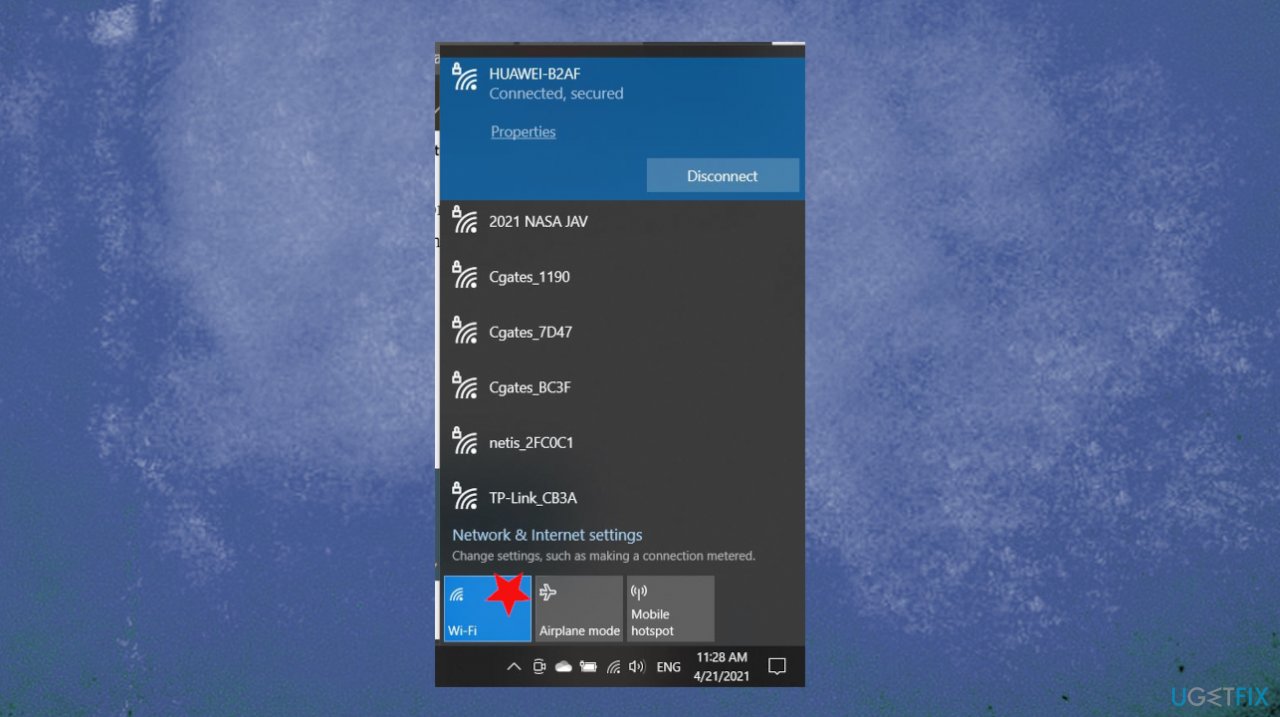
Turn on wireless capatibility fix wifi icon settings - The connection can also be turned on via lower-left corner settings. You can see the Wi-Fi icon there and click on it to access preferences.
Bottom line
To resolve the 'Wireless capability is turned off' error, you can update your wireless network adapter drivers, troubleshoot networking problems, and repair corrupted data. If these solutions do not work, consider using a specialized tool to fix registry issues or seek further technical assistance.
Frequently asked questions
You can enable wireless capability by going to Settings > Network & Internet > Wi-Fi and toggling the Wi-Fi switch to 'On'. If this doesn't work, check the physical Wi-Fi switch on your device or use the keyboard shortcut (usually Fn + F2 or similar).
If the wireless option is missing, try updating your network adapter drivers through Device Manager or reinstalling them to restore functionality. Additionally, ensure that Airplane mode is turned off in the Quick Settings menu.
This message usually indicates that Wi-Fi is disabled either through the physical switch or in the settings. To fix this, check the Wi-Fi toggle in the Network & Internet settings or the physical switch on your laptop.




Report an issue
What's wrong with this guide? We review every report and update or remove content.
Report received — thank you. We'll review and fix it.
You need a free account to submit a report.
Be the first to comment