
Scammers managed to post fake Amazon ads on top Google search results one more time
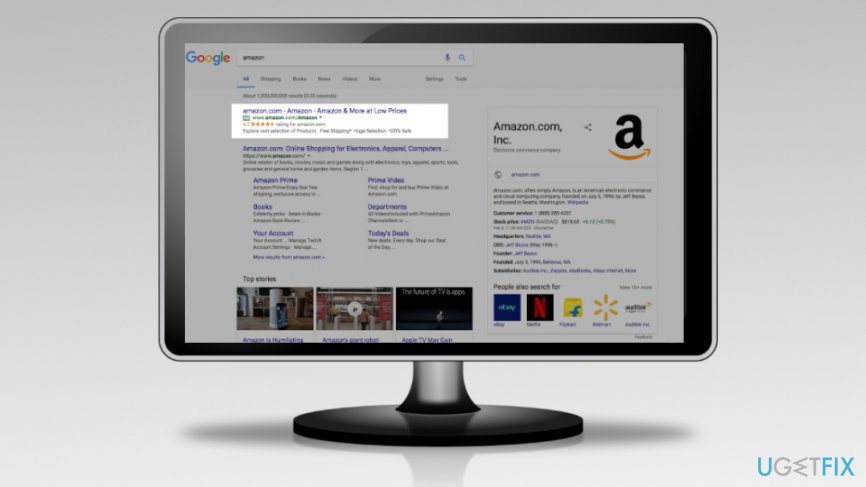
Another malicious Amazon ad was spotted on Google search. Anyone who searched for Amazon may have clicked on a fake ad that redirected to technical support scam website. Sadly, it’s not the first time when it happens.
Scammers obfuscated a malicious link and made it look like Amazon.com page to trick Google’s system. Crooks used a proxy script on a malicious domain and in this way the ad was not flagged. The malicious domain was registered by GoDaddy. However, it was shut down after a couple of hours when the scam was detected.
Though, crooks knew how to use Google Adwords pretty well. The malicious ad was placed above legit Amazon.com ad. However, when users clicked on a malicious ad, they were redirected either to Apple or Windows support page. The landing page was set based on user’s machine.
The fake Amazon ad redirected to a website that warned about computer infection called “Malicious Pornographic Spyware” and riskware. The site also displayed a pop-up. However, closing it turned the browser into a full-screen mode and made it look like ransomware attack. This trick may have fooled hundreds of inexperienced users.
It’s not the first time when malicious Amazon ads appear on Google
In February 2017, people who searched for the online retail giant Amazon was delivered a malicious ad at the top of the results page too. The rough Google ad redirected to a fake Windows support website. Just like many other Microsoft support scams, this one also tried to trick people that their computer was infected with malware.
Meanwhile, Mac users were redirected to Apple scam website that warned about detected crypto-ransomware. The scam may have seemed scary for less experienced computer users. The scam website could make the browser and computer freeze. Therefore, users could only see a threatening alert asking to call the support.
The good news is that malware hasn’t infected any of the devices by clicking a malicious ad. However, the problem is that Amazon search is one of the most popular search keywords. Therefore, thousands of people could have fallen for a scam and called fake Microsoft technicians.
Recognizing malicious Google ads is not that simple
They say if it happens one, it will definitely happen twice. However, such saying is not acceptable when we are talking about online security and search giant. Google’s policy does not allow creating ads that promote illegal activities. However, it’s obvious that its search systems are not perfect and can make huge mistakes.
The tricks used to create fake Amazon ads prove that it’s impossible to recognize malicious ads legitimate ones. What should you do? Just learn to access websites, like Amazon, directly by typing its address.
However, if you receive a pop-up that tells about dangerous virus attack and urges to call support, do not rush grabbing your phone. Force-quit the browser or restart stuck computer if needed. Neither Microsoft nor Apple provides security alerts in the browser or asks to call their support to clean cyber threats. Such alerts are created by scammers who are willing to get your money or personal information.

Report an issue
What's wrong with this guide? We review every report and update or remove content.
Report received — thank you. We'll review and fix it.
You need a free account to submit a report.
Be the first to comment