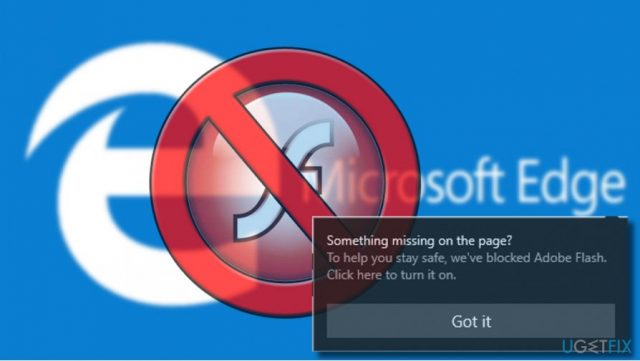
Tech giant Microsoft keeps improving its products and the release of Windows 10 OS is often considered to be the biggest wind of change in the long history of Windows. According to the company’s spokesman, Microsoft plans to stop the development of new OS versions and implement all OS improvements and innovations via Windows 10 updates. At the moment, the company prepares to withdraw the old apps by improving the new flagship Windows 10 apps, such as 3D Paint, Calendar, Windows Store, Photos app, and Microsoft Edge. The latter is receiving most of the Microsoft’s attention. Most of the regularly released Windows 10 Cumulative Updates include improvements and fixes regarding Microsoft Edge, for example, “Something missing on the page?” warning message.
Something missing on the page?
To help you stay safe, we’ve blocked Adobe Flash.
While initially the “Something missing on the page?” message was noticed in the beginning of 2017, the others started receiving it only after installing the latest Windows 10 builds and updates. The message shows up at the top-right corner of the Edge’s screen. If the user clicks on the Got it button, the pop-up will disappear and some of the content on the current site will be left unavailable (marked with a broken icon). Once clicked the broken content icon will deliver two options – Allow it once and Allow it always.
“Something missing on the page?” alert is yet another security warning. It blocks content, such as videos or games, that requires enabling Adobe Flash. If you keep Adobe Flash up-to-date, the risk of getting the system infected with a virus gets low. However, outdated Flash can easily be exploited by cyber crooks. Based on the analysis conducted in 2015 of over 100 exploit kits (EKs) and known vulnerabilities, Adobe Flash took the leading position and was declared the most frequently exploited product. During this year, six of the top 10 vulnerabilities incorporated by exploit kits, for example CVE-2016-0189 – 700, affected Adobe Flash Player. Although Adobe is working hard to improve Flash Player’s security, browser developers, including Microsoft, are taking their own precautionary measures to keep people’s web browsing safe. Having this in mind, we would highly not recommend people to select “Allow it always” option after clicking on the broken content icon because you can put your PC at risk of being exposed to harmful content.
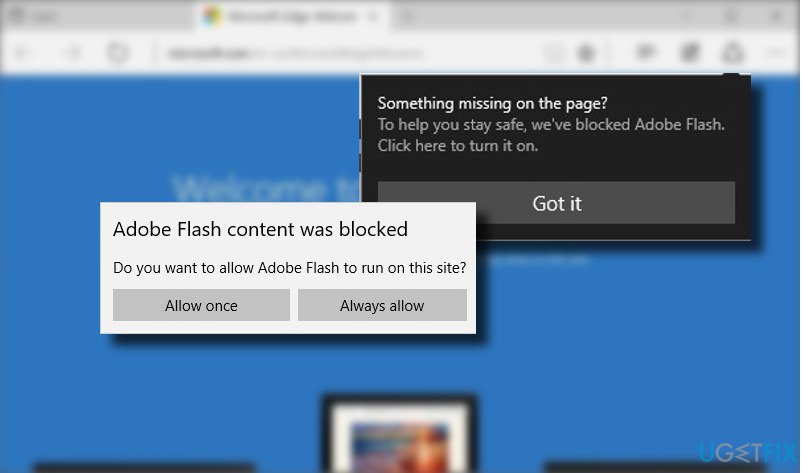
In a nutshell, if Microsoft Edge returned the “Something missing on the page?” prompt, you can browse on the current website, but due to the sake of security, do no click on the content marked with a broken content icon. If you have accidentally, clicked the “Allow it always” button and want to change the settings, follow these steps:
- Launch “Microsoft Edge” and open “Settings.”
- Scroll down and click “Choose what to clear.”
- Click “Show more” button.
- Uncheck “Adobe Flash permissions.”

Report an issue
What's wrong with this guide? We review every report and update or remove content.
Report received — thank you. We'll review and fix it.
You need a free account to submit a report.
Be the first to comment