How to recover
Decrypt .WNCRY File Extension Files
from Windows
Recover your .WNCRY files effortlessly on Windows 10 or Windows 11 with proven techniques. Get expert-tested solutions for quick recovery!

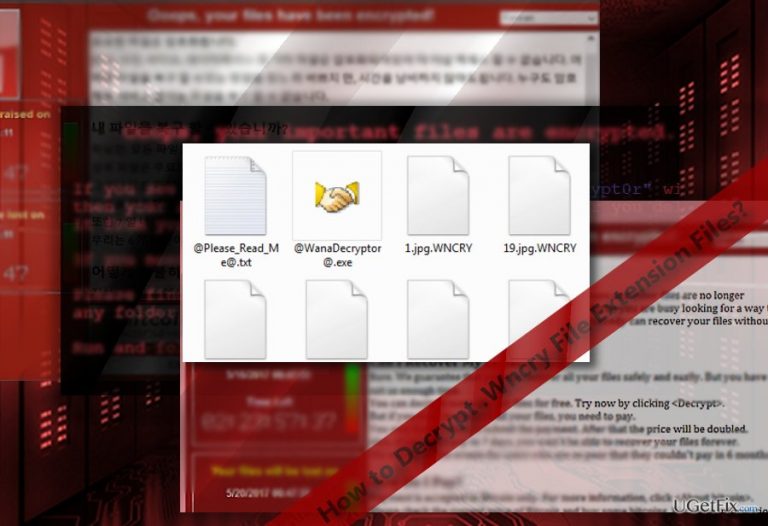
What leads to How to Decrypt .WNCRY File Extension Files?
- WannaCry ransomware infection
- Exploitation of EternalBlue vulnerability
- Outdated Windows OS versions
- Failure to apply security patches
- Inadequate cybersecurity measures
Repairs Windows system files, removes malware, and restores a clean OS state — without reinstalling.
I have Windows OS, and recent news about WannaCry malware is a bit alarming. Is there any way to decrypt files having .wncry file extensions or is it a complete dead-end?
WannaCry ransomware or alternatively labeled as .wncry file extension virus has started rampaging on May 17, 2017. Despite speculations about the origin of the malware, recent evidence reveals that it might have been developed in Malaysia. While IT cyber security forces have managed to limit its scale of the attack, the malware is still at its early distribution stage. During the weekend, the cyber assault encompassed more than 150 countries, more than 230 000 infected devices. The cause of the rampage was the leak of NSA hack tool based on EternalBlue or CVE-2017-0145 vulnerability. This flaw facilitates the hijack faster infection of SMBv1 servers. Though Microsoft issued patches for this flaw already in March, the number of infected devices reveals that both users and companies still do not update operating systems regularly.
On the other hand, perhaps WannaCry, Wana Decrypt0r or WanaCrypt0r would have never been developed, if not the NSA data theft. The latter organization was aware of this vulnerability. On the other hand, it again sparks theories that the latter agency might have exploited the vulnerability for its own purposes as the flaw makes all outdated Windows OS versions vulnerable to the attack. EternalBlue creates a backdoor door for the malware to occupy the device. After the infection process is finished, the malware launches its window. Furthermore, its computer worm specifications grant the virus ability to corrupt all available devices on the same server or network. Therefore, it resulted in a worldwide scale attack. Interestingly, that the malware ransom note does not indicate any information about the encryption method. As common for crypto-malware, the penetrators alert users to transmit the money within three days from the infection. Otherwise, the amount of the demanded money doubles. If victims fail to remit the payment within a week, the files are supposedly deleted. However, such psychological pressure is a popular strategy among hackers, so even if this menace enters the system, there is no guarantee that the penetrators play fairly.
Prevention methods
Unlike other samples of ransomware category, this malware does not attack simply via spam emails. As previously mentioned, it makes use of EternalBlue which grants secret access to the computer. In other words, it creates a backdoor. Amid the reports of this malware worldwide, Microsoft has issued an urgent update. In case, you did not receive it, check for the updates manually and install the ones which were not installed automatically or failed due to a temporal error. In addition, update your security applications. You can check your system with [d1] or MalwarebytesAnti-Malware.
Decrypting .wncry file extension files
Note that before you attempt to decrypt files, complete .wncry file virus removal. The hackers offer you to install their own Wana Decryptor. However, after installing the software, there is a chance that it might inflict even more damage in the future. Dealing with hackers is never a good solution. You may attempt decrypt data with the assistance of Data Recovery Pro program or Shadow Explorer. The latter uses shadow volume copies to restore files. This method is effective in case the malware does not delete files in advance. For more information how to use these programs, take a look at the guides provided in the links.
Bottom line
To decrypt .wncry files, users should first ensure their operating systems are updated with the latest security patches. If infected, it is advised to disconnect from the network and seek professional help. If these measures do not work, consider restoring files from backups or consulting cybersecurity experts.
Frequently asked questions
First, ensure you have a reliable backup of your files. Then, use a reputable decryption tool specifically designed for .WNCRY files, as manual decryption is not feasible.
Yes, there are some free decryption tools available, like the ones offered by cybersecurity firms, but their effectiveness can vary based on the version of the ransomware.
If you have a recent backup created before the encryption occurred, you can restore your files from that backup using Windows File History or another backup solution.




Report an issue
What's wrong with this guide? We review every report and update or remove content.
Report received — thank you. We'll review and fix it.
You need a free account to submit a report.
Be the first to comment