How to fix
MSVCP100.dll is missing
on Windows
Resolve the MSVCP100.dll missing error on Windows 10 and 11 quickly. Get step-by-step guidance from our expert-tested solutions. Fixed in minutes!

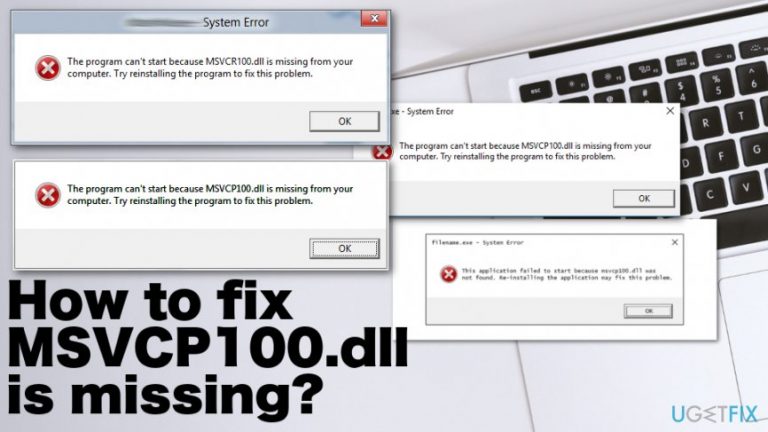
What causes How to fix MSVCP100.dll is missing?
- Missing DLL file
- Corrupted or damaged file
- Issues with Windows Registry
- Problems with Visual C++ Redistributable
- Virus infection
Repairs Windows system files, removes malware, and restores a clean OS state — without reinstalling.
Hey. I have an issue with this DLL file that causes many errors messaged on the screen. When the device is starting up, "The program can't start because MSVCP100.dll is missing" shows up. It states that I should reinstall the program to fix the issue, but I doubt that this is the case. Can you offer any fox for this error?
The issue with MSVCP100.dll error messages can appear during the first startup of the Windows or when the machine is shutting down. It also is showed when the program in question is installed or used. There are various instances when the missing file issue frustrates people. However, no matter when it is shown, the problem is important.
It is extremely important to troubleshoot the issue, so the root cause can be identified. When you know what exactly triggered the MSVCP100.dll is missing error, you can understand what is happening and how to fix the issue. There are many reasons that trigger this frustrating issue on Windows machines.
MSVCP100.dll is missing is the error that appears when the program cannot start because of the missing DLL file. These dynamic link library files are used by programs because they contain instructions about the needed operations, so if the required DLL file is missing, the application cannot run properly if it launches at all.[ref en-1]
Additionally, the error shows up when the file is corrupted, damaged, missing or when there is an issue regarding the Windows Registry or even your hardware. It also means that your device can be infected with a virus that causes MSVCP100.dll is missing error or interruption with the particular application.[ref en-2]
"MSVCP100.dll is missing" issue often appears due to the problem with Visual C++ Redistributable when the patch or a part of it was not properly installed. This is an important component of the Microsoft Visual C++, so various errors can appear in addition to MSVCP100.dll is missing message.
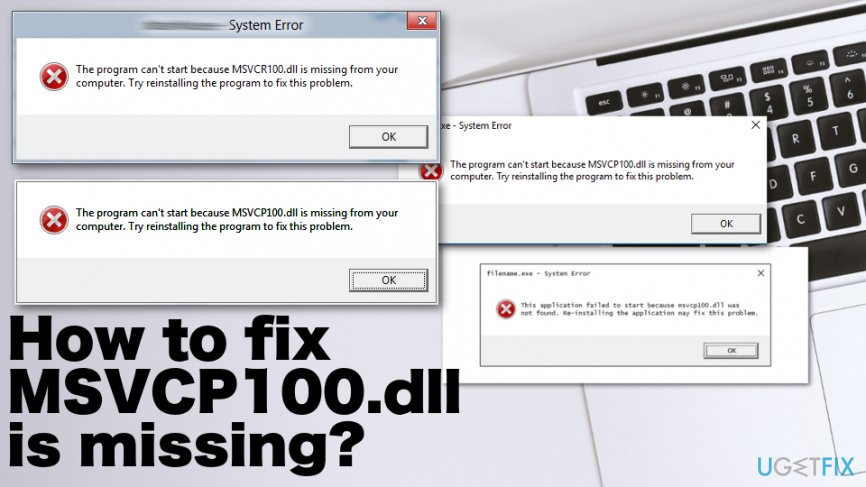
MSVCP100.dll is missing is a common issue that people report ant the DLL file might be indicated as not found, related to particular application failure or need for the reinstallation. Users[ref en-3] mainly report about these particular messages:
Cannot start [APPLICATION]. A required component is missing: msvcp100.dll. Please install [APPLICATION] again.
Msvcp100.dll Not Found
This application failed to start because msvcp100.dll was not found. Re-installing the application may fix this problem.
The program can't start because MSVCP100.dll is missing from your computer. Try reinstalling the program to fix this problem.
How to fix MSVCP100.dll is missing
There are a few reasons regarding this "MSVCP100.dll is missing" issue as well as possible ways to fix the main problem. many cases show that the reason for the error is the accidentally deleted MSVCP100.dll file that leads to crashes of the applications.
Also, malware or different cybersecurity issues, infections can trigger corruption to MSVCP100.dll and other system files. Registry problems arise from alterations in such folders and lead to the failure of programs or even the OS. As for the altered file and function issues - [d1] can help because such tools are designed to repair damaged or even deleted files in Windows OS folders. Especially when it comes to DLL files and missing registry entries that affect OS functions and triggers errors when altered.
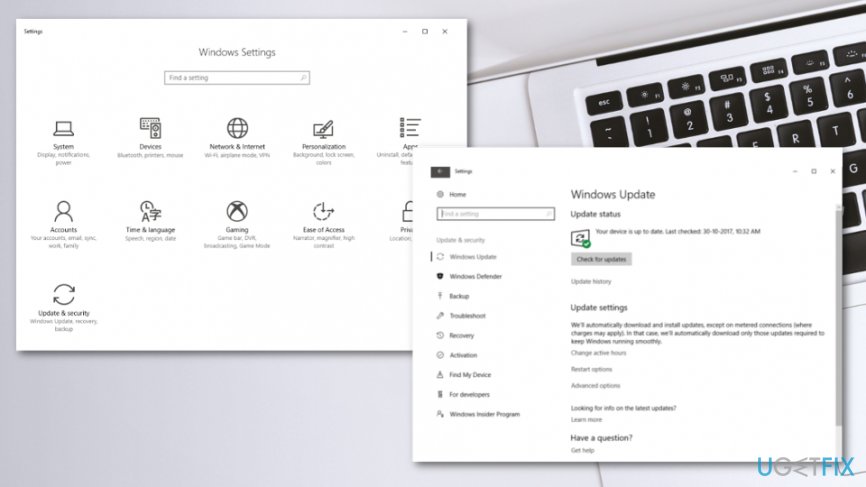
If the problem is with a corrupted or damaged file due to the malware infection, the fix is simple - virus removal. For that, you can use anti-malware tools or security applications that can detect a variety of infiltrations. Also, when the error shows up due to the Microsoft Visual C++ Redistributable Package, you can check for updates or re-install the software. You can search for Windows Updates additionally.
We have additional, more in-depth methods, so try at least a few to ensure that the issue is fixed. There might be a combination that works for your particular case.
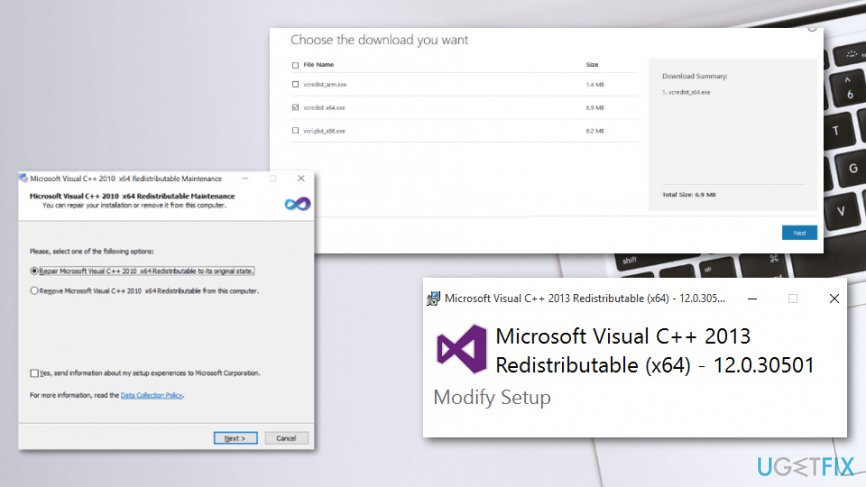
Download Microsoft Visual C++ Redistributable package
Download the package from the official Microsoft Website and select the file based on your Windows version. Click Next to start the download.
If You already have the latest version, on the Repair or Uninstall window, click Repair and fix the dll problem.
Run the SFC scan to fix MSVCP100.dll is missing issue
The System File Checker tool can fix various file related issues. Run Command Prompt as administrator and type sfc /scannow to start the scanner.
Remove and reinstall Microsoft VC++ 2010 Packages
- Press Win and R keys to open Run window.
- Type appwiz.cpl and hit Enter.
- In the Program and Feature window double-click the Microsoft Visual C++ 2010 x64 Redistributable and start the uninstallation process.
- Confirm the process if prompted.
- Repeat the same with Microsoft Visual C++ 2010 x86 Redistributable.
- Go to the official Microsoft Visual C++ download site and install the package again.
Fix MSVCP100.dll is missing via System Restore
- Go to Setting and find Troubleshoot options.
- Advanced options give you the opportunity to use System Restore.
- Choose a more recent point before the error occurrence.
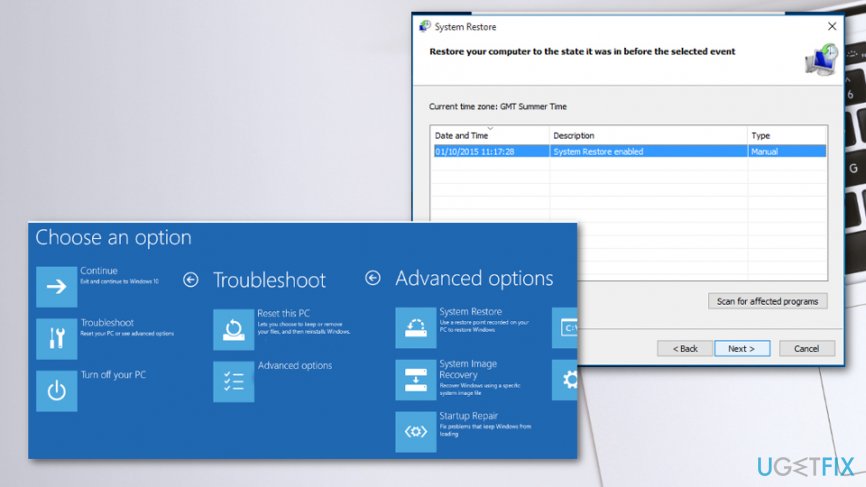
How to fix msvcp100 dll is missing system restore
Check the Recycle bin to fix MSVCP100.dll is missing
You can benefit from checking the recycle bin because the file might be missing because it got deleted. If this is the issue, you can find it there and restore the needed dll.
Bottom line
To fix the MSVCP100.dll is missing error, you can try reinstalling the program, repairing the Visual C++ Redistributable, or checking for malware. If none of these solutions work, further troubleshooting may be necessary to identify the root cause.
Frequently asked questions
MSVCP100.dll is a Microsoft Visual C++ Redistributable file essential for running certain applications. It may be missing due to incomplete software installation, corruption, or accidental deletion.
You can restore the missing MSVCP100.dll by reinstalling the Microsoft Visual C++ Redistributable package, which can be downloaded from the official Microsoft website.
If reinstalling doesn't resolve the issue, try performing a System File Checker scan by running 'sfc /scannow' in the Command Prompt to repair any corrupted system files.




Report an issue
What's wrong with this guide? We review every report and update or remove content.
Report received — thank you. We'll review and fix it.
You need a free account to submit a report.
Be the first to comment