How to fix
Import Chrome Bookmarks to Safari
on Windows
Easily transfer your Chrome bookmarks to Safari on Windows 10 or 11. Enjoy seamless browser transitions with our expert-tested guide and tips!

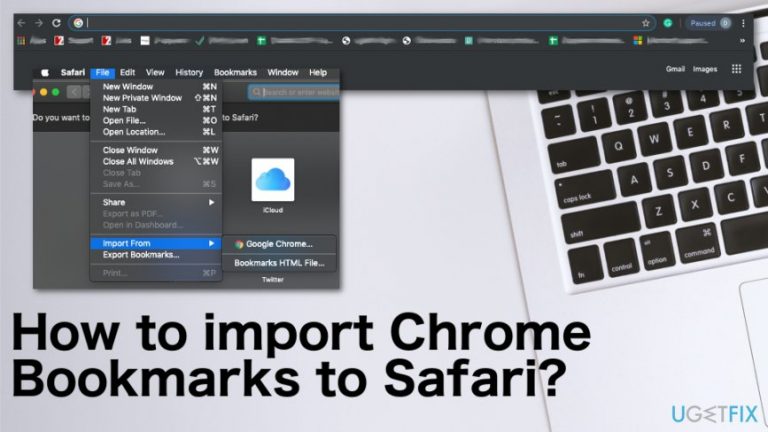
Why does How to import Chrome Bookmarks to Safari occur?
- Different operating systems complicate the import process
- Google Chrome works across multiple OSs including iOS and Macs
- Exporting bookmarks is necessary for the transfer
- Mobile Chrome application does not support direct import
- Attention to detail is required to avoid unwanted extensions
Repairs Windows system files, removes malware, and restores a clean OS state — without reinstalling.
Hi there, I am planning to move from Chrome to Safari. There are lots of information I have in my Chrome. Is there any chance to move my bookmarks to Safari? Is that possible? Would you help me?
Whether you switch from one browser to another or trying to backup your information, exporting and importing history, bookmarks and similar information that is mainly stored on the web browser is a useful thing. Users search for various variants of such process including the bookmark importing from Google Chrome to Mac directly, or iPhone, iPad, and other browsers.[ref en-1]
There are many reasons to import Chrome bookmarks to Safari because people often store their sensitive information or important Google Documents on there that are needed for the day to day basis. Nowadays people go for Mac devices and there are many features different from Windows computers, for example, Safari browser.[ref en-2]
So when going for a different device importing Chrome bookmarks to Safari becomes a common wish. Since this change involves an entirely new device the new issue surfaces. People want to get quick access to favorite pages, links, documents, and websites that are, in most cases, bookmarked and saved on their previous web browser. 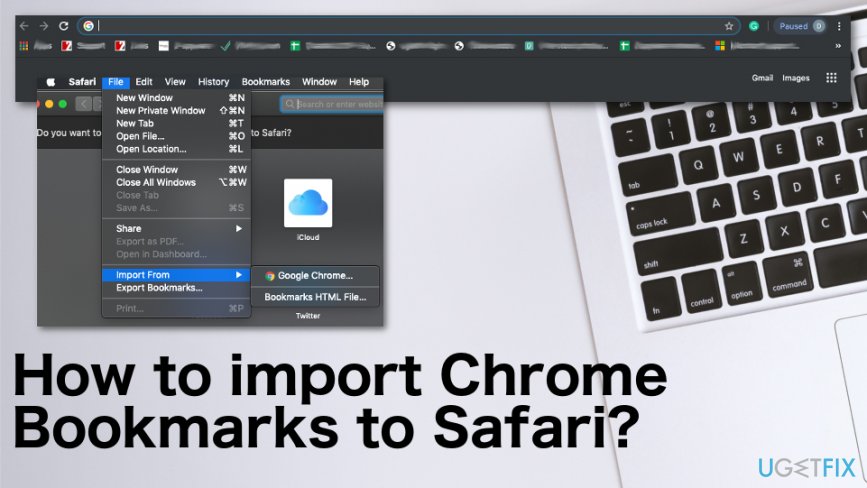
How to import Chrome Bookmarks to Safari
The reason why it seems to be difficult to import Google Chrome bookmarks to Safari is the same issue of the different operating systems. However, Google Chrome is the browser that works for all the OSs, including iOS, Macs, Android. So you have to export bookmarks from Chrome and import them to Safari. It is possible directly from the primary browser and possible to get bookmarks to the new browser.
It is not possible with a mobile Chrome application, but the initial exportation is not that difficult. As with any other alterations, the process just requires your attention to detail. Make sure to not get any random extensions or bookmark managers since such tools can get PUAs instead.[ref en-3]
Export bookmarks from Google Chrome
- Go to your Google Chrome web browser and find the menu.
- Locate to Bookmarks. Then Bookmark Manager.
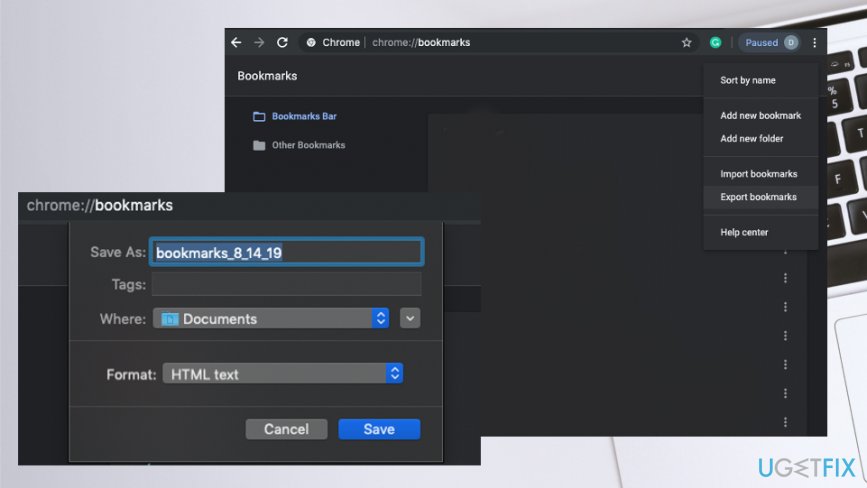
How to import chrome bookmarks to safari chrome browser - Click on the button with three dots and choose Export bookmarks.
- Save the HTML file where you want to on the computer.
Import Chrome Bookmarks to Safari
- Open the Safari browser.
- In the top menu bar click File section and locate to Import option.
- Then click Bookmarks HTML file.
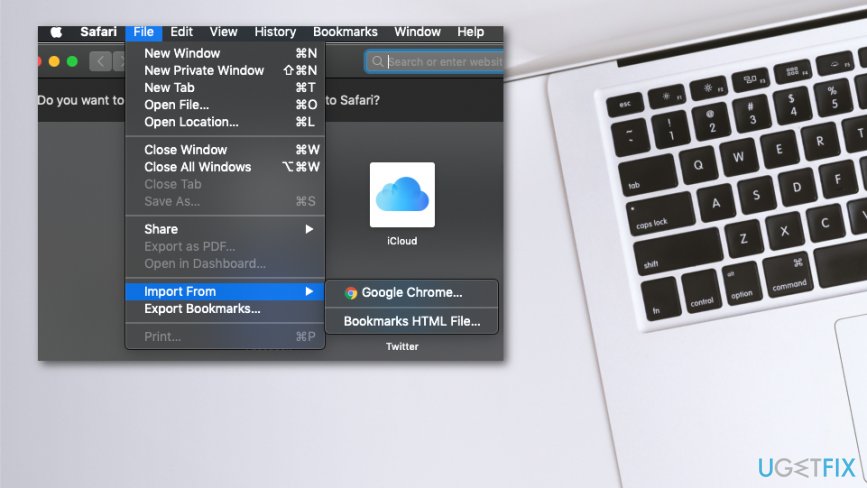
How to import chrome bookmarks to safari import to safari - Select the file you saved and Import.
- Now all the needed bookmarks should appear on the browser.
Import bookmarks to Safari on your iPhone vis iCloud
- Open System preferences.
- Then click on iCloud and Bookmarks.
- Select Safari and all the information will be synced.
Import Google Chrome bookmarks to Safari from iTunes
- Connect your iPhone or iPad to your Mac device via USB cable.
- Run iTunes on Mac.
- Click on the device and select Info.
- Select Sync Bookmarks from Safari and choose Apply.
Bottom line
To import Chrome bookmarks to Safari, you need to export them from Chrome first. This process is straightforward but requires careful attention to avoid issues with extensions. If these steps do not work, consider seeking further assistance or using alternative methods.
Frequently asked questions
Yes, you can export your Chrome bookmarks as an HTML file and then import them into Safari on Windows 10 using the Safari settings.
Absolutely, you can export your bookmarks from Chrome and then import them into Safari on Windows 11 by accessing the import feature in Safari.
You need to export your bookmarks from Chrome in HTML format, which is compatible for import into Safari on both Windows 10 and Windows 11.




Report an issue
What's wrong with this guide? We review every report and update or remove content.
Report received — thank you. We'll review and fix it.
You need a free account to submit a report.
Be the first to comment