How to fix
Use Telegram – installation, features, tips and tricks, FAQ
on Windows
Unlock the full potential of Telegram on Windows 10 and Windows 11 with expert tips, installation guidance, and essential tricks for a seamless experien…

Why does How to use Telegram – installation, features, tips and tricks, FAQ occur?
- Common activity of cookies and data tracking
- Promotional ads and campaigns
- Issues with security measures
- Problems with app installations
- Popularity of the Telegram virus term
Repairs Windows system files, removes malware, and restores a clean OS state — without reinstalling.
Hello. I want to change my main messaging app from Facebook messenger to Telegram. But I don't know much about it. What it is? Does it have other features that might be more useful than others, or maybe it has issues with security or errors? Is it safe to use?
Telegram gained its popularity as a messaging application and platform connecting people more recently. It was due to the fallout of various other programs like Facebook or WhatsApp.[ref en-1] With its clear interface and many features, Telegram gets a lot of attention. This is a cloud-based application, so you can move your connections from mobile phones to tablets, computers, and other smart devices.
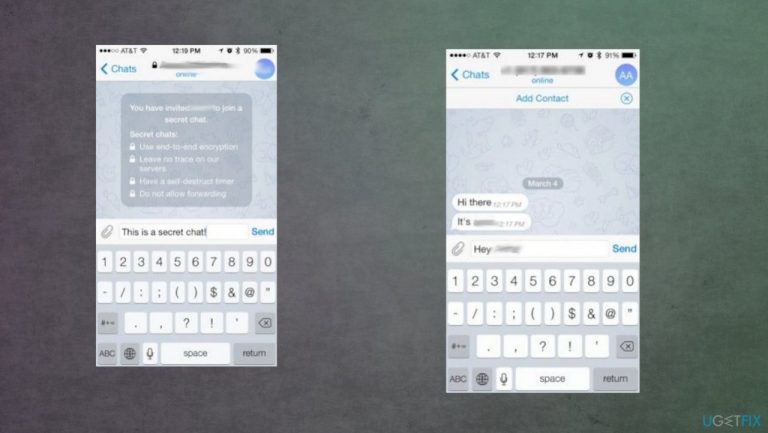
The application has secret chat functions, encrypted end-to-end conversations, and extra security measures. It allows users to transfer documents, send their location to friends, share photos easily. It is a free application, and Telegram will not annoy you with advertisements as other apps might.[ref en-2]
There are some issues with all the applications that work on smartphones. Cookies and data tracking is a common activity. You might find various promotional ads and campaigns that offer additional benefits or distribute the app online. However, there are issues that made the Telegram virus term become popular too.
You might want to read along and see what not to do online when it comes to messaging apps and general installations of such mobile programs. You can also get your answers about installation and security regarding the change to Telegram.[ref en-3]
What is Telegram?
Telegram is the app that was launched back in 2013, and since then, it has reached 500 million active monthly users. You can use it to send messages, files, photos while connected to Wi-fi or mobile data. It is a cloud-based application, so security is the priority for the developers. More distinctive features:
- it can show a friend's status online;
- offers file-sharing;
- groups;
- self-destructing chats.
The application has personalization settings like chat backgrounds. You can find the Settings tab and options to set the photo from the phone or an image from suggestions that gets to be your chat background. Telegram itself has many suggestions of images to choose from, so you can customize your experience.
How to install Telegram?
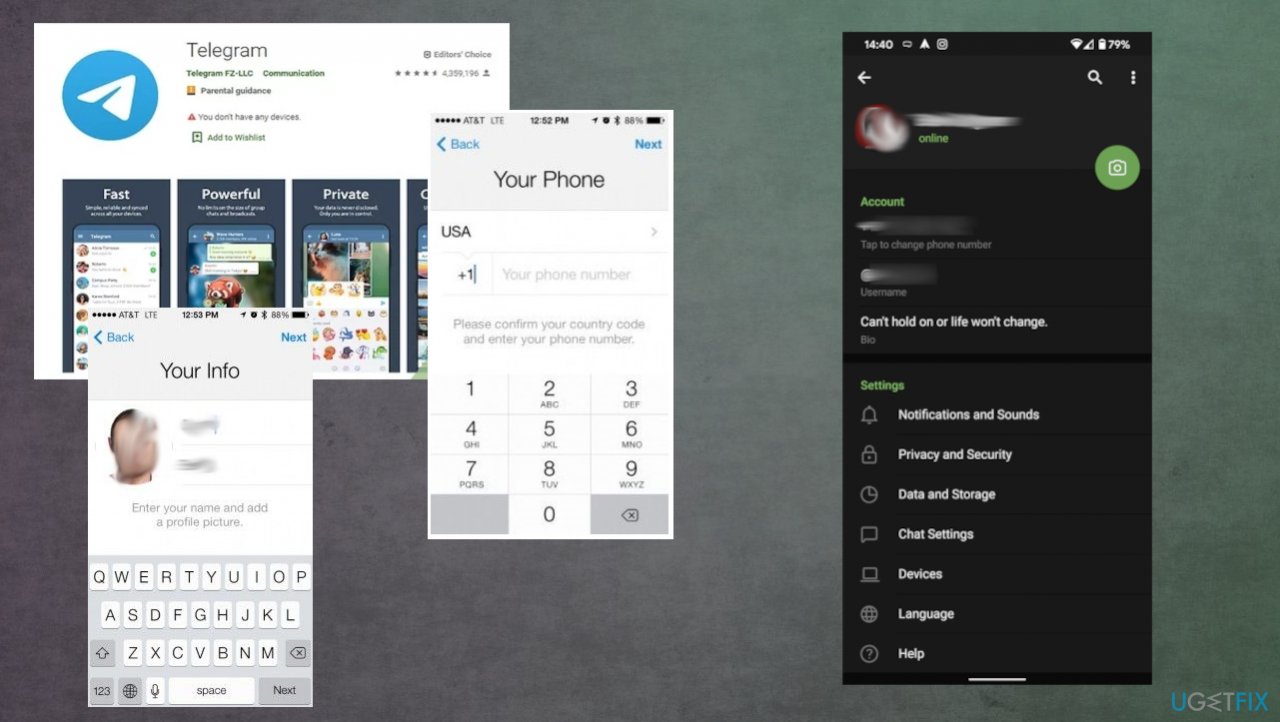
This application's installation should happen via official sources like Google Play, App Store, Apple Store, App Gallery. Sources depend on the particular OS you are using, but the main issue is avoiding any free downloads and installations from shady sites. Other steps after that:
- Enter the phone number when prompted.
- You will get a text message with a verification number.
- Enter that code and continue.
- Add your name and picture if you want to.
- Find some friends, to begin with. You can search for contacts that use Telegram already and locate them in the Contacts tab.
- Start chatting by adding new messages on the app.
- You can add files, photos by clicking the paperclip button.
Telegram faq install
Telegram channels and groups. How to?
You can create group chats by selecting a new group option and selecting multiple contacts from the list. You can also join channels on Telegram. These are for meetups and topics. Channels allow broadcasting messages to an unlimited amount of followers in the channel. You can also have a team admin.
Channels show up next to the messages and include a view counter to track post engagement. You can find channels via the search at the top of the home menu on Telegram. You can search for a particular theme and then Join the channel you want to belong to.
Telegram groups is a multi-person chat that can support 200 000 members. You can assign admins, grant permissions, decide what new members can see, and pin important messages at the top of this group chat. Channels can be public or private. Groups allow members to chat together, and channels are for broadcasting the message.
Telegram secret chat. How to?
- You can start the secret chat on Telegram when you go to the Contacts tab and select the option that says New Secret Chat.
- Then choose the friend and start talking.
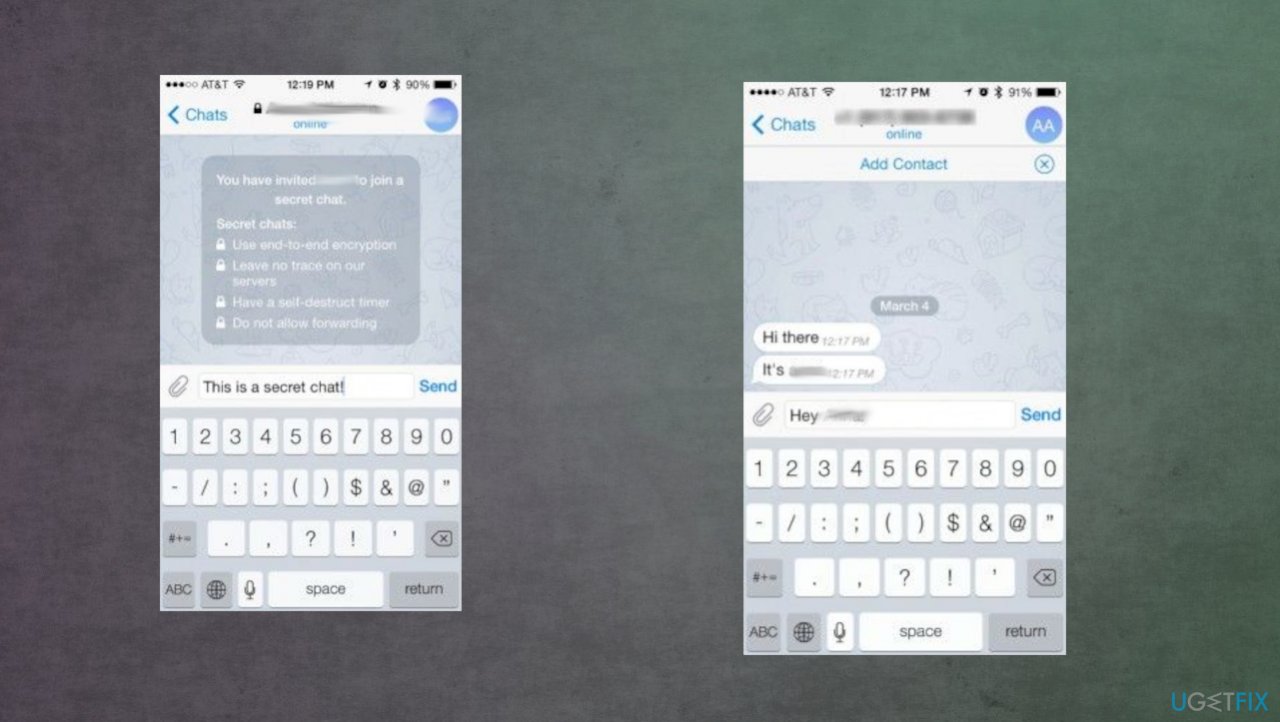
Telegram faq secret chat - These messages get encrypted, so no one will see them or get access to your chat, even the Telegram.
You can choose to self-destruct messages
- Tap the name of your contact at the top and choose Info.
- Then go to the Self-destruct timer settings.
- Choose a certain time that messages get deleted after.
Secret chat is a particular feature that is not available for all devices and OSs. Windows desktop app and some Android smartphone applications do not have this feature. But it is found in the "hamburger" menu or under those three dots on the specific contact on Telegram.
How to add stickers on Telegram?
You can find the separate program Telegram Stickers in official app stores and download it. It does not support iOS versions. It is not a product from Telegram specifically. You can find stickers in categories, and all packs are free for you to download. Tap the Install Stickers, and the Telegram will open with the pop-up. A directory of stickers appears on the app.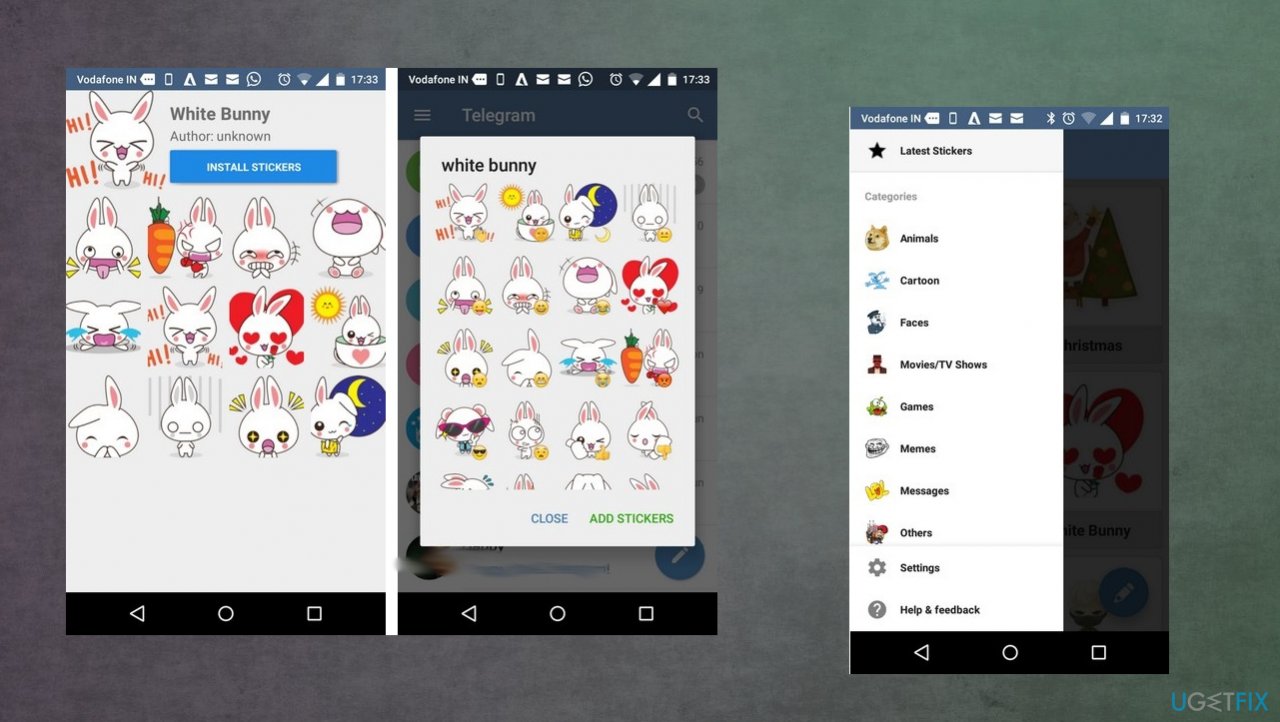
Does Telegram have safety issues?
Telegram has server-client encryption features and high-level component, cryptographic, transport features when it comes to safety. The process through which API queries become binary messages. It has an authorization layer, and messages get encrypted before going towards the transport component. The latter defines the way that the client and server transmit the messages using protocols like HTTP and HTTPS.
The application is encrypted on multiple levels, so user data has an additional layer of security. It had some issues with security in the past, and malicious actors might use the particular popularity of this program. To be more specific, clones of the program or false download files and sites for the program.
Telegram suffered some breaches when IP addresses in China performed the denial-of-service attack. Public ElasticSearch databases got exposed with data from 42 million Iranian Telegram users. The country banned this application. Hackers managed to access SS7 and gain access to Telegram messenger.
It was reported that some of the location-sharing features in Telegram could trigger unwanted privacy issues. Hackers can extract location from the messenger app, and stalkers can possibly find your precise location. Geographical area sharing is a feature for finding friends, but reports state that it can be used to spread hacking tools, other malware, or scam people. People can turn it off, so you should take that into consideration.
Generally, Telegram is as secure as a messaging application can be. It has some advantages as an instant app and can become a great asset to your business as well as to your everyday life. Taking some precautionary measures, you can make this app a great way to connect with family, friends, and customers.
Bottom line
To address security concerns, ensure you use the secret chat functions and encrypted end-to-end conversations. If you encounter issues with installation or performance, consider checking for updates or reinstalling the app. If none of these fixes work, consult the FAQ section for further assistance.
Frequently asked questions
To install Telegram on Windows 10 or Windows 11, visit the official Telegram website, download the desktop version, and follow the installation instructions provided.
Yes, you can customize Telegram notifications by going to 'Settings' in the app, selecting 'Notifications and Sounds,' and adjusting the settings according to your preferences.
No, Telegram requires an active internet connection to send and receive messages, so you cannot use it offline on Windows 10 or Windows 11.




Report an issue
What's wrong with this guide? We review every report and update or remove content.
Report received — thank you. We'll review and fix it.
You need a free account to submit a report.
Be the first to comment