How to fix
Cannot access email – how to fix Rate limited error
on Windows
Resolve the Rate Limited error on Windows 10 and Windows 11 quickly. Follow our expert-tested solutions and regain access to your email in minutes!

What causes Cannot access email – how to fix Rate limited error?
- Too many failed login attempts
- Suspicious IP address
- Use of VPN solutions
- Connection issues
- Third-party applications causing conflicts
Repairs Windows system files, removes malware, and restores a clean OS state — without reinstalling.
Hello. I get the issue with my Yahoo email. I cannot access my email account. It is not possible to sign in. Rate limited caption is in the error explanation. Why do I have this issue, and maybe I can somehow work around it? Help!
When the user cannot access the email account it gets frustrating. Users[ref en-1] ask about his Rate limited error and similar issues online regarding various social media and applications, email accounts. The problem may occur after a few attempts to log in to the email account.
Yahoo mail blocks the suspicious IP when the user files to log in too many times. This is most commonly an issue, and customer support for the email platform states that VPN solution usage or similar features can cause the problem. The problem can resolve itself in time. This is an individual problem, but mainly related to IP address and internet, router issues.[ref en-2]
Rate limited error can occur on Discord, other email providers, and social media applications when the IP is suspicious due to many failed login attempts. Turning the router off for a minute or shutting the internet and checking again could be a solution. Restarting devices, services and the internet connection often solves the temporary issue, but more steps might be taken if the reasoning is deeper.
Unfortunately, connection issues and system failure can always lead to problems with your accounts and other applications. Third-party applications, PUPs[ref en-3], VPN solutions often trigger problems on the machine. You can check for additional issues or alterations if you are concerned and repair particular data to avoid unwanted or damaging behavior. [d1] can be helpful in such cases and help you. Otherwise, rely on the tips below to solve the email access issue.
Option 1. Reset the internet router
- Unplug the internet router from power.
- Press and hold the Power switch on the router for at least 30 seconds.
- Plug it back and turn it on.
- Restart the computer.
- Connect to the internet and check to see if the issue occurs.
Option 2. Use mobile hotspot
If you still encounter the issue, you might try to use your mobile data and enable the mobile data to bypass the router restrictions. This way the IP changes.
- Restart your computer and your mobile phone.
- Disconnect from the internet on both devices.
- Open your mobile and connect to mobile data, then enable the hotspot feature.
- Connect to the hotspot created by your phone via computer.
- Check to see if the issue persists.
- If you manage to log in successfully, you can connect to your WiFi again.
Option 3. Clear cache of the browser
These steps depend on what browser you use, and that delivers this issue. We list Google Chrome steps due to more common user reports and overall popularity, but you can find all options for cache clearing in other browsers.
- Open Chrome and click on Menu icon.
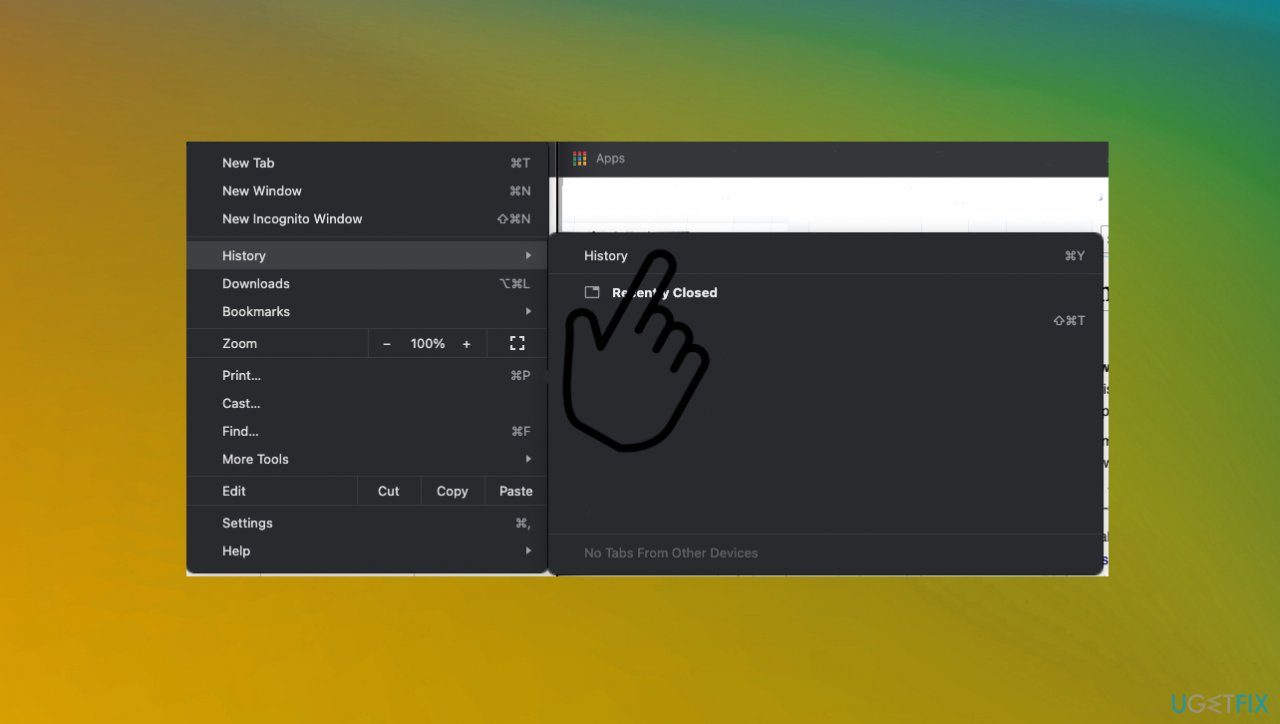
Rate limit email error history - Open History and select Clear browsing data.
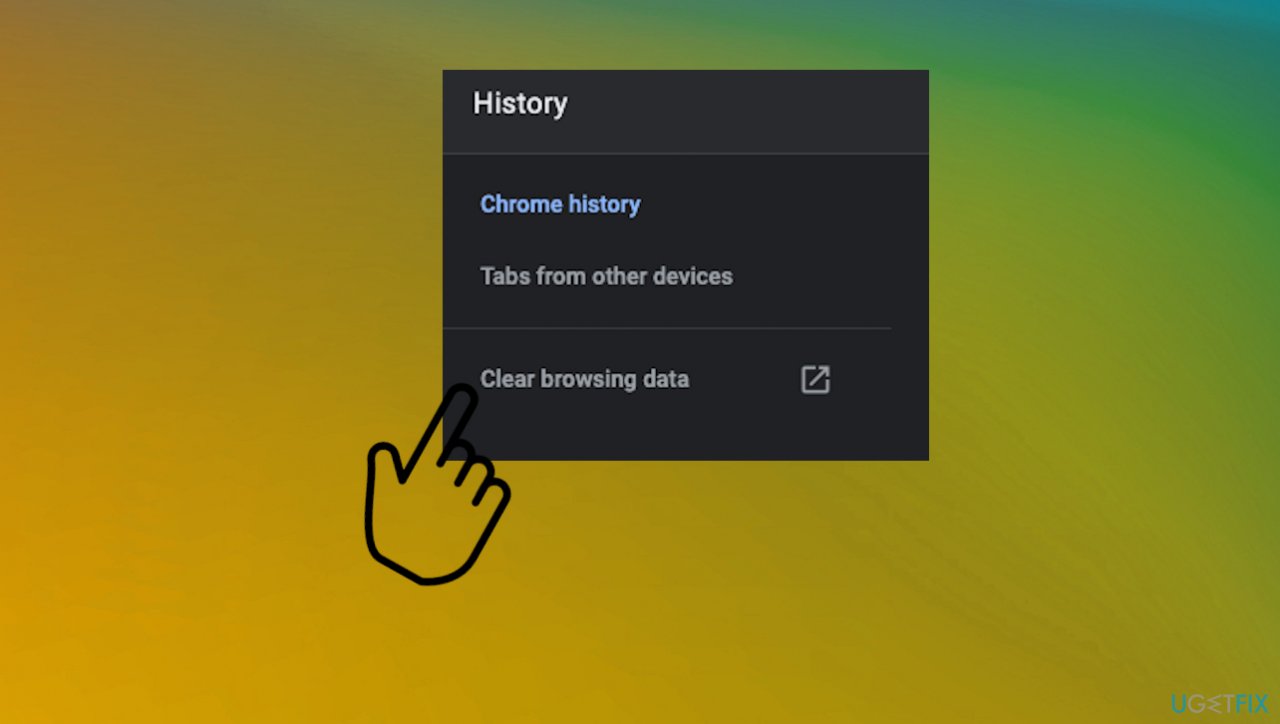
Rate limit email error clear - Make sure to clear your browsing history and cache.
- Choose the time period.
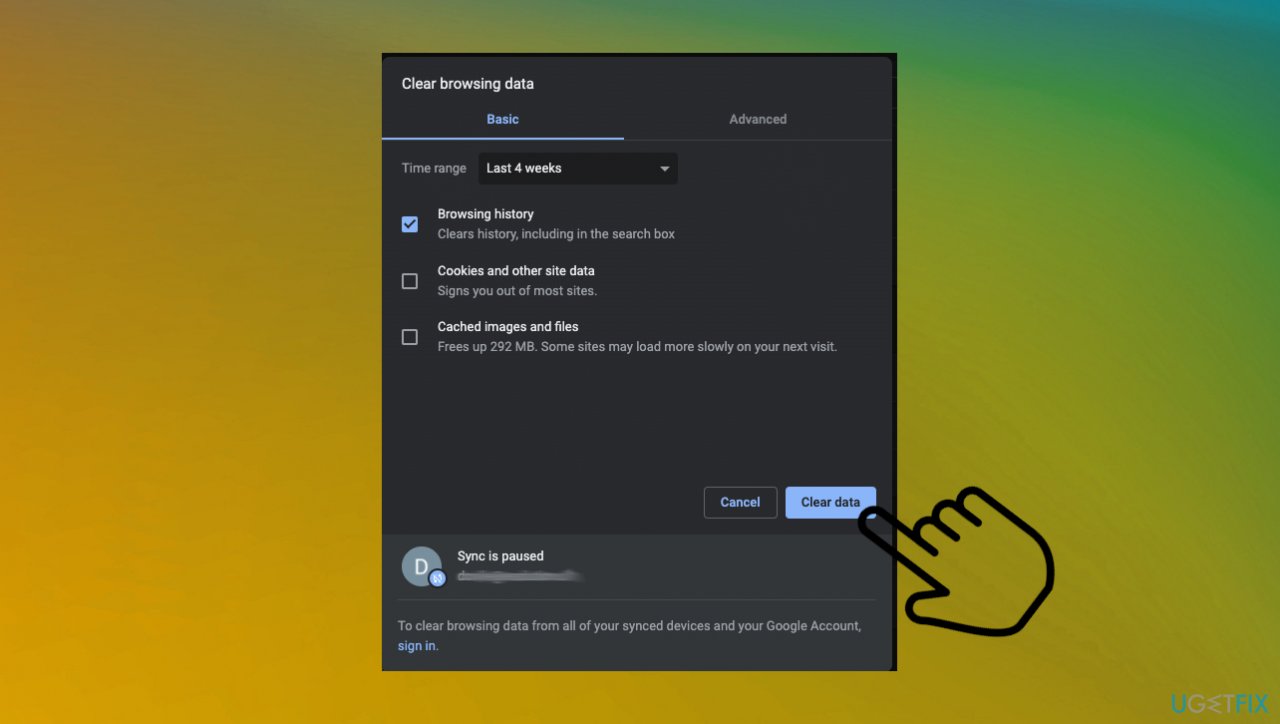
Rate limit email error clear data - Clear data.
- Wait for the cleaning to be ended and then reopen the browser.
Option 4. Update the browser
You can find the option on your browser settings. Once again, we list Chrome steps, but you can easily find these steps to update the browser on the application you use.
- Open Chrome browser.
- At the top right, click three dots.
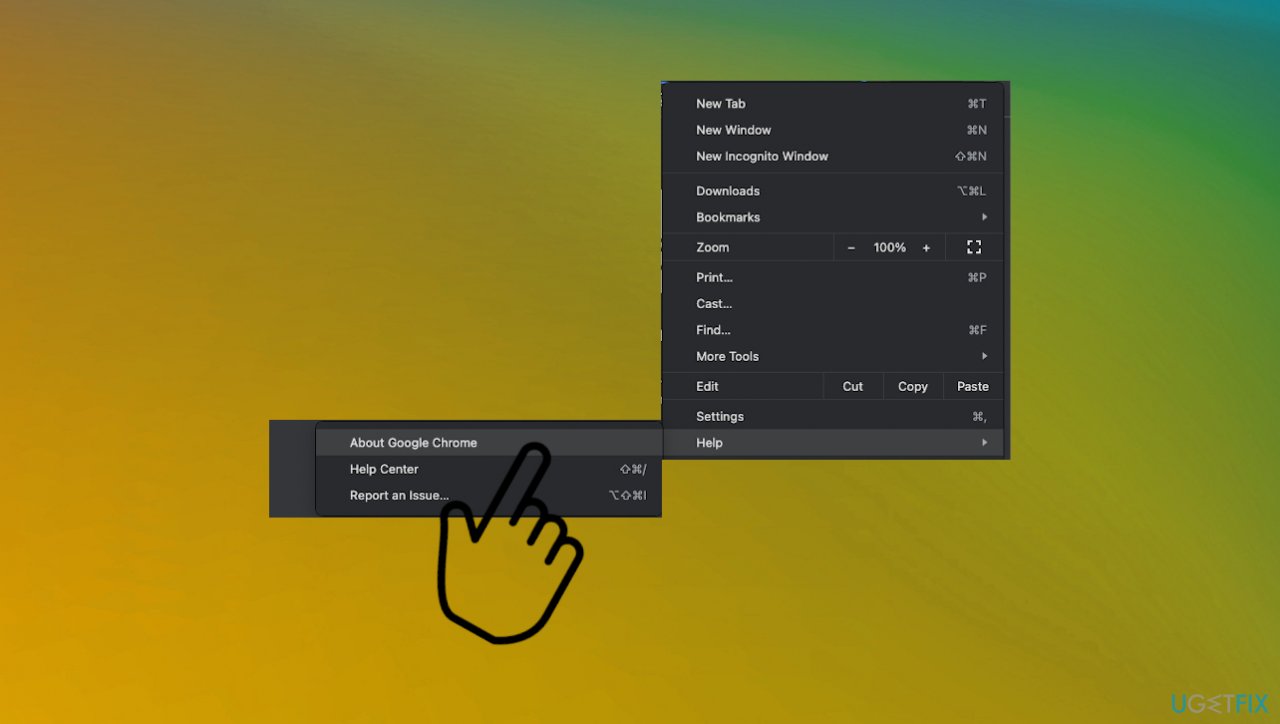
Rate limit email error chrome about chrome - Go to Help.
- Then About Chrome
- Click Update Google Chrome if you see that another option is available.
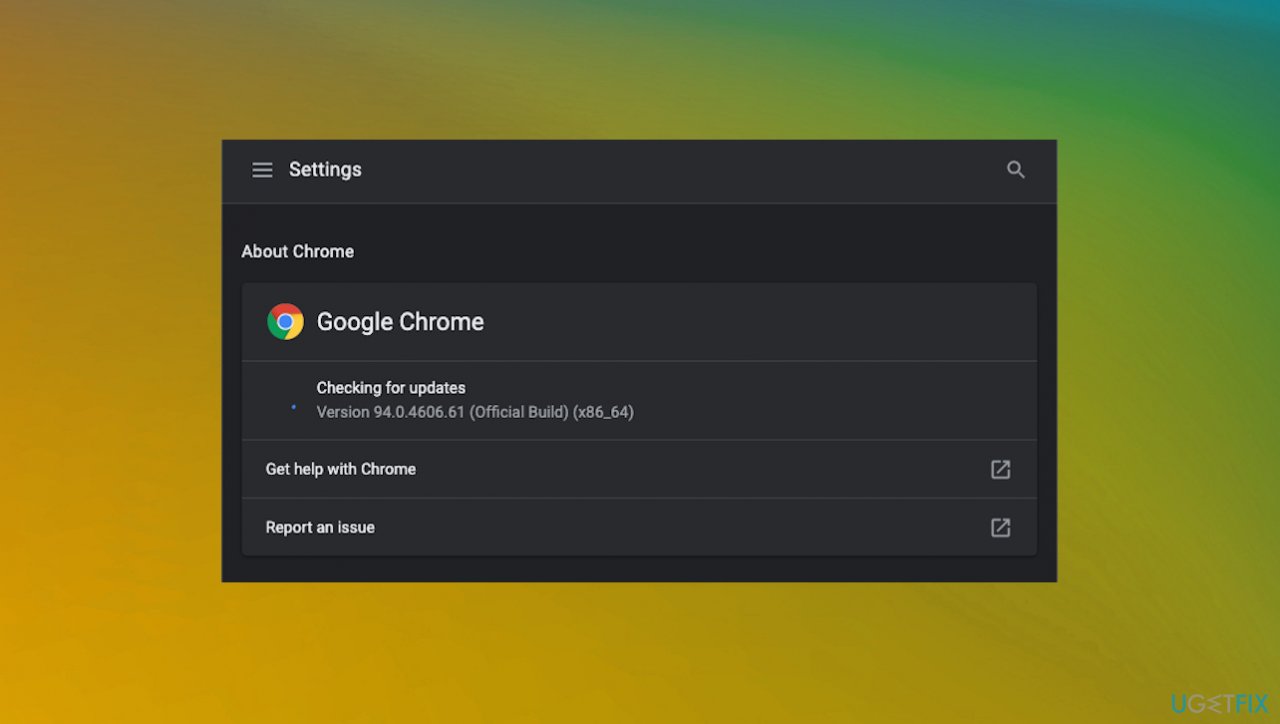
Rate limit email error chrome update - Then Relaunch.
Bottom line
To resolve the Rate limited error, you can reset your internet router or try using a mobile hotspot. If the issue persists, consider checking for additional problems with your internet connection or third-party applications. If none of these solutions work, further investigation may be needed.
Frequently asked questions
The rate limited error indicates that your email service has temporarily restricted access due to too many requests in a short period. This is often a protective measure to prevent spam or abuse.
To fix the rate limited error on Windows 11, wait for a while before trying to access your email again, or reduce the frequency of your login attempts.
Yes, you can adjust your email client settings to limit the number of sync attempts or refresh intervals, which may help avoid triggering the rate limited error.




Report an issue
What's wrong with this guide? We review every report and update or remove content.
Report received — thank you. We'll review and fix it.
You need a free account to submit a report.
Be the first to comment