How to fix
Script Compilation error in Witcher 3
on Windows
Resolve Script Compilation errors in Witcher 3 on Windows 10 and 11 effortlessly. Get expert-tested solutions for a smooth gaming experience!


What causes How to fix Script Compilation error in Witcher 3?
- Mod conflicts
- Buggy versions of mods
- Outdated versions of mods
- Mismatch between mod versions and game version
Repairs Windows system files, removes malware, and restores a clean OS state — without reinstalling.
Hello. I picked up Witcher 3 recently on sale, and I loved it. I do mod my games, so I wasted no time to get it done with this one. The problem is that after some time, I started receiving Script Compilation errors, which prevented me from launching the game in the first place. I wonder if there's a way to fix this?
The Witcher 3: Wild Hunt is a critically acclaimed open-world RPG game released by CD Projekt Red in 2015. While initially, it had bugs[ref en-3] and other technical issues (similar to the studio's newest release Cyberpunk 2077), the game was patched over the years and received a myriad of awards, including the Game of the Year award. To this day, it is praised for its storytelling, immersive worldbuilding, and believable characters.
Over the years since the release, the game has enjoyed a healthy modding community, which was very much supported by the developer. Modding[ref en-2] is a type of modification that allows players to change the game to their liking. These changes can be minor, such as new outfits for characters, or major, such as 4k texture overhauls. They can also impact the gameplay itself in many ways. Due to this diversity, many people opt to mod their games.
Unfortunately, players encounter issues with mods. Witcher 3 Script Compilation error was seen by many people who use mods in the game. This can be particularly frustrating, as it leaves two choices - either remove all the mods and play the game without them, or don't play the game at all.
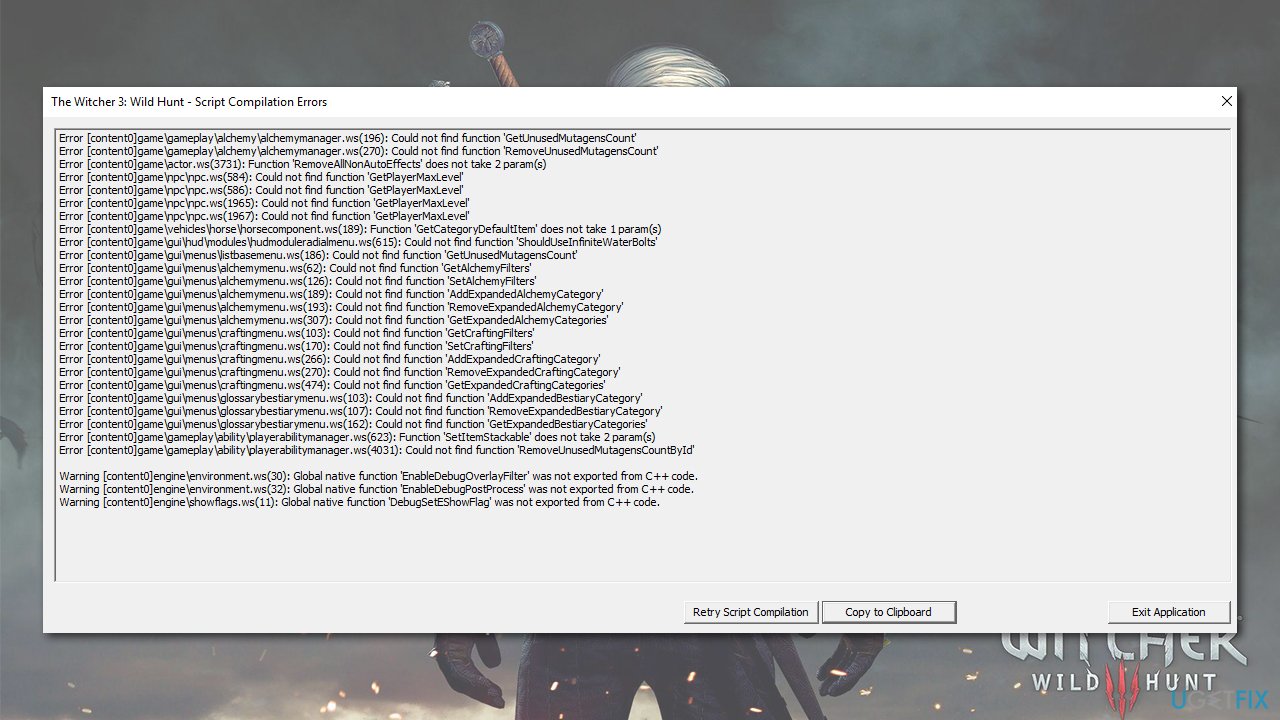
The main reasons for the errors lie within mod conflicts or buggy, outdated versions of mods. In order to fix Witcher 3 Script Compilation errors, users first need to make sure that the mods versions match their game version. For example, the GOTY edition is V1.31, while some mods might be created for V1.30 of the game.
Below, we provide several methods on how to fix this problem. Before you proceed, we recommend you try out [d1] PC repair tool that can fix the underlying issues on a Windows computer and resolve Blue Screen of Death crashes, registry[ref en-1] corruption, DLL errors, and much more.
1. Install the Unification patch
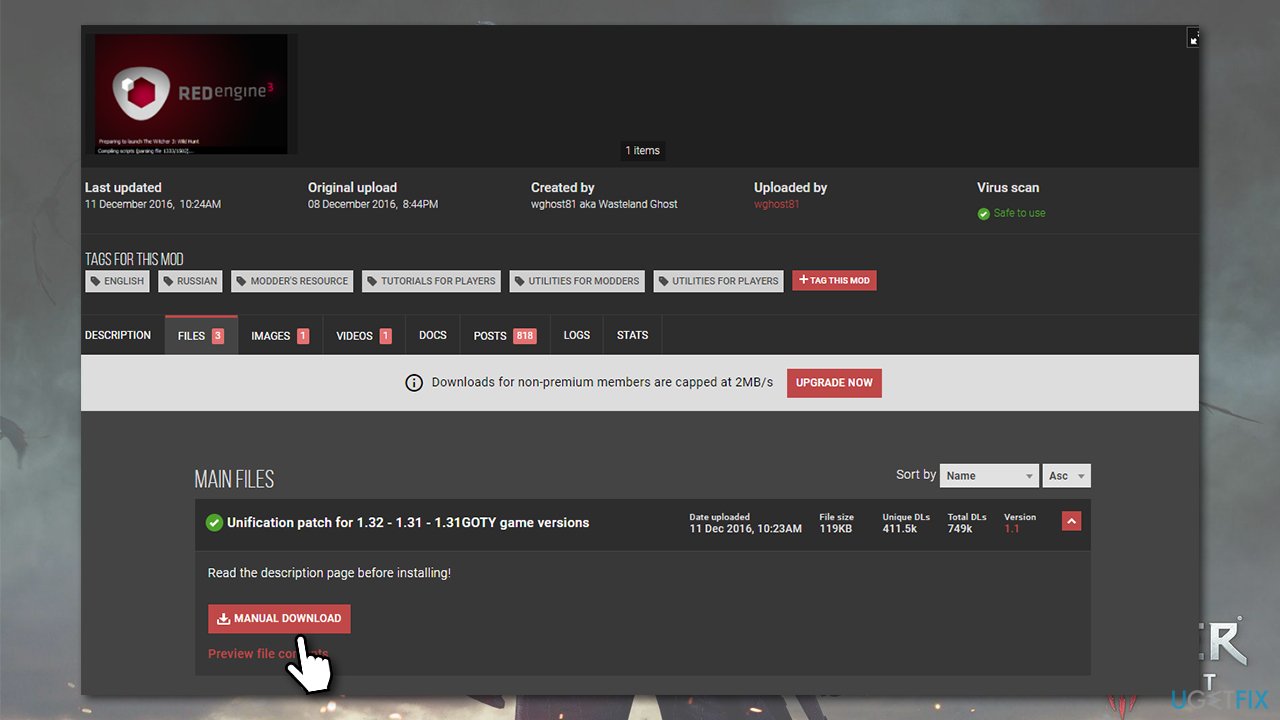
You can download an official patch that makes GOTY and non-GOTY versions of the game identical when it comes to their files, which might solve the issue with mods you are having. This is the easiest solution that helped many players, so start from it:
- Download the official Unification patch.
- After downloading it, extract the archived folder (right-click > Extract).
- Mark content and Mods folder, right-click and select copy.
How to fix script compilation error in witcher 3 download unification patch - Open Steam, GOG, or another platform you are using for the game.
- On Steam, right-click on the title and select Properties.
- Go to the Local Files section and select Browse...
- Press Ctrl + V to paste and replace the files in the relevant folders.
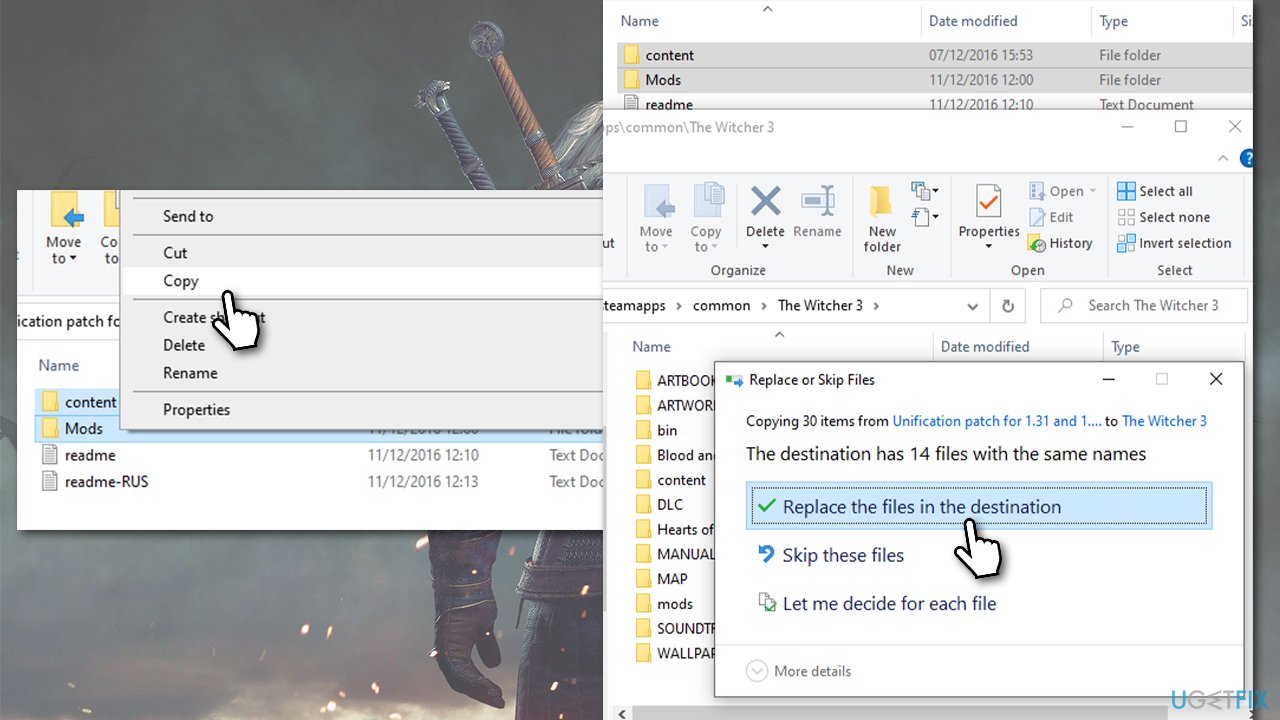
How to fix script compilation error in witcher 3 copy and paste mods content folders
2. Reinstall your mods
This might take you much longer, but it should help you fix the error.
- Open Steam, right-click on Witcher 3 and select Properties.
- Click Local Files and select Browse.
- Here, you should see the Mods folder if you have created one in this location.
- Delete the folder or its contents.
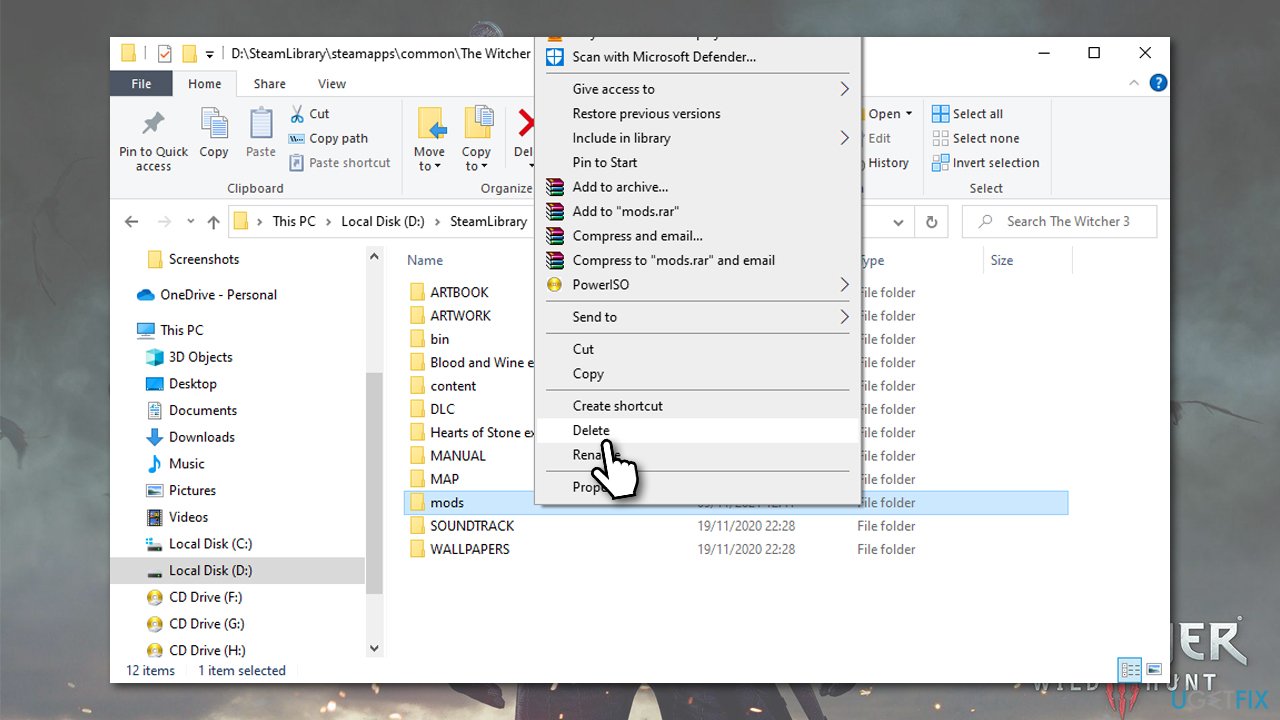
How to fix script compilation error in witcher 3 reinstall mods - Go to Nexusmods or another trustworthy mod website and redownload the mods, making sure that they are for the latest game version.
If you still encounter Script Compilation errors, mods might be conflicting - proceed with the next step.
3. Check mods with Script Merger
While using Script Merger on already existing mods can be a solution, the ones that require manual intervention can be annoying to deal with. We provide the instructions below, however.
If you are not using a large number of mods, however, you could simply delete all the installed ones and then run Script Merger each time you install a new mod so you know which one is causing the error.
- Download and install the Script Merger for Witcher 3.
- Run the program and click on the three dots to find the correct location for your game files.
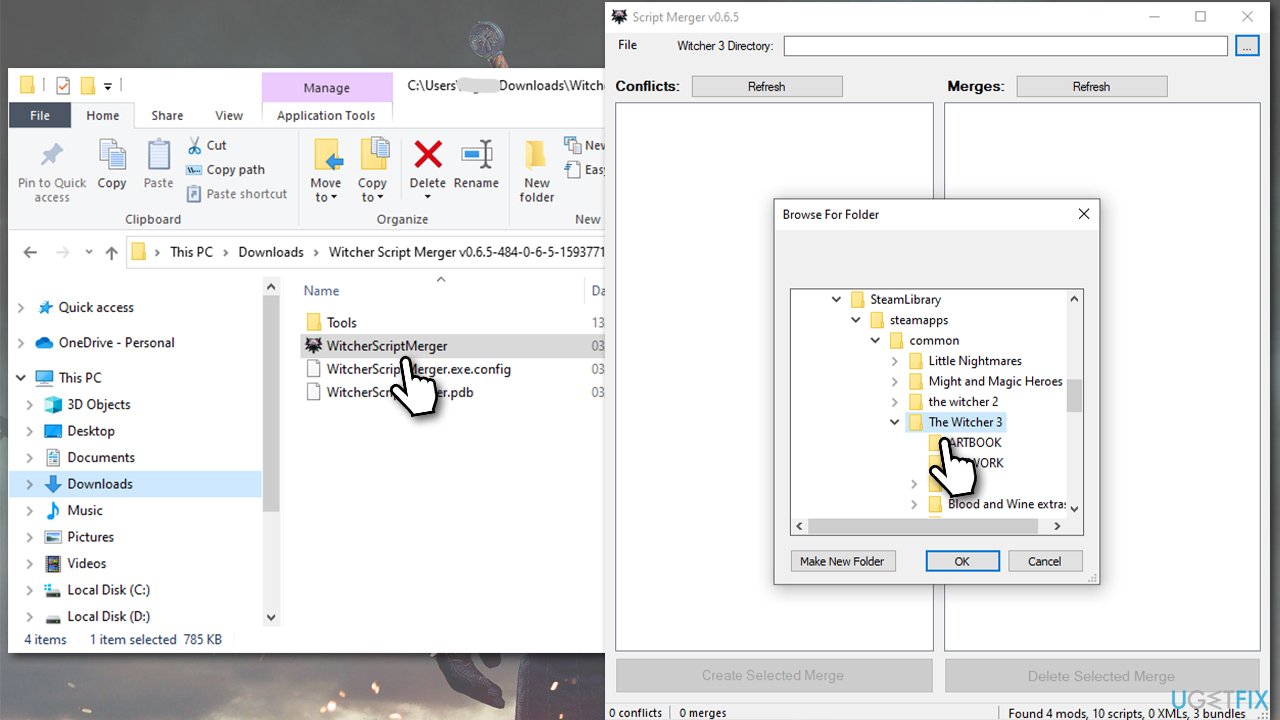
How to fix script compilation error in witcher 3 reinstall mods use scripts merger - Under Conflicts, click Refresh.
- Select your mods and click Merge Selected Script.
- You'll be given a list of which mod conflicts can be resolved automatically and which ones need to be done manually. Click OK.
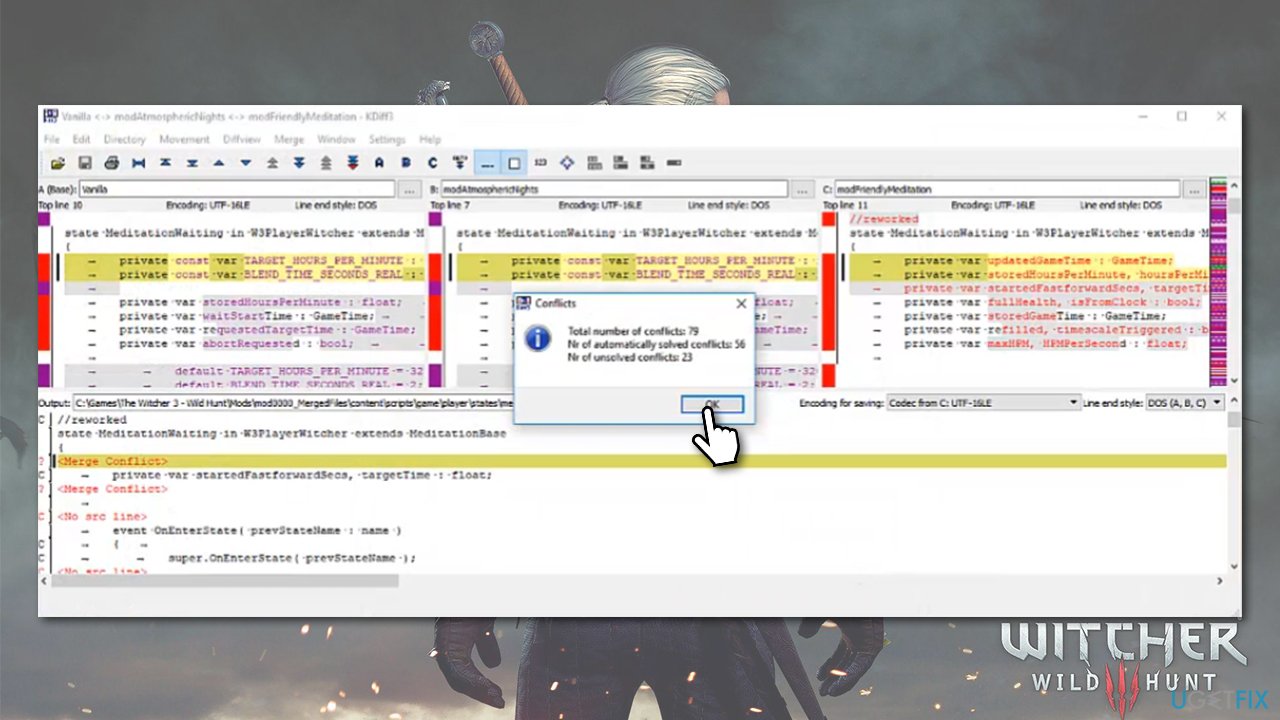
How to fix script compilation error in witcher 3 reinstall mods use scripts merger resolve conflicts - You can now see A, B, and C columns at the top, with the Output column at the bottom. Mods that need to be fixed manually are marked with yellow color at the top columns.
- In the Output Column, find the Merge Column line - right-click it, and see which column at the top correlates - the text should also be highlighted in yellow.
- Click Select Lines from A (or any other column that correlates in your case) - the conflict should now be resolved.
- Click File > Save at the top and then repeat this for every yellow line present.
- Once done, close down the window, which will then show you the Merge Finished window, and click OK.
Bottom line
To fix the Script Compilation errors in Witcher 3, ensure that your mod versions match your game version. If issues persist, consider removing all mods and playing the game without them. If none of these solutions work, you may want to try a PC repair tool to fix underlying issues.
Frequently asked questions
The Script Compilation error typically occurs due to outdated mods or corrupted game files in Witcher 3. Ensuring that your game is updated and verifying the integrity of the game files can often resolve this issue.
To fix the Script Compilation error while using mods, try disabling all mods and enabling them one by one to identify the culprit. Additionally, make sure that all installed mods are compatible with the current version of Witcher 3.
Yes, you can resolve the Script Compilation error by verifying the integrity of the game files through Steam or GOG, which will replace any corrupted files without needing a full reinstallation. This method is effective on both Windows 10 and Windows 11.




Report an issue
What's wrong with this guide? We review every report and update or remove content.
Report received — thank you. We'll review and fix it.
You need a free account to submit a report.
Be the first to comment