How to fix
Remove Monetizationking.net Referral Spam from Google Analytics Stats
on Windows
Eliminate Monetizationking.net referral spam from your Google Analytics on Windows 10 or 11. Expert-tested methods ensure clean stats, fixed in minutes.

Why does How to Remove Monetizationking.net Referral Spam from Google Analytics Stats occur?
- Fake referrals from spammers
- Injection of fake traffic indications
- Use of Measurement Protocol by advertising networks
- Misleading traffic data
- High bounce rates from non-existent visitors
Repairs Windows system files, removes malware, and restores a clean OS state — without reinstalling.
Checking the compliance of rules of pIs it realistic that the traffic to my website increases significantly in one day and the source for it is a site with the referral Monetizationking.net? There are hundreds of new users from this site and the bounce rate usually, reaches 100%. Since I’m a beginner in web mastering, I would highly appreciate your opinion. Thanks.
Currently, many webmasters doubt whether they should be worried or glad about the Google Analytics stats. That’s because they often look strange, mildly saying. Checking the data one day may show nothing exception, but more or less the same amount of new visitors, familiar sources, and referrals. The other day the webmaster may find a significantly increased traffic with an almost 100% bounce rate and an unfamiliar referral, such as Monetizationking.net. If you haven’t performed some great changes on your website and did not modify the way of advertising it, then massive traffic to your site instantly might not be a good sign since spammers have found a way to target Google Analytics stats. Such activity is known as Referral Spam or Ghost Traffic.
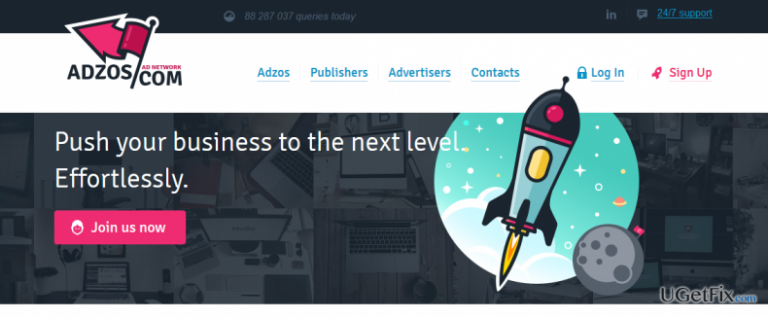
Monetizationking.net is one of the fake referrals circulating on Google Analytics data the past two years. It is directly related to the adzos.com site, which is a “modern” advertising network helping webmasters to drive traffic to their pages. Unfortunately, but this advertising network is performing its tasks in a very unfair manner by rendering Measurement Protocol and injecting fake traffic indications in the people’s Google Analytics data. Therefore, it doesn’t mean that there was a real reference from monetizationking.net URL to your domain. Sadly, there were NO real visitors from this domain on your site. Spammers seek to distort your Google Analytics data with an intention to draw your attention and make you search for monetizationking.net fake URL. Usually, people have false presumptions that fake referrals are dangerous as they:
- Harm the website directly;
- Steal traffic;
- Change the rank in Google search results;
- Cannot be removed.
All the facts mentioned above are false. Monetizationking.net spam and similar to it does not have a direct link to the website. Besides, it cannot steal traffic because there were NO real people visiting the website. The purpose of monetizationking.net referral is to catch your eye and type the URL in your URL address bar. This way, spammers collect traffic to the sites of affiliates. Unfortunately, but spammed Google Analytics stats may be devastating as you may misinterpret the status of your website and, therefore, fail to manage it properly. Not to mention, destination site of the monetizationking.net referral spam is questionable. Therefore, if you have already checked the URL, it’s advisable to check the system for malware using a professional anti-virus tool, such as [d1].
How to block monetizationking.net referral spam on Google Analytics?
Luckily, fake referrals like monetizationking.net URL can be removed from the stats of Google Analytics quickly. For this purpose, you have to perform a triplet of steps. These are the following:
Step 1. Change Filter Pattern
- Go to Admin -> All Filters. Then go to New Filter and type monetizationking.net in the Filter Name box.
- Select Custom Filter Type, then choose Campaign Source from the drop-down Filter Field menu.
- Eventually, in the Filter Pattern field, enter monetizationking.net and click Save.
Step 2. Alter HTTP settings
- Sign into cPanel account, navigate to File Manager section and click on the checkbox called Document Root for -> your website.
- Click on Show Hidden Files and click Go. Once you locate the .htacess file, right-click on it and choose Code Edit. Enter the following text ant click Save Changes.
## SITE REFERRER BANNING
RewriteCond %{HTTP_REFERER} monetizationking.net [NC,OR]
RewriteCond %{HTTP_REFERER} monetizationking.net
RewriteRule .* - [F]
Step 3. Modify Language filter
- In your Analytics account, go to Admin Tab.
- Click VIEW, select Filters and then hit +Add Filter.
- In the Filter Name box, type: Language Spam.
- In the Filter Pattern box, type in: \s[^\s]*\s|.{15,}|\.|,
- Click on Verify this Filter, then Save.
Bottom line
To address the issue of Monetizationking.net referral spam, webmasters can filter out fake referrals in Google Analytics, block the spam source, and ensure proper tracking setup. If these fixes do not resolve the problem, consider consulting with a professional for further assistance.
Frequently asked questions
To prevent Monetizationking.net referral spam, you can set up a filter in Google Analytics to exclude referrals from this domain. Additionally, ensure that your Windows 10 system has up-to-date security software to mitigate potential threats.
In Windows 11, you can utilize network monitoring tools to track suspicious activity and block unwanted traffic originating from Monetizationking.net. Regularly updating your browser and analytics settings will also help keep your data clean.
Yes, you can remove Monetizationking.net referral spam by creating a custom segment in Google Analytics that excludes this spam domain while leaving your Windows settings unchanged. This will ensure your analytics data remains accurate.




Report an issue
What's wrong with this guide? We review every report and update or remove content.
Report received — thank you. We'll review and fix it.
You need a free account to submit a report.
Be the first to comment