How to fix
“Awaiting Endpoint” Discord error
on Windows
Resolve the "Awaiting Endpoint" error on Discord in Windows 10 or 11 with these expert-tested solutions. Get back to chatting in minutes!


What causes How to fix “Awaiting Endpoint” Discord error in Windows?
- Unstable network connection
- Server outage
- Network problems
- VPN interference
- Incorrect server region
Repairs Windows system files, removes malware, and restores a clean OS state — without reinstalling.
I have a Discord server that I've recently created with my friends, and other people have been trying to connect to it, but they receive the "Awaiting Endpoint" in the Discord channel instead. Is there any solution to this?
Discord is a powerful communication platform that has become increasingly popular, especially among gamers. However, like any other app, Discord can experience issues that disrupt communication. One of the most common issues that Discord users encounter is the "Awaiting Endpoint" error. This article will discuss what this error means, its causes, and the solutions to fix it.
The Awaiting Endpoint error is an error that occurs when Discord is unable to establish a reliable connection between your computer and the Discord voice server. This prevents data transmission between the machines and causes the error: Awaiting Endpoint. When this error occurs, users cannot join voice channels or send messages, which can be particularly frustrating during important meetings or gaming sessions.
The Awaiting Endpoint error can be caused by several factors, including an unstable network connection, server outage, or another network problem. Sometimes, the error resolves itself quickly without any intervention from the user. However, if the issue persists, it is essential to understand the underlying causes to fix it effectively.
If you encounter the Awaiting Endpoint error on Discord, the first step is to check your internet connection and the status of the Discord servers. Changing the server region for the voice channel can also help resolve the issue. Sometimes, the problem can be so basic that a simple reboot can fix it. Therefore, consider restarting your computer before trying advanced fixes.

If restarting your computer doesn't help, try checking for problems with your internet connection by visiting other websites and playing videos. If you're using a VPN, disabling it for some time can help solve the issue. Additionally, if you're in a group voice chat, notify other participants of the situation by leaving a message in the voice channel text chat.
In conclusion, the Awaiting Endpoint error is a common issue that Discord users encounter when trying to establish a reliable connection between their computer and the voice server. Below we provide several solutions for this problem, so check them out. If you want your computer issues to be resolved automatically, we highly recommend trying [d1].
Solution 1. Check the Discord server status
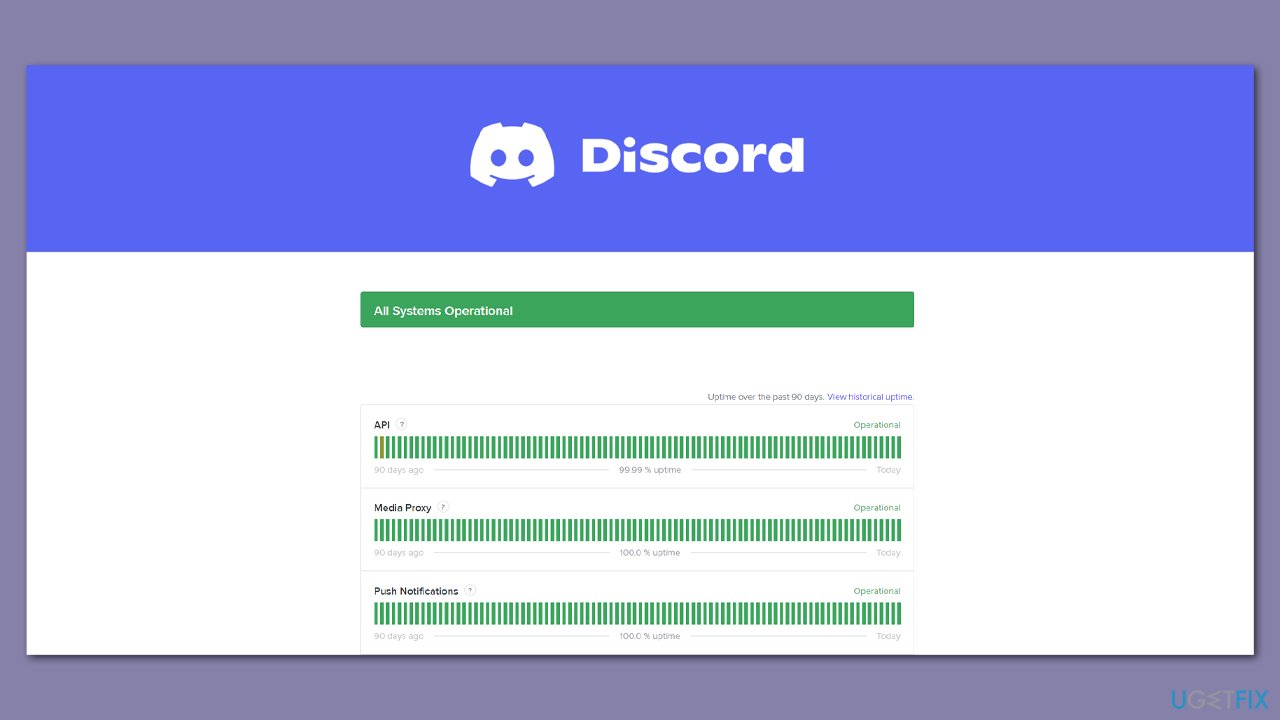
The "Awaiting Endpoint" error might occur due to Discord's servers being down. Thus, the first thing you should do is visit the official Discord website dedicated to showing users the status of the app's servers. You can also check out the official Discord Twitter account or check the status on websites like Downdetector.
Solution 2. Check your internet connection
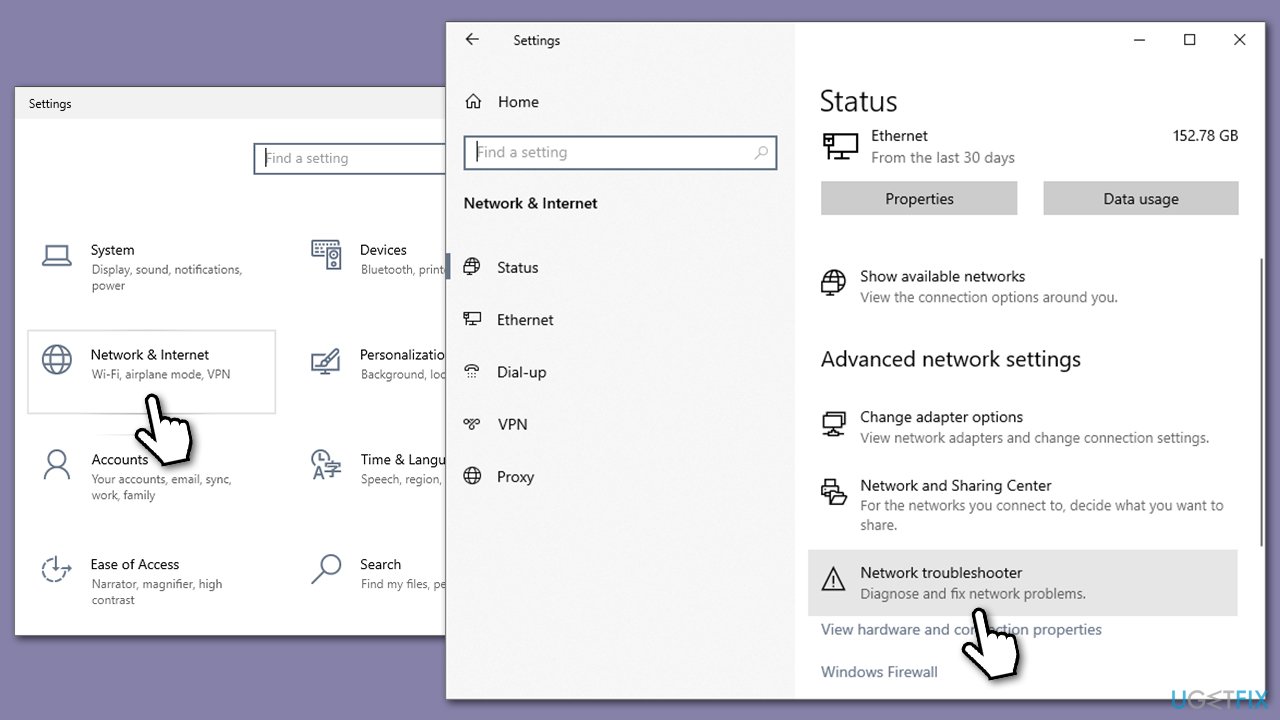
Issues with the internet can cause connection errors on Discord, so we recommend running a troubleshooter:
- Right-click on the Start button and select Settings.
- Go to Network & Internet section.
- Here, locate the Advanced network settings section.
- Click the Network troubleshooter to run it.
- Wait for the scan to finish, and apply the fixes.
Solution 3. Change the server region
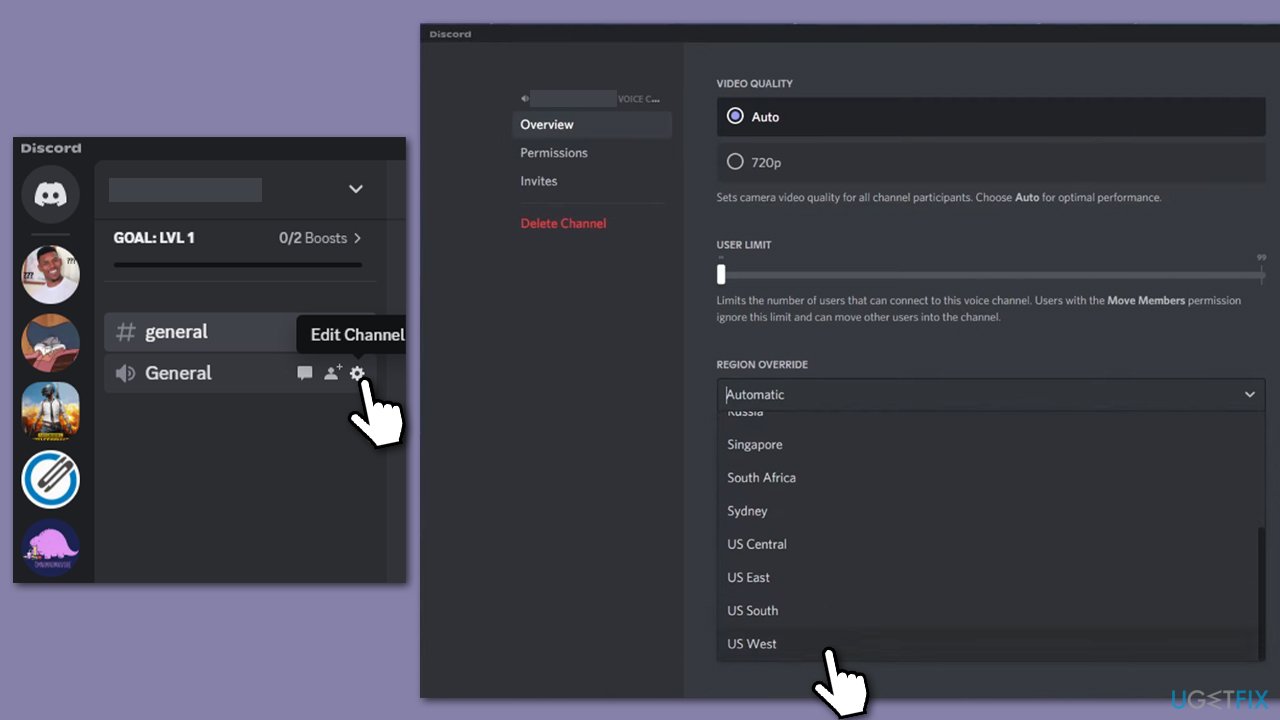
When issues with the connection are not the problem, it's time to look for other solutions. Changing server region is one of the methods that helped users. Keep in mind that you can't change the region for the whole server, and you will have to do it for each of the channels individually.
- Open Discord.
- Go to your server and pick a channel you want to change the region for.
- Click on the Gear icon.
- Under the Overview section, scroll down to the Region override section.
- From the drop-down menu, pick the region of your liking.
Solution 4. Reinstall Discord
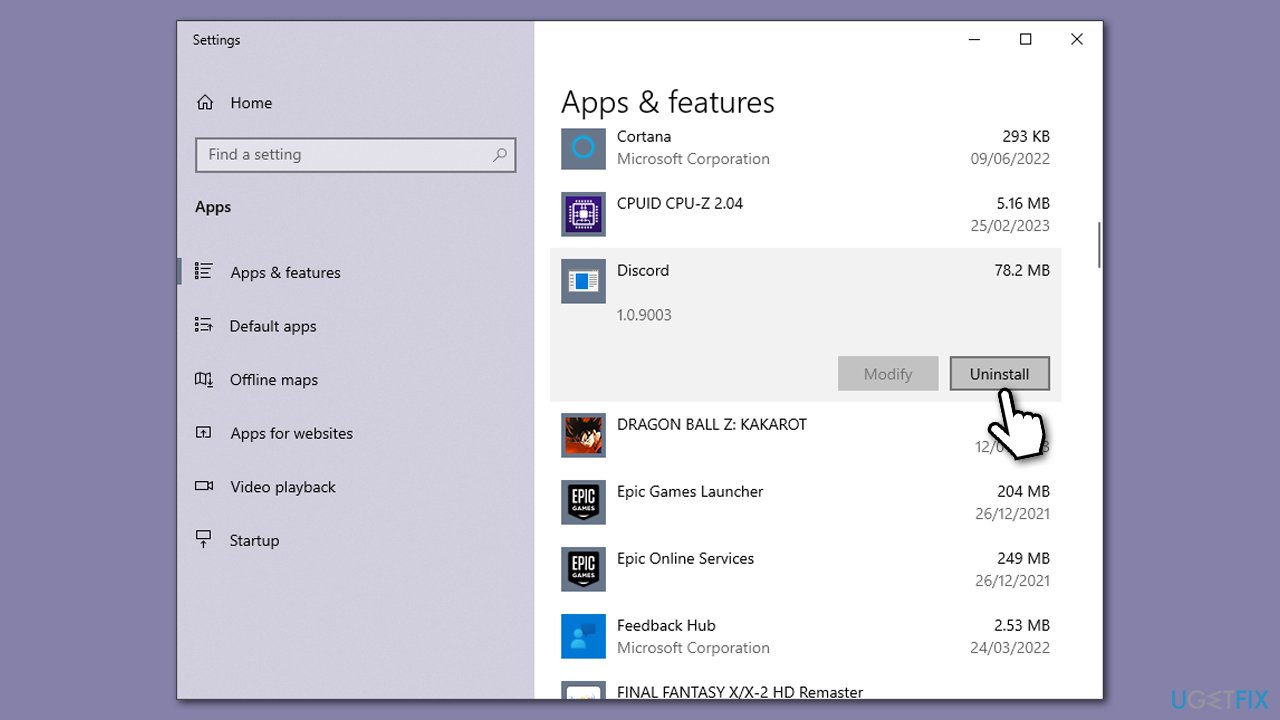
Discord can run into serious problems in some cases, and the only method to resolve it is to reinstall the program altogether. If none of the solutions above helped you to fix the "Awaiting Endpoint" error in Discord, you should try reinstalling the app. If you run into difficulties when doing so, check out our particular article that would help you resolve this issue as well.
- Right-click on Start and pick Apps and Features.
- Scroll down to find Discord.
- Click Uninstall and follow up with Uninstall again.
- Follow on-screen instructions to remove the app.
- Download it from the official website and install it anew.
Bottom line
The Awaiting Endpoint error can often be resolved by checking your internet connection, changing the server region for the voice channel, or simply restarting your computer. If these solutions do not work, consider disabling your VPN and notifying other participants in the voice chat.
Frequently asked questions
The 'Awaiting Endpoint' error in Discord typically occurs due to network connectivity issues, server problems, or outdated application files on your Windows system.
To fix the 'Awaiting Endpoint' error on Windows 11, try restarting your router, checking Discord's server status, or reinstalling the Discord application.
Yes, clearing the Discord cache can help resolve the 'Awaiting Endpoint' issue on Windows 10 by removing corrupted files that may be causing the error.




Report an issue
What's wrong with this guide? We review every report and update or remove content.
Report received — thank you. We'll review and fix it.
You need a free account to submit a report.
Be the first to comment