How to fix
“Oops! Something went wrong” error on YouTube
on Windows
Resolve the "Oops! Something went wrong" error on YouTube in Windows 10 and 11 quickly. Get expert-tested solutions and fix it in minutes!


What causes How to fix “Oops! Something went wrong” error on YouTube?
- Outdated web browser
- Google account issues
- Incorrect login credentials
- Blocked account
- Cache and cookies issues
Repairs Windows system files, removes malware, and restores a clean OS state — without reinstalling.
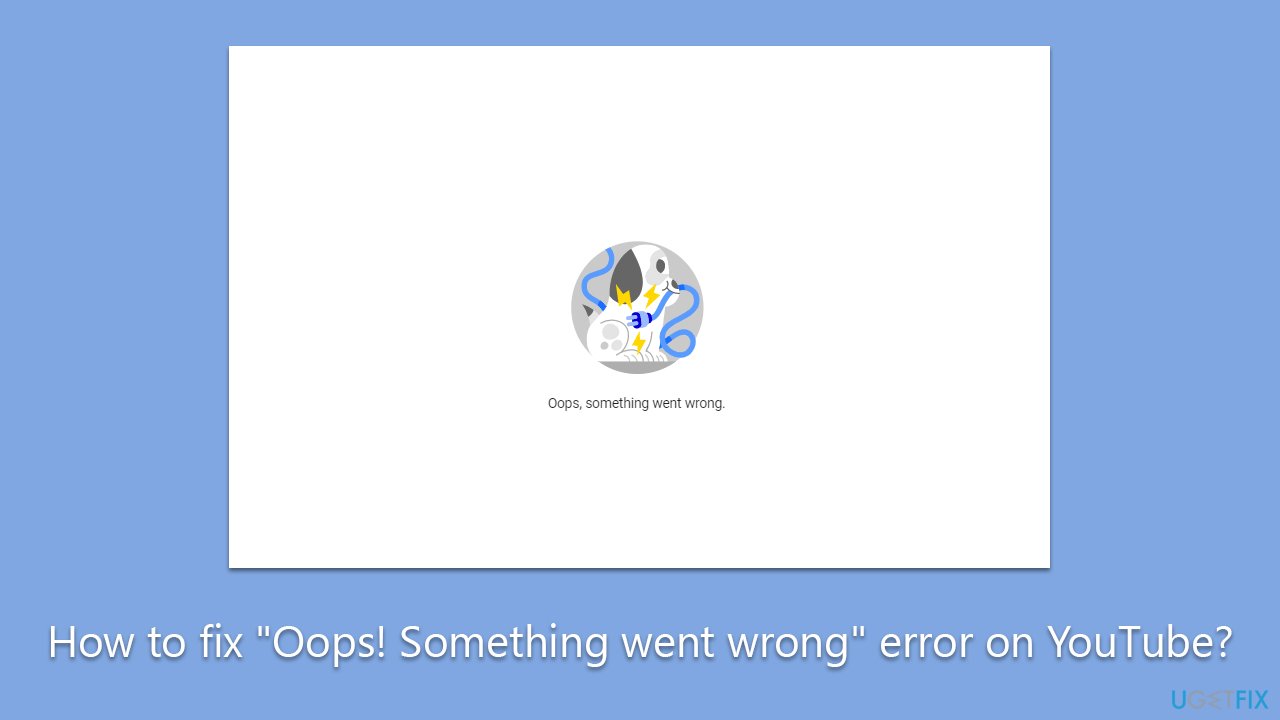
Hi, I keep getting "Oops! Something went wrong" error on YouTube. It doesn't matter which video I try to view - it goes fine at first, and then it stops, showing an error instead. I am not sure what happened, as it was never the case before. I am using Windows and Google Chrome browser to watch YouTube.
YouTube is a video-sharing platform that has gained immense popularity in recent years. The website allows users to access millions of videos on various topics, including music, entertainment, education, and much more. However, like any other website, YouTube can also encounter errors that might affect the user's experience. One such error that YouTube users encounter is the "Oops! Something went wrong" error.
This error can occur while trying to sign in to the YouTube account via a web browser. It can be frustrating for users as they may not be able to access their playlists, liked videos, and subscriptions. The error message can vary, and sometimes it might display as "500 Internal Server Error" or "502 Bad Gateway Error."
The "Oops! Something went wrong" error on YouTube can be caused by several reasons, including outdated web browsers or Google account issues. If the user is using an older version of the web browser, it might not support the latest YouTube features, leading to this error. Similarly, if there is an issue with the Google account, such as incorrect login credentials or a blocked account, the user might encounter this error while trying to sign in to YouTube.
Another possible reason for this error is cache and cookies issues. Web browsers store temporary files on the device, including cache and cookies. Over time, these files can become outdated and cause issues while accessing YouTube. Clearing cache and cookies from the web browser might help resolve this issue.
Before proceeding, we recommend checking your operating system for underlying issues with [d1] PC repair, which can find corrupted system files and fix them, clear browser caches, and clear malware-caused damage.
Solution 1. Update your browser
First, make sure that your browser is up to date. Follow these steps:
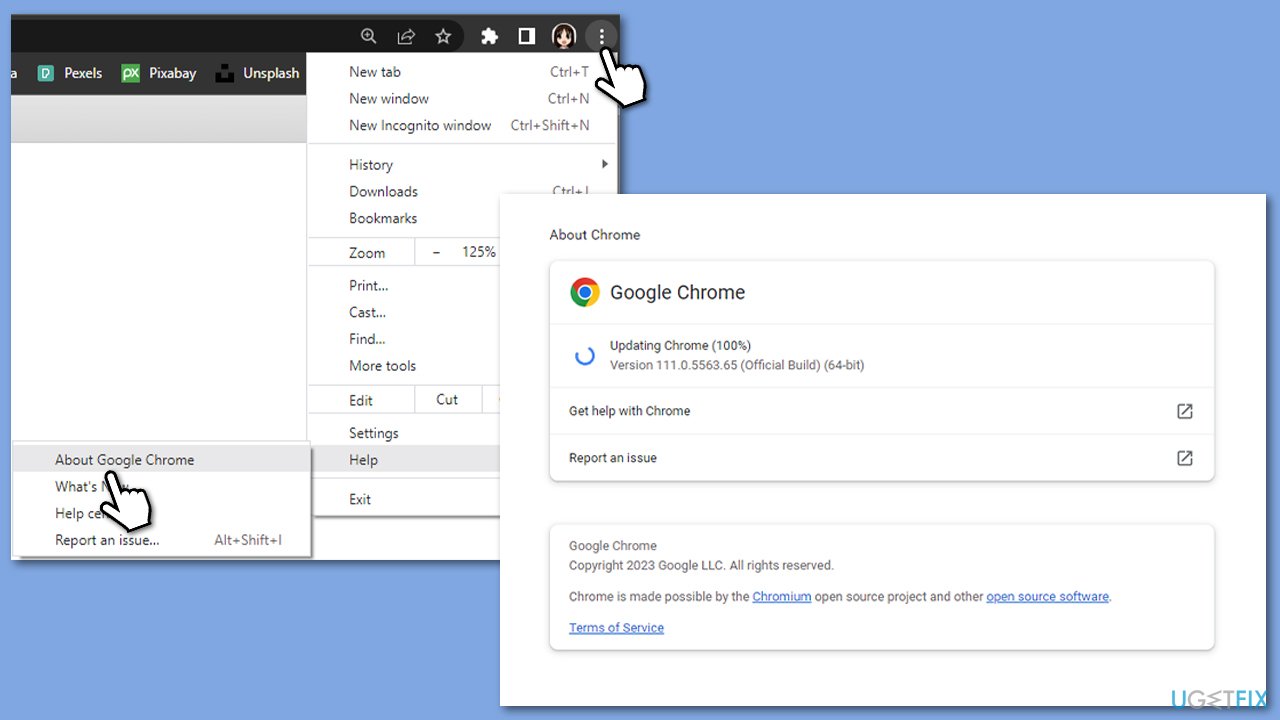
Google Chrome
- Click on the menu (three vertical dots in the top-right corner of the browser).
- Select Help > About Google Chrome.
- Wait till the browser is updated and click Relaunch.
Microsoft Edge:
- Click on Settings and more (three horizontal dots).
- Select Help and feedback > About Microsoft Edge.
- Your browser should be updated, then restart it.
Solution 2. Clear browser caches
Google Chrome
- Click on Menu and select Settings.
- Under Privacy and security, pick Clear browsing data.
- Select All time under the time range.
- Select Browsing history, Cookies and other site data, as well as Cached images and files.
- Click Clear data.
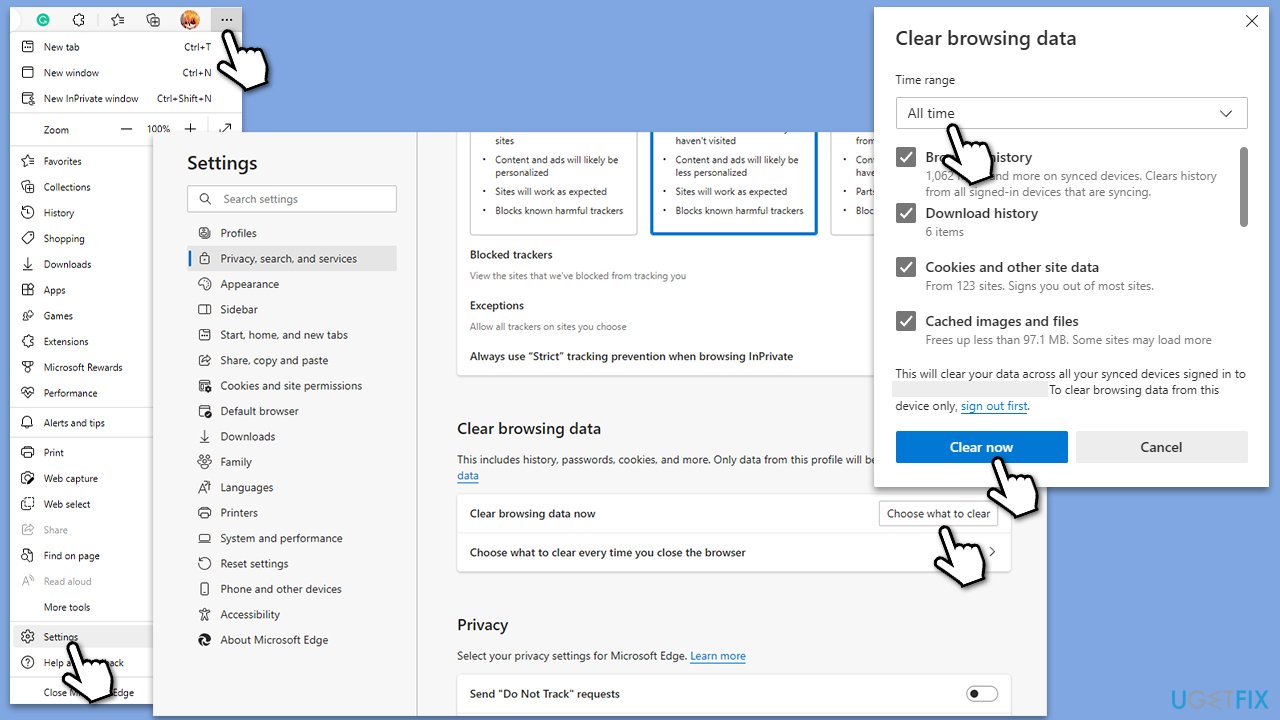
MS Edge
- Open Edge and click on three horizontal dots (Settings and more).
- Select Settings and then pick Privacy, search, and services on the left.
- On the right side of the window, scroll down to find the Clear browsing data section.
- Click Choose what to clear.
- Select All time under the time range.
- Pick all the sections and click Clear now.
Solution 3. Remove devices from your Google account
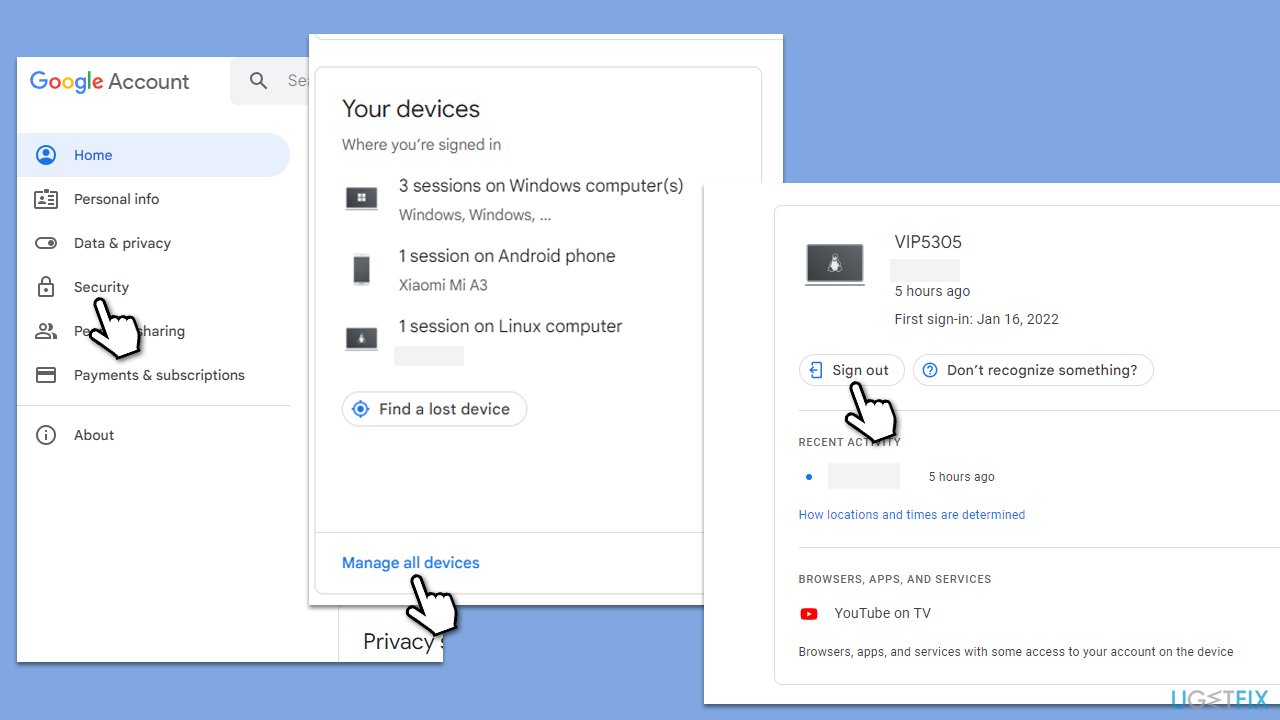
- Open your browser and navigate to your Google account page.
- On the left side of the page, select Security.
- Under Your devices section, select Manage all devices.
- Check the devices connected to your account - remove everything you don't recognize. If you don't see unknown devices, you can still remove your device and re-add it, and then see if it solves the issue.
Solution 4. Check YouTube servers
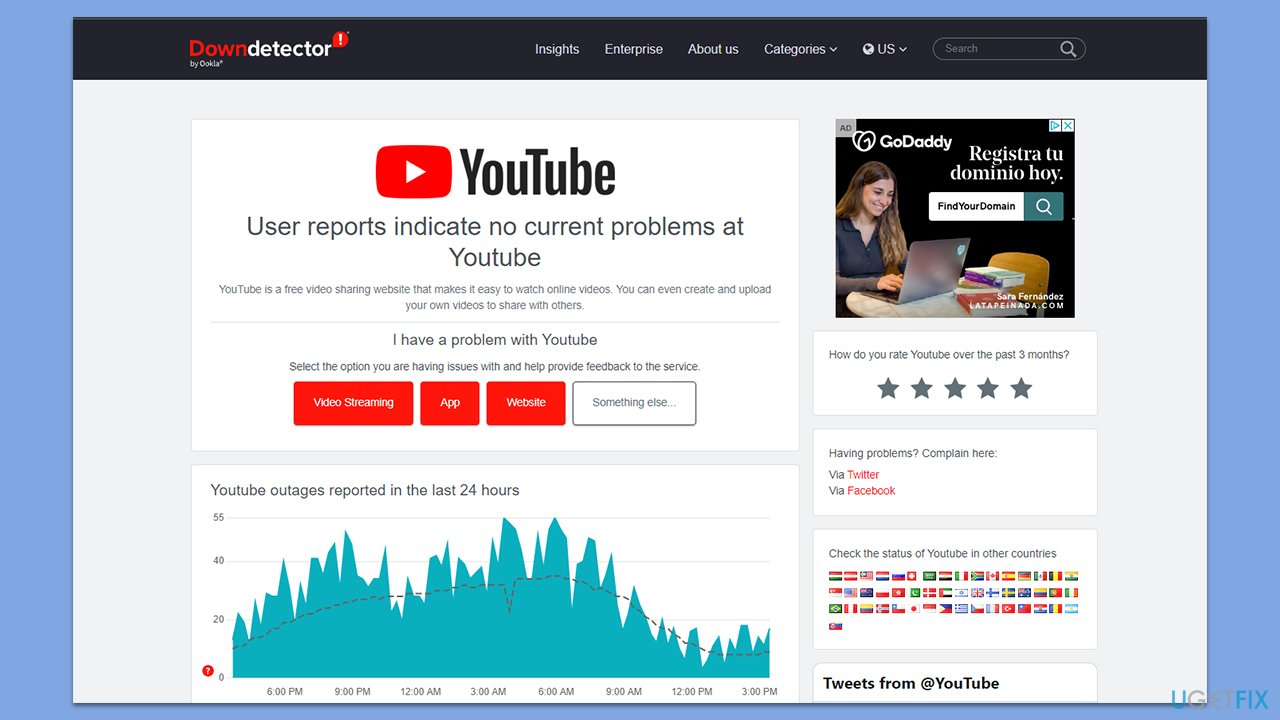
While YouTube is the biggest streaming platform in the world, it sometimes might still run into technical issues. In this case, it might be a result of malfunctioning servers. To check whether other users experience similar issues, you can visit websites such as DownDetector. If you see a large number of reports, you can safely assume that servers are having issues, and you should wait it out until Google sorts them out.
Solution 5. Run network troubleshooter
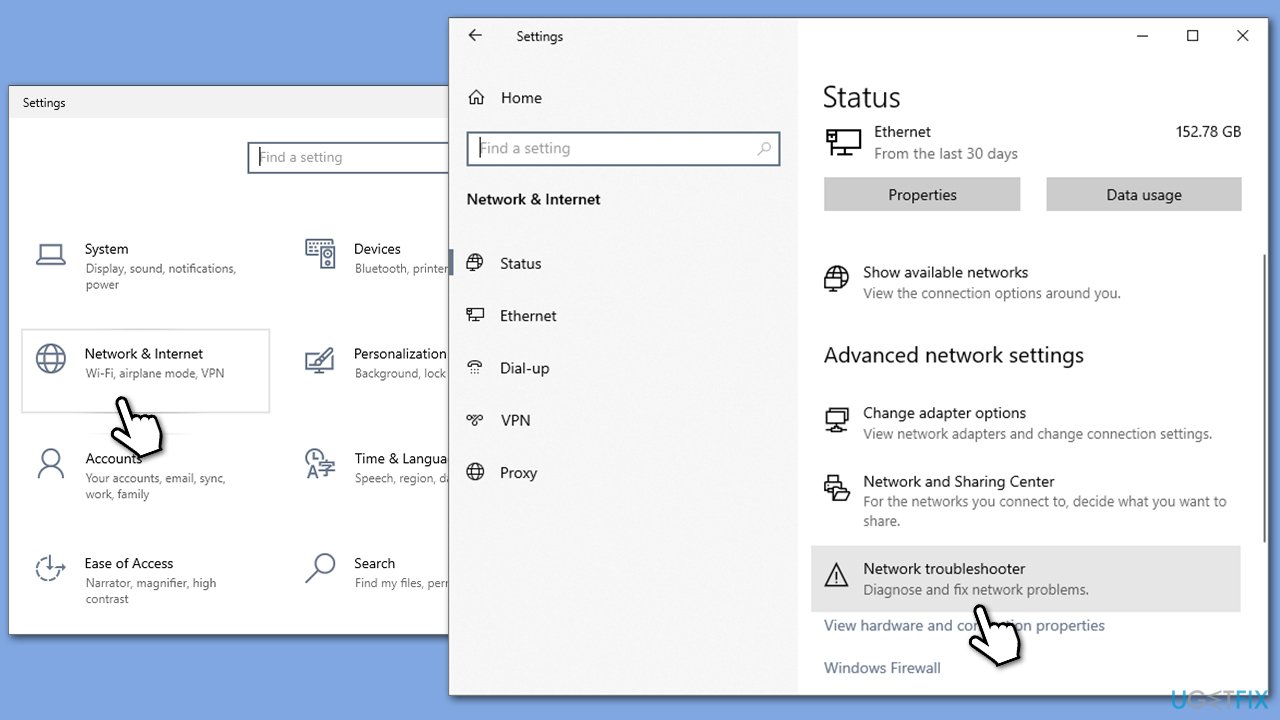
"Oops! Something went wrong" error on YouTube could be caused by internet issues on your end. Check your network by following these steps:
- Right-click on Start and pick Settings.
- Go to Network & Internet section.
- On the right side, find the Advanced network settings section.
- Click Network troubleshooter, specify the problem, and wait till the scan is finished.
- When done, apply all the recommendations.
Bottom line
To fix the 'Oops! Something went wrong' error on YouTube, you can start by updating your browser. Additionally, clearing cache and cookies may help resolve the issue. If these solutions do not work, consider checking for underlying system issues or seeking further assistance.
Frequently asked questions
Try clearing your browser cache and cookies, then restart your browser. If the issue persists, consider updating your browser or switching to a different one.
Ensure that your Windows 11 is up to date, as updates can fix compatibility issues. Additionally, check your internet connection and try disabling any VPN or proxy settings.
Try uninstalling and reinstalling the YouTube app from the Microsoft Store, which can help resolve any corrupted files. Also, ensure that your Windows 10 or Windows 11 system has the latest updates installed.




Report an issue
What's wrong with this guide? We review every report and update or remove content.
Report received — thank you. We'll review and fix it.
You need a free account to submit a report.
Be the first to comment