How to fix
Download Facebook data
on Windows
Easily download your Facebook data on Windows 10 or Windows 11 with our expert-tested guide. Access your info in minutes, zero traces left!


Why does How to download Facebook data occur?
- Facebook collects user data including IP address
- Facebook shares user information with third parties
- Users may forget the details they have revealed over time
- Privacy settings may not be configured properly
- Potential infections from Facebook viruses
Repairs Windows system files, removes malware, and restores a clean OS state — without reinstalling.
After finding that Facebook not only collects but also shares details about its users, I would like to know what kind of information does it have about me. Could you show me how to download Facebook data?
Facebook is a social media platform widely used by more than 1 billion people. Unfortunately, once it became public that Cambridge Analytica shared information of 87 million users, people no longer feel safe[ref en-1]. Since many people have used Facebook from the early teens, it is impossible to remember how much details you have revealed about yourself.
Online platforms have Privacy Policy which states what kind of data Facebook and other applications collect. Usually, such information is categorized as non-personally identifiable[ref en-2] and shouldn't put your privacy at risk. That includes the following details:
- IP address[ref en-3];
- Operating system;
- Hardware version;
- Frequently visited pages;
- Browser type, etc.
However, this data that Facebook gathers is not the only one. Sadly, it also collects information that you provide while using its services. These details are far more private and can not only identify you but also provide sensitive information about your personal life. 
We strongly advise you to be cautious of what information you directly submit to your social media platforms. Note that, you can also modify the privacy settings to make sure that others won't see private details. Although, the smartest move would be not to upload such information.
If you wonder what data Facebook has on you or you want to download it for analysis, there is a way how you can get it done quickly. You will find instructions presented below which are designed to show quick steps. However, it is essential that you would follow them attentively if you want to succeed.
Learn how to download Facebook data
Facebook data download guidelines are presented below. Although, if you cannot download the file, make sure that your computer and account is not infected with a Facebook virus. For that, we highly recommend installing a professional security tool that would help you protect your computer. [rev id=”Reimage”] is an excellent pick.
Download Facebook data and deleted messages:
- Go to Facebook and log in;
- Click on the downward pointed arrow in the top-right corner of the window;
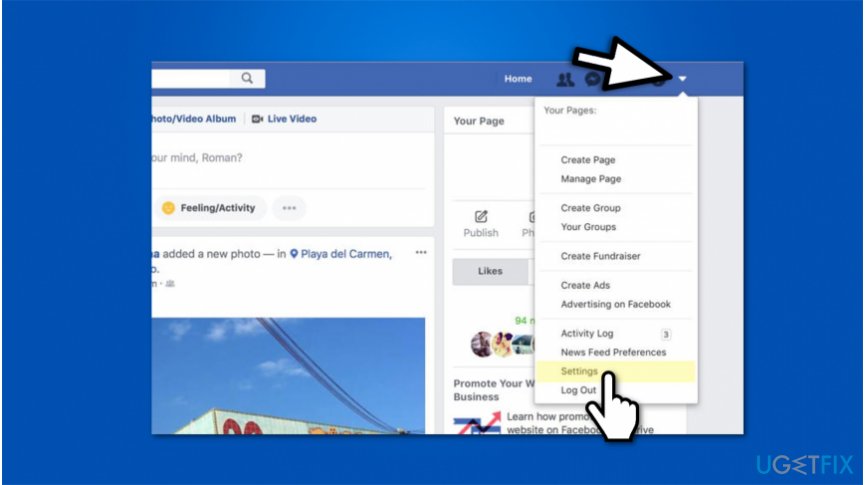
Facebook data download - Select Settings;
- On the left panel, pick General and open General Account Settings;
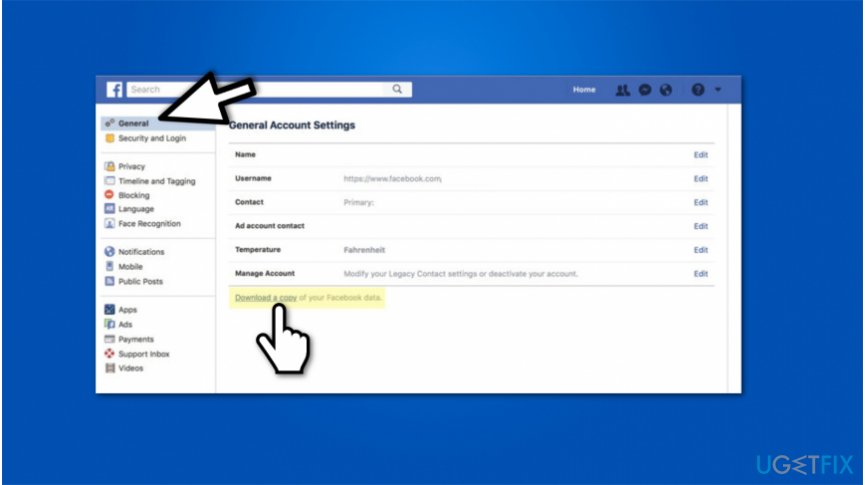
Facebook information download - Search for Download a copy of your Facebook data at the end of the page;
- Click it and wait for the next page to open;
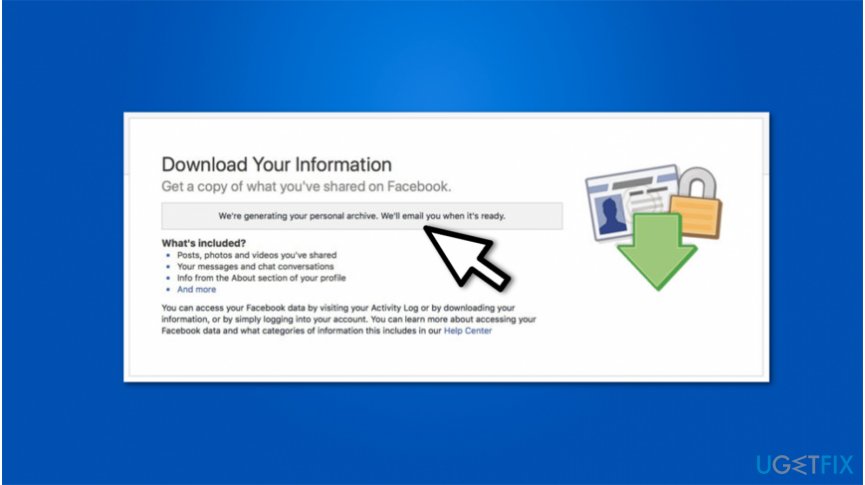
Facebook data copy - Hit Start my archive and wait for the data to be downloaded to your email;
- Go to your email and check for the notification from Facebook;
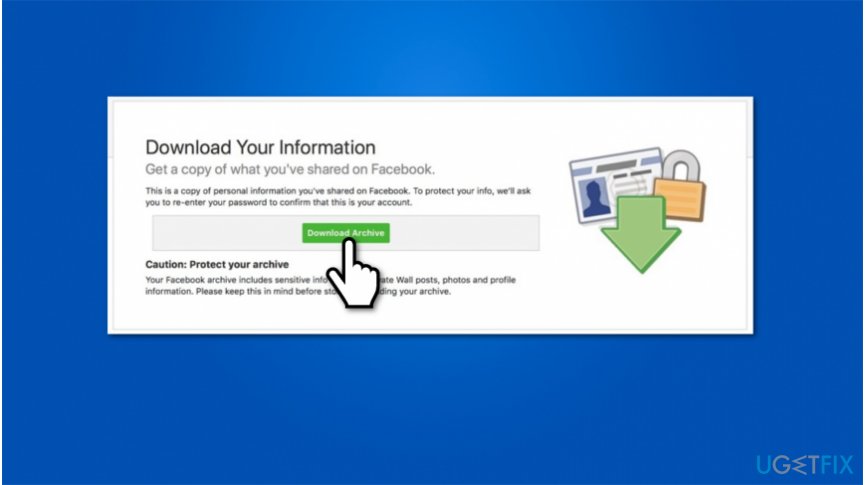
Facebook information copy - Make sure that it is legitimate and click on the download link it contains;
- You will be redirected to the previous page and should click the Download Archive button;
- Submit Facebook password when asked and wait for the download to begin.
Bottom line
To download your Facebook data, follow the provided guidelines carefully. If you encounter issues, ensure your computer and account are secure and consider using a professional security tool. If problems persist, seek further assistance.
Frequently asked questions
To download your Facebook data on Windows 10, go to your Facebook Settings, select 'Your Facebook Information', and click on 'Download Your Information' to request a copy of your data.
Yes, when you download your Facebook data on Windows 11, it will be available in a ZIP file format containing your photos, messages, and other information.
Yes, while downloading Facebook data on your Windows PC, you can select specific data types, such as posts, photos, or messages, by customizing your download request.




Report an issue
What's wrong with this guide? We review every report and update or remove content.
Report received — thank you. We'll review and fix it.
You need a free account to submit a report.
Be the first to comment