How to fix
Voice recognition not working: Windows says no internet connection is available
on Windows
Resolve voice recognition issues on Windows 10/11 even when it shows no internet connection. Get expert-tested fixes and regain functionality fast!

![[Fix] Voice recognition not working: Windows says no internet connection is available](https://ugetfix.com/wp-content/uploads/articles/askit/voice-recognition-error-internet-connection-fix_en-768x429.jpg)
What causes [Fix] Voice recognition not working: Windows says no internet connection is available?
- Improper update installation
- Failure of processes after Windows update
- Synchronization issues with services or applications
- File damage or missing system components
- Malicious infections
Repairs Windows system files, removes malware, and restores a clean OS state — without reinstalling.
Hello. I try to use the dictation function, and it is not happening. I hit the Win and H buttons and want to start voice recognition, but I get the message that there is no internet connection. The error gives a code 0x800704cf even. Can I solve this somehow?
Voice recognition not working: Windows says no internet connection is available is an error that can be related to the improper update installation or the failure of other processes. The issue can be caused by the synchronization of particular services or applications after the Windows operating system update.
The indication of the particular 0x800704cf error code shows that it can be related to various problems on the machine. However, users[ref en-1] mainly report the problem with the voice recognition and the problem with Windows dictation not working: Windows says no internet connection is available.
The issue can be fixed by troubleshooting and finding where the error resides from. But these reasons can be related to updates[ref en-2] of the operating system or malicious infections.[ref en-3] There are various files and system components that can get damaged or missing when processes fail.
Voice recognition not working: Windows says no internet connection is available is possible to fix this by altering some of the settings or at least checking if those preferences are set properly. As for the particular file damage, you can run [d1] to repair and solve these issues with missing system data or malware leftovers that interfere with the proper performance of the computer. You can also update OS again.
You should check to see if the particular connection is okay, reset the router, and reconnect all of the devices before jumping to more difficult solutions. If the internet connection is proper and you do not experience other issues with the internet, network, or other related applications, you need to follow the guide below to solve this.
1. Check DNS and IP address settings
- On your keyboard, hit Windows + R keys and type: ncpa.cpl
- Then on the Ethernet or Wi-Fi network tab, right-click then Properties.
- Make sure you only have these active providers:
Client for Microsoft Networks
Microsoft Network File and Printer Sharing
QoS packet schedulers
Voice recognition error internet connection network properties - Now, double-click TCP/IP (IPv4) in the list.
- Check Obtain an IP address automatically and at the bottom.
- Check Obtain DNS server addresses automatically.
2. Reset the network Wi-fi card
- Right-click on the Windows start menu and select Device Manager.
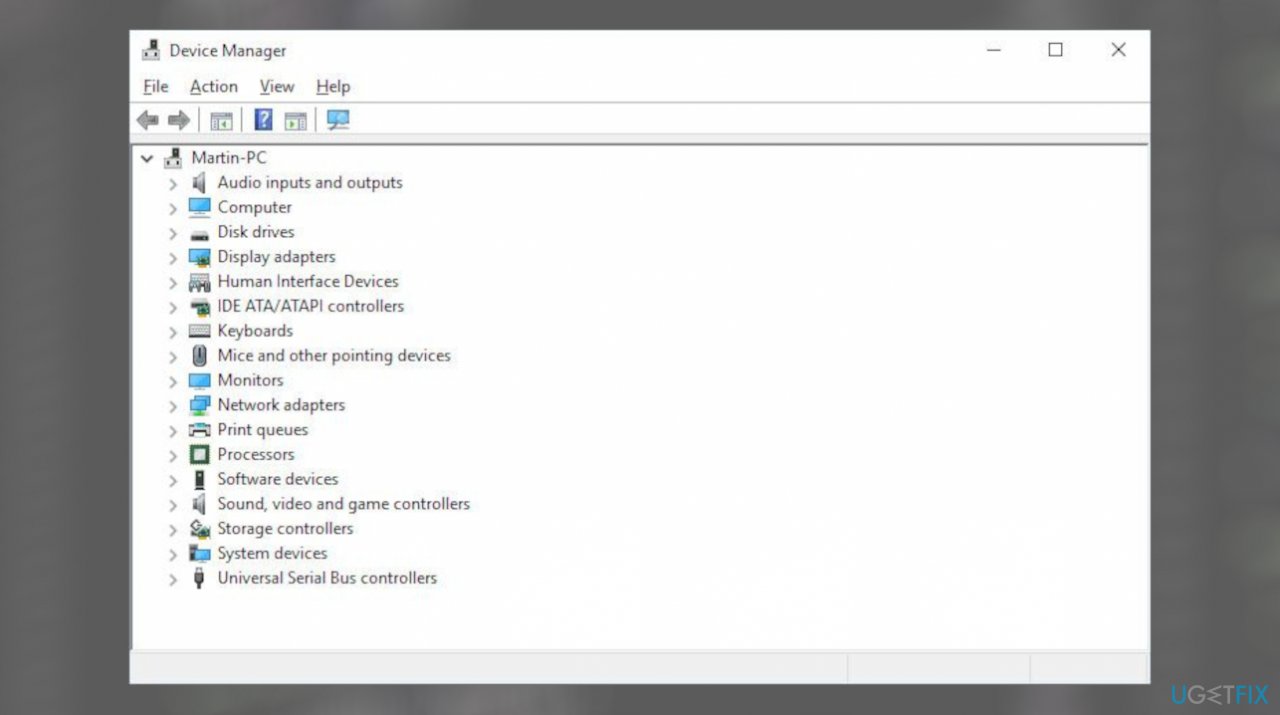
Voice recognition error internet connection device mngr - Then expand the network adapters.
- Right-click on the Ethernet or Wi-Fi card.
- Select Uninstall.
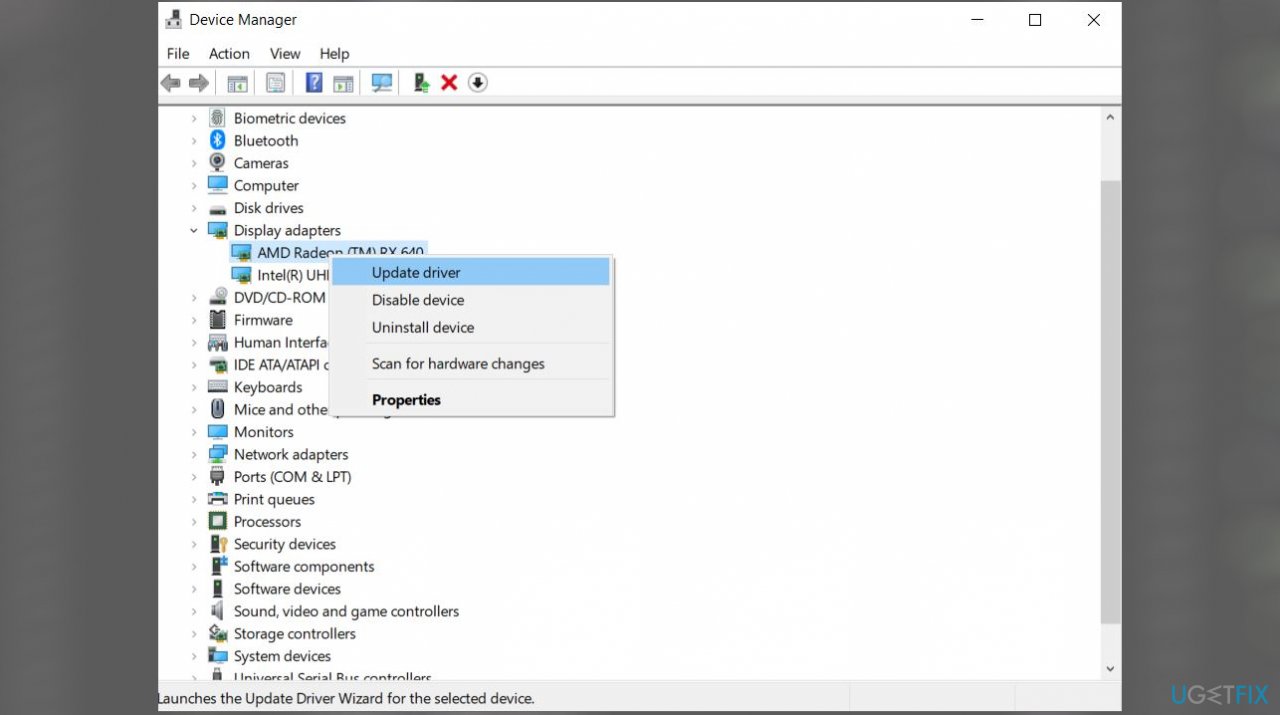
Voice recognition error internet connection updt - Confirm the uninstallation of the device by clicking on Uninstall.
- Press F5 to refresh Device Manager and reactivation of the network card.
- Reboot the computer to allow Windows to reinstall drivers.
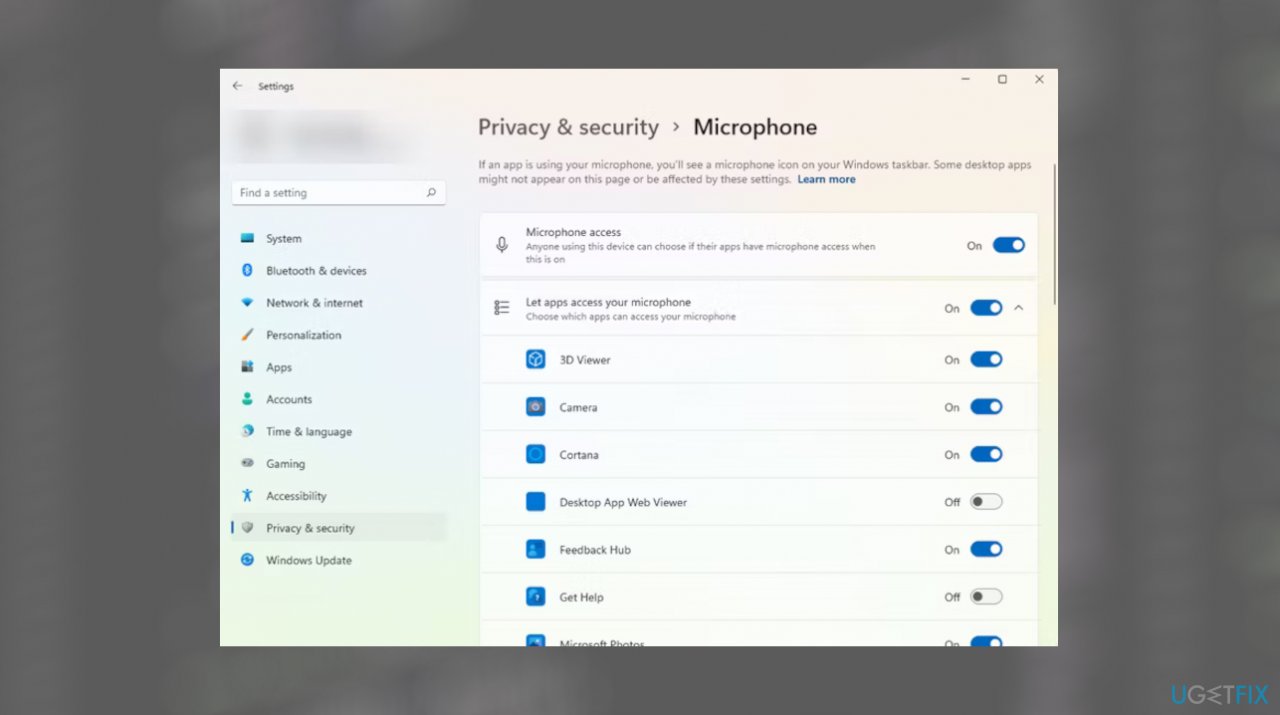
3. Check the Microphone settings
- Launch the Settings app by pressing Win + I.
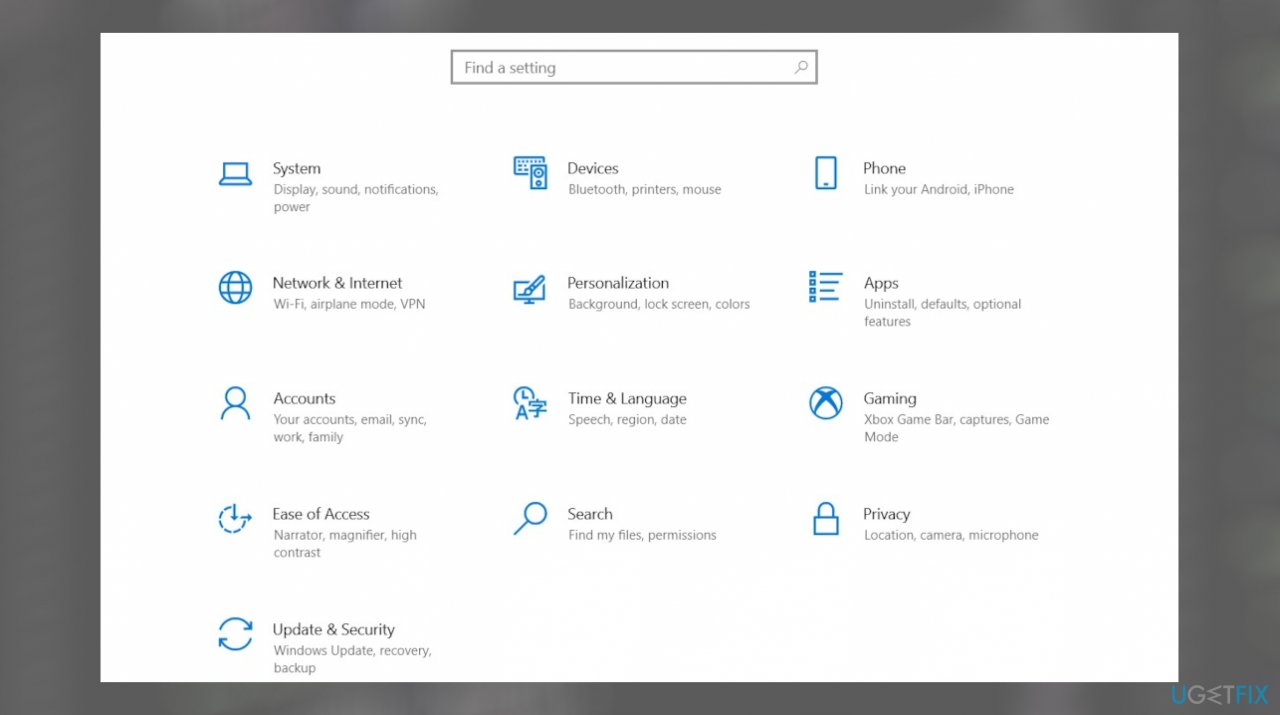
Voice recognition error internet connection settings - Navigate to Privacy & security.
- Go to Microphone.
- Toggle the button next to the Microphone access to enable it.
Voice recognition error internet connection mic access
4. Check language settings
- Press Win + I to launch the Settings app and navigate to Time & language.
- Find Speech.
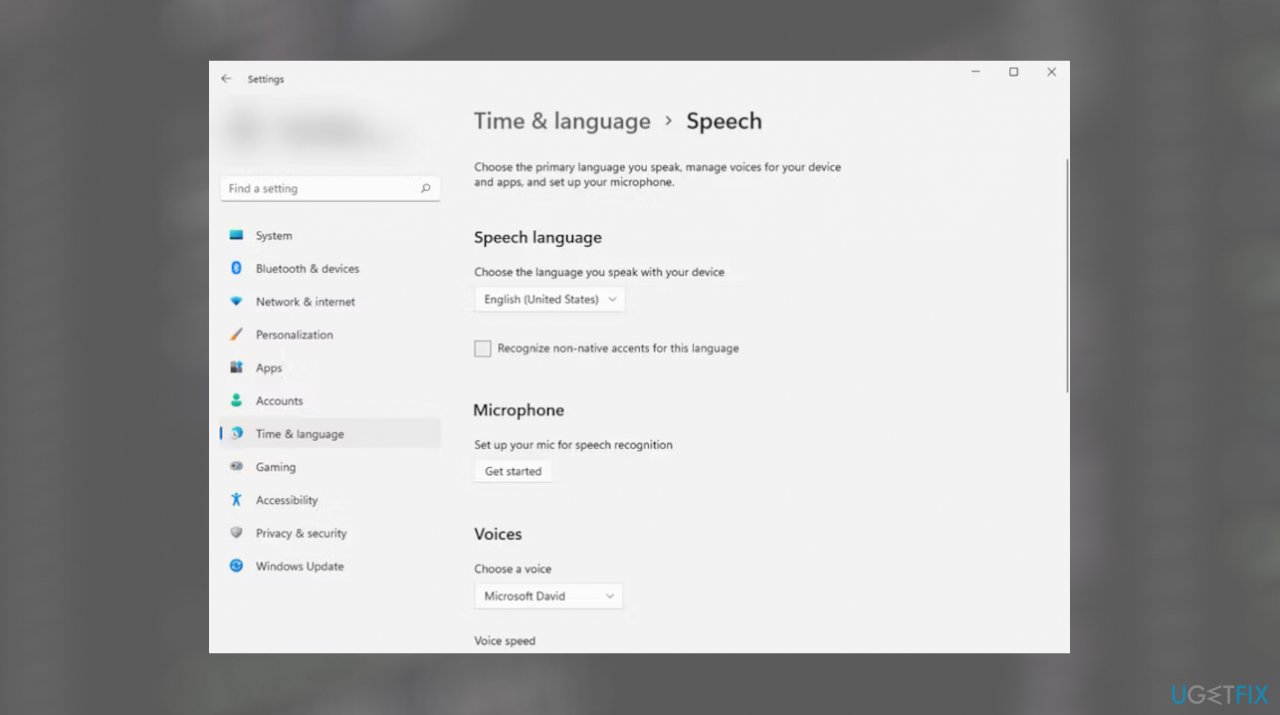
Voice recognition error internet connection speech - Select a language of your choice.
- Also, check the box next to Recognize non-native accents for this language.
Bottom line
To resolve the voice recognition issue, you can check DNS and IP address settings, run repair tools for missing system data, and ensure your internet connection is stable. If these steps do not fix the problem, consider updating the operating system again or resetting your router.
Frequently asked questions
First, ensure your internet connection is active and stable. Then, go to Settings > Privacy > Speech and check if the online speech recognition option is enabled.
Try running the Speech Troubleshooter by going to Settings > Update & Security > Troubleshoot > Additional troubleshooters, and select 'Speech.'
This can happen due to incorrect network settings or issues with the speech service; resetting your network settings might help resolve the problem.




Report an issue
What's wrong with this guide? We review every report and update or remove content.
Report received — thank you. We'll review and fix it.
You need a free account to submit a report.
Be the first to comment