How to fix
ArmourySwAgent.exe Application error
on Windows
Resolve ArmourySwAgent.exe errors in Windows 10 and Windows 11 quickly with our easy fixes and expert-tested solutions. Get your system running smoothly!

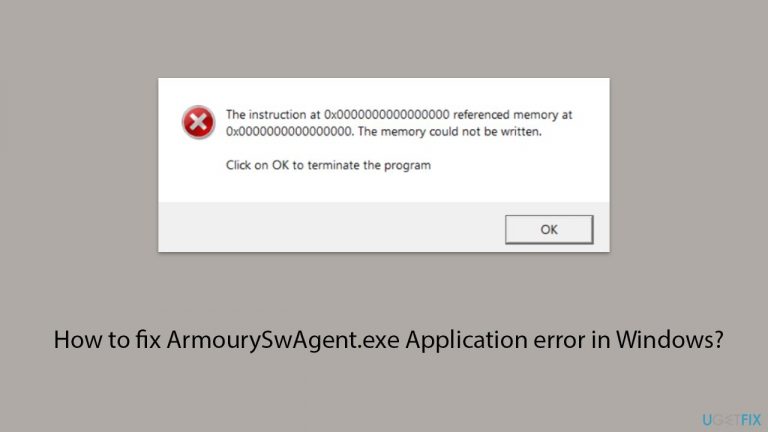
What causes How to fix ArmourySwAgent.exe Application error in Windows?
- Corrupted application files
- Compatibility issues with Windows version
- Outdated Armoury Crate application or drivers
- Antivirus or security software interference
Repairs Windows system files, removes malware, and restores a clean OS state — without reinstalling.
Every few days, I get ArmourySwAgent.exe Application crash. How do I get rid of it?
What is the ArmourySwAgent.exe Application error?
When you encounter the ArmourySwAgent.exe application error on your Windows computer, it typically means there's a problem starting or running the Armoury Crate software.
This error can cause the program to stop working correctly or prevent it from opening altogether, often displayed through a pop-up error message during system startup or when attempting to launch the application.
Why does this error occur?
The ArmourySwAgent.exe error can occur for several reasons including corrupted application files, which are essential for running Armoury Crate and might have become corrupted or were not correctly installed. Compatibility issues may also arise if there is a mismatch between the Armoury Crate software and your Windows version.
Additionally, if the Armoury Crate application or related drivers are outdated, this could lead to conflicts that result in errors. Sometimes, antivirus or security software on your computer might mistakenly identify ArmourySwAgent.exe as a threat and block or disrupt its operation.
What to do to fix the ArmourySwAgent.exe application error in Windows?
To fix the ArmourySwAgent.exe error, you might have to take several approaches, depending on your particular situation. Common approaches include updating the software, checking for compatibility issues, and ensuring that security software is not interfering with Armoury Crate operations.
This error disrupts the functionality of the Armoury Crate software, potentially affecting your system's performance and causing startup delays, as well as causing annoying error pop-ups.
For a straightforward solution to resolve this and other Windows-related issues, consider using the [d1] PC repair tool. This tool can automatically detect and fix underlying problems with Windows that might be causing the ArmourySwAgent.exe error.
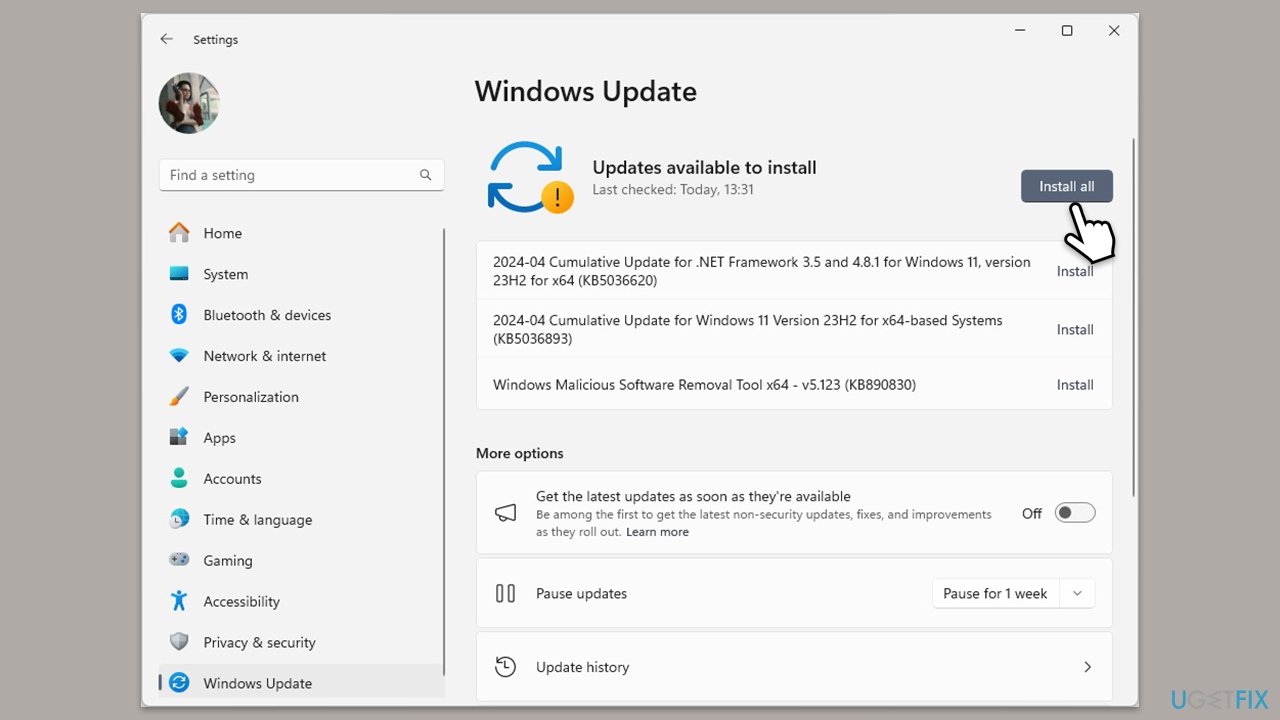
Fix 1. Install Windows updates
Keeping your system updated is crucial as updates often include patches for software bugs that could be causing errors like the ArmourySwAgent.exe crash.
- Type Updates and press Enter.
- In the new window, click Check for updates.
- Wait till all the files are downloaded and installed.
- If optional updates are available, install them as well.
- Restart your device when done.
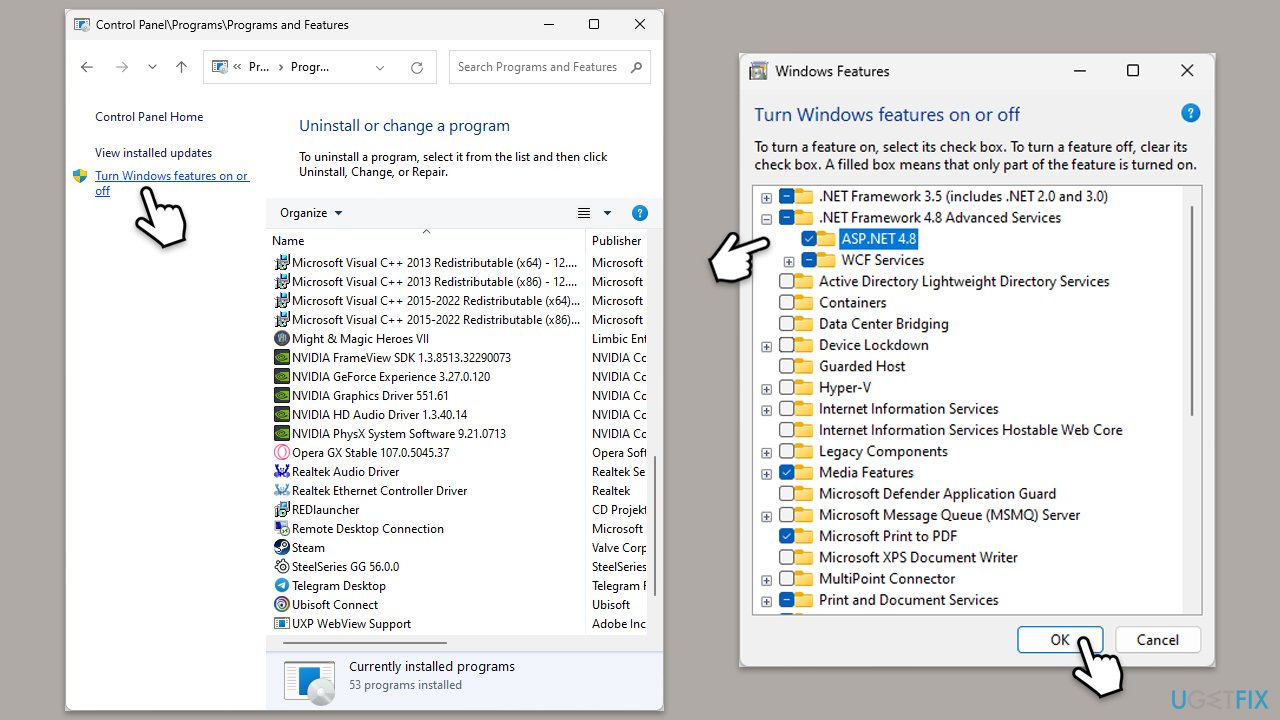
Fix 2. Enable .NET components
Armoury Crate might depend on certain .NET Framework components to function properly. Enabling these components can resolve the application error.
- Type Control Panel in Windows search and select Programs > Uninstall a program.
- Select Turn Windows features on or off.
- Enable .NET Framework 3.5 (includes .NET 2.0 and 3.0).
- Next, enable .NET Framework 4.8 Advanced Services and press the plus icon next to it.
- Make sure to enable ASP.NET 4.8 as well.
- Click OK.
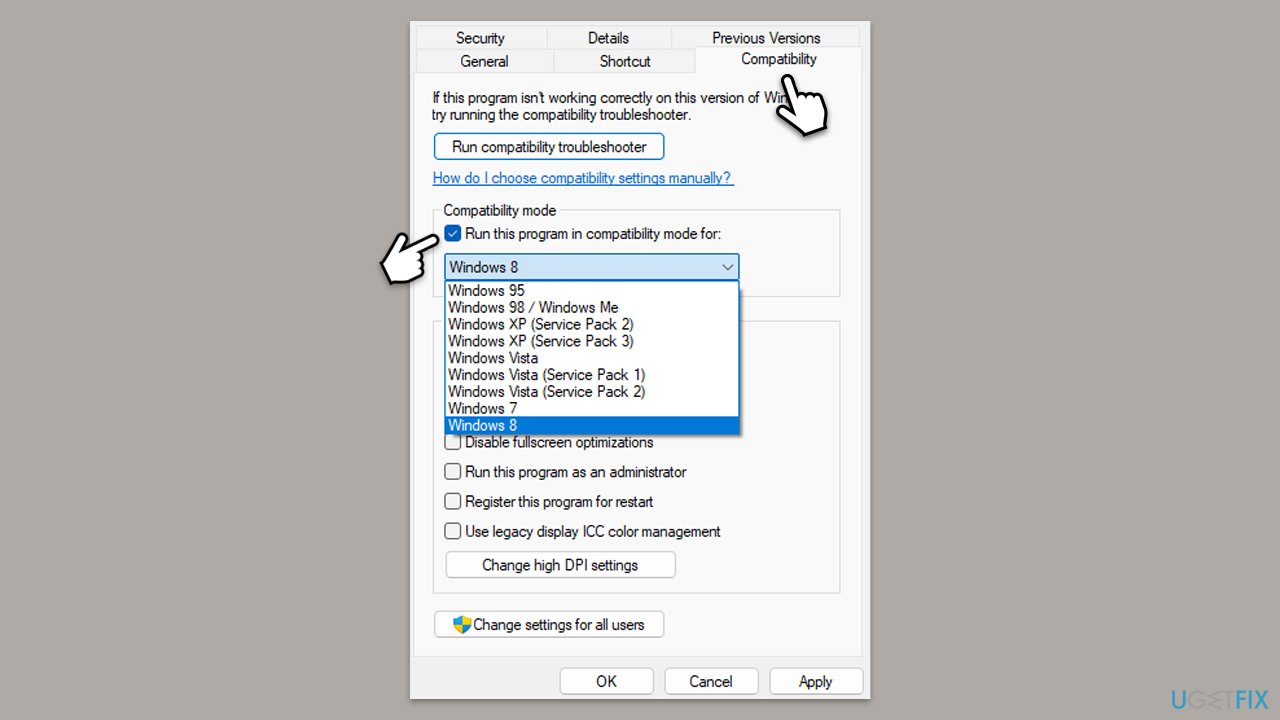
Fix 3. Run Armoury Crate in compatibility mode
Running the software in compatibility mode can help if the ArmourySwAgent.exe error is caused by compatibility issues with the current version of Windows.
- Right-click on the Armoury Crate shortcut and select Properties.
- Go to the Compatibility tab.
- Check the box labeled Run this program in compatibility mode for.
- Choose an older Windows version from the dropdown menu.
- Click Apply and then OK.
- Try launching Armoury Crate to see if the error is resolved.
Fix 4. Run Clean Boot
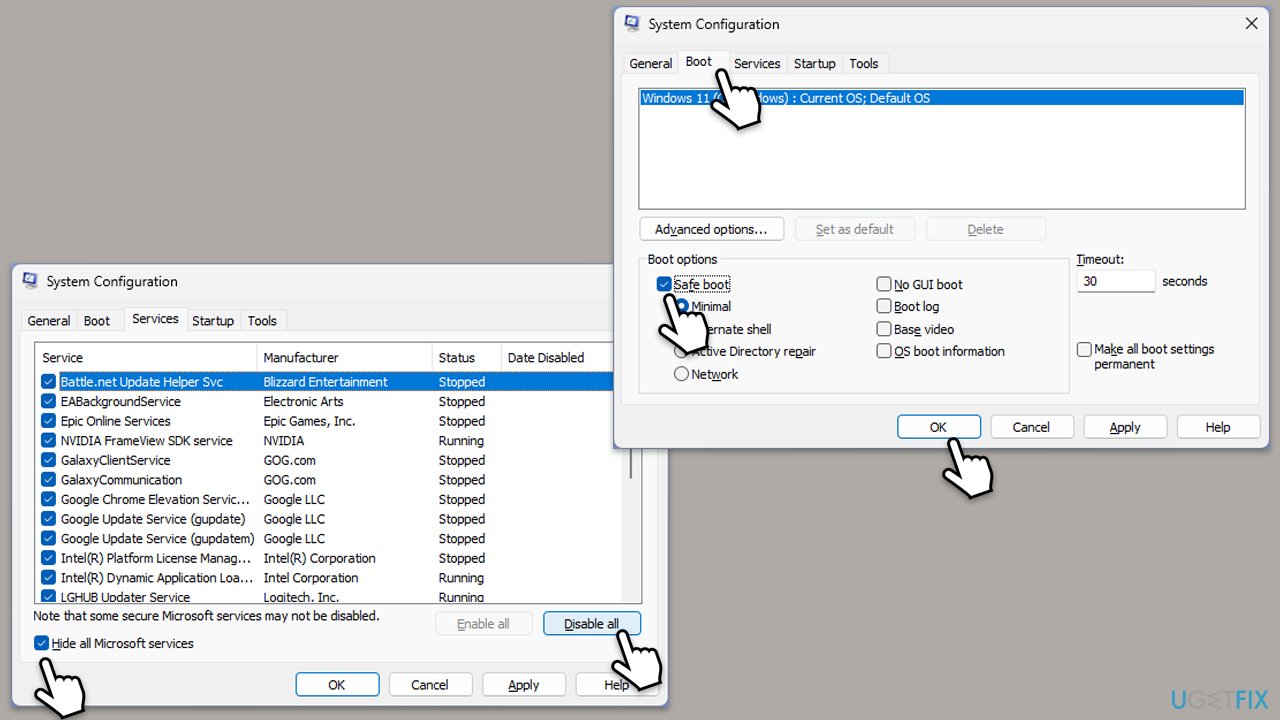
Performing a Clean Boot starts Windows with a minimal set of drivers and startup programs, which can help identify if background programs are causing conflicts.
- Type msconfig inWindows Search and press Enter to open the System Configuration window.
- Click on the Services tab and check the Hide all Microsoft Services box.
- Click Disable all to disable non-Microsoft services, then click the Startup tab.
- Open the Task Manager, disable all startup items, and close the Task Manager.
- Go to the Boot tab and mark the Safe boot option.
- Click OK on the System Configuration window and restart your computer.
- Once in the Clean Boot state, try running Armoury Crate. If the error does not occur, enable services and startup items one at a time (or in groups) to pinpoint the conflict.
Fix 5. Reinstall Armoury Crate
Reinstalling Armoury Crate can address issues caused by corrupt installation files.
- Uninstall Armoury Crate through the Control Panel or Settings app.
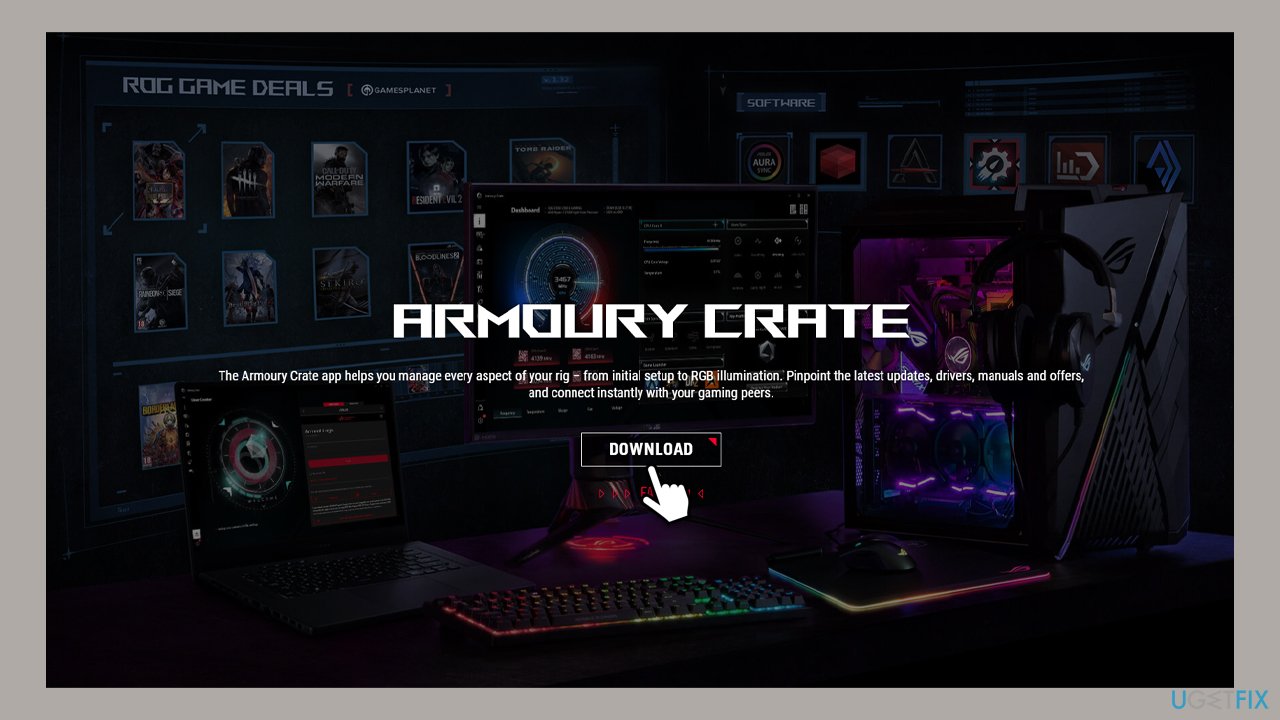
- Download the latest version of Armoury Crate from the official ASUS website.
- Install the software by following the on-screen instructions.
- Restart your computer and check if Armoury Crate runs without the error.
Useful links:
Bottom line
To fix the ArmourySwAgent.exe error, you can install Windows updates, check for compatibility issues, and ensure that security software is not blocking the application. If these solutions do not resolve the issue, consider using a PC repair tool to detect and fix underlying problems.
Frequently asked questions
The ArmourySwAgent.exe application error can be caused by corrupted files, outdated drivers, or software conflicts with other applications in Windows 10 or Windows 11.
To repair the error, try reinstalling the Armoury Crate software, updating your Windows 11 to the latest version, or running the built-in Windows Troubleshooter.
Yes, ensuring that all drivers are up-to-date and performing regular system maintenance, such as disk cleanup and checking for corrupted files, can help prevent the ArmourySwAgent.exe error in Windows 10.




Report an issue
What's wrong with this guide? We review every report and update or remove content.
Report received — thank you. We'll review and fix it.
You need a free account to submit a report.
Be the first to comment