How to fix
C000000 error in Apex Legends
on Windows
Resolve the c000000 error in Apex Legends on Windows 10 and 11 quickly and easily. Expert-tested solutions ensure a smooth gaming experience.


What causes How to fix c000000 error in Apex Legends?
- Origin Overlay
- In-Game FPS Limitations
- Cloud Storage Issues
- Corrupted Files
- Registry Issues
Repairs Windows system files, removes malware, and restores a clean OS state — without reinstalling.
Hello. I have been trying to launch Apex Legends for quite some time now but i constantly receive the c000000 error. Why can't I play the game?
Apex Legends is a free-to-play battle royale-hero shooter game developed by Respawn Entertainment and published by Electronic Arts. It was released for Microsoft Windows, PlayStation 4, Xbox One in February 2019, and Nintendo Switch in March 2021. Before the match, players form into three-player squads, and select from pre-designed characters with distinctive abilities, known as "Legends."
However, sometimes users run into errors when trying to play their favorite games. One such error appeared when users tried to launch Apex Legends. Error code c000000 seems to prevent people from opening the game and it is not completely clear why. Users report experiencing this on Windows 10 as well as Windows 11. We previously wrote about other Apex Legends problems like audio issues.
In this guide, you will find 7 methods that could help you fix the c000000 error in Apex Legends. One of the things that could be causing this error to appear is the Origin overlay, in-game FPS (frames per second),[ref en-1] and cloud storage. Hopefully, this guide will help you and you will be able to enjoy the game again.
Troubleshooting can be quite a lengthy process so you can try using a maintenance tool like [d1] that can fix most system errors, BSODs,[ref en-2] corrupted files, and registry[ref en-3] issues. It can also clear cookies and cache, which are sometimes the culprits of many malfunctions. Otherwise, if you are ready to begin the guide, follow the steps below carefully.

Solution 1. Run Apex Legends as Administrator
- Open the Start Menu and search for Origin
- Right-click on the Origin app and run it in administrator mode
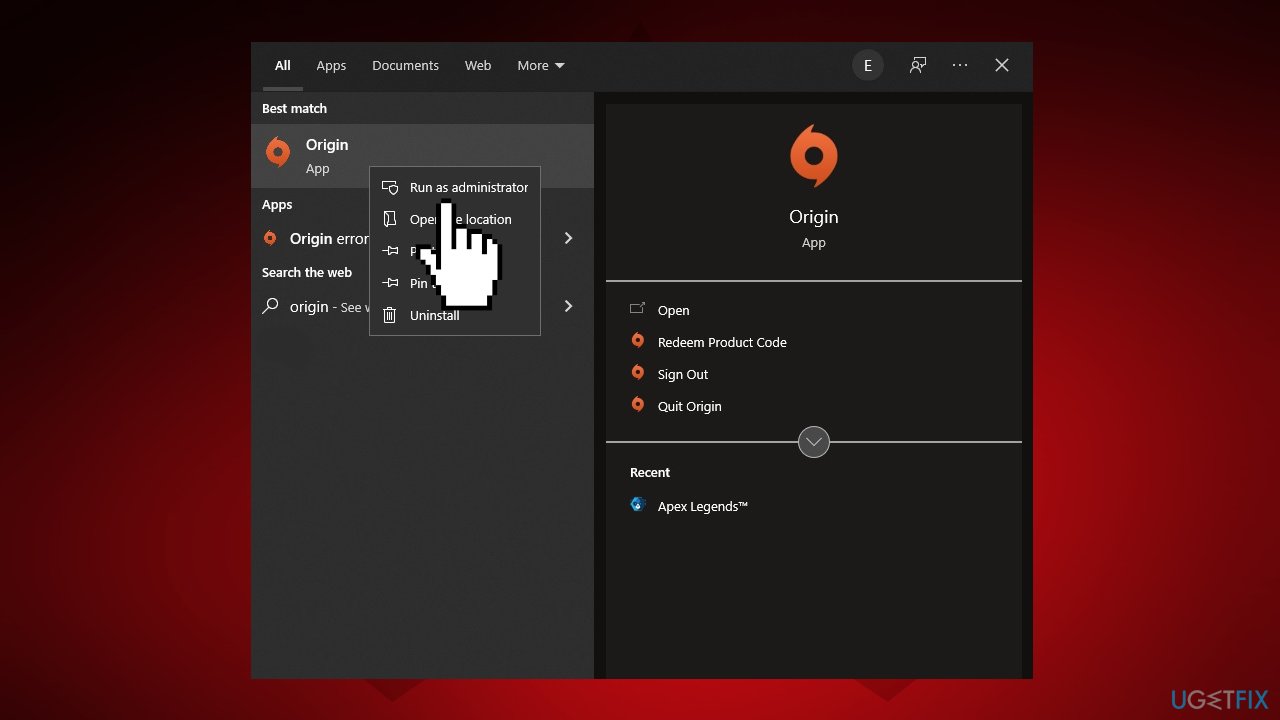
Run apex legends as administrator - Launch Apex Legends, and check if the problem is fixed
Solution 2. Disable Origin Overlay
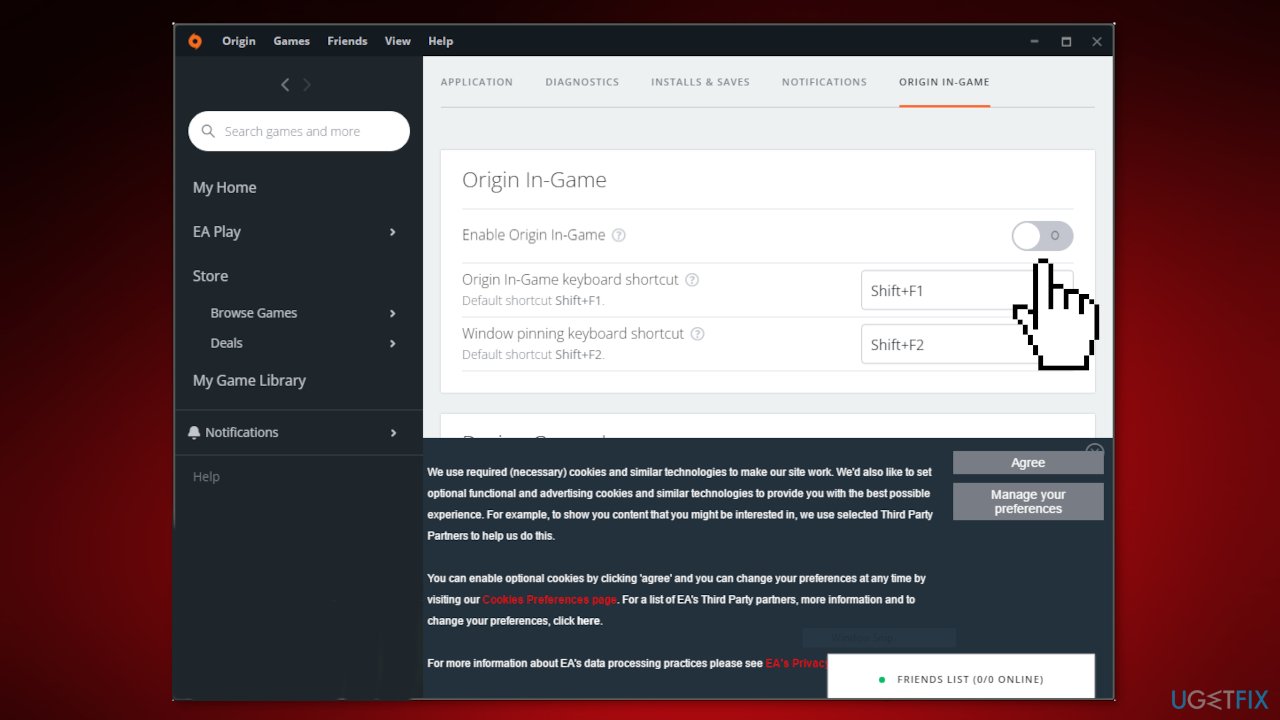
- Launch Origin
- Click on the Origin icon at the top left corner of the screen
- Tap on the Application Settings option
- Click on the More tab
- Toggle off the Enable Origin In-game option
Solution 3. Limit the In-Game FPS
- Launch the original client on your Windows PC
- Navigate to the Game Library, and locate Apex legends
- Right-click on the game and from the context menu choose the Game Properties option
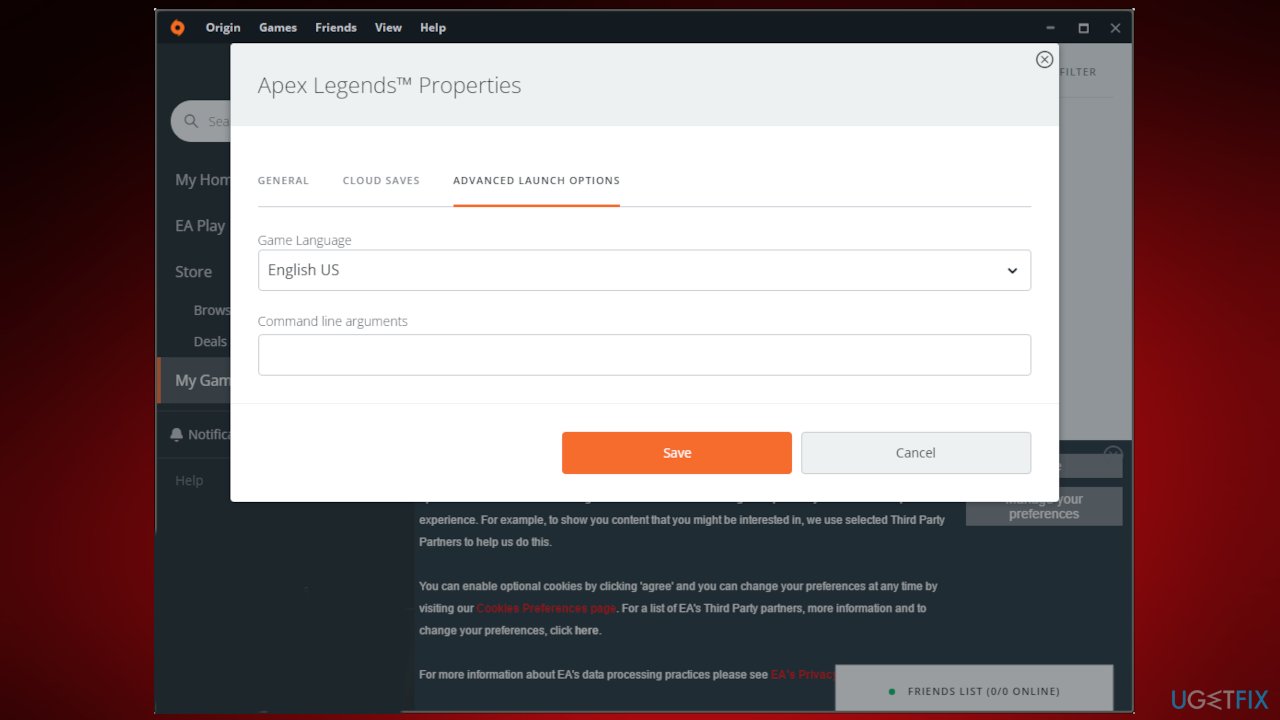
- Tap on the Advanced Launch Options tab
- In the command line arguments section, enter the below code and press Save
Solution 4. Change the Display Mode to Windowed
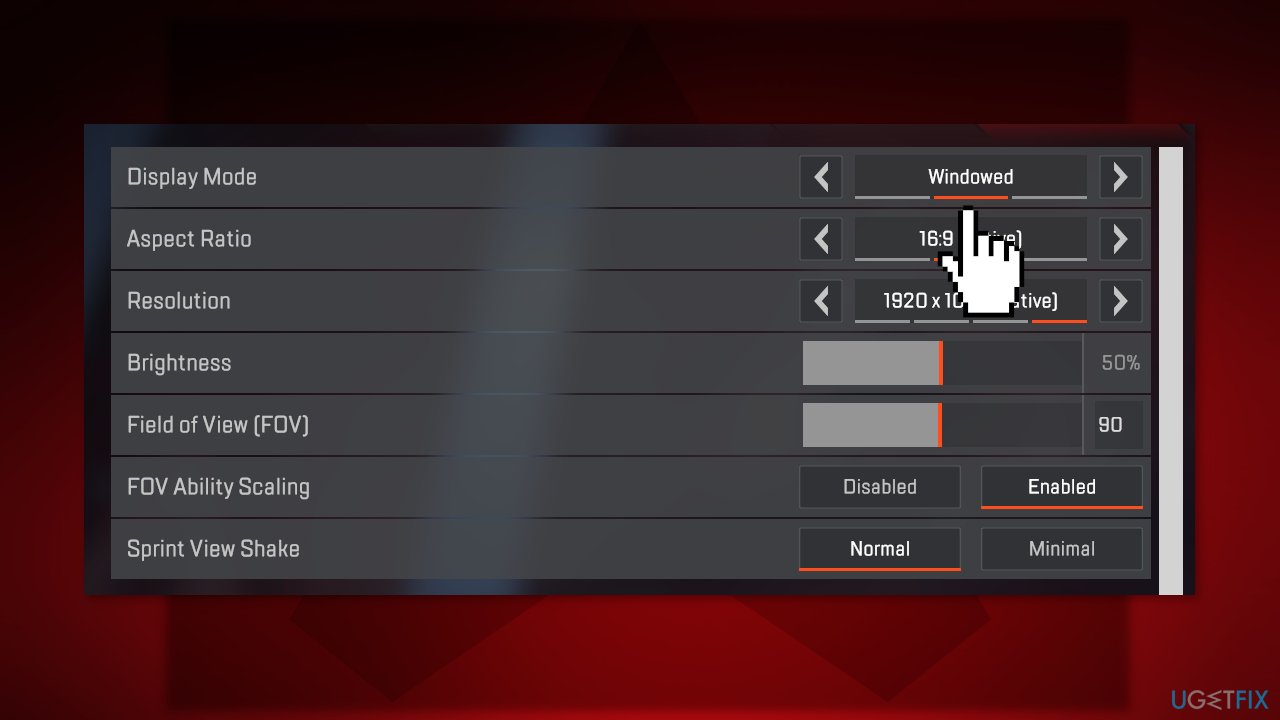
- Open Apex Legends
- Click on the Settings menu
- Choose Video Settings
- Change the display mode from full screen to Windowed
Solution 5. Set EasyAntiCheat Priority to Low
- Press the Ctrl + Shift + Esc hotkeys to open Task Manager
- Click on the Details tab
- Locate EasyAntiCheat
- Right-click on the option, and Set Priority
- In the context menu, choose Low
Solution 6. Repair EasyAntiCheat
- Locate the EasyAntiCheat.exe file and open it
- Tap on the dropdown icon and choose Respawn Demo
- Click on the Repair Service option
Solution 7. Disable Cloud Storage
- Launch Origin and go to the Origin > Application Settings
- Go to the Installs & Saves tab and disable the Saves option
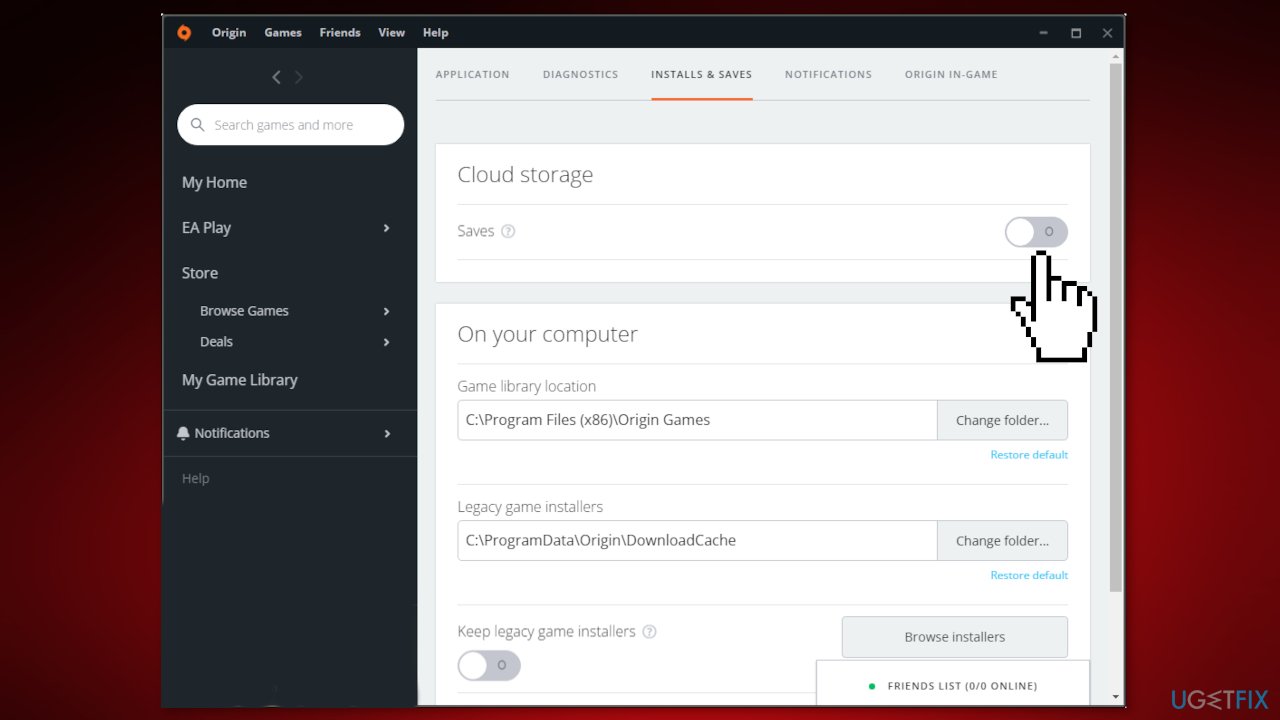
- Open File Explorer and go to Documents
- Rename the Apex Legends folder to Apex Legends backup
Bottom line
To fix the c000000 error in Apex Legends, you can try running the game as an administrator, disabling the Origin overlay, and limiting the in-game FPS. If these solutions do not resolve the issue, consider using a maintenance tool to address potential system errors.
Frequently asked questions
The c000000 error is often caused by corrupted game files, outdated graphics drivers, or issues with the Windows operating system. Ensuring that your system and game are up to date can help resolve this error.
To verify the integrity of game files, open the Origin or Steam client, locate Apex Legends, and select the option to verify or repair the game files. This process will check for any missing or corrupted files and replace them automatically.
Yes, updating your graphics drivers is crucial; you can do this through the Device Manager or by downloading the latest drivers directly from the manufacturer's website. This ensures compatibility and may resolve the c000000 error.




Report an issue
What's wrong with this guide? We review every report and update or remove content.
Report received — thank you. We'll review and fix it.
You need a free account to submit a report.
Be the first to comment