How to fix
EA login error code 10005
on Windows
Resolve EA login error code 10005 on Windows 10 and 11 effortlessly. Get expert-tested solutions to fix this issue quickly and effectively.


What causes How to fix EA login error code 10005 in Windows?
- Server problems on EA's part
- Unstable or weak internet connection
- VPN interference with EA's servers
- Security software blocking connection
- Regional server issues
Repairs Windows system files, removes malware, and restores a clean OS state — without reinstalling.
I can't log in to the EA app and it's driving me mad. Not only can't I use the app, I can't play any games on it either. I have been waiting since yesterday, and I still receive error code 10005 whenever I attempt to log in.
Electronic Arts, a prominent name in the gaming industry, recently transitioned from its well-known Origin platform to the newer EA app. However, many users have encountered a stumbling block in the form of the EA login error code 10005. This error has become a notable issue as it prevents players from accessing their games on the EA app, leading to significant frustration and interruption in their gaming experience.
The EA login error code 10005 typically indicates a problem with connecting to the EA servers. This issue can stem from various factors, most commonly due to server problems on EA's part. When you encounter this error, it's advisable first to check the status of EA's servers. This can be a primary indicator of whether the issue is widespread and affecting other users or is isolated to your specific situation. Server-related problems are often resolved by EA in due time, requiring patience from your end.
However, the error is not always linked to server issues. There are several other factors that you might consider. Ensuring a stable internet connection is crucial; an unstable or weak connection can often lead to such login errors. If you're using a VPN, it might interfere with the connection to EA's servers. In this case, either disabling the VPN or switching to a different server location might resolve the issue.
Conversely, if you're not using a VPN, trying one might help bypass regional server issues. Additionally, security software on your computer, like antivirus or firewall programs, can sometimes inadvertently block the connection to EA's servers. Temporarily disabling these programs can help determine if they are the cause of the error.
While these are some common areas to consider, the exact solution can vary depending on the unique configuration and circumstances of your system. For a comprehensive approach to resolving underlying issues in Windows that might be contributing to the EA login error code 10005, utilizing a PC repair tool like [d1] can be a wise step.

Fix 1. Check EA server status
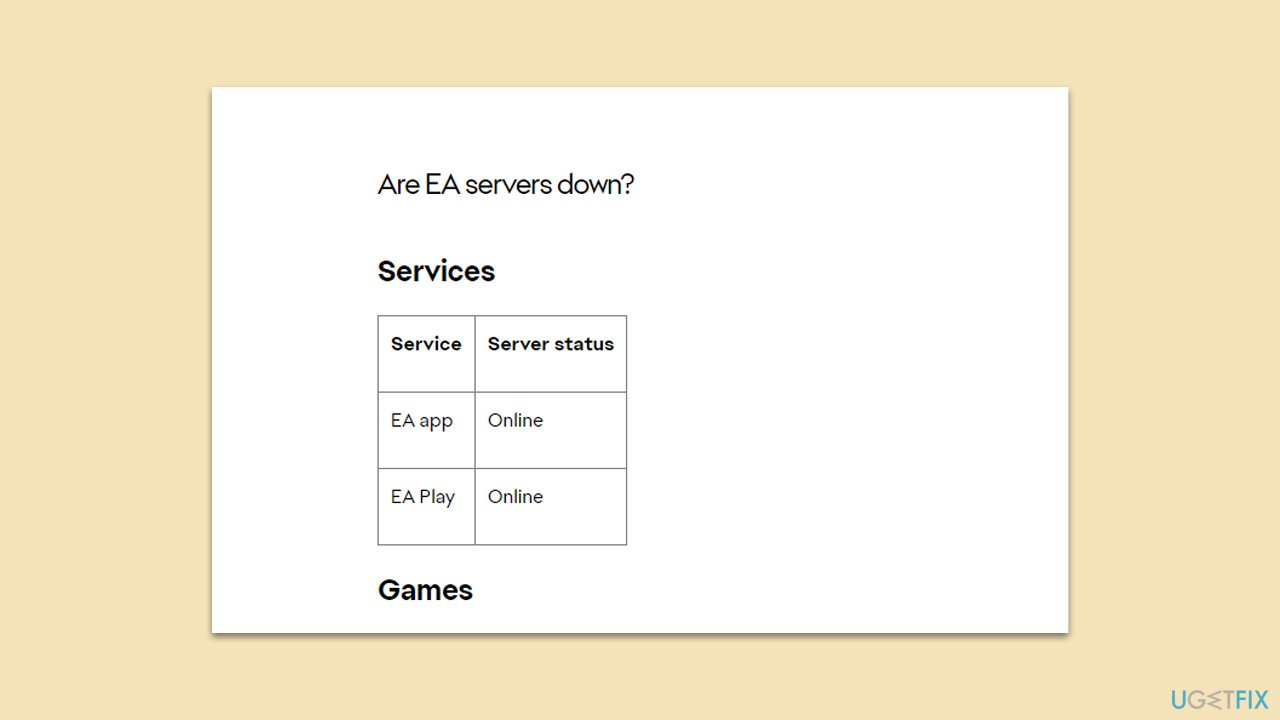
This solution involves verifying whether the issue is on EA's end by checking the status of their servers. If EA servers are down, it indicates that the problem is widespread and not specific to your system. This is an important first step as it helps in determining if the issue requires a wait for EA to resolve it or if further troubleshooting on your end is needed.
- Visit the official EA status website or their social media channels.
- Look for any announcements or updates regarding server status.
- If servers are down, wait until EA resolves the issue.
Fix 2. Run network troubleshooter
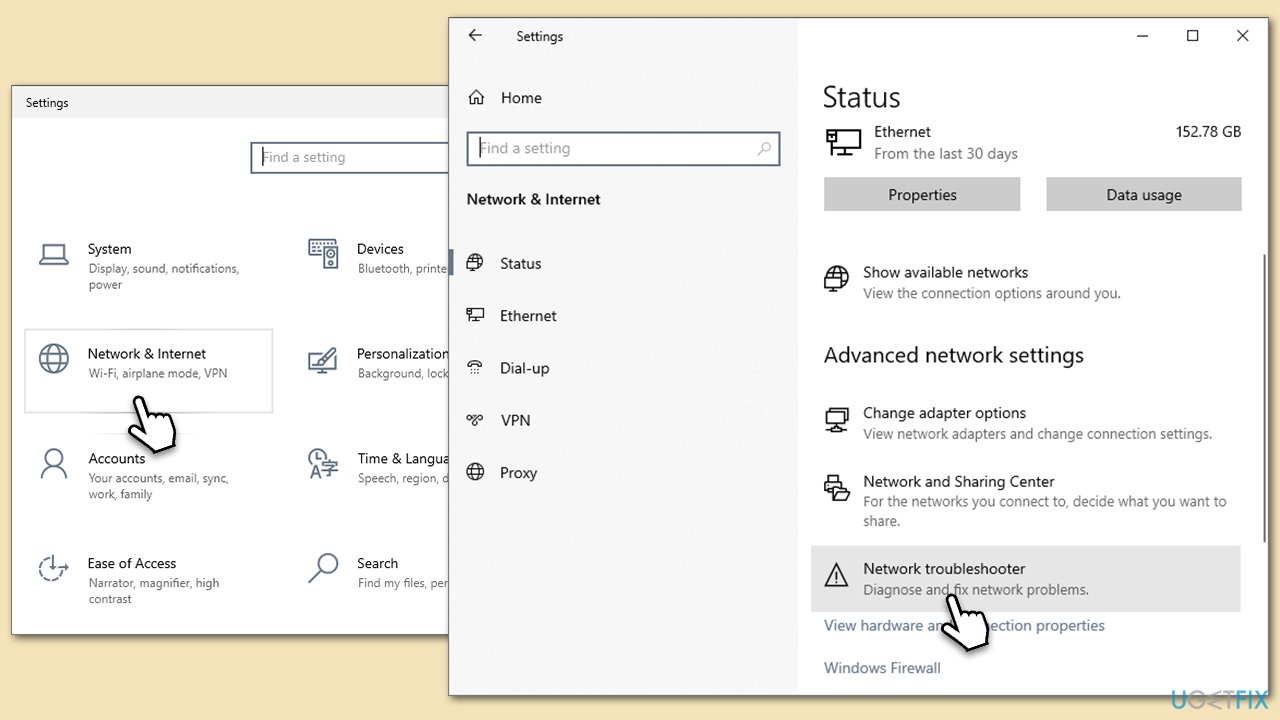
Windows includes a network troubleshooter that can automatically detect and attempt to fix issues with your internet connection. This can be particularly helpful if the problem lies with your network settings or connectivity.
- Right-click on Start and pick Settings.
- Go to Network & Internet section.
- On the right side, find the Advanced network settings section.
- Click Network troubleshooter and wait.
- Apply the recommendations.
Fix 3. Run internet connection troubleshooter
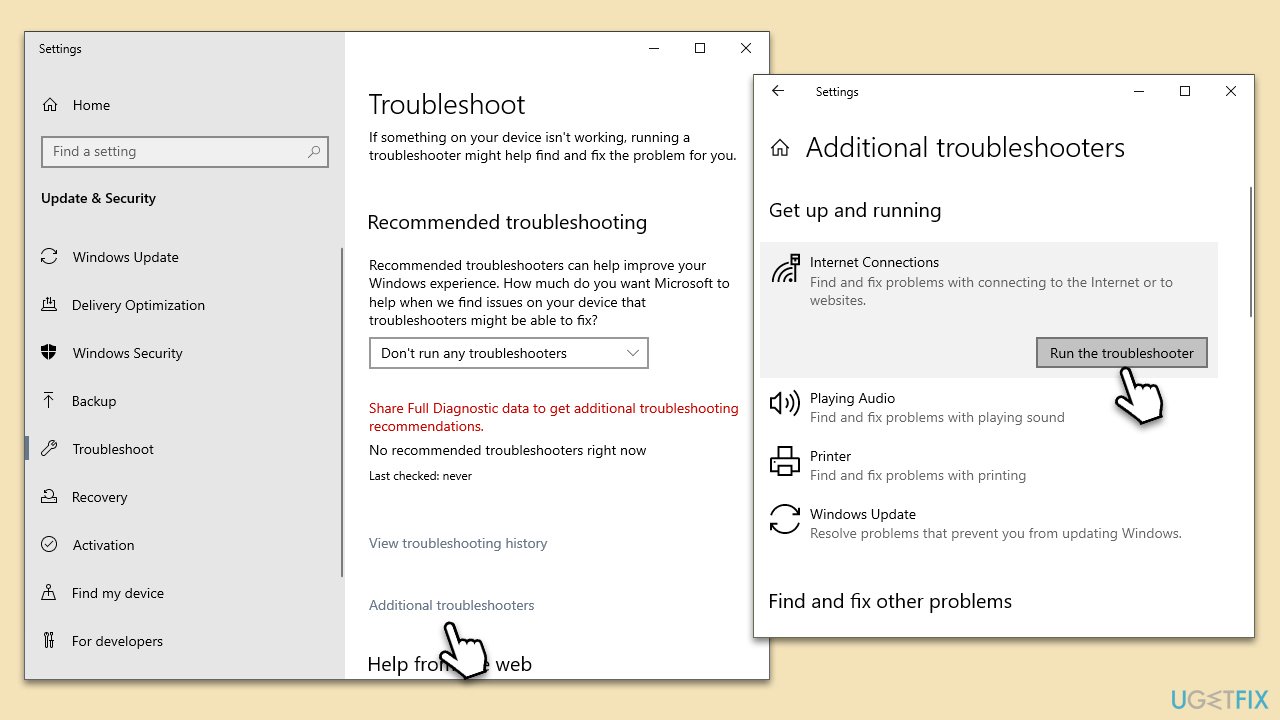
Similar to the network troubleshooter, the internet connection troubleshooter can identify and resolve issues specifically related to your internet connection.
- Type Troubleshoot in Windows search and hit Enter.
- Select Additional troubleshooters/Other troubleshooters.
- Find Internet Connections from the list and click Run the troubleshooter/Run.
- The troubleshooter will automatically scan your system for potential problems and display any issues.
- If the troubleshooter finds any issues, it will provide recommended solutions.
- Follow the on-screen instructions.
Fix 4. Temporarily disable third-party security software/firewall
in some cases, security software or firewalls can interfere with your connection to EA servers. Temporarily disabling these can help determine if they are causing the error.
- Locate the icon for your antivirus or firewall in the system tray.
- Right-click the icon and look for an option to disable it.
- Temporarily disable the software (ensure to turn it back on after testing).
Fix 5. Enable or disable the VPN
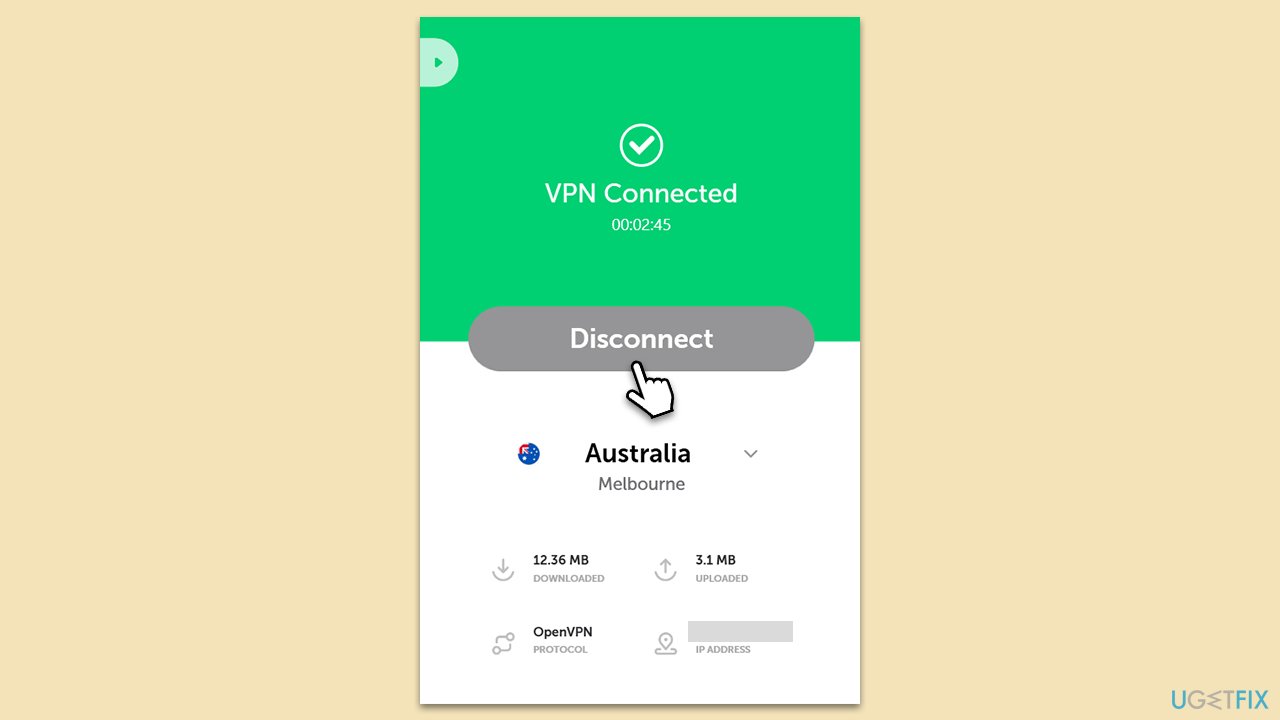
Changing your IP address by using a VPN can sometimes bypass regional issues that might be causing the error code 10005. Alternatively, if you're currently using a VPN, disabling it might resolve the issue.
- If you have a VPN, connect to a different server location.
- If you don't have a VPN, consider installing one, such as [rev id="Private Internet Access"], and connecting to a server.
- Alternatively, disable the VPN if you're currently using one and test the connection.
Fix 6. Reboot your router to change your IP address [if applicable]
If your ISP provides you with a dynamic IP address, rebooting your router will assign a new one, which might resolve connectivity issues with EA's servers.
- Turn off your router and unplug it from the power source.
- Wait for at least 30 seconds to a minute.
- Plug the router back in and turn it on.
- Wait for the router to fully restart and then test the connection.
Bottom line
To fix EA login error code 10005, check the status of EA's servers, ensure a stable internet connection, and consider disabling your VPN or security software temporarily. If these steps do not resolve the issue, further investigation into your system's unique configuration may be necessary.
Frequently asked questions
The EA login error code 10005 is often caused by server issues, network connectivity problems, or corrupted game files. Ensuring a stable internet connection and verifying game files can help resolve this error.
To clear the EA login error code 10005 in Windows 11, try resetting the EA app and clearing its cache. You can also check for Windows updates and reinstall the EA app if the issue persists.
Yes, you can troubleshoot the EA login error code 10005 on Windows 10 by checking your firewall settings to ensure the EA app is allowed through, and running the app as an administrator. Additionally, disabling VPNs or proxies may also help.




Report an issue
What's wrong with this guide? We review every report and update or remove content.
Report received — thank you. We'll review and fix it.
You need a free account to submit a report.
Be the first to comment