How to fix
Installation error occurred while applying security settings
on Windows
Resolve the installation error on Windows 10 with our expert-tested solutions. Fix security settings issues quickly and efficiently, zero traces left!


What causes How to fix Installation error occurred while applying security settings on Windows 10?
- Authentication problems within the local group policy
- Network issues
- Incompatible versions of software
- Missing 'Authenticated Users' entry in local versions of Windows
- Problems connecting to a domain controller
Repairs Windows system files, removes malware, and restores a clean OS state — without reinstalling.
Hello. Every time I try to install Node.js, I receive an error "Installation error occurred while applying security settings." Is there anything that can be done to solve this?
Created in 1995, JavaScript[ref en-3] is possibly the most popular programming language currently used to create and run various applications. In order for it to be executed correctly, it has to be converted to a so-called machine code, which requires a JavaScript Engine.
Node.js is an open-source[ref en-2] JS runtime environment that can work on various platforms, and it is extremely widespread. It uses a V8 engine and commonly executes code outside of the browser environment. Due to this, many users can see it running in the background as a process that can also be viewed from the Task Manager.
Since the software is delivered by a third party, Node.js is required to be installed on the machine if the component is required. Therefore, some users need to install the program themselves from its official website - this process is usually quick and easy.
However, some people claimed that not everything went smoothly for them, and they received the following error during the installation of Node.js:
An error has occurred while applying security settings. Authenticated Users is not a valid user group. This could be a problem with the package, or a problem connecting to a domain controller on the network. Check your network connection and click Retry, or Cancel to end the install.
Many users were wondering what is the reason for this error and how to fix it. In fact, the biggest hint is within the message itself - it might be authentication problems within the local group policy, network issues, incompatible versions of software, and similar.
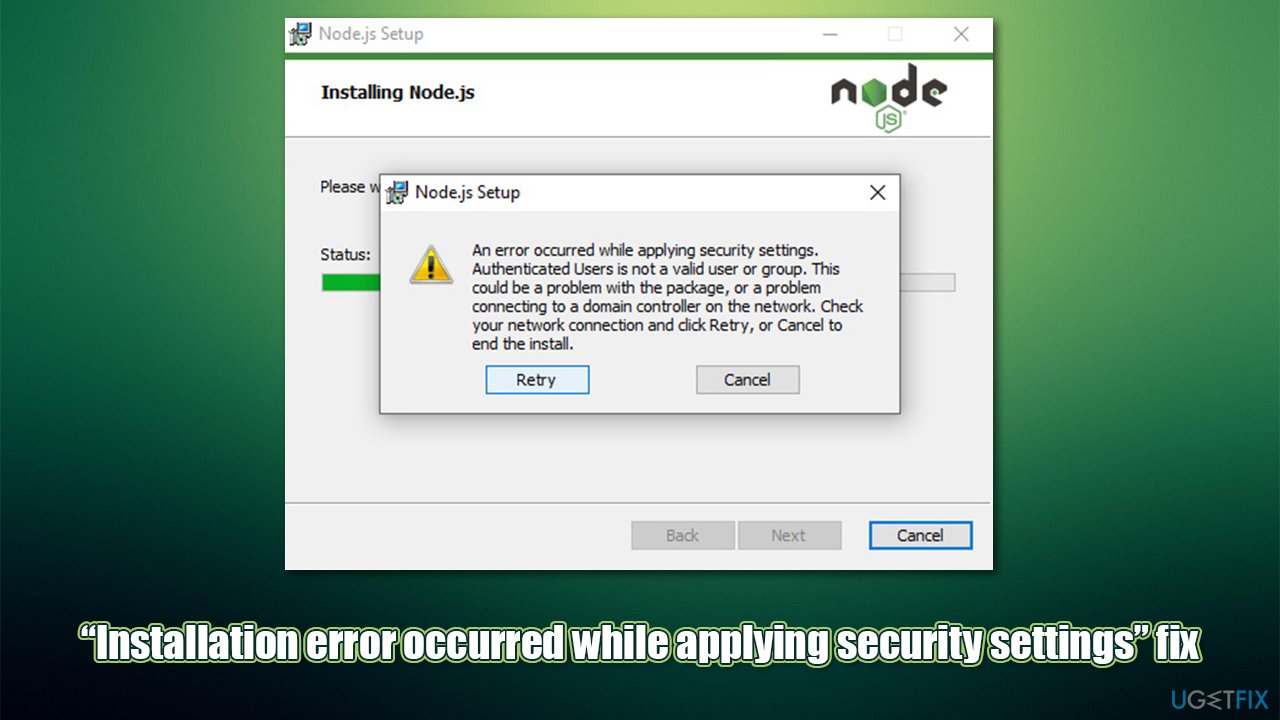
The issue was also more prevalent among users who do not use the English version of Windows - this is because a local version is missing the "Authenticated Users" entry. In such a case, adding it via Command Prompt or Computer Management might solve the problem.
In some cases, various errors might indicate that there are deeper problems within the Windows machine itself, hence we recommend running a PC repair tool [d1] before proceeding with the solutions below. The app can fix common computer issues automatically, consequently providing a solution for BSODs,[ref en-1] DLL errors, crashes, and much more.
Below you will find several solutions that should help you fix the "Installation error occurred while applying security settings" error while installing Node.js software on your computer.
Solution 1. Add the missing group
Most users who experienced the error said that adding the missing group helped them to resolve the issue:
- Right-click on Start and select Computer Management
- Expand the Local Users and Groups section and select Groups folder - you should see an extensive list of entries on the right with "Authenticated Users" entry missing
- Right-click anywhere on the empty space and select New Group
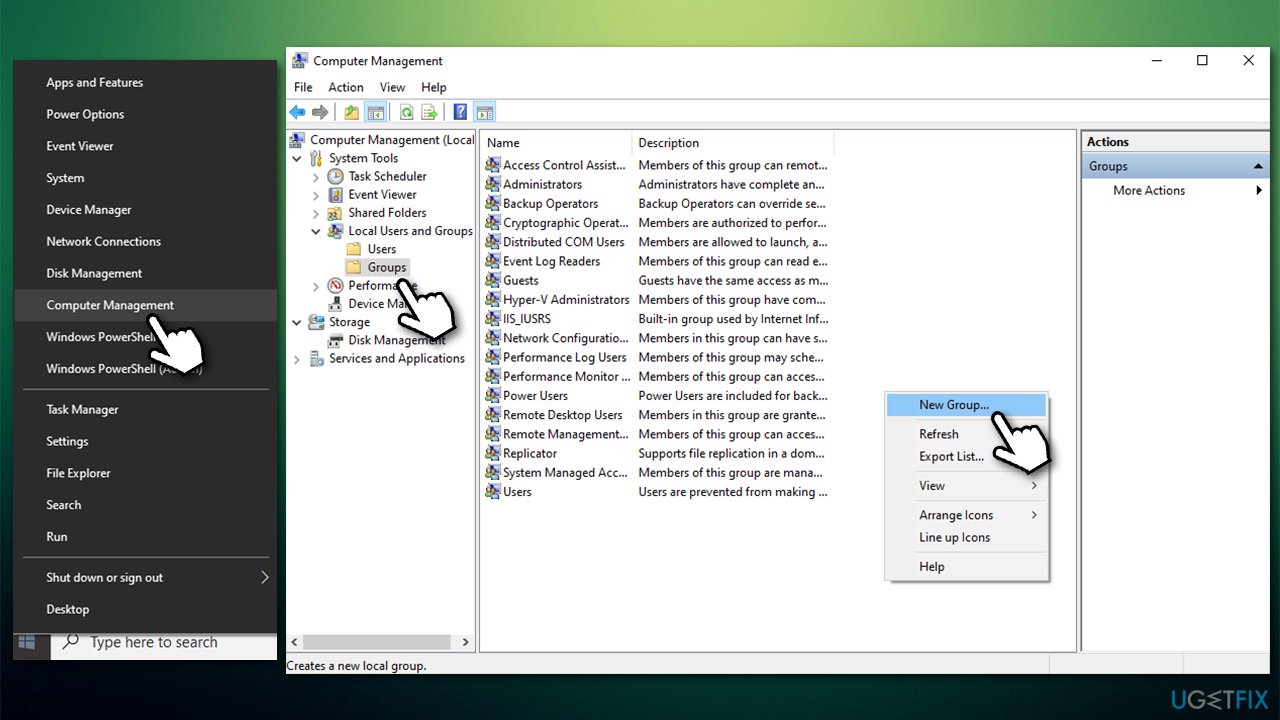
How to fix installation error occurred while applying security settings nodejs add the missing group - Name the group Authenticated Users and select Create.
Solution 2. Check your Group Policy
If the above method did not work, you should try Command Prompt instead:
- Type in cmd in Windows search
- Right-click on Command Prompt and select Run as administrator
- Paste the following command into the Command Prompt window:
net localgroup /add "Authenticated Users" - Press Enter
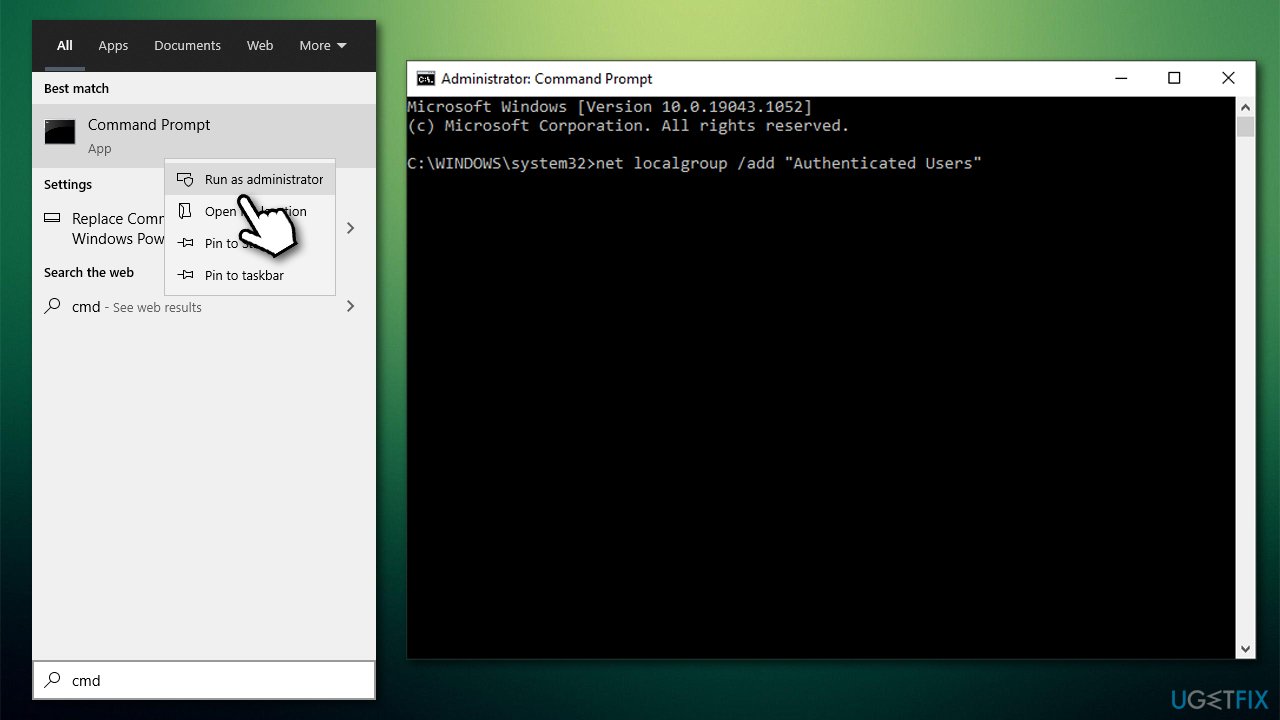
How to fix installation error occurred while applying security settings nodejs add the missing group cia command prompt - Restart your PC.
Note: make sure you run Command Prompt as administrator, as you might receive System error 5 otherwise.
Solution 3. Change your Administrator account back to default
If you have changed the name of your Administrator account, you should revert these changes as follows:
- Right-click on Start and select Computer Management
- Expand the Local Users and Groups section and select Users folder
- On the right side of the window, highlight your Administrator account
- Right-click on it and select Rename
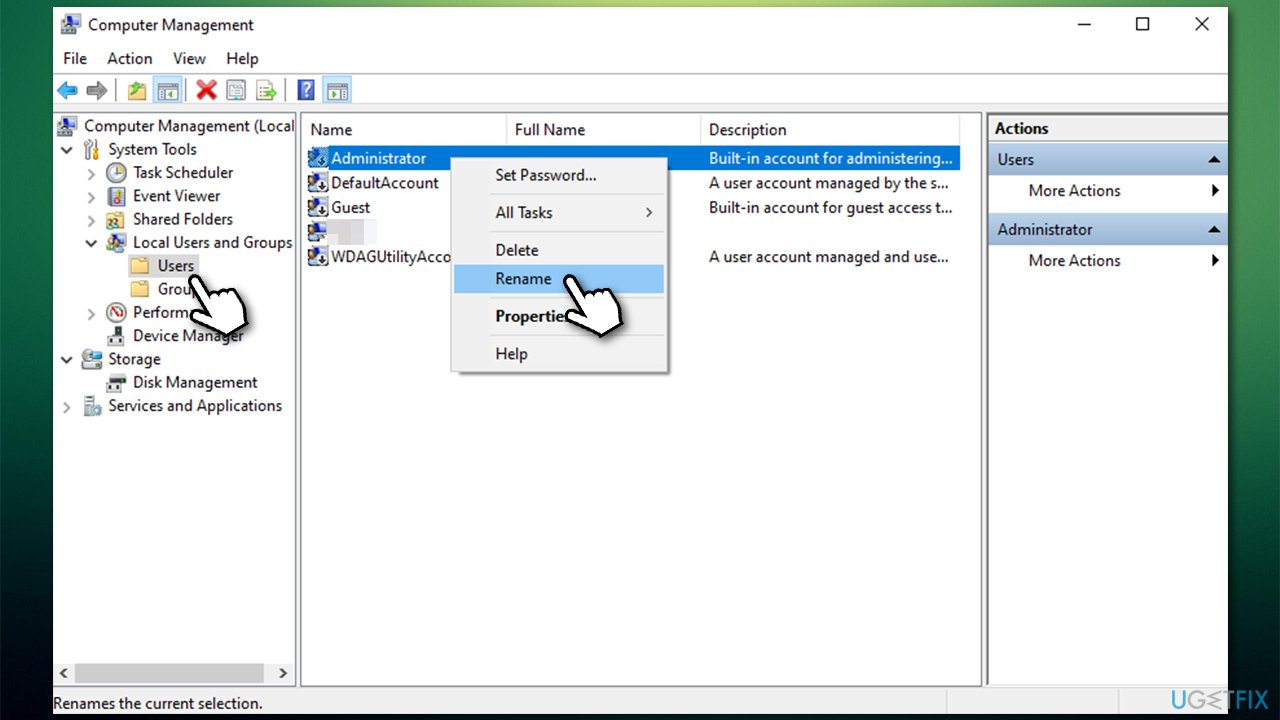
How to fix installation error occurred while applying security settings nodejs rename administrator account - Name it Administrator
- Restart your PC and try installing the software once again.
Solution 4. Use older version of Node.js [workaround]
It seems like the issue started with the most recent release of software - 14.17.3. People claimed that using previous versions, such as 14.17.1, helped them to resolve the issue.
Solution 5. Reset your Network connection
In case your internet connectivity is unstable, it might result in the Setup file not being able to connect to the domain controller. Therefore, you can try to reset your internet connection as follows:
- Open Command Prompt as administrator as explained above
- Type in the following commands, pressing Enter after each:
ipconfig /flushdns
ipconfig /registerdns
ipconfig /release
ipconfig /renew
netsh winsock reset - Once done, restart your computer.
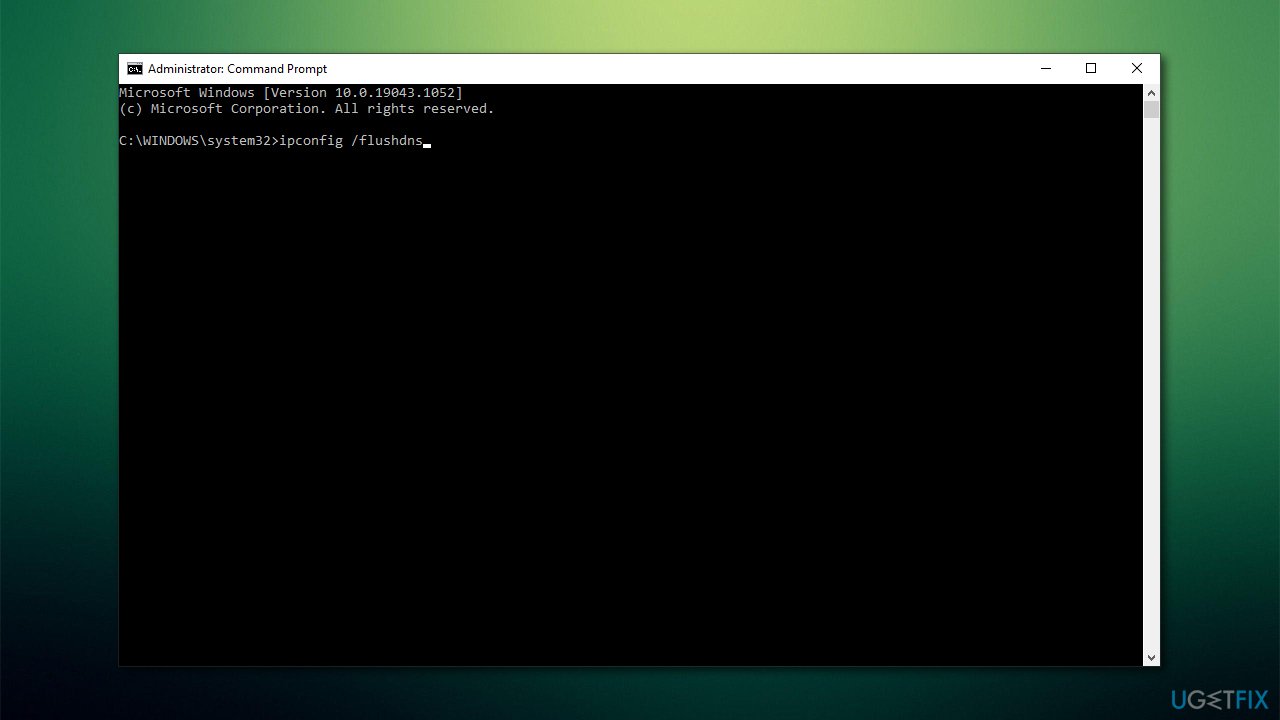
How to fix installation error occurred while applying security settings nodejs reset internet connection
Bottom line
To resolve the installation error, you can try adding the 'Authenticated Users' entry via Command Prompt or Computer Management. Additionally, check your network connection and ensure you are using a compatible version of the software. If these solutions do not work, consider seeking further assistance or checking for deeper issues within your Windows machine.
Frequently asked questions
You can try running the Windows Update Troubleshooter to identify and fix issues, or reset the Windows Update components manually to resolve the error.
Yes, you can often fix this error by using the System File Checker tool to repair corrupted system files or by ensuring that your user account has the necessary permissions.
While this article focuses on Windows 10, similar steps can be applied to troubleshoot the installation error on Windows 11, as both systems share common underlying features.




Report an issue
What's wrong with this guide? We review every report and update or remove content.
Report received — thank you. We'll review and fix it.
You need a free account to submit a report.
Be the first to comment